Hologrow
官方任何AI的電子商務數據層
你可以用 Hologrow MCP 做什麼?
- 探索已連接的平台 — 請您的助理呼叫
list_platforms,以查看已連接的資料來源及其 schema 名稱。 - 瀏覽可用的資料表 — 使用
list_tables找出特定平台(如 Amazon 或 Google Ads)中可查詢的資料表。 - 檢查資料結構 — 在撰寫任何 SQL 之前,讓
get_data_dictionary說明欄位、型別及欄位含義。 - 確認資料新鮮度 — 在做出時間敏感的決策前,使用
get_freshness驗證同步涵蓋範圍及最後更新時間。 - 執行唯讀查詢 — 要求
query_db使用安全、唯讀的 SQL 針對您已同步的商業資料回答業務問題。
文件






Hologrow MCP
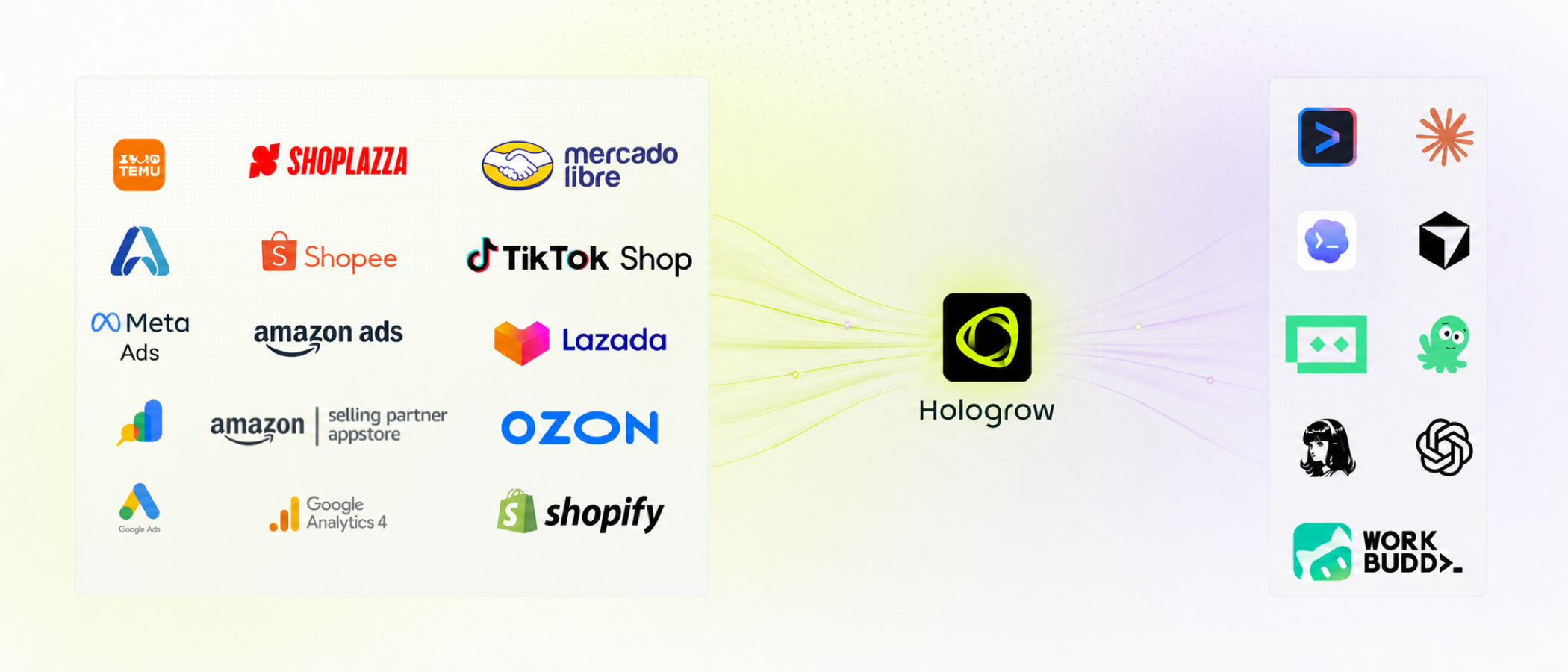
AI 的商業資料層。 一次連接 Amazon、Google Ads、GA4 及其他銷售系統。Hologrow 保持資料同步,然後 MCP 讓 Claude、Cursor、Codex、ChatGPT 及其他代理程式查詢資料——無需 CSV 匯出或一次性 API 腳本。
主機位於 mcp.hologrow.ai。控制台位於 connector.hologrow.ai。文件位於 docs.hologrow.ai。
為什麼選擇 Hologrow?
- 專為你已使用的工具打造:連接一次,即可在 Claude、Cursor、Codex、ChatGPT、Doubao 或 Hermes 中提問
- LLM 就緒的商業資料:為 Amazon SP、Amazon Ads、Google Ads、GA4、Search Console、Shoplazza 和 Lingxing ERP 提供穩定的資料表
- 繁重工作交給我們:平台 OAuth、同步、新鮮度和 schema——代理程式只需讀取
- 預設唯讀:MCP 絕不寫回廣告帳戶或商店前台
- 代理程式就緒:五個探索工具加上可用單一指令安裝的分析技能
功能總覽
MCP 工具
| 功能 | 說明 |
|---|---|
| list_platforms | 查看已連接的來源以及可查詢的 schema |
| list_tables | 列出單一平台可查詢的資料表 |
| get_data_dictionary | 在撰寫 SQL 前查看欄位、型別、鍵和欄位說明 |
| get_freshness | 同步涵蓋範圍和最後一次成功重新整理 |
| query_db | 對 schema_name.table 執行一次唯讀 SELECT |
更多
| 功能 | 說明 |
|---|---|
| 技能 | 為你的代理程式提供可重複使用的 Amazon / Google Ads 分析工作流程 |
| 用戶端 | ChatGPT、Claude、Cursor、Doubao、Claude Code、Hermes |
快速開始
- 在 connector.hologrow.ai 建立工作區。
- 連接至少一個資料來源,並等待第一次同步。
- 將 Hologrow MCP 加入你的代理程式。OAuth 用戶端在 UI 中授權。Cursor / Claude Code / Hermes 使用 AI Platforms → Advanced settings 中的 API 金鑰。
僅建立 API 金鑰是不夠的。當代理程式能呼叫 list_platforms 時,安裝才算成功。
MCP
連接任何相容 MCP 的用戶端。傳輸方式為 Streamable HTTP。
{
  "mcpServers": {
    "Hologrow": {
      "url": "https://mcp.hologrow.ai/mcp",
      "headers": {
        "Authorization": "Bearer YOUR_API_KEY"
      }
    }
  }
}
ChatGPT / Claude / Doubao(OAuth)
ChatGPT 網頁版
- ChatGPT → Settings → Security and login → 開啟 Developer mode。
- 側邊欄 → Plugins → +。
- 名稱:
Hologrow - 伺服器 URL:
https://mcp.hologrow.ai/mcp - 驗證:
OAuth
- 名稱:
- 點擊 Sign in with Hologrow 並允許存取。
ChatGPT 桌面版 / Codex
- Settings → Plugins → Add MCP server。
- 名稱:
Hologrow。類型:Streamable HTTP。URL:https://mcp.hologrow.ai/mcp。 - 點擊 Authenticate 並完成授權。
Claude 網頁版 / 桌面版
- Settings → Customize → Connectors → Add custom connector。
- 名稱:
Hologrow。遠端 MCP 伺服器 URL:https://mcp.hologrow.ai/mcp。 - 登入並點擊 Allow access。
Doubao 桌面版(僅限桌面應用程式)
- Skills · Connectors · Partners → New custom connector。
- 名稱:
Hologrow。傳輸方式:HTTP。URL:https://mcp.hologrow.ai/mcp。將標頭留空。 - 點擊 Authorize 並允許存取。
Cursor / Claude Code / Hermes(API 金鑰)
從控制台複製 API 金鑰,然後將此提示傳送給新的 Agent 對話。取代 {apiKey}。不要要求代理程式回顯金鑰。
Install the Hologrow MCP server and test the connection.

Connection details:
- Name: Hologrow
- URL: https://mcp.hologrow.ai/mcp
- Transport: Streamable HTTP
- Authentication: API Key
- Header: Authorization: Bearer {apiKey}

Requirements:
1. Add Hologrow using this client's native MCP configuration. Use API Key authentication only; do not use OAuth.
2. Make only the changes required for installation. Keep the API key secret and do not repeat, log, or include it in your response.
3. After installation, call Hologrow's list_platforms tool once. Do not call any other tools.
4. If successful, list the connected data platforms exactly as returned. If installation, authentication, connection, or the tool call fails, stop and explain the error.
驗證
開始新的對話並傳送:
Use Hologrow’s list_platforms tool to list my connected data platforms. Do not call any other tools.
輸出:
{
  "items": [
    {
      "platform": "amazon_sp_seller",
      "connected": true,
      "table_count": 30,
      "schemas": [
        {
          "schema_name": "amazon_sp_seller_xxxxxxxx",
          "display_name": "US Seller",
          "connection_status": "healthy"
        }
      ]
    },
    {
      "platform": "google_ads",
      "connected": false,
      "table_count": 15,
      "schemas": []
    }
  ]
}
空清單仍表示 MCP 已安裝——只是工作區尚未連接任何來源。
為你的代理程式賦能
在幾分鐘內將 Hologrow 連接到任何 AI 代理程式。
技能
為你的代理程式提供查詢工作流程和 Amazon / Google Ads 操作手冊。
npx skills@latest add hologrow/hologrow-mcp --skill hologrow-data-middleware --global --yes
安裝後重新啟動代理程式。適用於 Claude Code、Cursor、Codex 及其他相容技能的用戶端。
npx skills@latest add hologrow/hologrow-mcp --skill amazon-ppc-campaign --agent cursor --global --yes
npx skills@latest add hologrow/hologrow-mcp --skill google-ads-audit --agent claude-code --global --yes
代理程式入門
你是 AI 代理程式嗎?取得此技能,然後呼叫 list_platforms。
curl -s https://raw.githubusercontent.com/hologrow/hologrow-mcp/main/skills/hologrow-data-middleware/SKILL.md
工具
| 工具 | 說明 |
|---|---|
list_platforms | 探索可用的資料平台、連接狀態和 schema 名稱。請先呼叫此工具。 |
list_tables | 列出由 list_platforms 傳回的確切平台的可查詢資料表。 |
get_data_dictionary | 檢查來自 list_tables 的 1 到 10 個確切資料表名稱的欄位、型別、鍵和欄位含義。 |
get_freshness | 檢查同步涵蓋範圍和新鮮度。schema_name 來自 list_platforms;傳入來自 list_tables 的 1 到 50 個資料表名稱。 |
query_db | 使用對 schema_name.table 的一次唯讀 SQL SELECT 回答資料問題。 |
務必從工具中探索名稱。絕不自行發明平台、schema、資料表或欄位名稱。中介軟體欄位名稱通常與 Amazon / Google UI 標籤不同。
list_platforms → list_tables → get_data_dictionary → get_freshness → query_db
如果工具失敗或被取消,請明確說明。絕不從缺失的結果推斷為零、無資料或某個指標。
list_platforms
探索使用者可用的資料平台、連接狀態和 schema 名稱。在入門期間以及相關平台或 schema 未知時使用。傳回平台以及供後續工具和 SQL 使用的 schemas[].schema_name。
list_platforms()
list_tables
列出由 list_platforms 傳回的確切平台的可查詢資料表。在檢查欄位或撰寫 SQL 之前,使用此工具找出與使用者問題相關的資料表。傳回 get_data_dictionary、get_freshness 和 query_db 的確切資料表名稱;絕不自行發明資料表名稱。
list_tables({ "platform": "amazon_sp_seller" })
輸出:
{
  "tables": ["order_items", "sales_and_traffic_daily", "fba_inventory_summaries"]
}
get_data_dictionary
檢查由 list_tables 傳回的 1 到 10 個確切資料表名稱的欄位、型別、鍵和欄位含義。在撰寫 SQL 之前使用。這些名稱可能與來源平台 API 或報表欄位不同;僅使用傳回的名稱。
get_data_dictionary({
  "platform": "amazon_sp_seller",
  "table_names": ["orders", "order_items"]
})
get_freshness
在做出時間敏感的結論之前,檢查同步涵蓋範圍和新鮮度。schema_name 必須來自 list_platforms schemas[].schema_name;提供來自 list_tables 的 1 到 50 個確切資料表名稱。可選的 scope 按資源身分篩選,例如 {"marketplace_id": "ATVPDKIKX0DER"}。
get_freshness({
  "schema_name": "amazon_sp_seller_xxxxxxxx",
  "table_names": ["orders"],
  "scope": { "marketplace_id": "ATVPDKIKX0DER" }
})
query_db
在探索相關 schema、資料表和欄位後,使用一次唯讀 SQL SELECT 回答具體的資料問題。將每個資料表完整限定為 schema_name.table,且僅使用由 list_platforms、list_tables 和 get_data_dictionary 傳回的身分識別碼。
query_db({
  "query": "SELECT purchase_date::date AS day, order_status, COUNT(*) AS order_items, SUM(quantity) AS units FROM amazon_sp_seller_<schema>.order_items WHERE purchase_date >= CURRENT_DATE - INTERVAL '7 days' GROUP BY 1, 2 ORDER BY 1 DESC LIMIT 100",
  "max_rows": 100
})
將 <schema> 替換為來自 list_platforms 的 schema_name。item_price 是訂單行總額;僅在需要每單位價格時除以 NULLIF(quantity, 0)。不要使用 _synced_at 作為銷售日期。
規則
- 僅限單一陳述式。不允許
INSERT/UPDATE/DELETE/ DDL,不允許EXCEPT或INTERSECT,不允許publicschema 或系統目錄 - 優先使用篩選、聚合和
LIMIT,而非SELECT * - 預設
max_rows為 1000
技能
基於已連接 Hologrow 資料的諮詢性、唯讀工作流程。先安裝 hologrow-data-middleware,以便其他技能在解釋效能之前檢查涵蓋範圍和新鮮度。
npx skills@latest add hologrow/hologrow-mcp --skill SKILL_NAME
| 技能 | 說明 |
|---|---|
hologrow-data-middleware | 探索涵蓋範圍、新鮮度、schema 和安全 SQL 範圍 |
amazon-ppc-campaign | 建立或最佳化 Amazon Sponsored Products / Brands |
amazon-display-ads | 規劃 Sponsored Display 受眾、再行銷和衡量 |
amazon-listing-optimization | 根據搜尋和轉換證據稽核商品文案 |
google-ads-audit | 建立 Google Ads 帳戶健康基線 |
google-ads-anomaly-detection | 解釋花費、CPA、CVR、CTR 或 ROAS 的變化 |
google-ads-utm-generator | 標準化 Google Ads UTM / ValueTrack 慣例 |
ads-performance-analytics | 對帳歸因、ROAS 和混合 CAC |
21-ads-audit-global | 為已連接的付費媒體帳戶評分並排定修復優先順序 |
安裝後的範例提示:
Use $hologrow-data-middleware, then $google-ads-audit.
Audit my connected Google Ads account for the last 30 days. Show evidence, caveats, and the next action.
更大的目錄(SEO、研究連接器等)位於 hologrow/hologrow-ai-skills。此儲存庫保留依賴 Hologrow MCP 的技能。
整合
代理程式與 AI 工具
- ChatGPT 網頁版、ChatGPT 桌面版、Codex
- Claude 網頁版、Claude 桌面版、Claude Code
- Cursor
- Doubao(桌面版)
- Hermes
資料來源
Amazon SP Seller、Amazon SP Vendor、Amazon Ads、Google Ads、GA4、Google Search Console、Shoplazza、Lingxing ERP。
資源
安全
Hologrow MCP 是租戶隔離且唯讀的。僅使用工作區已授權的來源。在將數字視為當前值之前,檢查新鮮度。每個重要結論都應說明指標定義、歸因視窗和比較期間。絕不將 API 金鑰放入 git、技能檔案或模型回覆中。
將活動、商品文案和預算變更視為提案,直到人類核准為止。
疑難排解
| 症狀 | 嘗試方法 |
|---|---|
| 找不到外掛程式 / 連接器 UI | 確認用戶端版本和權限。ChatGPT 需要 Developer mode。Doubao 需要桌面應用程式。 |
| OAuth 被取消 | 重新啟動授權。不要靜默切換到 API 金鑰。 |
| 新對話看不到 Hologrow | 重新整理或重新啟動用戶端,然後重試 list_platforms。 |
| 代理程式從不呼叫 Hologrow | 再次傳送驗證訊息,並指名 list_platforms。 |
list_platforms 傳回 [] | MCP 正常運作;連接資料來源並等待第一次同步。 |
| 未知欄位的 SQL 錯誤 | 重新執行 get_data_dictionary。不要重用來源平台的欄位名稱。 |