Kilobat
面向 AI agents 和人类的一体化 Mac 网络工具:提供诊断、按应用和 agent 统计网络用量、热点控制和基于流量的防休眠功能,并配有菜单栏应用以及免费的开源 CLI + MCP。
文档
Kilobat CLI
Network diagnostics for macOS, in your terminal and your AI agent. Find which apps use your connection, diagnose Wi-Fi and DNS problems, trace a failing API request, and keep your Mac awake through a long build.
Free and open source under GPL-3.0-only. No account or telemetry. The CLI runs on its own; the optional Kilobat Mac app adds a menu-bar interface, recorded history, and network filtering.
Quick start · Mac app · AI agents · Build from source · Tool reference
Quick start
Requires macOS 14 or later. Homebrew builds from source and requires Xcode 16 or newer.
brew install seifip/kilobat/kilobat
kilobat diagnose
Homebrew also installs kb as a short alias for kilobat.
| Find out… | Command |
|---|---|
| Which apps are using the connection | kilobat status --watch |
| Why a host or API won't connect | kilobat why api.github.com |
| How strong the Wi-Fi signal is | kilobat wifi |
| Which Wi-Fi channels are less crowded | kilobat channels |
| Whether traffic leaves through a VPN | kilobat ip |
| Whether this connection suits a long job | kilobat conditions |
Keep your Mac awake until a command finishes:
kilobat awake -- make test
Use --json for structured diagnostic output, or --watch --json for a live traffic stream:
kilobat diagnose --json
kilobat why api.github.com --json
kilobat status --watch --json
Run kilobat --help or kilobat <command> --help for more options. Commands that change system settings may require confirmation and administrator authorization. Network checks contact test endpoints; speed tests transfer data.
Kilobat for Mac
Prefer a view you can glance at? Kilobat puts live traffic in your menu bar and brings diagnostics, usage history, Wi-Fi tools, and app-level network controls into a native Mac app.
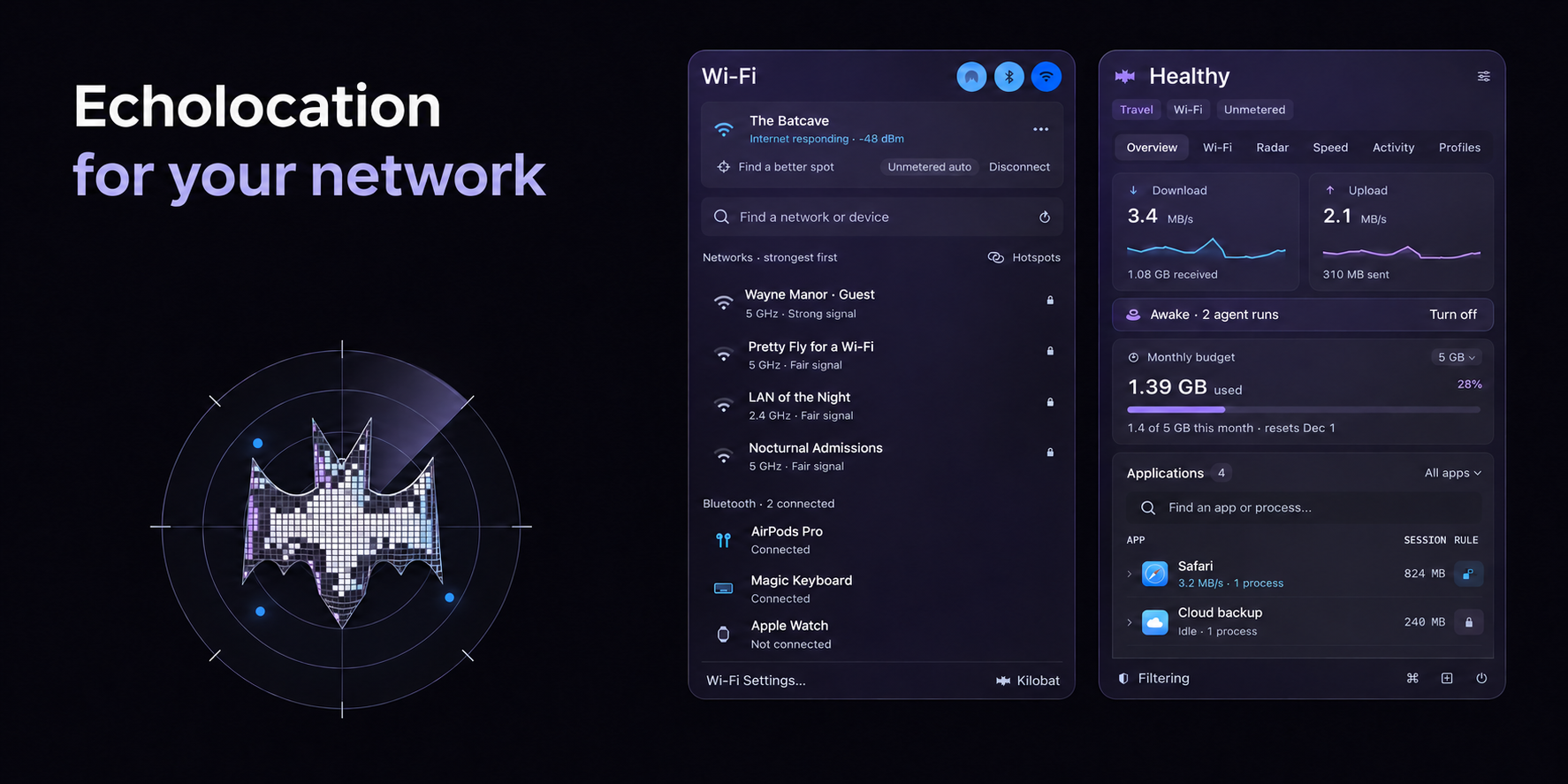
The app is a separate product with free and paid features, under its own terms. You don't need it for standalone CLI diagnostics or MCP setup.
| Capability | What it needs |
|---|---|
| Live traffic, connection diagnostics, Wi-Fi signal and channels | CLI alone |
| Wi-Fi network names | Running app with macOS Location permission; otherwise names appear hidden |
| Recorded history and per-network budgets | Data recorded or supplied by the app |
| Enforcing app and destination blocking | App with its signed Network Extension activated and approved in macOS |
Some app-backed features also depend on the app's license tier and configuration. Saving a rule through the CLI does not by itself enable filtering.
Use with AI agents (MCP)
kilobat mcp runs a local stdio Model Context Protocol server. Install the CLI first, then connect your agent:
Claude Code
claude mcp add kilobat -- kilobat mcp
Codex CLI
codex mcp add kilobat -- kilobat mcp
Claude Desktop: configure a local stdio server with the full executable path returned by /usr/bin/which kilobat and argument mcp. See the local-server setup guide.
Cursor, Windsurf, Zed, Gemini CLI, Cline, and other MCP clients: add a stdio server with command kilobat and argument mcp.
Try asking:
- “Why is my internet slow?”
- “Is this a metered connection before I download 5 GB?”
- “Why can't this API connect from my Mac?”
- “Keep the Mac awake until this build finishes.”
Tools that change settings carry confirmation requirements in their descriptions; the client controls permission prompts. Connected clients discover available tools, input schemas, and annotations with tools/list.
See the agent setup guides for client-specific instructions. Optional agent skills teach agents when and how to use Kilobat:
npx skills add seifip/kilobat-skills
Build from source
Requires macOS 14 or later and Swift 6.
git clone https://github.com/seifip/kilobat-cli.git
cd kilobat-cli
swift build -c release
.build/release/kilobat --help
Run the tests with swift test.
MCP tool reference
The following names and titles are defined in v0.45.1. Use your installed server's tools/list for its full descriptions, input schemas, and annotations. Availability and returned data can depend on the companion app, its license tier, permissions, and configuration.
Browse the MCP tools
| Tool | Purpose |
|---|---|
get_status | Live traffic snapshot |
diagnose_network | Diagnose connection |
scan_wifi | Nearby Wi-Fi networks |
run_speedtest | Speed and bufferbloat test |
get_usage_report | Usage history |
compare_usage | Compare with a router or provider |
list_rules | Profile rules |
set_profile | Set profile |
set_app_rule | Allow or block an app |
set_dns | Set DNS servers |
get_fastest_dns | Fastest DNS for this network |
set_fastest_dns | Switch to the fastest DNS automatically |
set_dns_fallback | Set the fallback DNS |
get_wifi | Wi-Fi connection |
get_wifi_nodes | Wi-Fi mesh nodes |
reconnect_wifi | Move to the closer Wi-Fi node |
suggest_wifi_channel | Least crowded channel |
get_network_history | Network history |
benchmark_dns | Compare DNS resolvers |
check_url | Time one website |
list_connections | Open connections by process |
list_devices | Devices on the local network |
trace_route | Trace the route to a host |
get_route_history | Route to a host over time |
compare_speed_tests | Why two speed tests differ |
get_plan_check | Speed against the plan |
get_router_checkup | Router check-up |
get_weekly_digest | Weekly digest |
get_outage_credit | Outage credit from the provider |
get_service_speed | Real speed to GitHub, iCloud, Steam and more |
get_hotspot_throttling | Is the carrier capping the phone hotspot? |
get_exit_path | Where traffic leaves: VPN and public IP |
run_lan_test | Throughput to a device on the network |
list_networks | Known networks |
get_conditions | Conditions for a long run |
get_updaters | Updaters paused on metered networks |
get_uploads | Big uploads and held ones |
diagnose_connection | Why something can't connect |
list_sessions | Awake sessions and agent runs |
agent_network_log | Agent network log |
create_support_report | Report for an ISP or IT desk |
get_proxy_status | Proxy apps and routes |
test_proxy_nodes | Test proxy nodes |
check_vpn | VPN leak and conflict check |
check_vpn_leaks | VPN leak test |
get_call_reports | Call quality reports |
get_remote_session_reports | SSH and remote desktop session reports |
get_stream_reports | OBS stream reports |
check_stream_readiness | Check before going live |
get_cloud_gaming | Cloud gaming sessions |
get_household | Paired Macs on the home network |
get_home_usage | Every device's usage at home |
check_smart_home | Matter, Thread and HomeKit check |
service_status | Is it them or me? |
explain_connection | What is this process or host? |
get_captive_portal | Wi-Fi sign-in page (captive portal) |
get_starlink_status | Starlink dish status |
keep_awake | Keep the Mac awake |
release_awake | Let the Mac sleep again |
set_budget | Set the data budget |
get_data_pack | Data packs and when they run out |
set_data_pack | Add, correct or end a data pack |
set_network_cost | Set a network's data cost |
set_updater_pause | Pause updaters on metered networks |
set_kill_switch | VPN kill switch |
hold_upload | Send an upload later |
set_app_quota | Set an app's data quota |
get_app_bandwidth | One app's bandwidth over time |
get_access_policy | Connections an app declares |
set_new_app_mode | How new apps are treated |
list_approvals | Apps waiting for approval |
decide_approval | Allow or block a waiting app |
block_destination | Block a domain or IP |
list_blocked_connections | Recently blocked connections |
explain_verdict | Why Kilobat allows or blocks a connection |
clear_history | Clear history or forget a site |
check_host_reputation | Is a host known to be malicious? |
get_protection_status | Protection status |
set_protection | Change Protection |
run_stutter_test | Find latency spikes |
get_game_ping | Ping game data centers |
get_nearby_radios | AirDrop and Bluetooth |
get_bluetooth_audio | Bluetooth audio: why headphones crackle |
check_local_network | Can I cast or print here? |
set_airdrop_visibility | Change AirDrop visibility |
License
Kilobat CLI code is licensed under the GNU General Public License version 3.0 only; see LICENSE. Bundled geolocation and device-manufacturer data have additional licenses documented in THIRD_PARTY_NOTICES.md. Kilobat's name and artwork are not licensed for use as trademarks. The separate Kilobat desktop app is distributed under its own terms.