MCPHub
一个用于通过灵活的流式HTTP(SSE)端点管理和扩展多个MCP服务器的中心服务器。
文档
MCPHub
An open-source, self-hosted MCP gateway and control plane for connecting, controlling, and operating MCP servers.






MCPHub provides a unified control point between AI clients and MCP servers. Connect local and remote MCP servers once, organize and route their capabilities through stable endpoints, control access with authentication, scoped credentials, and per-user visibility, and operate everything with centralized logs, activity tracking, and health monitoring.
It works with MCP clients such as Claude Code, Cursor, Cherry Studio, OpenWebUI, and other MCP-compatible applications.
🌐 Website, Demo & Docs
- Website: mcphub.app
- Documentation: docs.mcphub.app
- Demo Environment: demo.mcphub.app
🚀 Features
Connect once, expose everywhere
- Smart Routing ⭐ - AI-powered tool discovery using vector semantic search (Learn more)
- Unified MCP Gateway - Expose all connected servers through stable MCP endpoints, including routes for groups and individual servers
- Server Aliases and Routing - Define aliases and route clients to all servers, specific groups, individual servers, or smart routing
- SSE / Streamable HTTP / stdio Support - Connect local and remote MCP servers over the supported transports
- Hot-Swappable Config - Add, remove, or update servers without downtime
Control access and credentials
- Per-user Credentials ⭐ - Bind personal keys to one shared server, with encrypted storage and isolated stdio runtimes (Learn more)
- Authentication and Access Control - Use OAuth 2.0, bearer keys, and server or group visibility controls to manage access
- OAuth 2.0 Support ⭐ - Both client and server modes for secure authentication (Learn more)
- Social Login - Seamless GitHub and Google login support with Better Auth integration (requires Database Mode)
- Server and Group Management - Organize servers into groups, manage visibility, and control Tool, Prompt, and Resource exposure
Operate with confidence
- Logs and Observability - Inspect tool-call activity, request status, latency, and server logs
- Health Checks - Monitor connection health and server status from one place
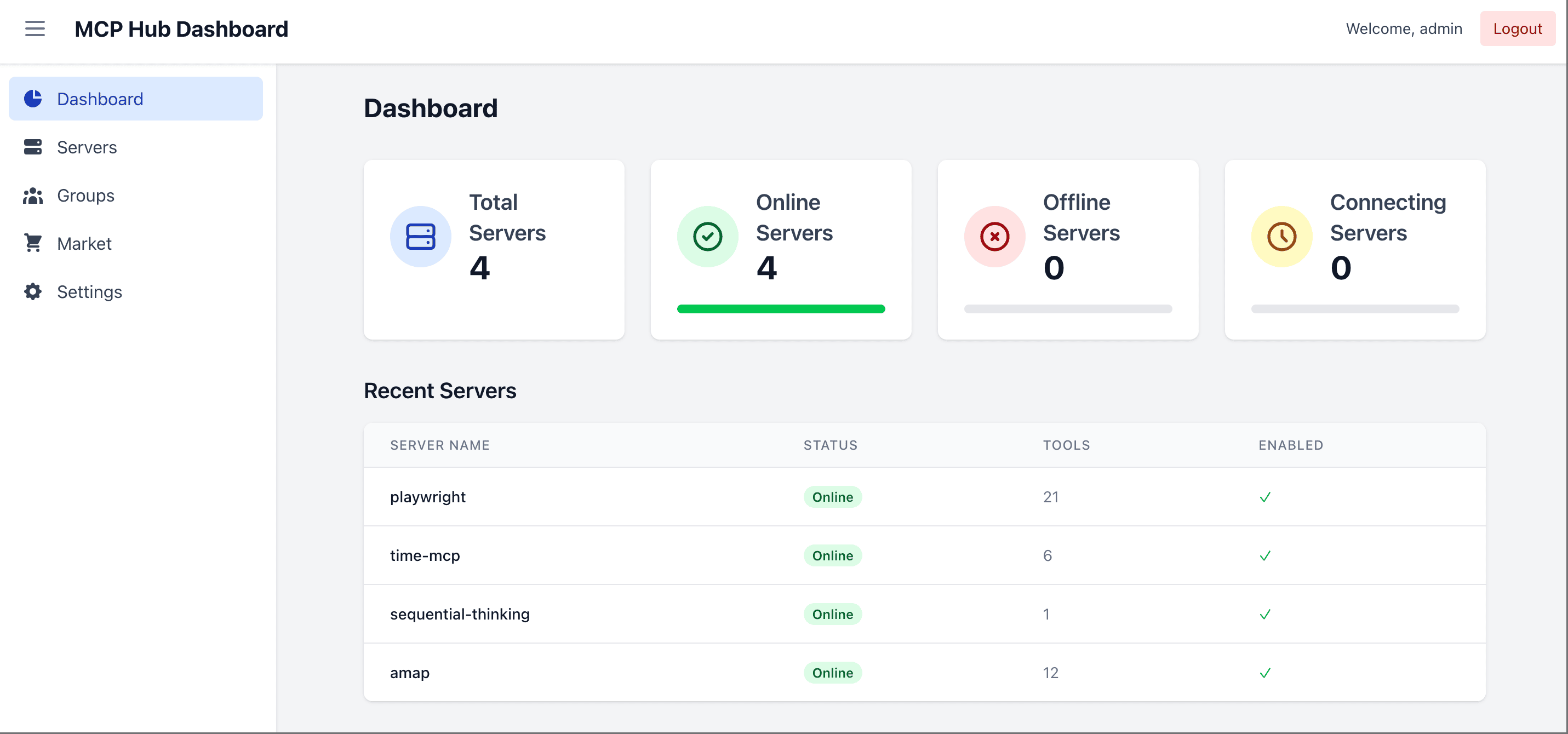
- Web Dashboard - Manage server configuration and runtime operations from a browser
- MCP Apps Proxy - Transparently forward interactive MCP Apps on single-server routes (Learn more)
- Tool Result Compression - Transparently reduce large text tool outputs before they reach clients
- Database Mode - Store configuration in PostgreSQL for production environments (Learn more)
- Docker-Ready - Deploy instantly with containerized setup
🔧 Quick Start
Prerequisites
- Docker (recommended) — the fastest way to run MCPHub; all commands below use it
- Node.js
>=20.0.0and pnpm10.12.4— only needed to run from source or develop locally (see Local Development)
Start with Docker
docker run -p 3000:3000 -v ./data:/app/data samanhappy/mcphub
Open http://localhost:3000 and log in with username admin. On first launch, if no ADMIN_PASSWORD environment variable is set, a random password is generated and printed to the server logs.
Settings, users, and credential bindings persist in ./data by default.
Want your own servers? Before the first launch, create data/mcp_settings.json (see Configuration). After launch, add servers in the dashboard or edit the existing file and restart MCPHub.
Configuration
Create data/mcp_settings.json before the first launch:
{
  "mcpServers": {
    "time": {
      "command": "npx",
      "args": ["-y", "time-mcp"]
    },
    "fetch": {
      "command": "uvx",
      "args": ["mcp-server-fetch"]
    }
  }
}
📖 See Configuration Guide for full options including OAuth, environment variables, and more.
Docker Deployment
See Start with Docker for the copy-paste command. Keep ./data mounted so settings, users, and credential bindings survive container recreation.
Two image variants are published under samanhappy/mcphub:
latest— the default image. Includes Node.js/pnpm, Python, uv/uvx, Git, and build tools. Covers most MCP servers.latest-full— the extended image. Adds Rust toolchain (Cargo/rustc), Docker Engine, and Playwright browsers (Chrome + Firefox, amd64 only). Use this for Rust-based servers or container-in-container workflows. Larger download.
See Docker Setup for build options and Docker-in-Docker configuration.
Access Dashboard
Open http://localhost:3000 (see Start with Docker for login details). You can also pre-set the password:
# Docker: set admin password via environment variable
docker run -p 3000:3000 -v ./data:/app/data -e ADMIN_PASSWORD=your-secure-password samanhappy/mcphub
Tip: Change the admin password after first login for security.
Headless mode: Set
DISABLE_WEB=trueto skip serving the bundled dashboard UI and run MCPHub with only the backend/API and MCP endpoints. This is useful when you want to manage servers directly frommcp_settings.json.
Connect AI Clients
Connect AI clients (Claude Desktop, Cursor, etc.) via:
http://localhost:3000/mcp           # All servers
http://localhost:3000/mcp/{group}   # Specific group
http://localhost:3000/mcp/{server}  # Specific server
http://localhost:3000/mcp/$smart    # Smart routing
http://localhost:3000/mcp/$smart/{group}  # Smart routing within group
Security note: MCP endpoints require authentication by default to prevent accidental exposure. To allow unauthenticated MCP access, disable Enable Bearer Authentication in the Keys section. Skip Authentication only affects dashboard login. Use only in trusted environments.
📖 See API Reference for detailed endpoint documentation.
📚 Documentation
| Topic | Description |
|---|---|
| Quick Start | Get started in 5 minutes |
| Configuration | MCP server configuration options |
| Database Mode | PostgreSQL setup for production |
| OAuth | OAuth 2.0 client and server setup |
| Smart Routing | AI-powered tool discovery |
| MCP Apps | Interactive Apps transparent proxy |
| CLI Guide | Manage and call the hub from a terminal |
| Docker Setup | Docker deployment guide |
🧑💻 Local Development
git clone https://github.com/samanhappy/mcphub.git
cd mcphub
pnpm install
pnpm dev
Local development uses admin / admin123 and stores its writable settings copy at data/mcp_settings.dev.json, so the repository mcp_settings.json stays credential-free.
For Windows users, start backend and frontend separately:
pnpm backend:dev,pnpm frontend:dev
📖 See Development Guide for detailed setup instructions.
🔍 Tech Stack
- Backend: Node.js, Express, TypeScript (ESM)
- Frontend: React, Vite, Tailwind CSS
- Storage: file-based
mcp_settings.jsonby default; PostgreSQL via TypeORM with pgvector for Smart Routing - Auth: JWT + bcrypt for local accounts; bearer keys; built-in OAuth 2.0 server (
@node-oauth/oauth2-server); optional Better Auth for GitHub/Google login - Protocol: Model Context Protocol SDK
🏢 Production Support
Running MCPHub in production?
Work directly with the maintainer on production architecture, OAuth/OIDC, identity and access control, credential management, audit, Kubernetes, and HA readiness.
👥 Contributing
Contributions welcome! See our Discord community for discussions and support.
❤️ Sponsor

Chinese users can also support via WeChat Pay — see 中文版.
🌟 Star History
📄 License
Licensed under the Apache 2.0 License.