Runway API
使用Runway API生成图像和视频。
文档
[!WARNING]
This repository has been archived.
- If you're a developer looking to integrate with the Runway API, see: https://dev.runwayml.com/agents
- For other use cases, see: https://runway.com/mcp
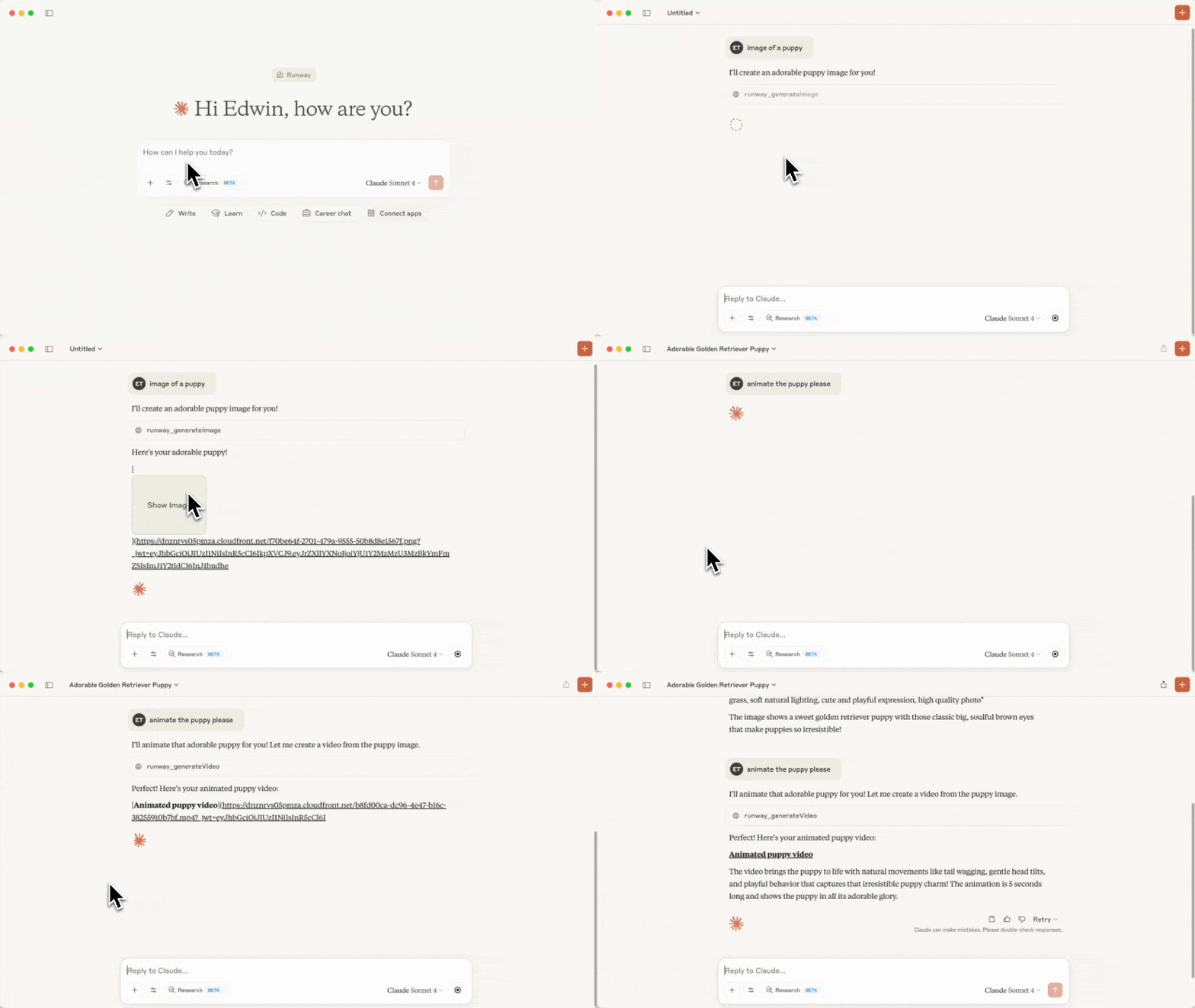
Video sped up for demo purposes
Runway API MCP Server
This repository holds the code for a MCP server that calls the Runway API.
Tools
The following tools are available in this MCP:
| Tool Name | Description | Parameters |
|---|---|---|
runway_listModels | Lists available models per capability and the recommended default for each | (none) |
runway_generateVideo | Generates a video from an image and a text prompt | - promptImage - promptText (optional) - ratio - duration - model (optional) |
runway_generateImage | Generates an image from a text prompt, and reference images | - promptText - referenceImages (note that uploaded images won't work as references, only previously generated ones, or URLs to images will work.) - ratio - model (optional) |
runway_upscaleVideo | Upscale a video to a higher resolution | - videoUri - model (optional) |
runway_editVideo | Edits a video, optionally provide reference images. | - videoUri, referenceImages, promptText - model (optional) |
runway_generateAudio | Generates spoken audio (text-to-speech) from text | - promptText - voice (optional) - model (optional) |
runway_getTask | Gets the details of a task | - taskId |
runway_cancelTask | Cancels or deletes a task | - taskId |
runway_getOrg | Get organization information | |
Generation tools accept an optional model parameter to override the recommended
default. Recommended models: Nano Banana Pro (gemini_image3_pro) for images, Seedance
(seedance2) for video, and Aleph (aleph2) for video editing. Valid ratio,
duration, and other parameter values are model-specific, so runway_listModels returns
the exact valid values and required parameters for every model — call it before choosing a
ratio/duration.
Before any generation request is sent to the Runway API, the server validates the payload against OpenAPI-derived per-model constraints (allowed enums, numeric ranges, string lengths, required fields). Invalid payloads fail locally with a readable error and never hit the network.
Prerequisites
Before starting, you'll need to have setup your Developer account on the Runway API, setup Billing, and also created an API Key.
You'll also need Node.js setup.
Setup
-
Clone this repository and save it to a folder on your computer. Remember where you saved this folder because you'll need it in a later step.
-
Run
npm installin the folder, thennpm run build. You should now see a new folder calledbuildwith aindex.jsfile inside. If you later modify any source files, runnpm run buildagain to pick up the changes.
Using the MCP as a Claude Desktop extension (recommended)
This installs the server as an unpacked Claude Desktop extension, so you don't have to edit any config files by hand.
-
Launch Claude Desktop and open Settings.
-
Go to Extensions, then Advanced Settings.
-
Click Install Unpacked Extension and select the folder you cloned in step 1 (for example
/Users/edwin/runway-api-mcp-server). Click Install on the prompt. -
Get your API key from https://dev.runwayml.com, paste it into the installed extension's settings, then Enable the extension.
-
Now, try asking Claude to generate an image!
Using the MCP with Claude Desktop (config file)
Alternatively, register the server manually through Claude's config file.
- Follow the MCP quickstart instructions to setup a config file for Claude. If you already have it, open it by running:
MacOS
open ~/Library/Application\ Support/Claude/claude_desktop_config.json
Windows
notepad %APPDATA%\Claude\claude_desktop_config.json
- Add the
runway-api-mcp-serverto the config, make sure to replace the file path and Runway API key.
{
  "mcpServers": {
    "runway-api-mcp-server": {
      "command": "node",
      "args": [
        "<ABSOLUTE_PATH_TO_YOUR_CLONED_REPO_FROM_STEP_1>/build/index.js"
      ],
      "env": {
        "RUNWAYML_API_SECRET": "<YOUR_RUNWAY_API_KEY_HERE>",
        "MCP_TOOL_TIMEOUT": "1000000"
      }
    }
  }
}
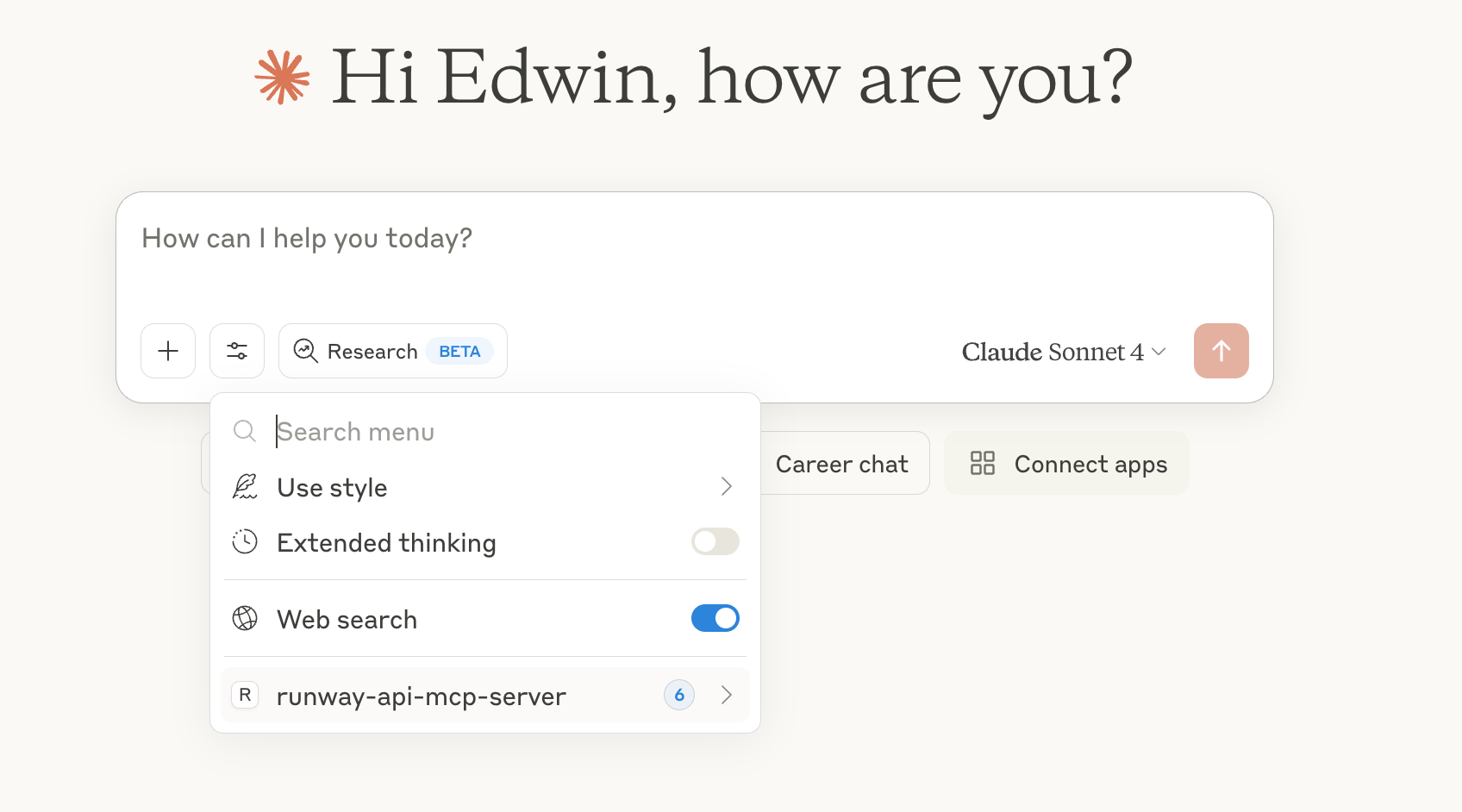
- Now restart Claude Desktop, and you should see the
runway-api-mcp-serverin Claude's tools:
- Now, try asking Claude to generate images or videos!
[!NOTE]
Images generated by the Runway API lives only for 24 hours at the generated link. There is no way to recover them after this link expires. Make sure to download the images before they expire.
Deploy as a remote MCP server
The same code can run as an HTTP MCP server, which lets clients like claude.ai web, Cursor, Zed, and Windsurf connect to a single hosted URL instead of installing the extension locally.
Local HTTP development
RUNWAYML_API_SECRET=key_xxx npm run start:http
# server listens on http://0.0.0.0:3000/mcp
curl http://127.0.0.1:3000/healthz   # → {"ok":true}
To test from web clients (claude.ai) without deploying, use a tunnel that
returns HTTPS. Cloudflared works; ngrok is currently blocked by Anthropic's
connector backend:
cloudflared tunnel --url http://127.0.0.1:3000
Use the printed https://<random>.trycloudflare.com/mcp as the connector URL.
Deploying to Railway
Railway deploys the HTTP server with zero config.
npm i -g @railway/cli           # one-time
railway login
railway init                    # create a new project, link this folder
railway up                      # builds & deploys
railway domain                  # provisions https://<your-app>.up.railway.app
Set environment variables in the Railway dashboard (or railway variables):
| Variable | Required | Purpose |
|---|---|---|
RUNWAYML_API_SECRET | optional | Server-side API key. Used as fallback when REQUIRE_AUTH=false. Do not set for public deployments. |
REQUIRE_AUTH | yes | Set to true for any public/multi-tenant deployment. Forces clients to send their key as Authorization: Bearer <key>. |
PORT | auto | Injected by Railway. The server reads process.env.PORT. |
Connect from claude.ai web:
- Settings → Connectors → Add custom connector
- URL:
https://<your-app>.up.railway.app/mcp - Leave OAuth fields blank (Bearer-key flow)
Public deployment auth model
For public, multi-tenant hosting, every user supplies their own Runway API key:
curl -X POST https://<your-app>.up.railway.app/mcp \
  -H "Content-Type: application/json" \
  -H "Accept: application/json, text/event-stream" \
  -H "Authorization: Bearer <user_runway_key>" \
  -d '{"jsonrpc":"2.0","id":1,"method":"tools/list"}'
When REQUIRE_AUTH=true, requests without a Bearer header receive a 401.
Bearer keys take priority over RUNWAYML_API_SECRET even when both are set.