photographi
一个本地计算机视觉引擎,让AI代理能够理解照片的技术指标。
文档
photographi-mcp
Fast, private, and grounded technical photo analysis for AI applications.
photographi-mcp is an MCP server that enables AI models and LLM-powered tools to perform technical analysis on local photo libraries. It runs computer vision models directly on your hardware (powered by photo-quality-analyzer-core) to evaluate sharpness, focus, and exposure—enabling capabilities like automated culling, burst ranking, and metadata indexing without requiring a cloud upload.
⚡ Why photographi?
- Technical First: Purpose-built for objective metrics (sharpness, lighting, focus). It provides technical data for evaluating image quality.
- Token Efficient: Save model context by pre-filtering technical metadata locally. Only the most relevant insights are sent to the AI application, keeping sessions fast and lean.
- Privacy First: All analysis happens 100% locally on your machine.
- Low Latency: Built for efficient processing, allowing for rapid ranking and technical feedback on local photo folders.
👁️ What It Analyzes
- Smart Focus: Detects subjects and verifies they're sharp
- Exposure: Catches blown highlights and blocked shadows
- Gear-Aware: Knows your lens's sweet spot for optimal sharpness
- Composition: Evaluates framing and subject placement
- Quality Alerts: Flags motion blur, diffraction, high ISO noise
[!NOTE] Technical vs. Artistic: This tool is strictly objective. It evaluates photos based on technical metrics and computer vision (sharpness, exposure, noise, etc.). It does not understand artistic intent, aesthetics, or "vibe." A blurry, underexposed photo may be an artistic masterpiece, but
photographiwill correctly flag it as technically poor.
For the science and math behind it, see the Technical Documentation.
📸 See It In Action
Here are real examples from actual photo analysis:
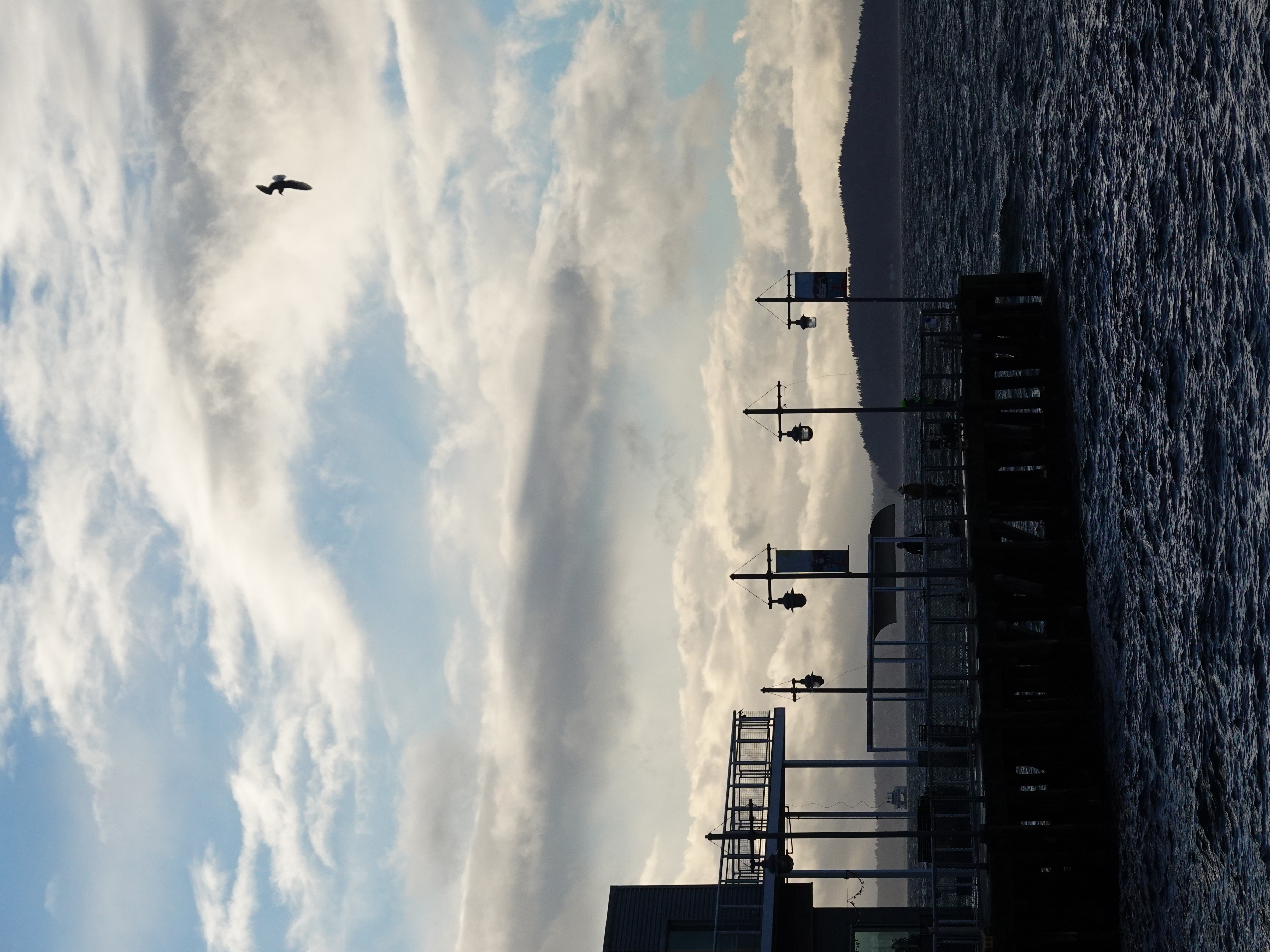
Example 1: Excellent Photo
{
  "overallConfidence": 0.89,
  "judgement": "Excellent",
  "keyMetrics": {
    "sharpness": 0.94,
    "exposure": 0.87,
    "composition": 0.85
  }
}
Verdict: Tack sharp on subject, well exposed, strong composition.
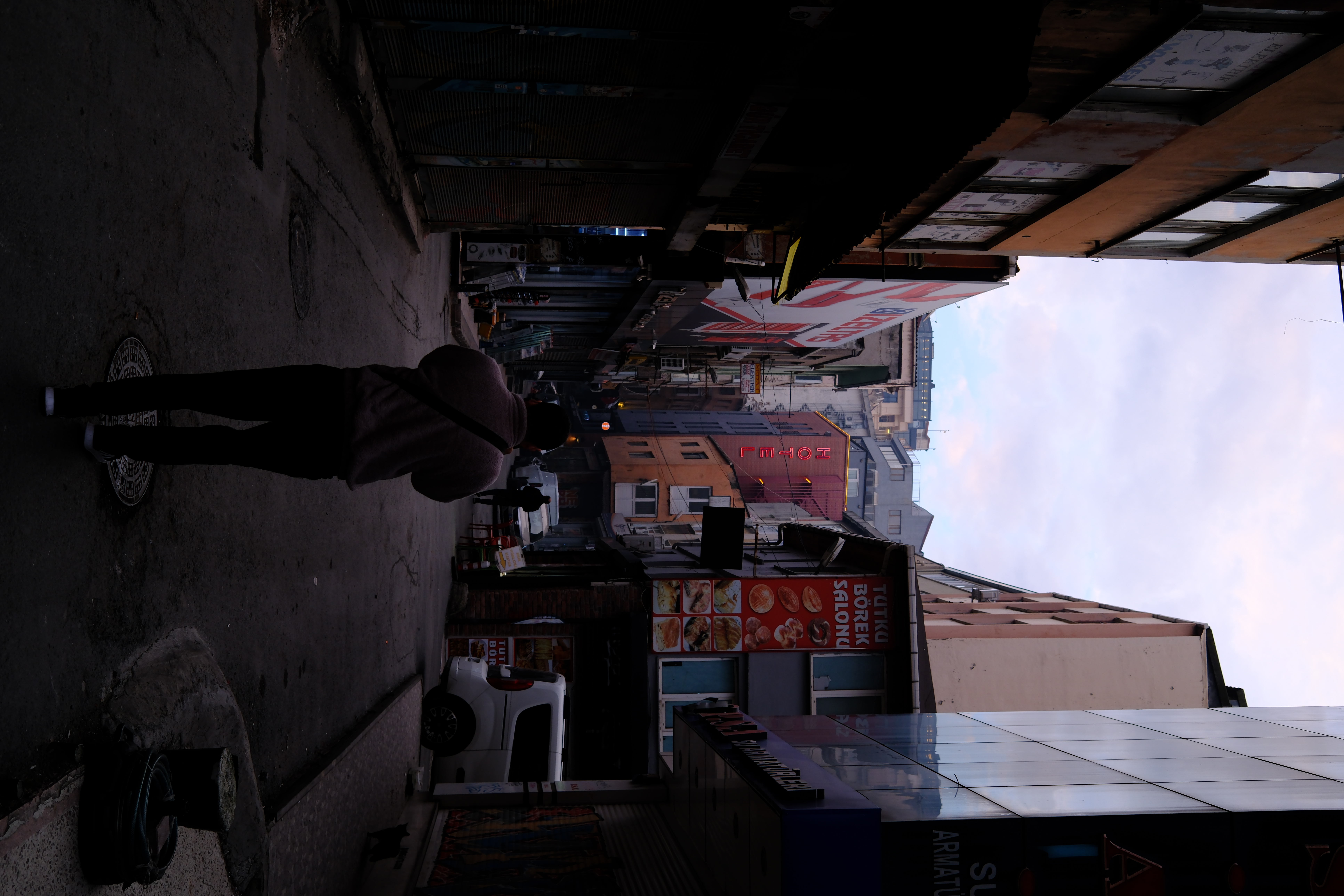
Example 2: Poor Photo
{
  "overallConfidence": 0.20,
  "judgement": "Very Poor",
  "keyMetrics": {
    "sharpness": 0.30,
    "focus": 0.07,
    "exposure": 0.0
  }
}
Verdict: Missed focus on subject, severe underexposure/black clipping, and excessive headroom.
🛠️ Tools (MCP)
photographi-mcp enables AI models to perform deep technical audits through these standardized tools:
| Tool | AI "Intent" Example | Action / Insight Provided |
|---|---|---|
analyze_photo | "Is this dog photo sharp enough for a print?" | Full technical audit of sharpness, focus, and lighting. |
analyze_folder | "How's the overall quality of my 'Vacation' folder?" | Statistical summary identifying the best/worst image groups. |
rank_photographs | "Find the best shot in this burst of the cake." | Ranks files by technical perfection to find the "hero" frame. |
cull_photographs | "Move all the blurry photos to a junk folder." | Automatically cleans up failed shots into a subfolder. |
threshold_cull | "Strictly separate keepers using a score of 0.7." | Binary sorting to isolate professional-grade assets. |
get_color_palette | "What colors are in this sunset for my website?" | Extracts hexadecimal codes for dominant image aesthetics. |
get_folder_palettes | "Generate a moodboard from my 'Forest' shoot." | Batch color extraction for an entire folder. |
get_scene_content | "Which photos contain a 'cat' or 'mountain'?" | Rapid content indexing based on 80+ object categories. |
🚀 Get Started
Claude CLI (Fastest)
claude mcp add --scope user photographi uvx photographi-mcp
Claude Desktop (macOS)
Add to ~/Library/Application Support/Claude/claude_desktop_config.json:
{
  "mcpServers": {
    "photographi": {
      "command": "uvx",
      "args": ["photographi-mcp"]
    }
  }
}
GitHub Copilot CLI
Add to ~/.config/github-copilot/config.json:
{
  "mcp_servers": {
    "photographi": {
      "command": "uvx",
      "args": ["photographi-mcp"]
    }
  }
}
🔒 Privacy & Telemetry
photographi is built on a Privacy-First philosophy.
- Anonymized Aggregates Only: We never collect filenames, paths, or EXIF data.
- Total Transparency: Audit our collection logic directly in
analytics.py. - Opt-Out: Set the environment variable
PHOTOGRAPHI_TELEMETRY_DISABLED=1or use the--disable-telemetryflag.
📖 Documentation
- Setup & Config Guide: Detailed configuration and troubleshooting.
- The Science: Math and theory behind the quality scoring.
- Contributing: How to help improve the project.
- GitHub Issues: Report bugs or request features.



Built with ❤️ for photographers