Jade Note
作为AI记忆的笔记
文档
What is Jade Note?
A neutral context layer that any AI agent can use.
- 1
Write
You and your AI write down what should be known and what has been decided, in Jade Note. - 2
Connect
Connect every AI agent you use, such as Claude, ChatGPT, and Cursor, to Jade Note. - 3
Hand off
Whichever AI you ask answers from the same notes. What you settled with Claude yesterday, ChatGPT builds on today.
The Jade Note notes view. Keep notes organized by category.
Why Jade Note
An MCP-native note app, not a note app with MCP bolted on. See how it compares to other MCP note apps →
01
Fast, precise edits
Notes are structured so AI can work with them directly: it changes just the part that needs changing, precisely, instead of rewriting the whole note. Edits are fast, and unintended changes are less likely.
02
Light on tokens, no rate limit
Only the relevant parts go back and forth, so your AI uses fewer tokens. There is no rate limit on reading or writing over MCP, so agents can keep working as often as you need.
03
Self-cleaning
Run Catch Up and AI reviews your notes, links, and category wikis, tidying stale information, contradictions, and broken links. On Pro and Trial, Dreaming does this every night for the categories that changed.
04
Calls AI agents, too
Jade Note isn't only operated by AI. Add a flag to a note and it can start an agent, such as a Claude Code routine, over a webhook, with results coming back as comments. Your notes become the baton that passes knowledge between people and AI.
05
Scope access by category
Organize work, journals, and reading notes into categories, then choose which ones your AI can edit, only read, or not see at all.
06
Automatic reviews with triggers
Schedule AI tasks like "review last week's notes every Monday". Results arrive as insights.
How to get started
Write in the app or use it from the AI you already have. Both lead to the same notes.
- 1
Create a free account
Sign up in your browser and start writing right away. There's an Android app too. Start free → - 2
Connect ChatGPT or Claude
Add Jade Note in your AI's connector settings, sign in, and allow access. The server URL ishttps://api.jadenote.app/mcp. Setup guide → - 3
Just ask
Try "@Jade Note, summarize my recent reading notes." Your AI finds the right notes, answers from them, and writes new decisions back.
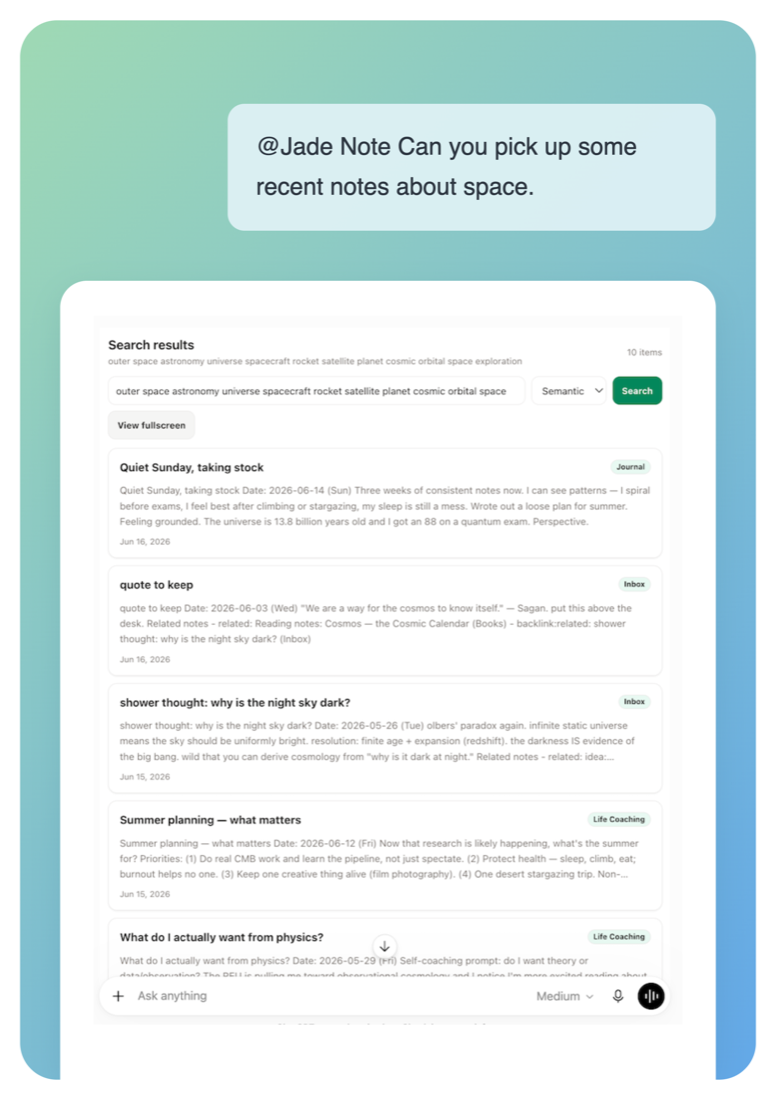
ChatGPT conversation asking @Jade Note to find recent notes about space, returning semantic search results from the user's notes
Finding notes from ChatGPT
Find notes without the exact words
Mention @Jade Note and it finds notes by meaning: journals, quotes, passing thoughts.
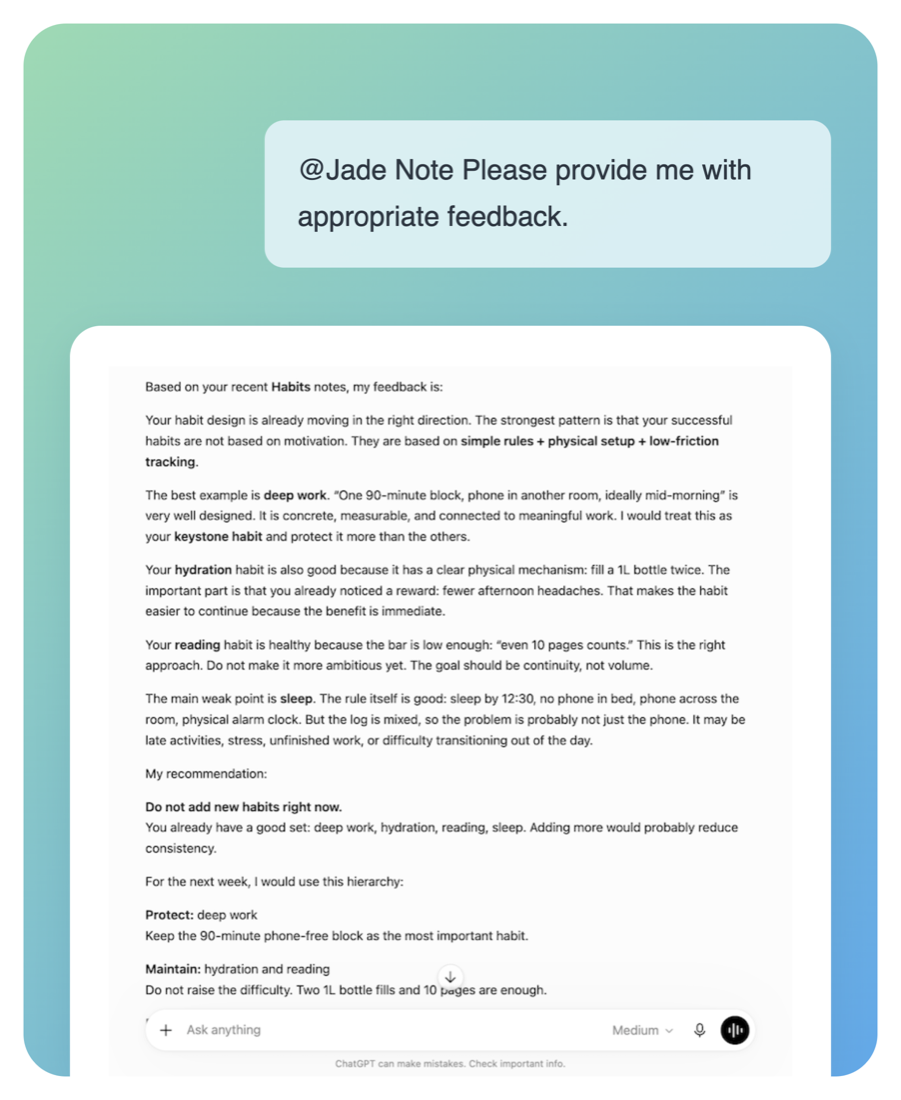
ChatGPT conversation asking @Jade Note for feedback, returning advice grounded in the user's habit-tracking notes
Advice based on your notes
Advice grounded in your own records
Your AI reads your real habit logs and journals, so it can point out what's working, what isn't, and what to focus on next week.
Ways to use it
Task management on Kanban
Show a category with a status field as a Kanban board. Drag cards to move work along, and ask your AI to "sum up this week's open tasks".
A customer database
Add fields like company, contact, and deal stage to a category, and your notes become a customer database. Your AI filters records by any field and suggests next steps.
Keep a project's history
Collect progress updates and meeting notes, and your AI drafts answers and documents with the full backstory.
Build up research and learning
Record reading notes, findings, and what you learn. With triggers, Jade Note sends you regular progress summaries.
Daily logs and reflection
Write down journals and small wins, then ask your AI for advice and your next goals.
Everyday lists
Wish lists, travel ideas, places to go. Jot them down and ask your AI for suggestions.
Start free.
Try every AI feature with a 30-day Pro trial.
Free
Notes, categories, search, and starter automation.
$0/ month
- Create & edit up to 2,000 notes, organize & search by category
- Access your notes over MCP
- Semantic search and RAG indexing
- Note creation & edit suggestions
- 20 trigger runs / month
Pro30-day Pro trial
Full AI across notes, categories, suggestions, and automation.
$5$3/ month40% off
- Everything in Free
- Unlimited notes
- Version History
- 120 trigger runs / month
- Flag webhooks
- Catch up: AI keeps notes, links, and Wikis up to date
Frequently asked questions
MCP is the primary interface, not an add-on. Jade Note ships a hosted MCP server with OAuth 2.0, 42 tools, per-category access levels, and versioned writes — so you connect a URL instead of running a bridge script against a local app.
Both. Day to day it's an AI note app for casual notes via a Markdown editor. Share those notes over MCP with ChatGPT or Claude, and AI can read and write them as persistent memory. People and AI grow the same notes — that's the “memory layer” side.
Any AI agent that supports MCP (Model Context Protocol). Starting with Claude Desktop, MCP clients can read, write, search, link, and version notes with OAuth authentication.
Hardly any on Pro or Pro Trial. Catch up lets AI check and update freshness, consistency, importance, category Wikis, and link state.
New users get a 30-day Pro trial with 2,000 AI credits per month.
AI credits cover AI-powered processing. For example, Catch up uses credits when AI reviews and updates your notes, links, and category Wikis. The amount used depends on how much content Catch up processes.
AI features pause until the next monthly reset. Notes, categories, search, and settings stay available.