Azure Resource Graph MCP Server
使用 Azure Resource Graph 跨订阅查询和检索 Azure 资源信息。
文档
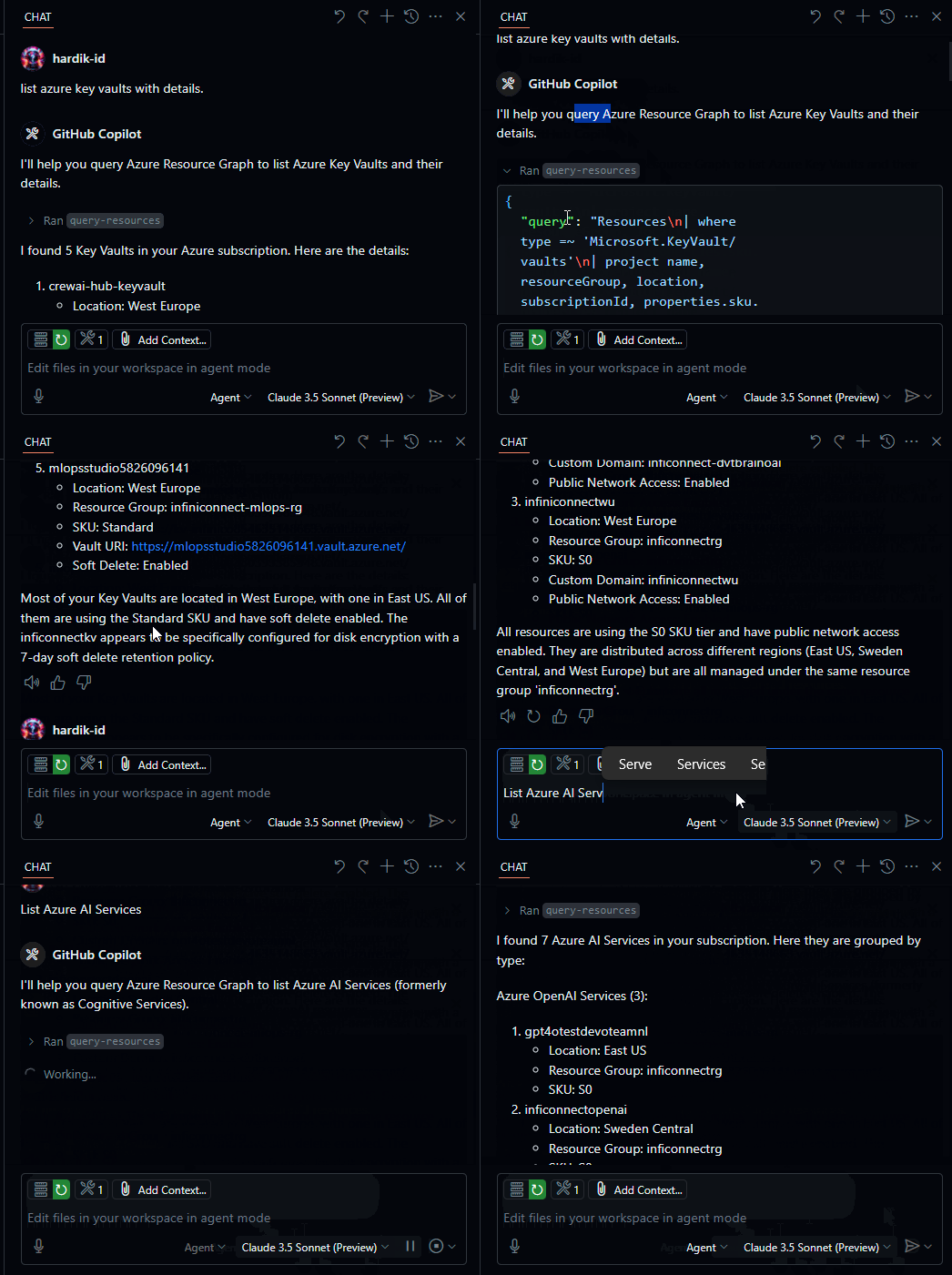
Demo
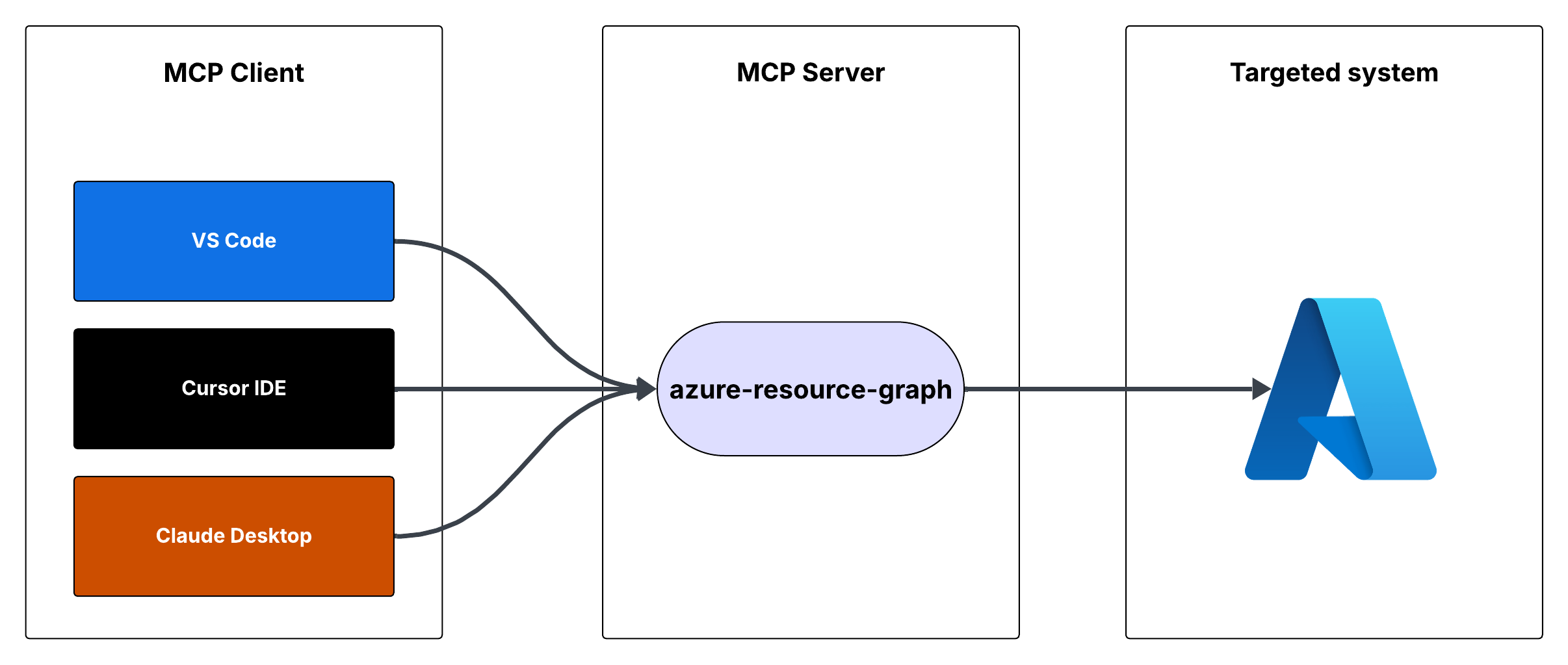
Flow
Azure Resource Graph MCP Server
This is a Model Context Protocol (MCP) server that provides access to Azure Resource Graph queries. It allows you to retrieve information about Azure resources across your subscriptions using Resource Graph queries.
Features
- Query Azure resources using Resource Graph queries
- Default query returns resource ID, name, type, and location
- Supports custom Resource Graph queries
- Uses Azure DefaultAzureCredential for authentication
Prerequisites
- Node.js installed
- Azure subscription
- Azure CLI installed and logged in, or other Azure credentials configured
Running the MCP Server
You can run the MCP server using either Cursor IDE or Visual Studio Code.
Option 1: Cursor IDE Integration
To integrate the MCP server with Cursor IDE:
- Clone this repository to your local machine (e.g.,
C:\YOUR_WORKSPACE\azure-resource-graph-mcp-server) - Build the project:
npm install
npm run build
- Open Cursor Settings (JSON) and add the following configuration:
{
  "mcpServers": {
    "azure-resource-graph-mcp-server": {
      "command": "node",
      "args": [
        "C:\\YOUR_WORKSPACE\\azure-resource-graph-mcp-server\\build\\index.js"
      ],
      "env": {
        "SUBSCRIPTION_ID": "xxxxxx-xx-xx-xx-xxxxxx"
      },
    }
  }
}
Note: Make sure to update the path to match your local repository location.
- Restart Cursor IDE to apply the changes
Option 2: VS Code Integration
To integrate the MCP server with Visual Studio Code:
- Clone this repository to your local machine
- Build the project:
npm install
npm run build
- Open VS Code Settings (JSON) by pressing
Ctrl+Shift+P, type "Settings (JSON)" and select "Preferences: Open User Settings (JSON)" - Add the following configuration:
{
    "mcp": {
        "servers": {
            "azure-resource-graph": {
                "type": "stdio",
                "command": "node",
                "args": [
                    "C:\\YOUR_WORKSPACE\\azure-resource-graph-mcp-server\\build\\index.js"
                ],
                "env": {
                  "SUBSCRIPTION_ID": "xxxxxx-xx-xx-xx-xxxxxx"
                },
            }
        }
    }
}
Note: Make sure to update the path to match your local repository location.
- Save the settings.json file
- Restart VS Code to apply the changes
The MCP server will now be available to use within VS Code with cursor integration.
Usage
The server provides the following tool:
query-resources
Retrieves resources and their details from Azure Resource Graph.
Parameters:
subscriptionId(optional): Azure subscription ID (defaults to configured ID)query(optional): Custom Resource Graph query (defaults to "Resources | project id, name, type, location")
Environment Setup
-
First, make sure you're logged in to Azure CLI by running:
az loginThis step is crucial for local development as the DefaultAzureCredential will automatically use your Azure CLI credentials.
-
Set up your environment variables:
- Copy
.env.exampleto.env - Update
AZURE_SUBSCRIPTION_IDin.envwith your actual subscription ID - Other variables (
AZURE_TENANT_ID,AZURE_CLIENT_ID,AZURE_CLIENT_SECRET) are optional when using Azure CLI authentication
- Copy
-
Make sure you have proper Azure credentials configured. The server uses DefaultAzureCredential which supports:
- Azure CLI
- Managed Identity
- Visual Studio Code credentials
- Environment variables
-
If using environment variables, set up:
- AZURE_SUBSCRIPTION_ID
- AZURE_TENANT_ID
- AZURE_CLIENT_ID
- AZURE_CLIENT_SECRET
Error Handling
The server includes robust error handling for:
- Azure client initialization failures
- Query execution errors
- Invalid queries or parameters
Development
To work on this project:
- Make changes in the
srcdirectory - Build using
npm run build - Test your changes by running the server
License
This project is licensed under the MIT License. See the LICENSE file for details.