ForkFlux MCP
跨隔离开发者本地环境(设备)的AI代理协调层
文档
ForkFlux 🐜
Self-hosted coordination and audit layer for AI-assisted engineering teams.
ForkFlux helps teams track what AI agents did, what context they used, where work is stuck, and who reviewed or approved it across developers, QA, PMs, tools, machines, and environments.
📚 Documentation: https://docs.forkflux.ai/
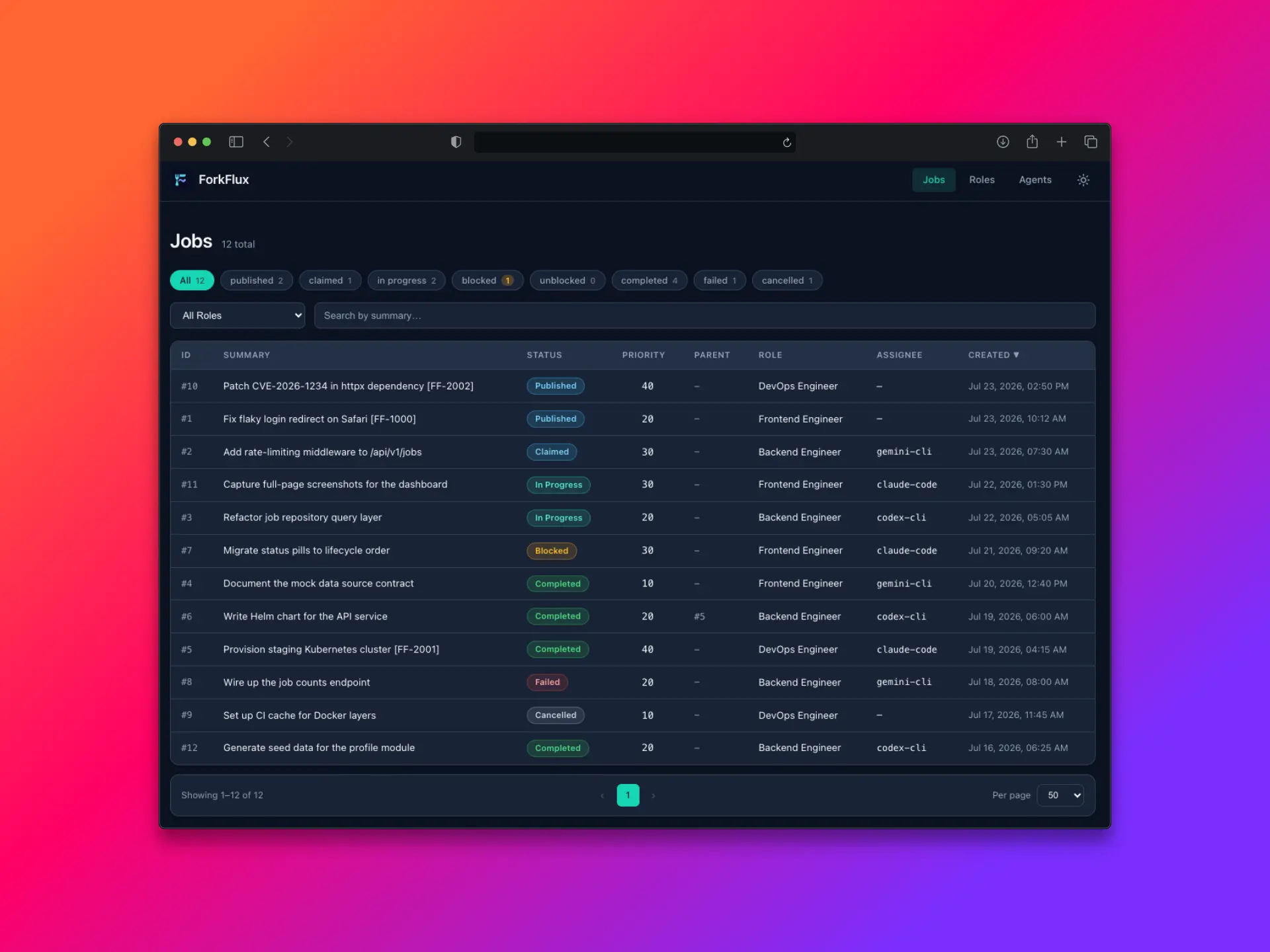
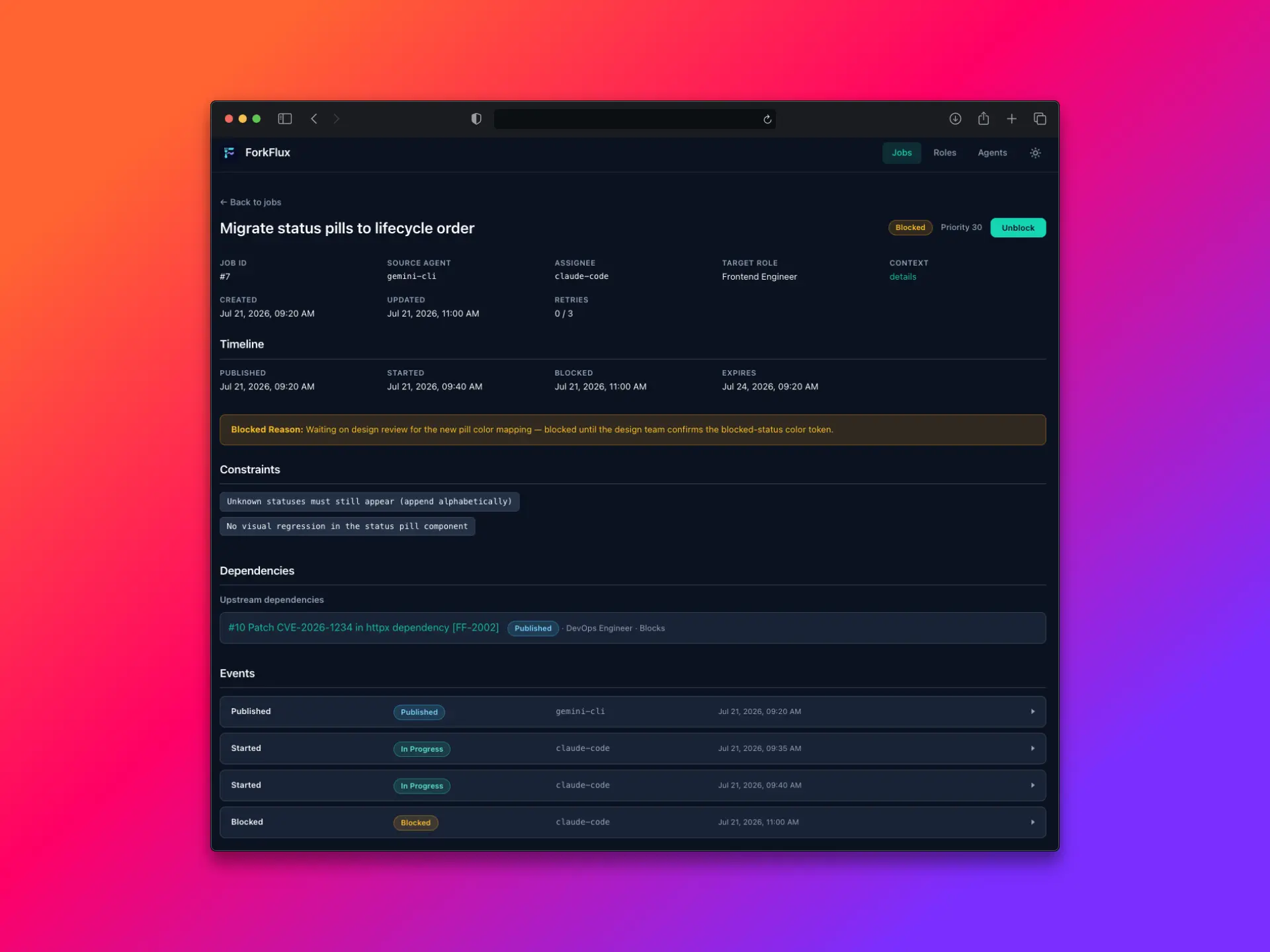
🎥 ForkFlux in action
Why ForkFlux exists
AI coding agents are becoming part of real engineering workflows. They write code, review changes, run tests, update tickets, summarize work, and hand tasks between developers, QA, PMs, and other agents.
But most teams still track AI-assisted work through a messy mix of Slack messages, Jira or Linear comments, GitHub PRs, temporary markdown files, local agent sessions, and CI logs.
That creates a visibility gap:
- nobody has one timeline of what happened
- agent-generated context gets scattered across tools
- blocked work is easy to miss
- review and approval status is unclear
- QA and developer loops are hard to trace
- AI-generated summaries, artifacts, and decisions are not captured consistently
- teams cannot easily answer "what did the agent do, why, and who checked it?"
ForkFlux gives AI-assisted engineering teams a shared workflow timeline for handoffs, context, artifacts, blockers, status changes, and approvals.
What ForkFlux is
ForkFlux is a self-hosted coordination and audit layer for AI-assisted engineering work.
It captures structured workflow events from agents and humans, including:
- task handoffs
- context payloads
- changed files, branches, commits, PRs, and other artifacts
- status changes
- blocked and failed work
- review notes
- approval events
- handoff history between roles and teammates
The goal is not to replace Jira, Linear, GitHub, Slack, or your AI coding tools.
ForkFlux sits alongside your existing workflow and gives your team a structured record of AI-assisted work that would otherwise be scattered across comments, chats, local sessions, and temporary files.
What it is NOT
❌ ForkFlux is not another AI assistant.
❌ ForkFlux is not a local agent framework.
❌ ForkFlux is not shared memory for one developer’s local agents.
❌ ForkFlux is not a replacement for Jira, Linear, GitHub, or Slack.
🔗 ForkFlux is infrastructure for teams that already use AI agents and need better visibility, coordination, and auditability around the work those agents touch.
How it works
ForkFlux coordinates AI-assisted work through a shared, self-hosted workflow layer.
A typical workflow looks like this:
- A developer or PM starts a task in their normal workflow.
- An AI assistant performs work, such as changing code, updating an API contract, writing tests, or preparing a review.
- The assistant publishes structured context to ForkFlux: summary, target role, constraints, artifacts, links, and next action.
- Another teammate or agent claims the work, such as QA, reviewer, frontend, backend, DevOps, or PM.
- ForkFlux records the status transition and keeps the full handoff history.
- If work is blocked, failed, completed, or needs human approval, that event is captured in the timeline.
- The team can inspect what happened, where work is stuck, and what needs attention next.
ForkFlux started with agent-to-agent handoffs. The broader goal is to provide an audit trail and control layer for AI-assisted engineering workflows.
What is included
ForkFlux is a monorepo with two main packages:
| Package | Purpose |
|---|---|
forkflux | Stateful FastAPI coordination service for agents, roles, jobs, events, artifacts, and lifecycle transitions. |
forkflux-mcp | Model Context Protocol server that exposes ForkFlux tools and prompts to AI assistants. |
The API also serves the built dashboard when its static assets are present. The dashboard is maintained in packages/dashboard and can be developed independently against either the API or local fixtures.
The MCP server exposes agent-facing tools for creating jobs, listing available work, claiming tasks, updating status, and fetching job details. It can run as a local stdio process or as a shared Streamable HTTP service; see the MCP integration guide for transport and authentication configuration.
ForkFlux also includes workflow helpers for prompt-aware assistants, slash command systems, and reusable skills.
Quick start
Run the local demo setup:
uvx --from forkflux forkflux quickstart
Start the API server:
uvx --from forkflux forkflux serve
The quickstart creates example roles and agents, installs supported workflow helpers, and registers the MCP server with supported local assistant CLIs.
The automated quickstart requires at least two of these CLIs to already be installed: Codex, Claude Code, OpenCode, or Hermes. For a single-client or production-like setup, use the manual setup guide instead.
For complete setup instructions, see the Quickstart.
Who ForkFlux is for
ForkFlux is for engineering teams that already use AI coding agents in real work and need better coordination across people, tools, and environments.
It is especially useful for teams that have:
- multiple developers using local or isolated AI assistants
- QA, review, PM, frontend, backend, or DevOps handoffs
- self-hosting or security requirements
- AI-generated work moving through GitHub, Jira, Linear, Slack, or CI
- a need to understand where AI-assisted work is blocked, reviewed, or approved
Community and contributing
Our goal is to make ForkFlux the standard job exchange protocol for AI-native engineering teams.
- 💬 Join Discord: https://discord.gg/wTJVctJwn3
- 🛠 Contribute: see the Contributing guide
- 🐛 Report issues: https://github.com/forkflux/forkflux/issues
License
ForkFlux is licensed under Apache-2.0. See LICENSE for the full license text.