Siri Shortcuts
列出、打开并运行macOS Shortcuts应用中的快捷指令。
文档
Siri Shortcuts MCP Server
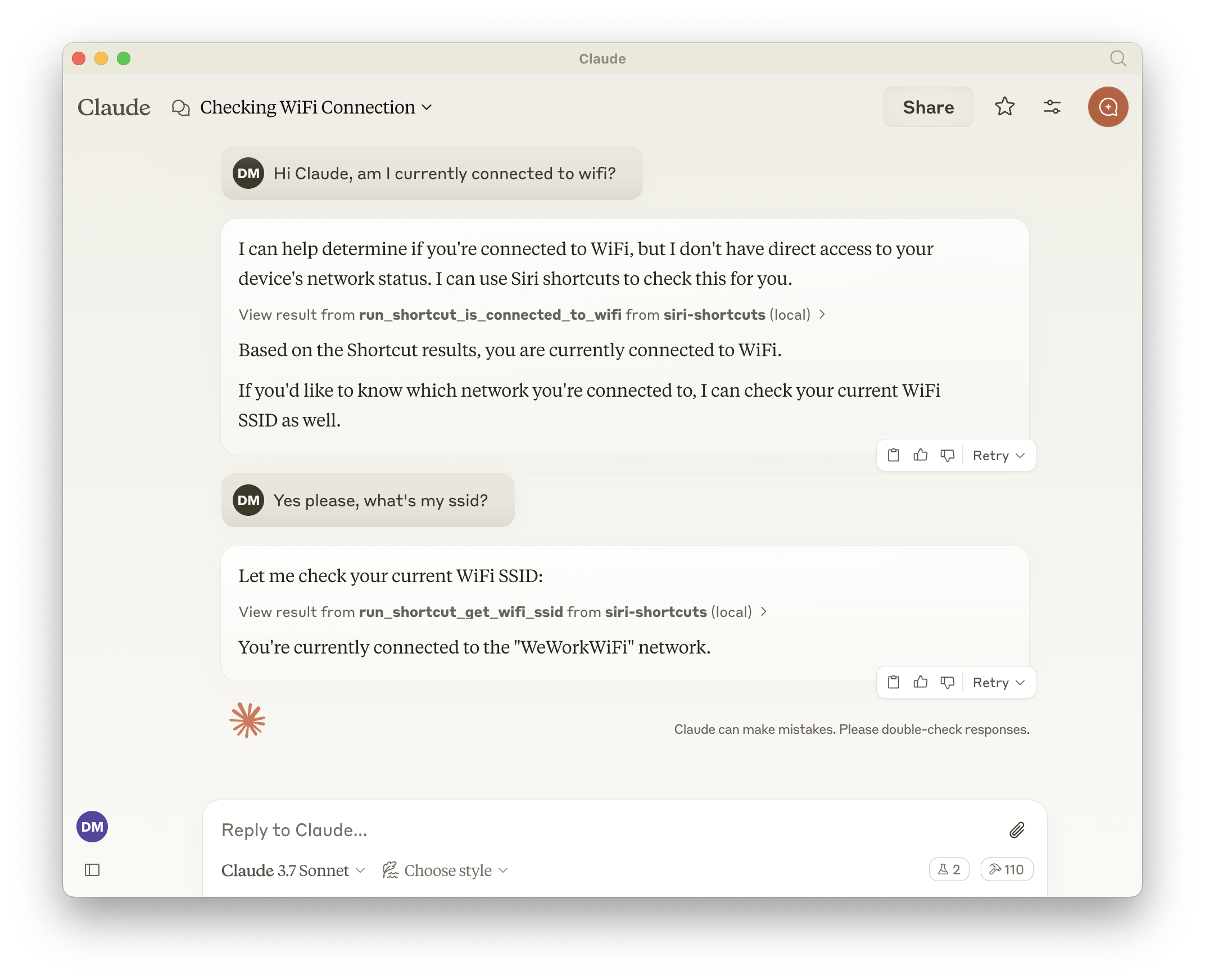
This MCP server provides access to Siri shortcuts functionality via the Model Context Protocol (MCP). It allows listing, opening, and running shortcuts from the macOS Shortcuts app.
Features
- Exposes all shortcuts, meaning the LLM can call anything that is available in the Shortcuts app.
- List all available shortcuts
- Open shortcuts in the Shortcuts app
- Run shortcuts with optional input parameters
- Dynamically generated tools for each available shortcut
Tools
Base Tools
-
list_shortcuts- Lists all available Siri shortcuts on the system
- No input required
- Returns: Array of shortcut names
{ "shortcuts": [{ "name": "My Shortcut 1" }, { "name": "My Shortcut 2" }] } -
open_shortcut- Opens a shortcut in the Shortcuts app
- Input:
name(string): Name of the shortcut to open
-
run_shortcut- Runs a shortcut with optional input
- Input:
name(string): Name or identifier (UUID) of the shortcut to runinput(string, optional): Text input or filepath to pass to the shortcut
Dynamic Tools
The server automatically generates additional tools for each available shortcut in the format:
- Tool name:
run_shortcut_[sanitized_shortcut_name] - Description: Runs the specific shortcut
- Input:
input(string, optional): Text input or filepath to pass to the shortcut
Configuration
The server supports the following environment variables:
GENERATE_SHORTCUT_TOOLS(default:true): When set tofalse, disables the generation of dynamic shortcut tools. Only the base tools (list_shortcuts,open_shortcut,run_shortcut) will be available.INJECT_SHORTCUT_LIST(default:false): When set totrue, injects the list of available shortcuts into therun_shortcuttool description to help the LLM understand which shortcuts are available.
Usage with Claude
Add to your Claude configuration:
{
  "mcpServers": {
    "siri-shortcuts": {
      "command": "npx",
      "args": ["mcp-server-siri-shortcuts"],
      "env": {
        "GENERATE_SHORTCUT_TOOLS": "true",
        "INJECT_SHORTCUT_LIST": "false"
      }
    }
  }
}
Implementation Details
- Uses the macOS
shortcutsCLI command under the hood - Sanitizes shortcut names for tool naming compatibility
- Supports both direct text input and file-based input
- Returns shortcut output when available
- Implements standard MCP error handling