Roam Research MCP Server
Truy cập và quản lý đồ thị Roam Research của bạn thông qua API của nó.
Tài liệu
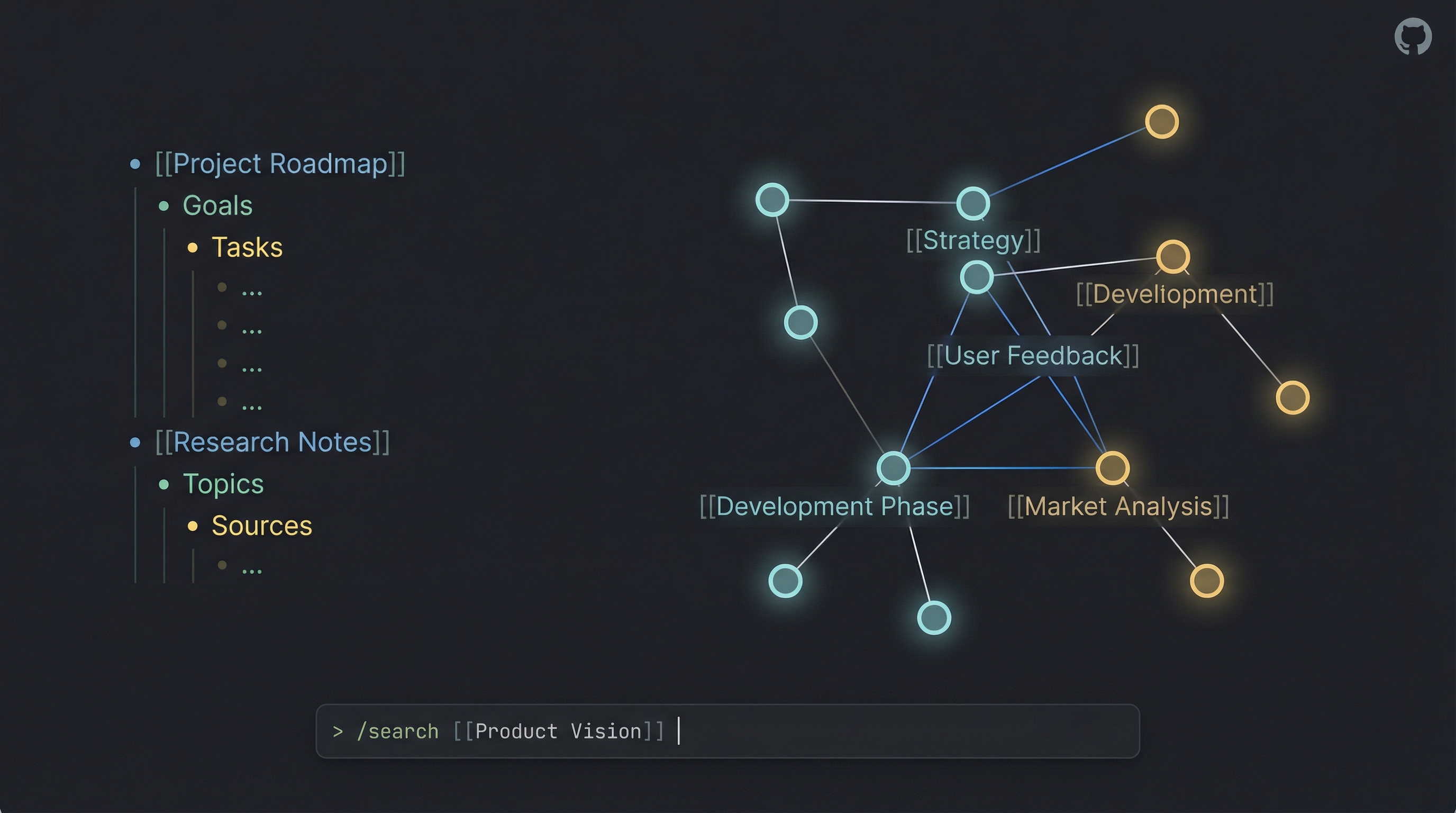
Roam Research MCP + CLI




Introduction
I created this project to solve a personal problem: I wanted to manage my Roam Research graph directly from Claude Code (and other LLMs). As I built the Model Context Protocol (MCP) server to give AI agents access to my notes, I realized the underlying tools were powerful enough to stand on their own.
What started as an backend for AI agents evolved into a full-featured Standalone CLI. Now, you can use the same powerful API capabilities directly from your terminal—piping content into Roam, searching your graph, and managing tasks—without needing an LLM at all.
Whether you want to give Claude superpowers over your knowledge base or just want a robust CLI for your own scripts, this project has you covered.

What's New in v4.0
In one line: a block containing a soft line break (Shift+Enter) now survives a page rewrite. Read a page, write it back, and nothing moves.
Until now, a multi-line block rendered as two physical lines, the second at column 0. That reset the parser's indentation baseline, so every block after it collapsed toward the root and roam_update_page_markdown dutifully generated the moves to make your real page match. Reading a page and writing back a revision, the documented purpose of the tool, was enough to trigger it. Callout bodies and fenced code blocks are exactly the blocks that carry soft breaks.
- Soft breaks render as
⏎. A page containing one gains a leading<!-- roam:escaped-newlines -->marker line; keep it if you write the markdown back. Pages with no multi-line block render byte-identical to 3.x, with no marker and no encoding. - Backslashes are never special. The earlier design escaped newlines as
\n, which is also a common prefix in authored text:\nabla,\neq,C:\newdir. The sentinel needs no such rule, so all of those are written exactly as typed, everywhere. - Verbatim round-trips are no-ops. Renderer output submitted back unchanged, title header included, produces zero actions. The CLI shares the fix:
roam getpiped intoroam save --updateleaves the page as it was. - Two more guards on page rewrites. Non-empty markdown that parses to zero blocks is now refused rather than deleting every block on the page (genuinely empty markdown still clears a page, as documented). And a hand-authored first block that happens to be an H1 echoing the page title is no longer stripped on an ordinary update.
- Linked references are encoded too.
roam_fetch_page_full_viewescapes soft breaks in referring blocks and breadcrumbs, not just the page's own content. - Browser clients pass CORS preflight. The HTTP transport now allows
MCP-Protocol-VersionandLast-Event-ID, both of which a client must send after initialization. Non-browser clients were never affected. - The MCP SDK is pinned to the version the test suite runs against, so a fresh install gets the protocol surface that was tested rather than whatever npm serves that day.
Why a major. Four read surfaces return different bytes for any page containing a multi-line block: roam_fetch_page_by_title (format: "markdown"), roam_fetch_page_full_view, roam_get_subpages, and roam get. If you use the server through an AI assistant, nothing is required of you. A script that parses markdown output of multi-line pages sees the new encoding. If you pinned roam-research-mcp@3, you keep 3.2.0's fixes and its documented multi-line limitation until you re-pin.
Full detail, including the corner cases and how each fix was verified against the prior state, is in the changelog.
How this differs from Roam's official MCP server
Roam Research ships its own MCP server and CLI (@roam-research/roam-mcp). It is a good tool, and this project is not trying to replace it. They talk to two different Roam APIs, which is the difference everything else follows from.
| This project | Official @roam-research/roam-mcp | |
|---|---|---|
| Talks to | Roam's backend REST API (graph token + graph name) | Roam Desktop's local HTTP API |
| Needs Roam running | No — works headless | Yes, the desktop app must be open (it deep-links to launch it) |
| Where it can run | Anywhere: laptop, server, container, CI | The machine running Roam Desktop |
| Shared daemon | Yes — roam server runs one HTTP daemon for every client | Per-client stdio |
| Multi-graph | ROAM_GRAPHS env var, with write_key protection for chosen graphs | ~/.roam-tools.json, one token per graph |
| Web-only graphs | Works | Desktop only |
Reach for the official server when you want Roam's own supported path, or you need things only the running app can do: controlling the Desktop UI (open a page, read the current selection, drive the sidebar), semantic/embeddings search, link suggestions, file upload, comments, or invoking tools that Roam extensions register.
Reach for this one when Roam isn't running or isn't installed — a server, a container, a cron job, a CI step. Or when you want the extras this project has grown: a full standalone CLI with stdin piping, a shared HTTP daemon with optional bearer auth, smart page diffing that preserves block UIDs (and therefore your block references), batch operations with UID placeholders for building nested structures in one call, and agent memory tools.
One deliberate omission: there is no page-delete tool here. Roam has no undo that can reverse a bulk API deletion. The official server does offer delete_page; this project takes the more conservative line.
They interoperate
The two servers share conventions on purpose, so running both costs you nothing:
[[roam/agent guidelines]]— both read the same page for your conventions. Write them once; both honour them. See Agent guidelines.#.rm-hide/#.rm-private— both withhold tagged blocks from AI-facing content. Tag once, hidden from both. See Hiding content from the AI.
Standalone CLI: roam
The roam CLI lets you interact with your graph directly from the terminal. It supports standard input (stdin) piping for all content creation and retrieval commands, making it perfect for automation workflows.
Quick Examples
# Save a quick thought to your daily page
roam save "Idea: A CLI for Roam would be cool"

# Pipe content from a file to a new page
cat meeting_notes.md | roam save --title "Meeting: Project Alpha"

# Create a TODO item on today's daily page
echo "Buy milk" | roam save --todo

# Prepend to top of page (newest-first ordering)
roam save -p "Changelog" --order first "v2.18.0 release"

# Search your graph and pipe results to another tool
roam search "important" --json | jq .

# Search for pages by namespace prefix
roam search --namespace "Convention"    # Finds all Convention/* pages

# Fetch a page by title
roam get "Roam Research"

# Fetch daily pages using any date format (auto-normalized)
roam get today                          # Today's daily page
roam get 2026-03-21                     # ISO date → "March 21st, 2026"
roam get "03/21/2026"                   # US date → "March 21st, 2026"
roam get "March 21"                     # Named (assumes current year)

# Fetch a block with ancestors (parent chain to page root)
roam get abc123def -a              # Block + children + ancestors
roam get abc123def -a -d 0         # Ancestors only, no children

# Fetch page by UID or Roam URL
roam get page abc123def
roam get page "https://roamresearch.com/#/app/my-graph/page/abc123def"

# Sort and group results
roam get --tag Project --sort created --group-by tag

# Find references (backlinks) to a page
roam refs "Project Alpha"

# Update a block (e.g., toggle TODO status)
roam update ((block-uid)) --todo

# Multi-graph: read from a specific graph
roam get "Page Title" -g work

# Multi-graph: write to a protected graph
roam save "Note" -g work --write-key "$ROAM_SYSTEM_WRITE_KEY"
Available Commands: get, search, save, refs, update, batch, rename, status, server.
Run roam <command> --help for details on any command.
Installation
npm install -g roam-research-mcp
# The 'roam' command is now available globally
MCP Server Tools
The MCP server exposes these tools to AI assistants (like Claude), enabling them to read, write, and organize your Roam graph intelligently.
Multi-Graph Support: All tools accept optional
graphandwrite_keyparameters. Usegraphto target a specific graph from yourROAM_GRAPHSconfig, andwrite_keyfor write operations on protected graphs.
| Tool Name | Description |
|---|---|
roam_fetch_page_by_title | Fetch page content by title. |
roam_fetch_page_full_view | Fetch a page's content plus all linked references with breadcrumb context and children. |
roam_fetch_block | Fetch a block by UID with optional children (depth) and/or ancestors (up to page root). |
roam_create_page | Create new pages, optionally with mixed text and table content. |
roam_update_page_markdown | Update a page using smart diff (preserves block UIDs). |
roam_get_subpages | List sub-pages under a namespace prefix (e.g. "Project/") with optional tag filter. |
roam_search_by_text | Full-text search across the graph or within specific pages. Supports namespace prefix search for page titles. |
roam_search_block_refs | Find blocks that reference a page, tag, or block UID. |
roam_search_by_status | Find TODO or DONE items. |
roam_search_for_tag | Find blocks containing specific tags (supports exclusion). |
roam_search_by_date | Find blocks/pages by creation or modification date. |
roam_find_pages_modified_today | List pages modified since midnight. |
roam_add_todo | Add TODO items to today's daily page. |
roam_create_table | Create properly formatted Roam tables. |
roam_create_outline | Create hierarchical outlines. |
roam_process_batch_actions | Execute multiple low-level actions (create, move, update, delete) in one batch. |
roam_move_block | Move a block to a new parent or position. |
roam_remember / roam_recall | specialized tools for AI memory management within Roam. |
roam_datomic_query | Execute raw Datalog queries for advanced filtering. |
roam_markdown_cheatsheet | Retrieve the Roam-flavored markdown reference. |
roam_get_guidelines | Retrieve this graph's user-defined agent conventions. |
Structured results from write tools (v3.0.0+)
The ten write tools declare an outputSchema and return structuredContent — a validated object — alongside the usual text. A client can read page_uid, uid_map or success directly instead of hunting for JSON inside a string, which makes chaining calls more reliable:
// roam_process_batch_actions
{ "success": true, "uid_map": { "parent1": "Xk7mN2pQ9" },
  "validation_passed": true, "actions_attempted": 4 }
Three things worth knowing:
- Nothing was taken away. The text channel is unchanged, so a client that ignores
structuredContentbehaves exactly as before. - Read tools deliberately have neither. They already serialise their whole result into the text channel, so a schema would just double the payload.
- These fields are additive-only. Some clients validate live responses against a cached tool list, so a field will be added or deprecated — never renamed or removed outside a major version.
Upgrading to 4.0.0: markdown reads of a page containing a soft line break (Shift+Enter) now render that break as
⏎and carry a leading<!-- roam:escaped-newlines -->marker, so the page survives a write-back intact. Pages without multi-line blocks are byte-identical to 3.x. AI-assistant users need do nothing; scripts parsing markdown output of multi-line pages see the new encoding. See the changelog.
Upgrading from 2.x: three write-result fields were renamed —
uid→page_uid(roam_create_page),created_uids→created_blocks(roam_create_outline,roam_import_markdown) andpreservedUids→preserved_uids(roam_update_page_markdown). This only affects code that reads those names; if you use the server through an AI assistant, nothing changes. See the changelog for why.
Agent guidelines (per-graph)
roam_get_guidelines reads a page inside the graph — [[roam/agent guidelines]] by default — holding your own conventions: how you tag, how you namespace pages, what an agent should never do. Roam's official MCP server reads the same page title, so one page serves both.
This is distinct from CUSTOM_INSTRUCTIONS_PATH, and the two compose:
CUSTOM_INSTRUCTIONS_PATH | [[roam/agent guidelines]] | |
|---|---|---|
| Lives in | a file on disk | a page in the graph |
| Scope | server-wide, all graphs | per-graph |
| To change it | edit the file, restart the server | edit the page |
| Answers | how to write Roam markdown | how this user wants this graph handled |
Just create the page. With no configuration at all, roam_get_guidelines reads [[roam/agent guidelines]] — the same title Roam's own server reads, so writing it once makes both honour it. Creating a page with that exact namespaced title is the opt-in; nothing is read from the graph unless an agent explicitly calls the tool.
If the page doesn't exist, the tool returns exists: false rather than failing, so it is always safe to call.
It also returns the rules that aren't yours to set
Alongside your conventions, every roam_get_guidelines response carries a roamSyntax field: the short list of things that destroy content — roam_update_page_markdown deleting every block your markdown omits, truncated structure previews written back as if they were content, block references retyped as plain text — plus a caution that reads silently exclude #.rm-hide subtrees, and the handful of places Roam's markdown inverts standard markdown.
Two reasons it rides here rather than in the cheatsheet. It reaches every client, including one that never calls roam_markdown_cheatsheet; and it is returned even when a graph has no guidelines page, which is exactly the case where an agent has least context. The layering is deliberate: your conventions win on style, roamSyntax wins on data safety. No convention can make a truncated preview complete.
The full syntax reference — components, queries, embeds, tool selection — stays in roam_markdown_cheatsheet. roamSyntax is ~800 tokens and deliberately capped.
Each graph can point at a different page, or turn it off:
ROAM_GRAPHS='{
  "personal": {"token": "...", "graph": "..."},
  "work":     {"token": "...", "graph": "...", "guidelinesPage": "work/agent rules"},
  "private":  {"token": "...", "graph": "...", "guidelinesPage": false}
}'
ROAM_GUIDELINES_PAGE='team/agent guidelines'   # change the default for every graph
Resolution order is per-graph guidelinesPage → ROAM_GUIDELINES_PAGE → roam/agent guidelines. Above: personal uses the env override, work uses its own page, and private has guidelines off entirely. Only an explicit false disables it — an unset value never does.
Results are cached for 30 seconds — an edit to the page takes effect without a restart. A starter template lives at .roam/agent-guidelines.template.md.
Note that guidelines are read through the normal page path, so blocks tagged #.rm-hide / #.rm-private are withheld from them too — see below.
Reads of a page containing a soft line break render it as ⏎ so each block
stays on one line — an unescaped newline lands at column 0 and reparents
everything after it on write-back. Such payloads carry a leading
<!-- roam:escaped-newlines --> marker; keep it if you write the markdown
back. Markdown you author is never decoded: backslashes are not special, and
only ⏎ inside a marked payload is interpreted. roam_get_guidelines output
is plain prose — no sentinel, no marker.
Hiding content from the AI
Blocks tagged #.rm-hide or #.rm-private — and everything nested under them — are omitted from the content these tools return. Both the hashtag (#.rm-hide, #[[.rm-hide]]) and link ([[.rm-hide]]) forms work. .rm-private is Roam's existing "hidden from other users" tag; .rm-hide hides from the AI specifically.
This follows the same convention as Roam's official MCP server, so a block tagged for one is hidden from the other.
Applied to: roam_fetch_page_by_title, roam_fetch_block, roam_fetch_page_full_view, roam_get_subpages, roam_search_by_text, roam_search_for_tag, roam_search_by_status, roam_search_block_refs, roam_search_hierarchy, roam_search_by_date.
Hidden blocks are also excluded from the page-rewrite diff, which is what stops them being deleted for being absent from markdown the agent could not have written. roam_update_page_markdown (and roam save --update) replaces a page with what you give it, deleting whatever your markdown omits — so its baseline is pruned by this same filter, on the rule that the baseline a diff deletes from must be the same page the caller was allowed to read. It reports preserved_hidden when it protected anything. Content is preserved; exact ordering relative to visible siblings may shift. This was a real data-loss bug before the fix — see the changelog.
This is a convenience filter, not a security guarantee. roam_datomic_query reads the database directly and deliberately does not apply it, so a capable agent can still surface hidden blocks through raw Datalog. Treat these tags as "keep it out of the AI's way," not "keep it secret."
Tag matching is case-insensitive, and only exact tags match — #.rm-hidden and #.rm-highlight are left alone. The set of hidden UIDs is cached for 30 seconds, so a block tagged just now may remain visible for up to that long.
Configuration
Environment Variables
Single Graph Mode
For a single Roam graph, set these in your environment or a .env file:
ROAM_API_TOKEN=your-api-token
ROAM_GRAPH_NAME=your-graph-name
Multi-Graph Mode (v2.0+)
Connect to multiple Roam graphs from a single server instance:
ROAM_GRAPHS='{
  "personal": {"token": "token-1", "graph": "personal-db", "memoriesTag": "#[[Personal Memories]]"},
  "work": {"token": "token-2", "graph": "work-db", "protected": true, "memoriesTag": "#[[Work Memories]]"},
  "research": {"token": "token-3", "graph": "research-db"}
}'
ROAM_DEFAULT_GRAPH=personal
ROAM_SYSTEM_WRITE_KEY=your-secret-key
Graph Configuration Options:
| Property | Required | Description |
|---|---|---|
token | Yes | Roam API token for this graph |
graph | Yes | Graph name/database identifier |
protected | No | If true, writes require ROAM_SYSTEM_WRITE_KEY confirmation — except on the default graph, see below |
memoriesTag | No | Tag for roam_remember/roam_recall (overrides global default) |
Two kinds of access control (and how they differ)
The server has two independent locks. They're easy to mix up because both are "keys" — here's the plain version (both are optional and off by default):
Bearer token — HTTP_AUTH_TOKEN | Write key — ROAM_SYSTEM_WRITE_KEY | |
|---|---|---|
| In a phrase | The key to the front door | The latch on a safe inside |
| Controls | Who can reach the server at all | Whether a write to a protected graph is allowed |
| Covers | Everything — reads and writes, all graphs | Only writes, and only to graphs marked protected |
| Protects reading? | Yes | No |
| When you need it | Only if the server is reachable beyond your own machine (e.g. -H 0.0.0.0) | Whenever you want a guard against accidental edits to important graphs |
| How it's sent | HTTP header: Authorization: Bearer <token> | A write_key argument on write tools / CLI commands |
Think of a house: the bearer token locks the front door (keeps strangers out entirely), and the write key locks a safe inside (even someone already in the house needs it to change what's in the safe). On your own machine bound to 127.0.0.1, the front door faces a wall — you don't need the bearer token there. The write key is still handy locally as an "are you sure?" guard, because Roam has no undo.
So: to mark a graph as needing the write key, set protected: true on it and configure ROAM_SYSTEM_WRITE_KEY; callers then pass a matching write_key for any write to that graph.
⚠️
protecteddoes nothing on your default graph. Writes to whichever graphROAM_DEFAULT_GRAPHnames are always allowed, beforeprotectedis ever consulted — the flag guards the graphs you have to ask for by name, on the reasoning that reaching for a non-default graph is the deliberate act worth confirming. If you want a graph write-guarded, it must not be your default.
Optional:
ROAM_MEMORIES_TAG: Default tag forroam_remember/roam_recall(fallback when per-graphmemoriesTagnot set).HTTP_STREAM_PORT: Port for the HTTP Stream transport (defaults to 8088).--servermode only — stdio mode opens no socket, so this is ignored there.HTTP_STREAM_HOST: Host to bind the HTTP transport to (defaults to127.0.0.1, loopback-only).--servermode only. Set to0.0.0.0to expose on the LAN, and setHTTP_AUTH_TOKENwhen you do.HTTP_AUTH_TOKEN: Optional bearer token that locks the whole HTTP endpoint. Unset = open (fine for loopback). When set, every MCP request must sendAuthorization: Bearer <token>(GET /healthstays open). Use it whenever you bind beyond127.0.0.1. Different fromROAM_SYSTEM_WRITE_KEY— see Two kinds of access control.
Running the Server
1. Default Mode (stdio) Best for local integration (e.g., Claude Desktop, IDE extensions). The MCP client launches the process per session and talks to it over stdin/stdout. No port is opened — nothing about MCP over stdio needs one.
Before 3.1.0 this mode also opened an HTTP listener, and bound it to every interface. If you were using that endpoint, run a
--serverdaemon instead; see below.
npx roam-research-mcp
2. Shared Server Mode (--server)
Best for a single long-lived, HTTP-only daemon that multiple MCP clients share — instead of each session spawning its own subprocess. This saves memory and gives clients a stable URL.
HTTP_STREAM_PORT=8088 npx roam-research-mcp --server
Or manage it through the roam CLI, which adds start/stop/status/logs:
roam server start            # start the shared daemon in the background
roam server start -H 0.0.0.0 # expose on the LAN (no transport auth!)
roam server status           # is it up? version, graphs, active sessions
roam server logs -f          # follow the log
roam server stop             # stop a CLI-started daemon
roam server status works no matter how the daemon was launched (it probes /health), so it also reports a daemon started by a LaunchAgent/systemd unit. State (pidfile + log) lives in ~/.roam/ (override with ROAM_HOME).
The two modes are mutually exclusive, and each opens exactly one transport: stdio mode speaks stdio and binds nothing, --server speaks HTTP and reads no stdin. In --server mode the server:
- runs HTTP-only (no stdio transport),
- binds the exact
HTTP_STREAM_PORTonHTTP_STREAM_HOSTand exits non-zero if the port is taken (no silent drift — a shared daemon must keep a stable URL), - exposes
GET /health→{"status":"ok", ...}for liveness checks.
Point MCP clients at it with an HTTP transport config:
{
  "mcpServers": {
    "roam-research-mcp": {
      "type": "http",
      "url": "http://127.0.0.1:8088/mcp"
    }
  }
}
Env vars (tokens, graphs) live with the server process, not the client config.
Securing an exposed server (two layers):
If you bind beyond loopback (-H 0.0.0.0), add the perimeter lock:
HTTP_AUTH_TOKEN=$(openssl rand -hex 32) roam server start -H 0.0.0.0
Clients then send the token as a header:
{
  "mcpServers": {
    "roam-research-mcp": {
      "type": "http",
      "url": "http://<host>:8088/mcp",
      "headers": { "Authorization": "Bearer <token>" }
    }
  }
}
Keep both — they do different jobs (see Two kinds of access control above): the bearer token controls who can connect, the write key only guards writes to protected graphs.
⚠️ The write key is not a substitute for the bearer token. On an exposed server without
HTTP_AUTH_TOKEN, anyone on the network can still read every graph (and write non-protected ones). For anything beyond loopback, setHTTP_AUTH_TOKEN.
Keeping it running (macOS LaunchAgent):
Create ~/Library/LaunchAgents/com.example.roam-mcp.plist with RunAtLoad + KeepAlive, your env vars under EnvironmentVariables, and --server as the last ProgramArguments entry. Keep StandardOutPath/StandardErrorPath on a local path (e.g. ~/Library/Logs/), then:
launchctl bootstrap gui/$(id -u) ~/Library/LaunchAgents/com.example.roam-mcp.plist
curl -s http://127.0.0.1:8088/health   # verify
3. Docker
docker run -p 8088:8088 --env-file .env roam-research-mcp --server
Configuring in LLMs
Claude Desktop / Cline:
Add to your MCP settings file (e.g., ~/Library/Application Support/Claude/claude_desktop_config.json):
Pinning the version.
npx -y roam-research-mcpfetches the latest release every time your client starts the server, so a new major version arrives without warning. Pin the major to decide for yourself when to move:
argsYou get ["-y", "roam-research-mcp"]Latest, always — including the next major ["-y", "roam-research-mcp@3"]3.x only; majors need an edit here ["-y", "roam-research-mcp@3.0.0"]Exactly this build Pinning the major is the sensible default: you still get fixes and new tools, but a breaking change becomes something you opt into. The examples below stay unpinned to match what most people paste in first.
Single Graph:
{
  "mcpServers": {
    "roam-research": {
      "command": "npx",
      "args": ["-y", "roam-research-mcp"],
      "env": {
        "ROAM_API_TOKEN": "your-token",
        "ROAM_GRAPH_NAME": "your-graph"
      }
    }
  }
}
Multi-Graph:
{
  "mcpServers": {
    "roam-research": {
      "command": "npx",
      "args": ["-y", "roam-research-mcp"],
      "env": {
        "ROAM_GRAPHS": "{\"personal\":{\"token\":\"token-1\",\"graph\":\"personal-db\",\"memoriesTag\":\"#[[Memories]]\"},\"work\":{\"token\":\"token-2\",\"graph\":\"work-db\",\"protected\":true}}",
        "ROAM_DEFAULT_GRAPH": "personal",
        "ROAM_SYSTEM_WRITE_KEY": "your-secret-key"
      }
    }
  }
}
Query Block Parser (v2.11.0+)
A utility for parsing and executing Roam query blocks programmatically. Converts {{[[query]]: ...}} syntax into Datalog queries.
Supported Clauses
| Clause | Syntax | Description |
|---|---|---|
| Page ref | [[page]] | Blocks referencing a page |
| Block ref | ((uid)) | Blocks referencing a block |
and | {and: [[a]] [[b]]} | All conditions must match |
or | {or: [[a]] [[b]]} | Any condition matches |
not | {not: [[tag]]} | Exclude matches |
between | {between: [[date1]] [[date2]]} | Date range filter |
search | {search: text} | Full-text search |
daily notes | {daily notes: } | Daily notes pages only |
by | {by: [[User]]} | Created or edited by user |
created by | {created by: [[User]]} | Created by user |
edited by | {edited by: User} | Edited by user |
Relative Dates
The between clause supports relative dates: today, yesterday, last week, last month, this year, 7 days ago, 2 months ago, etc.
Usage
import { QueryExecutor } from 'roam-research-mcp/query';

const executor = new QueryExecutor(graph);

// Execute a query
const results = await executor.execute(
  '{{[[query]]: "My Query" {and: [[Project]] {between: [[last month]] [[today]]}}}}'
);

// Parse without executing (for debugging)
const { name, query } = QueryParser.parseWithName(queryBlock);
Utility Functions
import { isQueryBlock, extractQueryBlocks } from 'roam-research-mcp/query';

// Detect if text is a query block
isQueryBlock('{{[[query]]: [[tag]]}}'); // true

// Extract all query blocks from a string
extractQueryBlocks(pageContent); // ['{{[[query]]: ...}}', ...]
Support
If this project helps you manage your knowledge base or build cool agents, consider buying me a coffee! It helps keep the updates coming.

License
MIT License - Created by Ian Shen.