Entergram — Telegram MCP for Multiple Accounts
Yapay zeka asistanlarını birden fazla gerçek Telegram hesabına bağlayarak sohbetleri arayın, mesaj gönderin ve CRM kayıtlarını yönetin.
Dokümantasyon
Hosted Telegram MCP
Telegram MCP server for every account you run
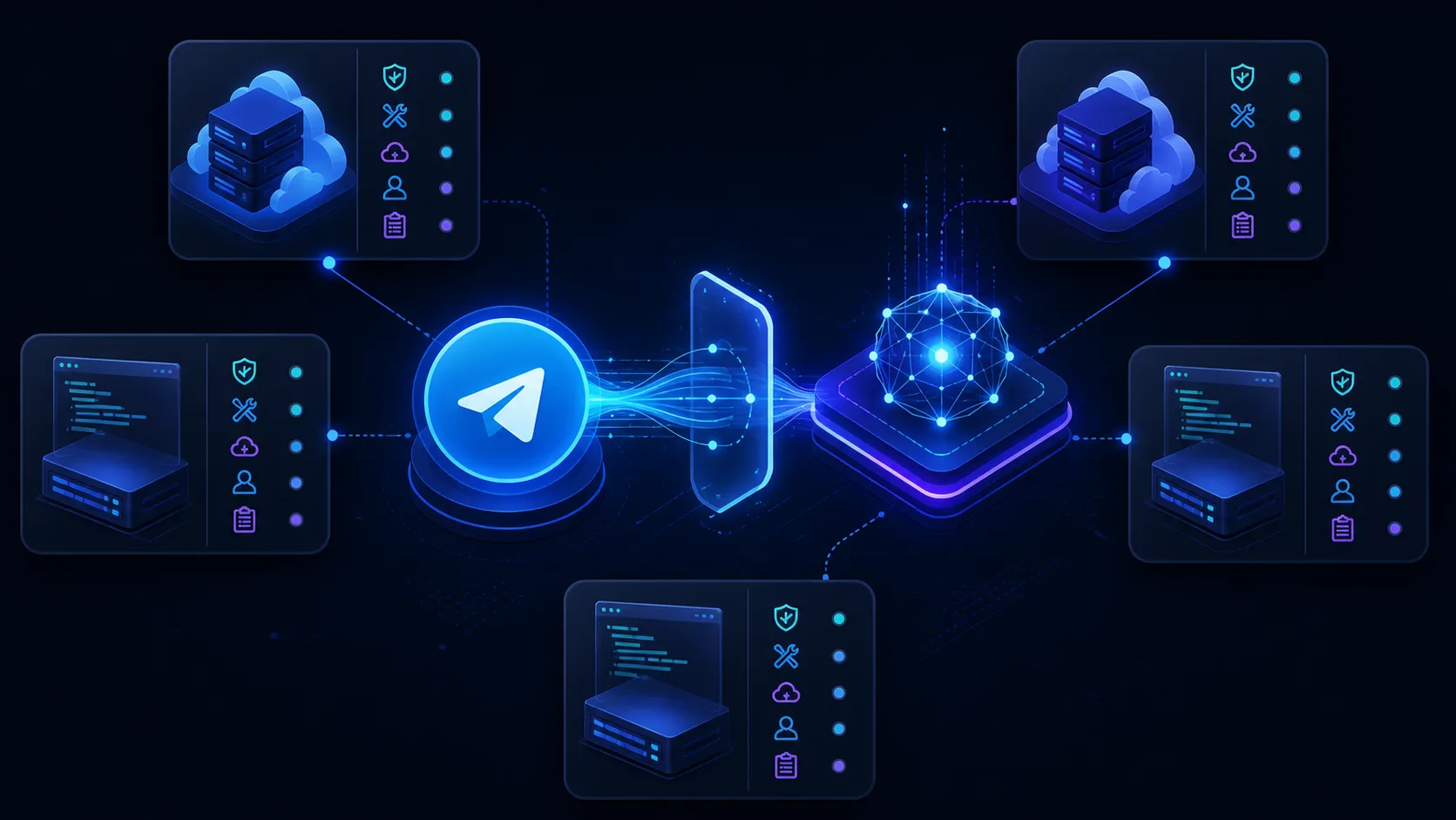
Connect Claude, ChatGPT, Grok, Gemini, Perplexity or another AI assistant to every Telegram account on your seat, with one login. Your AI can read chats, open tickets, fill in CRM fields and answer questions about your response times. Real personal accounts, not bots. Nothing to host, and no session string to store.
MCP server URL https://mcp.entergram.com/mcp Copy
Works with
Claude· ChatGPT· Grok· Gemini· Perplexity· Cursor
Setup
Connect Telegram MCP in 3 steps
The menus differ by app. The steps do not.
 MCP server URL
https://mcp.entergram.com/mcp Copy
Telegram accounts
Your AI assistants
- @ @alex_support Telegram · connected
- @ @denis_sales Telegram · connected
- @ @team_europe Telegram · connected
- @ @team_apac Telegram · connected
Entergram One MCP Live
- **Claude MCP connected
- **ChatGPT MCP connected
- **Gemini MCP connected
- **Grok MCP connected
What your AI app asks permission for
You see this list when you sign in, before you approve it. You can revoke access at any time.
- Workspace details
workspace.read - Team members
members.read - Connected accounts
accounts.read - Contacts
contacts.read - Chats
chats.read - Edit chats
chats.write - Chat custom fields
chat_custom_fields.read - Edit chat custom fields
chat_custom_fields.write - Messages
messages.read - Send messages
messages.write - Tickets
tickets.read - Edit tickets
tickets.write - Custom fields
custom_fields.read - Edit custom fields
custom_fields.write - Read events
events.read - Stay connected
offline_access
Ask your AI to
SupportSales
-
Tickets for chats waiting 2h+
-
Replies in each customer's language
-
Tag refunds, assign to Anna
-
First reply time per account
-
DeFi groups to join
-
Pricing chats → Proposal
-
Leads into HubSpot
-
Localize the April update
Your AI assistant  Entergram MCP 4 accounts
Open a ticket for every support chat that has waited more than 2 hours for a reply.
5 tool calls
- # #1042 Withdrawal stuck in pending@team_europe · waiting 3h 12m High
- # #1043 Can't log in after a phone change@alex_support · waiting 2h 40m High
- # #1044 Invoice shows the wrong company@team_apac · waiting 2h 05m Normal
3 tickets opened. The oldest has been waiting 3h 12m on @team_europe, so I set it to High.
Draft a reply to every chat left unanswered today, in the customer's language.
2 tool calls
-
ESMaría · @team_europe
¡Hola María! Ya revisamos tu pago y se acreditará hoy antes de las 18:00.
-
DEJonas · @team_europe
Hallo Jonas, der Export ist jetzt unter Einstellungen verfügbar. Sag Bescheid, ob es klappt.
-
PTRafael · @alex_support
Oi Rafael! Seu limite foi atualizado, pode tentar de novo agora.
3 drafts ready, each in the language the customer wrote in. Say "send" and they go out from the account that owns the chat.
Mark every chat that mentions a refund as Billing and assign it to Anna.
11 tool calls
- L Lukas Weber"Can I get a refund for the March invoice?" Billing · Anna
- A Aiko Tanaka"I was charged twice, please refund one." Billing · Anna
- O Omar Haddad"How long does a refund take?" Billing · Anna
- +2 more
5 chats tagged Billing and assigned to Anna. She sees them in her queue now.
Compare first reply times across our support accounts for last week.
2 tool calls
Median first reply, last 7 days
@alex_support 4m
@team_europe 11m
@team_apac 38m
@team_apac is the slow one, and most of its delay falls between 01:00 and 05:00 UTC.
Find public DeFi groups on Telegram with 5,000+ members we haven't joined.
2 tool calls
- DB DeFi Builders HubPublic group · 18,240 members Not joined
- YF Yield Farmers ChatPublic group · 9,615 members Not joined
- DR DeFi Research LoungePublic group · 6,032 members Not joined
- DA DeFi Alpha SignalsPublic group · 12,900 members @team_apac is in it
3 groups none of your accounts has joined. I skipped a 4th because @team_apac is already a member.
Move every chat that asked about pricing today to the Proposal stage.
6 tool calls
Qualified
Nova LabsKite ExchangeOrbit DAOMintly
→
Proposal
Nova LabsKite ExchangeOrbit DAOMintly
4 chats moved to Proposal. Each one asked about pricing in the last 24 hours.
Add every new Telegram lead from this week to HubSpot with a chat summary.
9 tool calls **
- E Elena Petrova · Kite ExchangeWants a 20-seat pilot in May. Asked about SSO. HubSpot
- M Marco Rossi · Orbit DAOComparing three tools. Decision by Friday. HubSpot
- P Priya Nair · MintlyNeeds 12 accounts for an APAC launch. HubSpot
- +4 more
7 contacts in HubSpot. One assistant, two MCP servers: Entergram for the chats, HubSpot for the records.
Send the April update to every Warm lead, translated into each chat's language.
5 tool calls
-
EN21 chats
Hi! Our April update is live: faster withdrawals and a new staking page. Reply here with any questions.
-
RU11 chats
Привет! Апрельское обновление уже вышло: быстрые выводы и новая страница стейкинга. Вопросы пишите сюда.
-
PT6 chats
Oi! A atualização de abril saiu: saques mais rápidos e uma nova página de staking. Responda aqui se tiver dúvidas.
Sent to 38 Warm leads in 3 languages. Replies come back into each lead's own chat.
-
01 Copy the URL
In Entergram, open Settings, then Workspace, then Connectors, then MCP, and copy https://mcp.entergram.com/mcp
-
02 Paste it into your AI app
Add a custom connector in Claude, ChatGPT, Grok or another MCP app and paste the URL. See how it works ↗
-
03 Sign in and allow access
Click Connect, sign in with your Entergram account, check what the app asks for and click Allow access. Setup guide ↗
-
04 What your AI can do in Telegram
Six things people ask for most, each with a prompt you can paste as it is.
Use cases
| 01Fill in CRM fields | Your AI reads the chat and writes what it learns into your custom fields. | TryRead the new lead chats on @denis_sales and set the stage and budget fields. |
|---|---|---|
| 02Open and sort tickets | It turns chats that need an answer into tickets. Next to your help desk's own MCP, it can sort them there too. | TryOpen a ticket for every support question nobody answered yesterday. |
| 03Find and follow up leads | It looks across every account at once and tells you which one owns each lead. | TryWhich leads went quiet this week, and on which account? |
| 04Search Telegram live | It finds people, groups and channels outside your workspace. It matches names and usernames, not message text, and it is rate limited to protect your accounts. | TryFind public groups about iGaming affiliates that none of our accounts has joined. |
| 05Send a broadcast in each reader's language | It reads each chat first, so every recipient gets the message in the language they write in. | TryRead each chat, detect the language and send this update in it. |
| 06Answer questions about your numbers | Your AI works it out from the raw message events, so you are not limited to fixed reports. | TryWhich account had the slowest first reply this week? |
AI apps
Works with the AI apps you already use
Each app has its own setup page. The URL and the sign-in are the same everywhere.
Claude
Anthropic Settings → Connectors Ask about every account in one chat, or schedule a weekly summary per account.→ChatGPT
OpenAI Custom MCP connector Research chats and prepare CRM updates. Needs a paid ChatGPT plan with Developer Mode.→Grok
SpaceXAI Custom MCP connector Add Entergram as a custom connector and ask about any account.→Cursor & IDEs
Cursor, Zed, Windsurf MCP settings Bring customer reports from Telegram into your editor, next to the code.→Gemini
Google Gemini CLI · MCP Use Entergram as a Telegram MCP server for Google Gemini and the Gemini CLI. One login gives Gemini OAuth-scoped access to every Telegram account you run, so it can surface missed messages, waiting clients and cold leads.→n8n
n8n.io MCP node Add Entergram as an MCP data source in n8n and automate every Telegram account you run through one login. Flag the messages you missed, chase the leads that went cold, and route client feedback wherever it needs to go.→Make.com
Celonis MCP module Wire Entergram’s MCP endpoint into your Make scenarios and automate every Telegram account you run through one login. Surface the messages you missed, chase leads that went cold, and route client feedback visually.→Perplexity
Perplexity AI Connectors Attach Entergram as an MCP connector in Perplexity and bring every Telegram account you run into your research with one login. Surface missed messages, waiting clients and cold leads without leaving Perplexity.→ GGoose
Block config.yaml Add Entergram as an MCP extension in Goose, Block’s open-source AI agent, and let it work every Telegram account you run through one login. It surfaces missed messages, chases leads that went cold, and acts on chats autonomously.→Raycast
Raycast Manage MCP Servers Add Entergram as an MCP server in Raycast and reach every Telegram account you run from a keystroke, with one login. Check missed messages and waiting clients without opening Telegram.→Cline
Cline (VS Code) MCP settings Register Entergram as an MCP server in Cline, the VS Code AI agent, and reach every Telegram account you run from your editor with one login. Catch missed messages and clients waiting on you without breaking flow.→opencode
SST opencode.json Add Entergram as an MCP server in opencode, SST’s open-source terminal AI agent, and let it work every Telegram account you run through one login. Surface missed messages, chase leads that went cold, and act on chats from the command line.→Notion MCP
Notion + Entergram Two-server MCP workflow Give one compatible client two explicit tool boundaries: Entergram MCP works with authorized personal Telegram accounts, while Notion MCP works only inside the separately authorized Notion environment.→ SStripe MCP
Stripe + Entergram Two-server MCP workflow Give one compatible client two explicit tool boundaries: Entergram MCP works with authorized personal Telegram accounts, while Stripe MCP works only inside the separately authorized Stripe environment.→Slack MCP
Slack + Entergram Two-server MCP workflow Give one compatible client two explicit tool boundaries: Entergram MCP works with authorized personal Telegram accounts, while Slack MCP works only inside the separately authorized Slack environment.→C
Custom Apps
Any MCP client
OAuth + MCP URL
Any app that supports MCP connects with the same URL.
With your other tools
Telegram MCP with your CRM and help desk
Your AI reads the Telegram chat through Entergram and updates your CRM or help desk through that tool's own MCP. For HubSpot and Zendesk you can also skip the AI: Entergram has native integrations for both.
CRM
Salesforce HubSpot Microsoft Dynamics 365 Zoho CRM Pipedrivemonday CRMFreshsalesSAP Sales CloudOracle SalesNetSuite CRMOdoo CRMCreatioSugarCRMCopperCloseInsightlyKeapamoCRMAttioHighLevel
Help desk
Zendesk Intercom Freshdesk Jira Service Management ServiceNowHelp ScoutGorgiasFrontZoho DeskSalesforce Service CloudHubSpot Service HubKustomerGladlyDixaRe:amazeLiveAgentKayakoHappyFoxHiverGroove
What it is
What is Telegram MCP?
MCP (Model Context Protocol) is how AI apps like Claude and ChatGPT connect to other tools. A Telegram MCP server lets your AI read your chats and act in them. Telegram does not publish an official one, so you either run an open-source server yourself or connect to a hosted one. Entergram's is hosted, and one connection covers every account on your seat.
-
01
Sign in once with your Entergram account.
-
02
Approve what the AI may do, and revoke it any time.
-
03
One URL works in every AI app.
-
04
Real personal accounts, not bots.
01
Multiple accounts
One Telegram MCP connection for multiple personal accounts
Most Telegram MCP servers connect one bot or one account. That works for a personal assistant. It stops working when your team runs sales, support and regional accounts, and you want one AI to see all of them.
Learn more
The hard part is keeping the accounts apart, not opening more of them. Every chat your AI reads comes with the account it belongs to, so a question like "which chats went quiet this week" comes back sorted by account, and a reply goes out from the account that owns the chat.
Your workspace rules still apply. The AI sees only the accounts on your seat and only the chats those accounts can see. If a teammate cannot see usernames, the AI on that seat cannot read around it either.
02
Hosted or self-hosted
Hosted Telegram MCP server, or one you run yourself
Most Telegram MCP servers on GitHub are code you run yourself, usually Python on top of Telethon. They are open source and Entergram is not. If you have one account and want to read every line, run one of those.
Learn more
Each of them needs an api_id, an api_hash and a session string per account, and a machine that stays on. With Entergram you add an account by scanning a QR code in Telegram, paste one URL into your AI app and sign in. No session string to store, and no bot token, because these are real personal accounts.
What each option asks of you
| Self-hosted Telethon server | Entergram MCP | |
|---|---|---|
| Accounts per server | Usually one. The few that handle several accounts still need a separate session string for each one. | Every Telegram account connected to your seat, with the source account kept on each call. |
| Credentials you hold | api_id, api_hash and a session string, per account, stored and rotated by you. | None. QR or phone login for the account, OAuth for the client. |
| Bot token | Required by the Bot API wrappers, which cannot message a person first. | None. Real personal accounts, so outbound first contact works. |
| Hosting | Your machine, container or VPS, kept running and patched. | Nothing to host. One hosted endpoint at https://mcp.entergram.com/mcp |
| Network identity | Whatever IP the box has, shared by every account running on it. | A dedicated proxy per account, assigned by Entergram and stable over time. |
| Pacing and rate limits | Yours to implement. | Telegram-aware pacing on sends, and live Telegram search is rate limited per account. |
| Access control | Anyone who can read the session file has the account. | OAuth with 16 permission scopes, approved and revoked per client. |
Run your own if you have one account and want the code. Use Entergram if you run several accounts and do not want a session string per account on a server you keep alive.
03
Reference
The 78 tools this MCP server exposes
One URL carries all of them. You can name one in a prompt when you want that exact action. Your AI app can only use the ones covered by what you approved.
Learn more
Show all 78 tools in 9 groups +
Accounts & workspace
5 tools
Identity and scope discovery. Every message call needs an account_id from list_accounts first - an AI client that skips this step will address the wrong Telegram account.
entergram_get_meentergram_list_accountsentergram_get_workspaceentergram_get_memberentergram_list_members
Chats & discovery
11 tools
Finding conversations. The workspace views carry CRM state (tickets, comments, custom fields); the live views carry current Telegram transport state and unread counts, and live search reaches people, groups and channels outside the workspace. Assignment writes the same owner field your CRM boards filter on, and it does not create a ticket. A channel with direct messages turned on resolves to its private inbox, so a reply goes there and not to the public channel.
entergram_search_telegramentergram_list_chatsentergram_get_chatentergram_list_live_chatsentergram_get_live_chatentergram_list_workspace_chatsentergram_get_workspace_chatentergram_update_workspace_chatentergram_update_workspace_chat_assignmententergram_get_chat_managemententergram_resolve_channel_direct_chat
Messages
14 tools
Reading and writing message history, including edits, forwards and reactions. Sending is scoped per account, so nothing is global across your connected accounts. A broadcast sends one text to up to 50 recipients through one account, and a first message can go to a phone number without saving it as a contact. Media files download whole up to 20 MiB and in 5 MiB chunks above that. The event feed lists message metadata (no text) in cursor order, which is what an AI client computes response times and volumes from.
entergram_list_messagesentergram_get_messageentergram_send_messageentergram_send_message_by_phoneentergram_broadcast_messageentergram_send_media_messageentergram_edit_messageentergram_delete_messageentergram_forward_messagesentergram_get_message_reactionsentergram_set_message_reactionsentergram_fetch_mediaentergram_fetch_media_chunkentergram_list_events
Contacts
3 tools
Who you are talking to, and where else you overlap with them. Shared-groups lookup is what makes questions like “which of my leads are in the same community?” answerable.
entergram_list_contactsentergram_get_contactentergram_list_contact_shared_groups
Tickets
10 tools
Full support-desk control: open, assign, prioritise, comment and close. Tickets link back to the chat they came from, so an AI client can move from conversation to queue in one step.
entergram_list_ticketsentergram_get_ticketentergram_create_ticketentergram_update_ticketentergram_delete_ticketentergram_list_chat_ticketsentergram_list_ticket_commentsentergram_create_ticket_commententergram_update_ticket_commententergram_delete_ticket_comment
CRM custom fields
11 tools
Your pipeline schema. Read the columns before writing values - checkboxes take booleans, multiselects take arrays of option values, dates take ISO 8601 strings.
entergram_list_custom_columnsentergram_get_custom_columnentergram_create_custom_columnentergram_update_custom_columnentergram_delete_custom_columnentergram_list_custom_column_optionsentergram_create_custom_column_optionentergram_update_custom_column_optionentergram_delete_custom_column_optionentergram_get_chat_custom_fieldsentergram_patch_chat_custom_fields
Ticket custom fields
9 tools
The same schema control for the ticket side - categories, severities, SLA tiers and anything else your desk tracks beyond status and priority.
entergram_list_ticket_custom_columnsentergram_get_ticket_custom_columnentergram_create_ticket_custom_columnentergram_update_ticket_custom_columnentergram_delete_ticket_custom_columnentergram_list_ticket_custom_column_optionsentergram_create_ticket_custom_column_optionentergram_update_ticket_custom_column_optionentergram_delete_ticket_custom_column_option
Internal notes
4 tools
Comments on a chat that your customer never sees. Useful for letting an AI client leave its reasoning behind for a human teammate to pick up.
entergram_list_chat_commentsentergram_create_chat_commententergram_update_chat_commententergram_delete_chat_comment
Groups & channels
11 tools
Creating and administering Telegram groups and channels - membership, permissions, privacy and info - plus a raw command escape hatch for the rest.
entergram_list_groupsentergram_get_groupentergram_list_group_membersentergram_create_group_chatentergram_create_channelentergram_invite_chat_membersentergram_remove_chat_memberentergram_update_chat_infoentergram_update_chat_permissionsentergram_update_chat_privacyentergram_run_chat_command
Show all 16 permissions +
workspace.read Workspace details Read workspace name and configuration
members.read Team members View workspace member list
accounts.read Connected accounts Read connected Telegram accounts
contacts.read Contacts Access contact profiles and data
chats.read Chats Read conversation lists and metadata
chats.write Edit chats Update chat state and perform actions
chat_custom_fields.read Chat custom fields Read the field values on chats, without the column setup
chat_custom_fields.write Edit chat custom fields Update the field values on chats, without changing the column setup
messages.read Messages Read message history in authorized chats
messages.write Send messages Send messages through connected accounts
tickets.read Tickets Read support ticket data
tickets.write Edit tickets Create and update tickets
custom_fields.read Custom fields Read custom field columns, options and values
custom_fields.write Edit custom fields Create and edit custom field columns, options and values
events.read Read events Read the message event feed: metadata only, no message text
offline_access Stay connected Maintain connection without re-authenticating
FAQ
Telegram MCP FAQ
Can Telegram MCP connect multiple personal Telegram accounts? +
Yes. One connection covers every personal account on your seat, and a workspace holds 100+ accounts. Every answer says which account a chat belongs to, so chats never get mixed up.
Does Telegram have an official MCP server? +
No. Telegram does not publish one. Every Telegram MCP you find is either an open-source project you run yourself or a hosted service. Open-source servers run on a bot token or on a session string you create and store, one per account. Entergram is hosted and connects every personal account on your seat with one login.
Is my data safe? +
Your AI app signs in with your Entergram account and asks for specific permissions, which you see before you approve. It only reaches chats your accounts can already see, and you can revoke access at any time.
Do I need a paid plan? +
Yes. MCP comes with the Pro plan and above, not with Basic. Every AI app you connect runs on that one plan, with no fee per call. Some AI apps have their own requirement: ChatGPT needs a paid ChatGPT plan with Developer Mode turned on.
What does the Entergram MCP not do? +
It does not use bots, so it never asks for a bot token. It is hosted and not open source, so there is no server for you to run or read. It reaches only the chats your accounts can already see, so it cannot open a private group an account was never admitted to. Live search matches names and usernames, not message text, and it is rate limited to protect your accounts.
Can I connect several AI apps at once? +
Yes. Connect each one separately, so you can see and revoke each app's access on its own.
What happens if I revoke access? +
The app can no longer reach your Telegram through Entergram. Anything it already saved follows that app's own data policy.
More from Entergram
Entergram does more than MCP
The MCP sits on top of a full Telegram CRM. These are the other parts.
Telegram Sales CRM Pipeline, custom fields and broadcasts across every personal account, with no account switching. Telegram support software Turn chats into tickets with status, priority, assignee and SLA. Telegram Analytics Messages sent and received, response times, and your busiest hours and days, per account. Telegram CRM API REST API for sync jobs, internal tools and your own automations. Telegram Team Inbox Seats and roles in one workspace. Each person decides whether an account is shared or private.
Telegram MCP setup guides
Best Telegram MCP in 2026: 9 Servers Honestly Compared → How to Connect Telegram MCP to Claude, ChatGPT & Other AI Tools → Connect Any AI Tool to Telegram - Claude, ChatGPT, Gemini, Cursor & More → How to Connect ChatGPT to Your Personal Telegram Account → How to Connect Google Gemini to Your Telegram Chats → 12 Make.com Automations for Your Telegram Accounts, Built With Entergram → Telegram MCP vs Telegram Bot API, When to Use Which → Telegram AI Bot vs AI with Your Personal Account, Which Is Better? → How to Automate Telegram Inbox Triage with Claude and MCP →
Practical guides
Learn the workflow before you choose
 Best Telegram MCP in 2026: 9 Servers Honestly Comparedchigwell/telegram-mcp: 80+ tools, self-hosted. chaindead/telegram-mcp: a light Go bridge. We compare both with 7 more; Entergram is best for multiple accounts.18 min read
02How to Connect Telegram MCP to Claude, ChatGPT & Other AI Tools4 min read 03How to Automate Telegram Inbox Triage with Claude and MCP7 min read All guides→
Software tailored to Telegram
Connect your AI to every Telegram account you run
MCP comes with the Pro plan. Try Entergram free for 3 days, no credit card.
Questions? Reach out: hello@entergram.com
News
See the latest Entergram updates

Scale your Telegram operations
Talk with a real person from Entergram.
Follow us
Your privacy
With your permission, we use cookies for site analytics and referral partner attribution. Cookie Policy
Preferences Reject non-essential Accept all
Cookie preferences
We respect your right to privacy. Choose which cookies to allow, your choice applies across our site. Cookie Policy
Necessary Always on
Required for the site to work, including remembering your privacy choices. Always on.
Analytics & referrals
Help us understand site use and attribute sign-ups to referral partners. Optional.
Reject non-essential Save preferences
{"@context":"https://schema.org","@type":"Service","name":"Entergram MCP Connector","category":"BusinessApplication","description":"Telegram has no official MCP. Entergram is a hosted one: paste one URL into Claude or ChatGPT, sign in once, and reach every personal account. No session strings.","url":"https://www.entergram.com/telegram-mcp","provider":{"@type":"Organization","@id":"https://www.entergram.com/#organization","name":"Entergram","url":"https://www.entergram.com"}}
{"@context":"https://schema.org","@type":"FAQPage","mainEntity":[{"@type":"Question","name":"Can Telegram MCP connect multiple personal Telegram accounts?","acceptedAnswer":{"@type":"Answer","text":"Yes. One connection covers every personal account on your seat, and a workspace holds 100+ accounts. Every answer says which account a chat belongs to, so chats never get mixed up."}},{"@type":"Question","name":"Does Telegram have an official MCP server?","acceptedAnswer":{"@type":"Answer","text":"No. Telegram does not publish one. Every Telegram MCP you find is either an open-source project you run yourself or a hosted service. Open-source servers run on a bot token or on a session string you create and store, one per account. Entergram is hosted and connects every personal account on your seat with one login."}},{"@type":"Question","name":"Is my data safe?","acceptedAnswer":{"@type":"Answer","text":"Your AI app signs in with your Entergram account and asks for specific permissions, which you see before you approve. It only reaches chats your accounts can already see, and you can revoke access at any time."}},{"@type":"Question","name":"Do I need a paid plan?","acceptedAnswer":{"@type":"Answer","text":"Yes. MCP comes with the Pro plan and above, not with Basic. Every AI app you connect runs on that one plan, with no fee per call. Some AI apps have their own requirement: ChatGPT needs a paid ChatGPT plan with Developer Mode turned on."}},{"@type":"Question","name":"What does the Entergram MCP not do?","acceptedAnswer":{"@type":"Answer","text":"It does not use bots, so it never asks for a bot token. It is hosted and not open source, so there is no server for you to run or read. It reaches only the chats your accounts can already see, so it cannot open a private group an account was never admitted to. Live search matches names and usernames, not message text, and it is rate limited to protect your accounts."}},{"@type":"Question","name":"Can I connect several AI apps at once?","acceptedAnswer":{"@type":"Answer","text":"Yes. Connect each one separately, so you can see and revoke each app's access on its own."}},{"@type":"Question","name":"What happens if I revoke access?","acceptedAnswer":{"@type":"Answer","text":"The app can no longer reach your Telegram through Entergram. Anything it already saved follows that app's own data policy."}}]}
{"@context":"https://schema.org","@type":"HowTo","name":"Connect Telegram MCP in 3 steps","description":"The menus differ by app. The steps do not.","step":[{"@type":"HowToStep","position":1,"name":"Copy the URL","text":"In Entergram, open Settings, then Workspace, then Connectors, then MCP, and copy https://mcp.entergram.com/mcp"},{"@type":"HowToStep","position":2,"name":"Paste it into your AI app","text":"Add a custom connector in Claude, ChatGPT, Grok or another MCP app and paste the URL."},{"@type":"HowToStep","position":3,"name":"Sign in and allow access","text":"Click Connect, sign in with your Entergram account, check what the app asks for and click Allow access."}]}
{"@context":"https://schema.org","@type":"Organization","@id":"https://www.entergram.com/#organization","name":"Entergram","alternateName":["Entergram CRM","Entergram Telegram CRM","Entergram MCP"],"url":"https://www.entergram.com","logo":{"@type":"ImageObject","url":"https://www.entergram.com/logo.png","width":512,"height":512},"image":"https://www.entergram.com/entergram-social-v3.png","description":"Entergram is a Telegram CRM, multi-account team inbox, support ticketing, analytics, and managed MCP platform for teams using real personal Telegram accounts.","foundingDate":"2024","slogan":"Telegram CRM and MCP for sales and support","email":"hello@entergram.com","sameAs":["https://t.me/hello_entergram","https://x.com/hello_entergram","https://www.linkedin.com/company/entergram"],"contactPoint":{"@type":"ContactPoint","contactType":"customer support","email":"hello@entergram.com","url":"https://t.me/hello_entergram","availableLanguage":["English","Spanish","French","German","Turkish","Russian","Chinese"]},"address":{"@type":"PostalAddress","addressCountry":"EE"},"areaServed":"Worldwide","knowsAbout":["Telegram CRM","Telegram Team Inbox","Telegram Customer Support","Multi-account Telegram Management","Sales Pipeline Management","Customer Support Ticketing","Telegram Analytics","Model Context Protocol"]}
{"@context":"https://schema.org","@type":"WebSite","@id":"https://www.entergram.com/#website","url":"https://www.entergram.com","name":"Entergram","description":"Telegram CRM, multi-account team inbox, support ticketing, analytics, and managed MCP for teams using real personal Telegram accounts.","publisher":{"@id":"https://www.entergram.com/#organization"},"potentialAction":{"@type":"SearchAction","target":{"@type":"EntryPoint","urlTemplate":"https://www.entergram.com/blog?q={search_term_string}"},"query-input":"required name=search_term_string"},"inLanguage":["en","es","fr","de","tr","ru","zh-CN","fa","pt","ar","km"]}
{"@context":"https://schema.org","@type":"WebPage","name":"Telegram MCP Server: Claude and ChatGPT on Every Account","url":"https://www.entergram.com/telegram-mcp","description":"Telegram has no official MCP. Entergram is a hosted one: paste one URL into Claude or ChatGPT, sign in once, and reach every personal account.","inLanguage":"en","isPartOf":{"@id":"https://www.entergram.com/#website"},"publisher":{"@id":"https://www.entergram.com/#organization"},"author":{"@id":"https://www.entergram.com/#organization"},"about":{"@id":"https://www.entergram.com/#organization"},"dateModified":"2026-11-02"}
{"@context":"https://schema.org","@type":"BreadcrumbList","itemListElement":[{"@type":"ListItem","position":1,"name":"Home","item":"https://www.entergram.com"},{"@type":"ListItem","position":2,"name":"Telegram MCP server for every account you run","item":"https://www.entergram.com/telegram-mcp"}]}