Spreelytics
Herhangi bir MCP istemcisinden Spreelytics web, ürün ve gelir analizlerinizi okuyun; hedefler, huniler, segmentler ve panolar oluşturun. Ücretsiz planda çalışır.
Barındırılan MCP Sunucusu
npx add-mcp 'https://mcp.spreelytics.com/mcp'Claude Code, Codex, Cursor ve daha fazlasına kurulur
Dokümantasyon
Connect the AI app you already use, like Claude, ChatGPT or Cursor, and you can ask it about your traffic, people and revenue, or have it create goals, funnels, segments, dashboards and notification rules for you. Everything it creates is an ordinary object you can open, edit or delete in Spreelytics yourself.
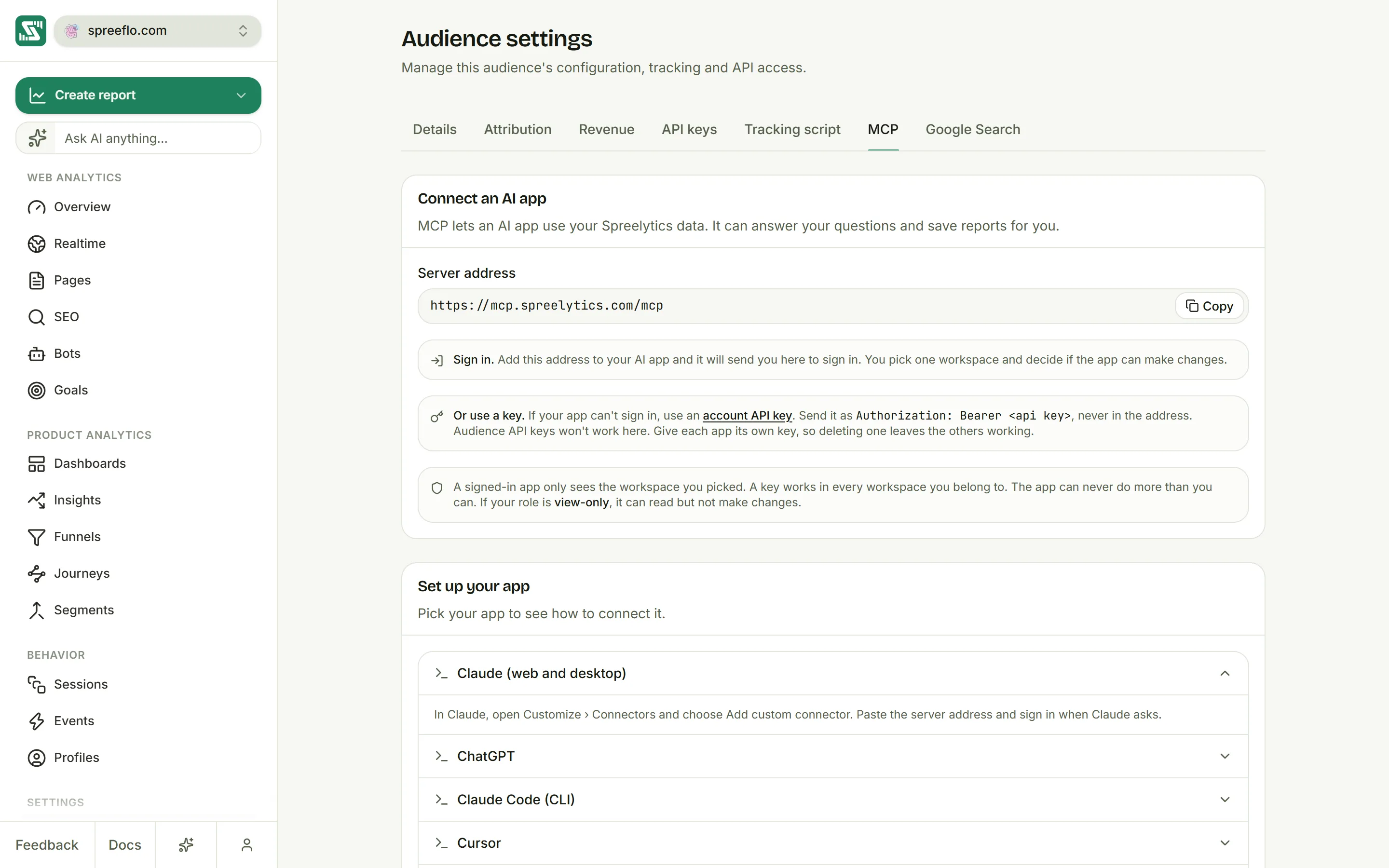
Audience settings on the MCP tab, with the server address, the notes on keys and the list of apps to set up
Connect your app
Every app connects to the same server address:
https://mcp.spreelytics.com/mcp
Most apps connect by signing in, and an account API key works for the ones that can't. Settings → MCP has every app's steps.
Sign in
Add the server address to your app, and it sends you to Spreelytics to sign in. Pick the workspace the app may see, choose whether it can make changes, and approve.
| App | How to add it |
|---|---|
| Claude (web and desktop) | Open Customize → Connectors, choose Add custom connector and paste the address. |
| ChatGPT | Turn on Developer mode under Settings → Security and login, then add an app in ChatGPT Plugins with the address. |
| Claude Code | Run the command below, then type /mcp and choose Authenticate. |
| Cursor | Add the address to ~/.cursor/mcp.json. |
| VS Code (Copilot) | Add the address to .vscode/mcp.json. |
claude mcp add --transport http spreelytics https://mcp.spreelytics.com/mcp
{
  "mcpServers": {
    "spreelytics": { "url": "https://mcp.spreelytics.com/mcp" }
  }
}
That second snippet is for Cursor. In VS Code, the same entry goes under servers with "type": "http".
Use an account API key
Create a key under Account → API keys, then add it to your app as an Authorization header. Replace YOUR_API_KEY with your key:
claude mcp add --transport http spreelytics https://mcp.spreelytics.com/mcp --header "Authorization: Bearer YOUR_API_KEY"
{
  "mcpServers": {
    "spreelytics": {
      "url": "https://mcp.spreelytics.com/mcp",
      "headers": { "Authorization": "Bearer YOUR_API_KEY" }
    }
  }
}
That's the Cursor format again. Windsurf uses serverUrl in place of url, in ~/.codeium/windsurf/mcp_config.json, and VS Code uses its servers format with the same headers.
Audience API keys from Settings → API keys won't work here, so make sure you copied an account key. Give each app its own key. To cut an app off, revoke its key in Account → API keys.
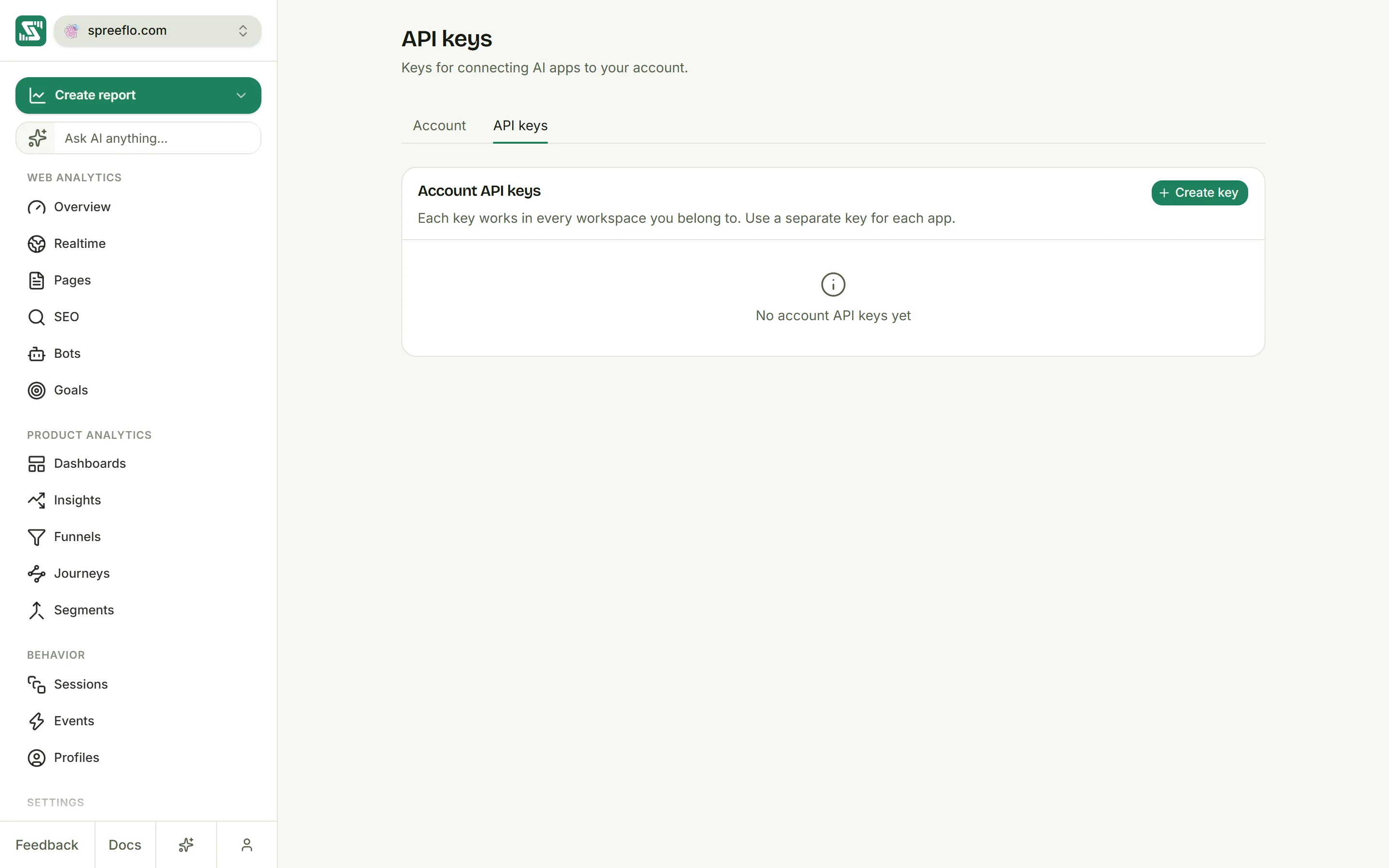
The Account page on the API keys tab, with a list of account API keys and the Create key button
What the app can reach
A signed-in app sees only the workspace you picked, and it can only read unless you turned on Allow changes. An account key works in every workspace you belong to.
Either way, the app can't do more than you can, so where your role is Viewer, it can read but not make changes.
What it can do
Your AI app picks the tools on its own, so you never call them by name, but the list tells you what to ask for. Every tool works on one audience, and without a date range it looks at the last 30 days.
Read your data
| Tool | What it does |
|---|---|
sply_list_audiences | Lists your audiences. |
sply_get_event_catalog | Lists your event names and properties, so the app uses your real ones. |
sply_get_overview | Headline numbers, like visitors, bounce rate and revenue, with the change from the previous period. |
sply_get_top_pages | Your top pages, by visitors or revenue. |
sply_get_breakdown | Visitors split by channel, source, UTM tag, location, browser or device. |
sply_list_sessions | Recent visits. |
sply_get_bot_crawls | AI crawler visits from your Bots page, by crawler, page, bot, company, referrer, status code or domain. Ask which bots read a page, or which pages GPTBot read. |
sply_get_journey | The most common paths through your site. |
sply_run_chart | Any chart over your events, from a line chart to a funnel or retention. |
sply_get_goal_metrics | Each goal's conversions, conversion rate and revenue. |
sply_list_funnels, sply_get_funnel_report | Your funnels with their steps and completion rates, and one funnel in full. |
sply_get_retention | The cohort retention grid. |
sply_compare_periods | One metric compared with the previous period. |
sply_find_anomalies | Unusual spikes and drops in one metric. |
sply_person_search, sply_get_person_profile, sply_get_person_timeline | Find a person and read their profile and history. |
sply_people_query | Counts the people who match up to five conditions. |
sply_list_dashboards, sply_list_reports, sply_get_report_data, sply_summarize_dashboard | Your dashboards and saved reports, and their data. |
sply_list_cohorts, sply_list_references, sply_list_notification_rules | Your segments, chart notes and notification rules. |
Build
| Tool | What it does |
|---|---|
sply_create_goal, sply_update_goal, sply_delete_goal | Creates, changes or deletes a goal. Deleting one removes its step from every funnel that uses it. |
sply_create_funnel, sply_update_funnel, sply_delete_funnel | Creates, changes or deletes a funnel. Its goals stay when a funnel is deleted. |
sply_create_dashboard, sply_update_dashboard, sply_delete_dashboard | Creates, renames or deletes a dashboard. |
sply_create_report, sply_update_report, sply_delete_report | Saves, changes or deletes a report on a dashboard. |
sply_create_cohort, sply_update_cohort, sply_delete_cohort | Creates, changes or deletes a segment. |
sply_create_reference, sply_update_reference, sply_delete_reference | Creates, changes or deletes a chart note. |
sply_create_notification_rule, sply_update_notification_rule, sply_delete_notification_rule | Creates, changes, pauses or deletes a notification rule. |
Deleted items can't be restored.
In apps that support MCP Apps, like Claude and ChatGPT, charts and tables are drawn in the conversation. Other apps show the same answer as text.
What it can't do
The app can't change your settings, audiences, members or billing, which stay with you in Spreelytics.
If an app makes too many calls in a minute, it gets "MCP rate limit exceeded" and can try again a few seconds later.
Related
- Account settings: create and revoke account API keys.
- Members and roles: what Viewer, Editor and Admin can do.
- AI assistant: ask questions inside Spreelytics.