Upbit MCP Server
Upbit Kripto Para Borsası'nın OpenAPI'si aracılığıyla piyasa verilerine erişin, hesapları yönetin ve işlemleri gerçekleştirin.
Dokümantasyon
Upbit MCP Server
A server implementation for Upbit Cryptocurrency Exchange OpenAPI using the Model Context Protocol (MCP). This project provides tools to interact with Upbit exchange services, such as retrieving market data (quotes, orderbooks, trade history, chart data), account information, creating and canceling orders, managing deposits/withdrawals, and performing technical analysis.
Features
- Market data retrieval (ticker, orderbook, trades, candle data)
- Account information (balance, order history)
- Order creation and cancellation
- Deposit and withdrawal functions
- Technical analysis tools
수행가능한 기능 목록
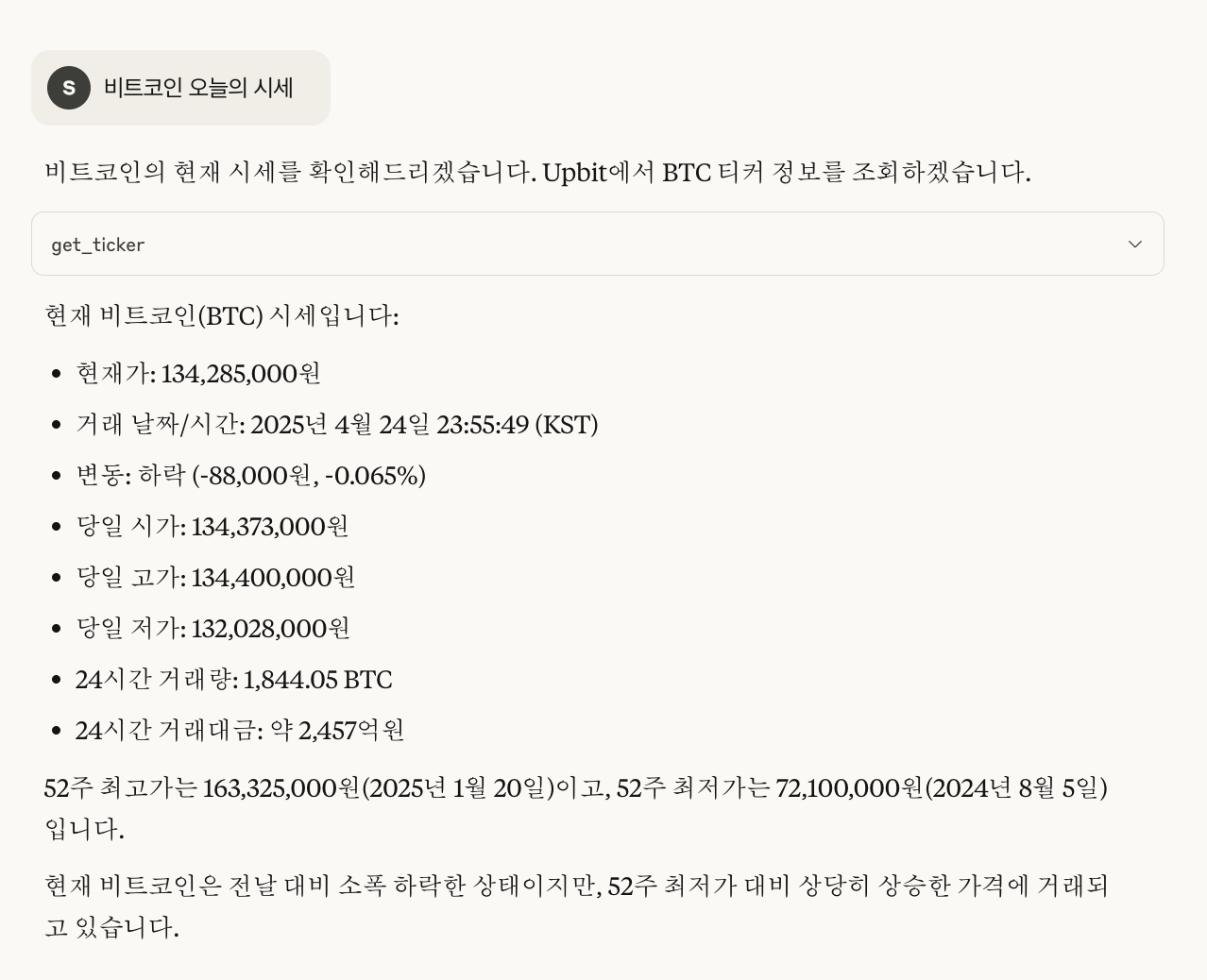
시장 데이터 조회
- 현재 암호화폐 시세 조회 (
get_ticker) - 호가창 정보 조회 (
get_orderbook) - 최근 체결 내역 조회 (
get_trades) - 주요 암호화폐 시장 요약 정보 확인 (
get_market_summary)
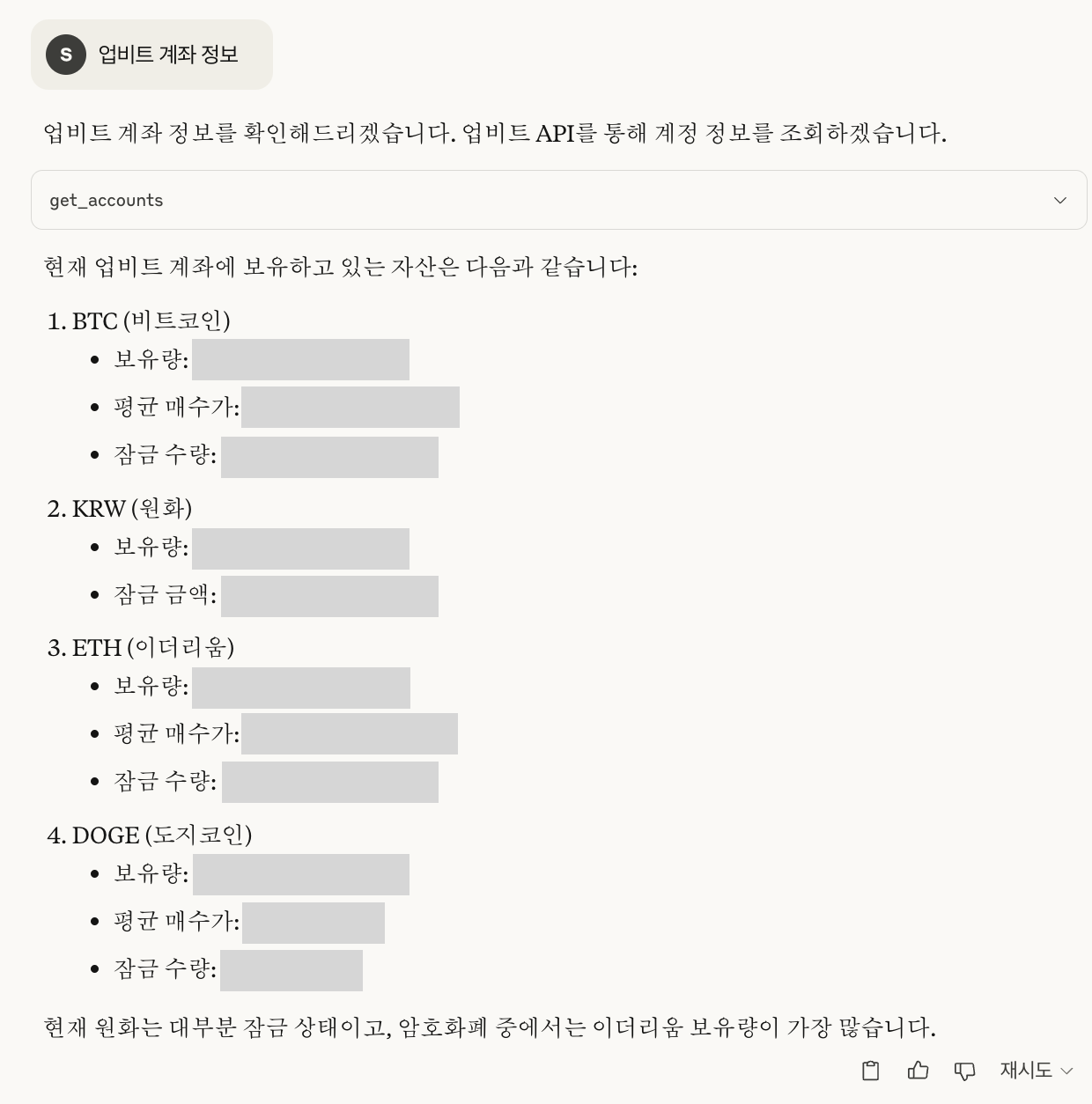
계정 정보 조회
- 보유 중인 자산 목록 및 잔고 확인 (
get_accounts) - 주문 내역 조회 (
get_orders) - 특정 주문 상세 정보 조회 (
get_order) - 입출금 내역 조회 (
get_deposits_withdrawals)
거래 기능
- 지정가/시장가 매수 주문 생성 (
create_order) - 지정가/시장가 매도 주문 생성 (
create_order) - 주문 취소 (
cancel_order)
채팅 예시
아래는 실제 채팅 예시 이미지입니다.
Prerequisites
Before you begin, you need to get your Upbit API keys:
- Create an account on Upbit if you don't already have one
- Go to the Upbit Developer Center
- Create a new API key
- Make sure to set appropriate permissions (read, trade, withdraw as needed)
- Store your API keys(
UPBIT_ACCESS_KEY,UPBIT_SECRET_KEY) in the.envfile (see Installation section)
Installation
-
Clone the repository:
git clone https://github.com/solangii/upbit-mcp-server.git cd upbit-mcp-server -
Install dependencies:
cd upbit-mcp-server
uv sync
If you don't have
uvinstalled yet, you can install it as follows:Using
uvprovides faster installation and more reliable dependency resolution.# Install uv curl -Ls https://astral.sh/uv/install.sh | sh # Add uv to your PATH echo 'export PATH="$HOME/.local/bin:$PATH"' >> ~/.zshrc source ~/.zshrc # or bashrc, depending on your shell -
Set up environment variables: Create a
.envfile in the project root and add your Upbit API keys:UPBIT_ACCESS_KEY=your_access_key_here UPBIT_SECRET_KEY=your_secret_key_here
Usage
Install in Claude Desktop
Option 1: Using Claude config file (Direct integration)
You can add the MCP server directly to Claude's configuration file:
-
Install Claude Desktop
-
Add the following to your Claude Desktop configuration:
- macOS: ``~/Library/Application Support/Claude/claude_desktop_config.json`
- Windows:
%APPDATA%\Claude\claude_desktop_config.json
-
Add the following configuration (adjust paths as needed):
{ "mcpServers": { "upbit-mcp-server": { "command": "/full/path/to/upbit-mcp-server/.venv/bin/python", "args": [ "/full/path/to/upbit-mcp-server/main.py" ] } } } -
Restart Claude to load the new configuration.
Option 2: Using fastmcp
fastmcp install main.py --name "Upbit API"
Run Directly with Python
uv run python main.py
Development Mode (Web Interface)
fastmcp dev main.py
Caution
- This server can process real trades, so use it carefully.
- Keep your API keys secure and never commit them to public repositories.
License
MIT