Knit MCP
resmi10.000'den fazla araçla HRIS, ATS, CRM, Muhasebe, Takvim, Toplantı, Biletleme ve daha fazla kategori arasında bağlantı kurun.
Knit MCP ile neler yapabilirsiniz?
- Özel bir MCP sunucusu oluşturun — Asistanınızdan, desteklenen SaaS uygulamalarından araçlar seçmenizi ve bunları yeni bir sunucuda paketlemenizi yönlendirmesini isteyin.
- Tercih ettiğiniz istemci için dağıtın — Claude, Cursor, Windsurf veya üzerinde çalıştığınız özel bir istemci için adım adım kurulum talimatları alın.
- Sunucu kimlik bilgilerini alın — Asistanınızdan, AI araçlarınızı bağlamak için gereken sunucu URL'sini ve MCP token'ını nasıl edineceğinizi açıklamasını isteyin.
- Hesap erişimini yönetin — Platformu kullanmaya başlamak için Google, Microsoft veya e-posta ile nasıl giriş yapacağınızı veya hesap oluşturacağınızı sorun.
Dokümantasyon
Knit MCP Hub ile Yapay Zeka Ajanları için Başlarken
Bu belge, Knit tarafından yönetilen SaaS MCP sunucularının kurulumu ve işletimi hakkında kapsamlı bir genel bakış sunar. Süreç, platforma giriş yapmayı, bir sunucu oluşturmayı ve iş akışınızı kolaylaştırmak için gerekli araçları ve uygulamaları seçmeyi içerir.
Adım 1
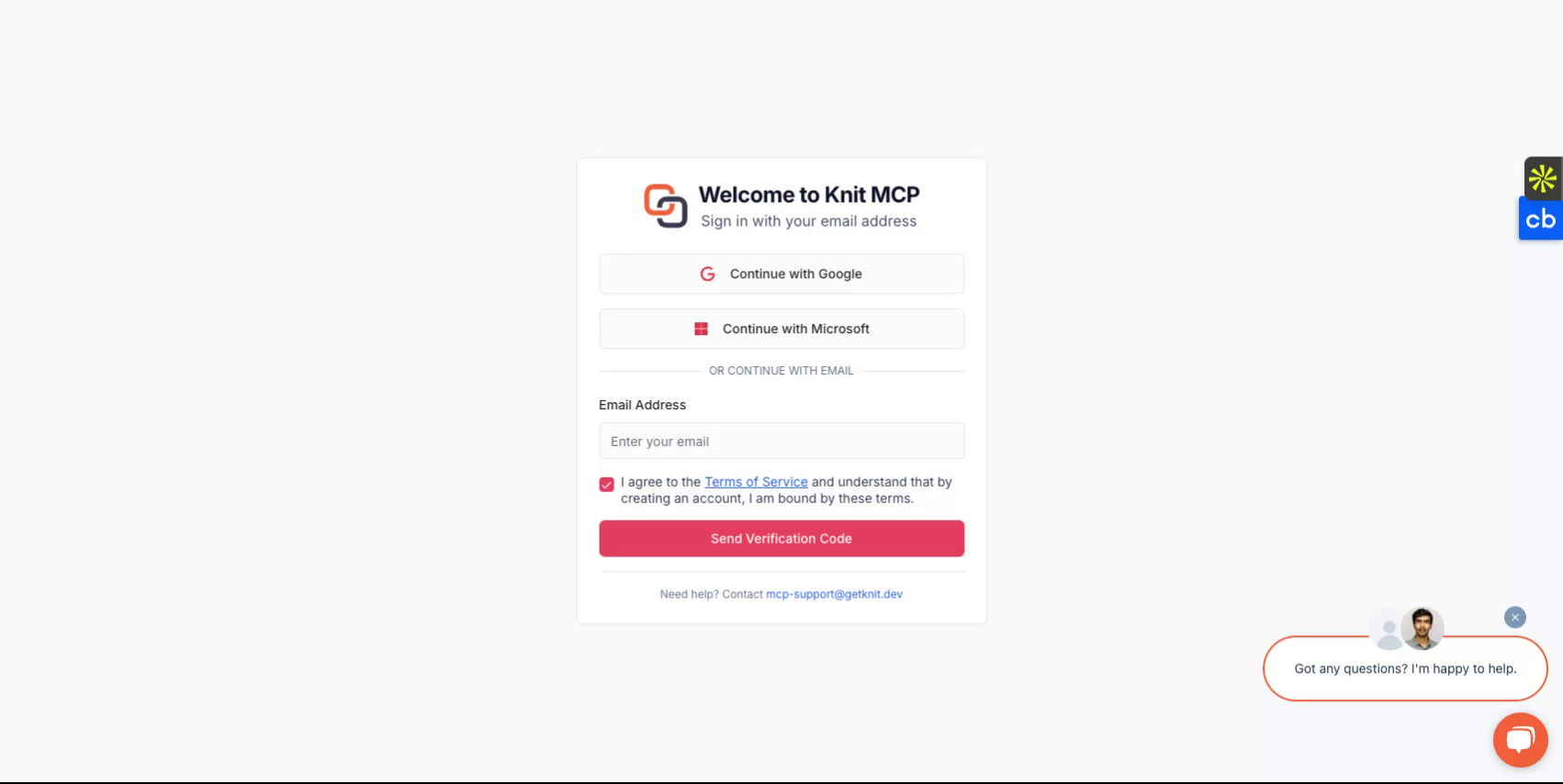
https://mcphub.getknit.dev adresini ziyaret ederek başlayın. Google veya Microsoft hesabınızla giriş yapın ya da e-posta adresinizi kullanarak bir hesap oluşturun. Bu, platformun özelliklerine erişmenizi sağlayacaktır.
Adım 2
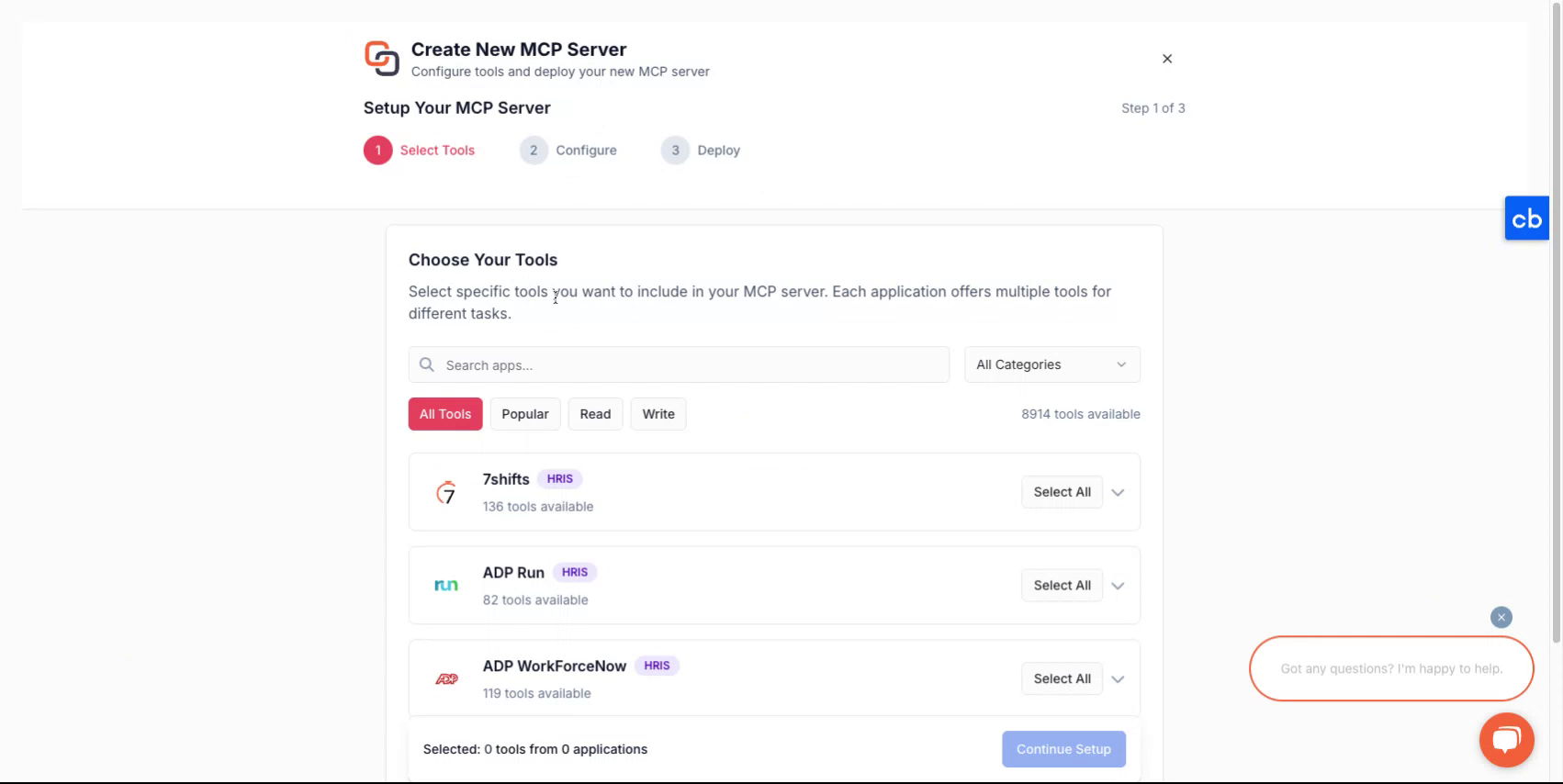
Hesabınıza giriş yaptıktan sonra, yeni bir sunucu oluşturma sürecinde size rehberlik edilecektir.
Adım 3
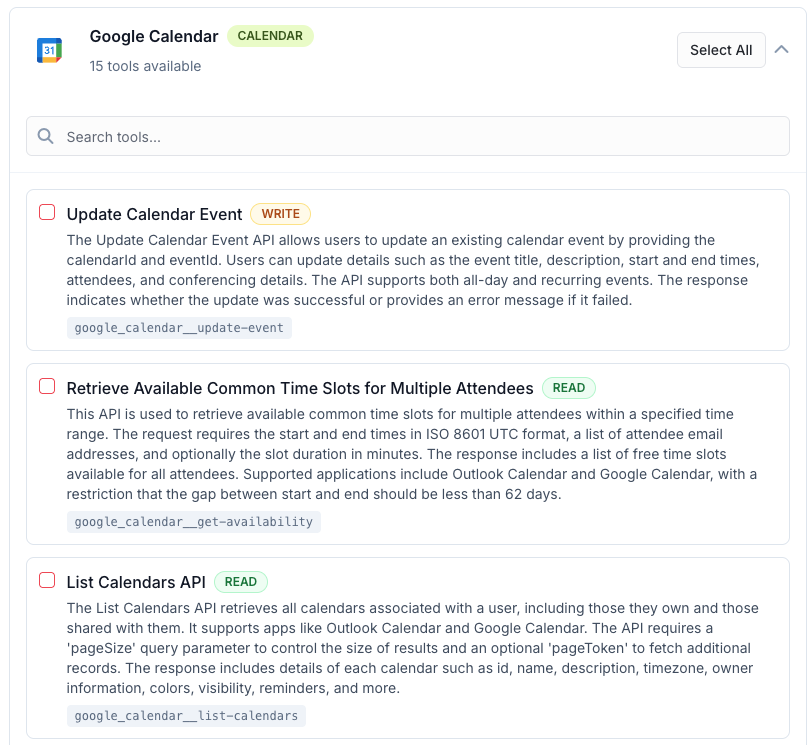
Yeni bir MCP sunucusu oluşturmak için önce MCP sunucusuna paketlemek istediğiniz araçları seçin. Bunlar bir veya daha fazla uygulamadan olabilir. Desteklenen tüm uygulamaların listesini burada bulabilirsiniz - Tüm MCP Sunucuları
Adım 4
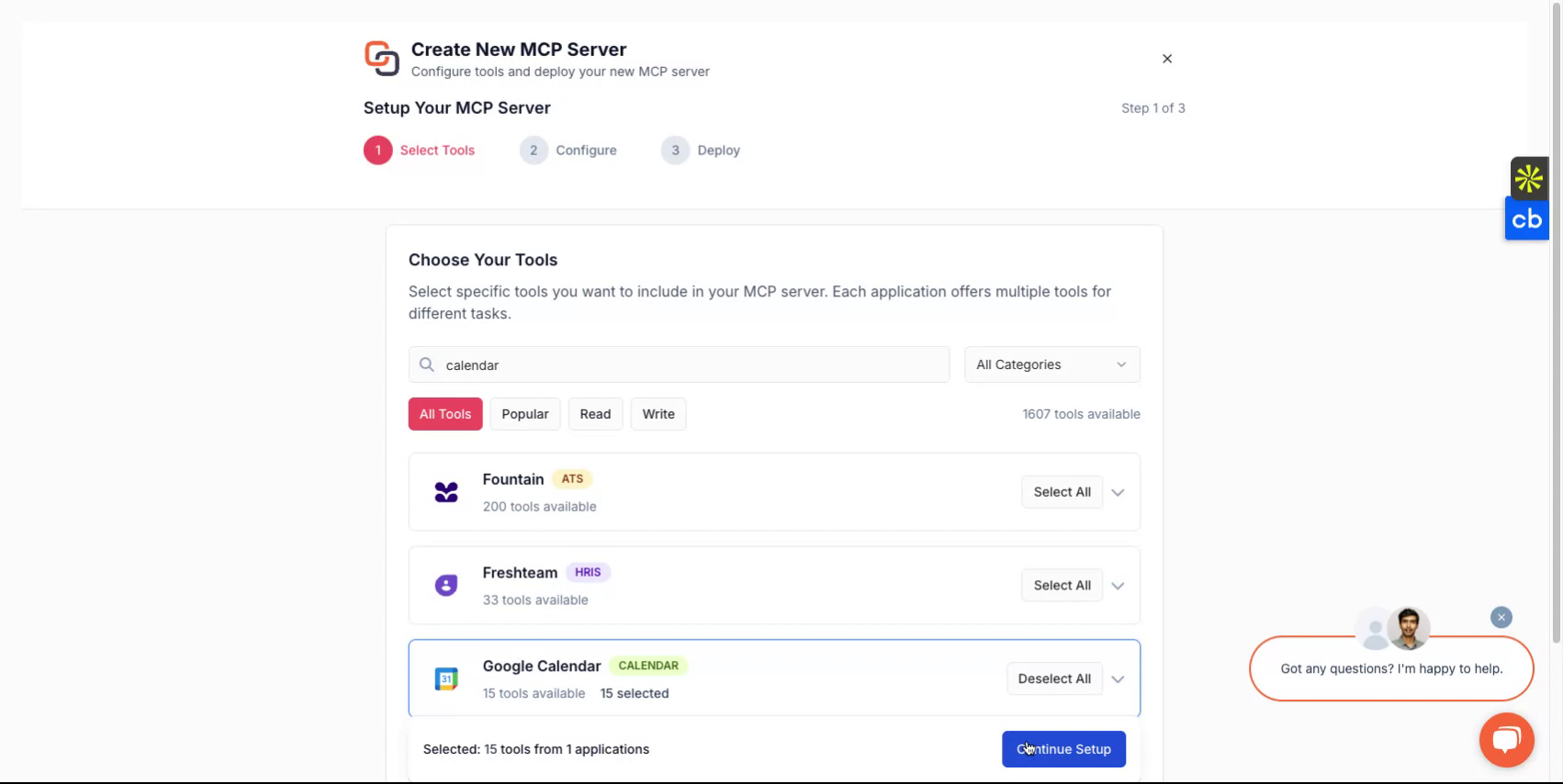
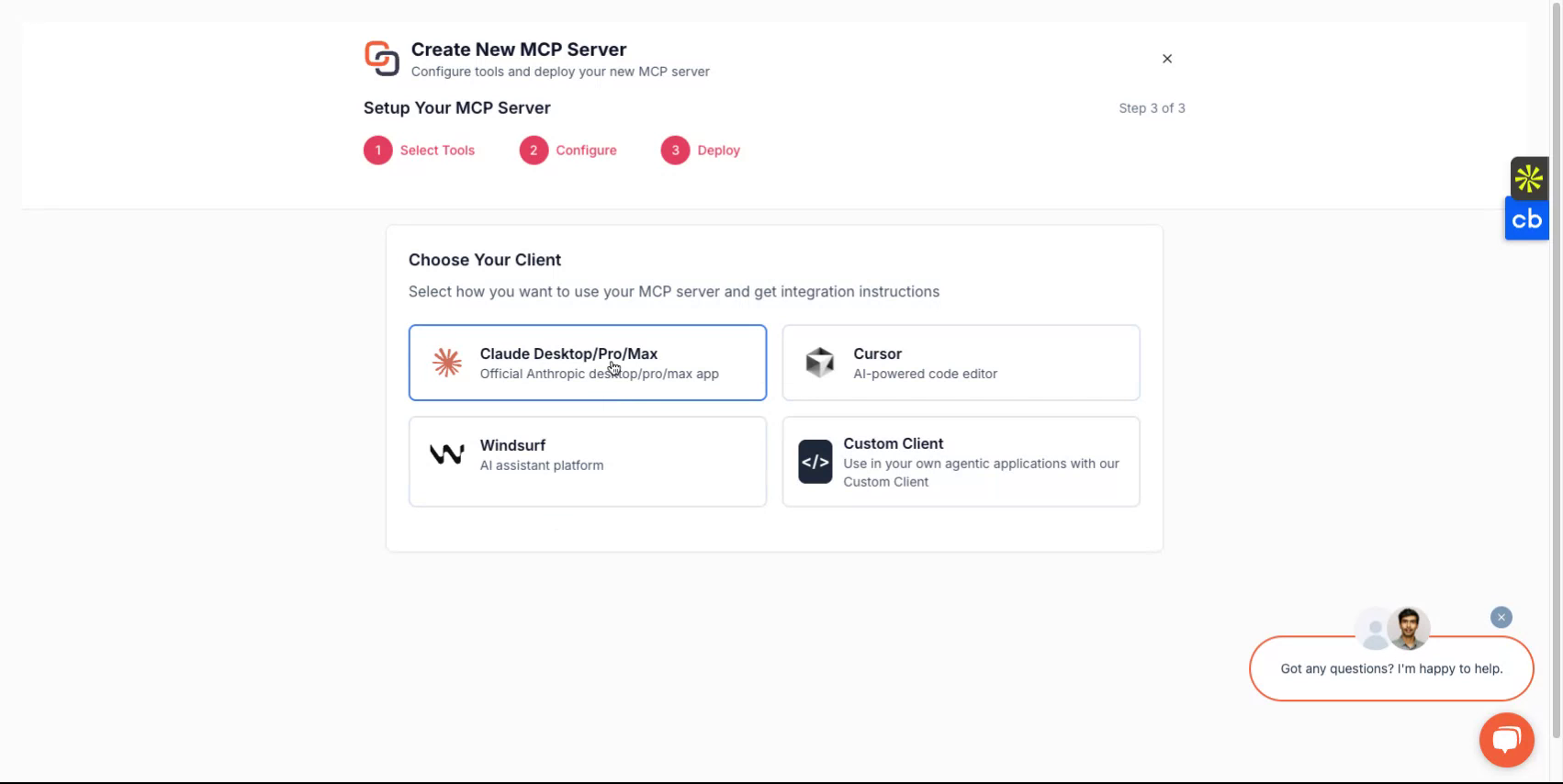
Bir seçim yaptıktan sonra, sunucunuza bir ad atayın, bir açıklama verin ve ardından nasıl dağıtmak istediğinizi seçmeye devam edin.
Adım 5
Kullanmak istediğiniz istemciye bağlı olarak Claude, Cursor, Windsurf gibi seçeneklerden birini seçebilir veya oluşturduğunuz özel bir istemciyle uygulamayı tercih edebilirsiniz. Platform, kurulum akışında size rehberlik edecektir.
Adım 6
Tamamlandığında, bir sunucu URL'si ve bir MCP sunucu belirteci alacaksınız. Bu kimlik bilgileri, sunucunuza erişim için gereklidir.
Özel istemciler geliştirmeyi planlıyorsanız, özel istemci seçeneğini seçin ve ilgili talimatları izleyin.
Hepsi Tamam
Knit-MCP sunucunuzu artık başarıyla kurmuş bulunuyorsunuz. Herhangi bir sorunuz için bize mcp-support@getknit.dev üzerinden ulaşın.