AWS MCP
AWS ortamınızla doğal dil kullanarak etkileşime geçin, kaynakları sorgulayın ve yönetin. Yerel AWS kimlik bilgileri gerektirir.
GitHub
295
Bu MCP'yi deneyinSponsorluDokümantasyon
AWS MCP
A Model Context Protocol (MCP) server that enables AI assistants like Claude to interact with your AWS environment. This allows for natural language querying and management of your AWS resources during conversations. Think of better Amazon Q alternative.
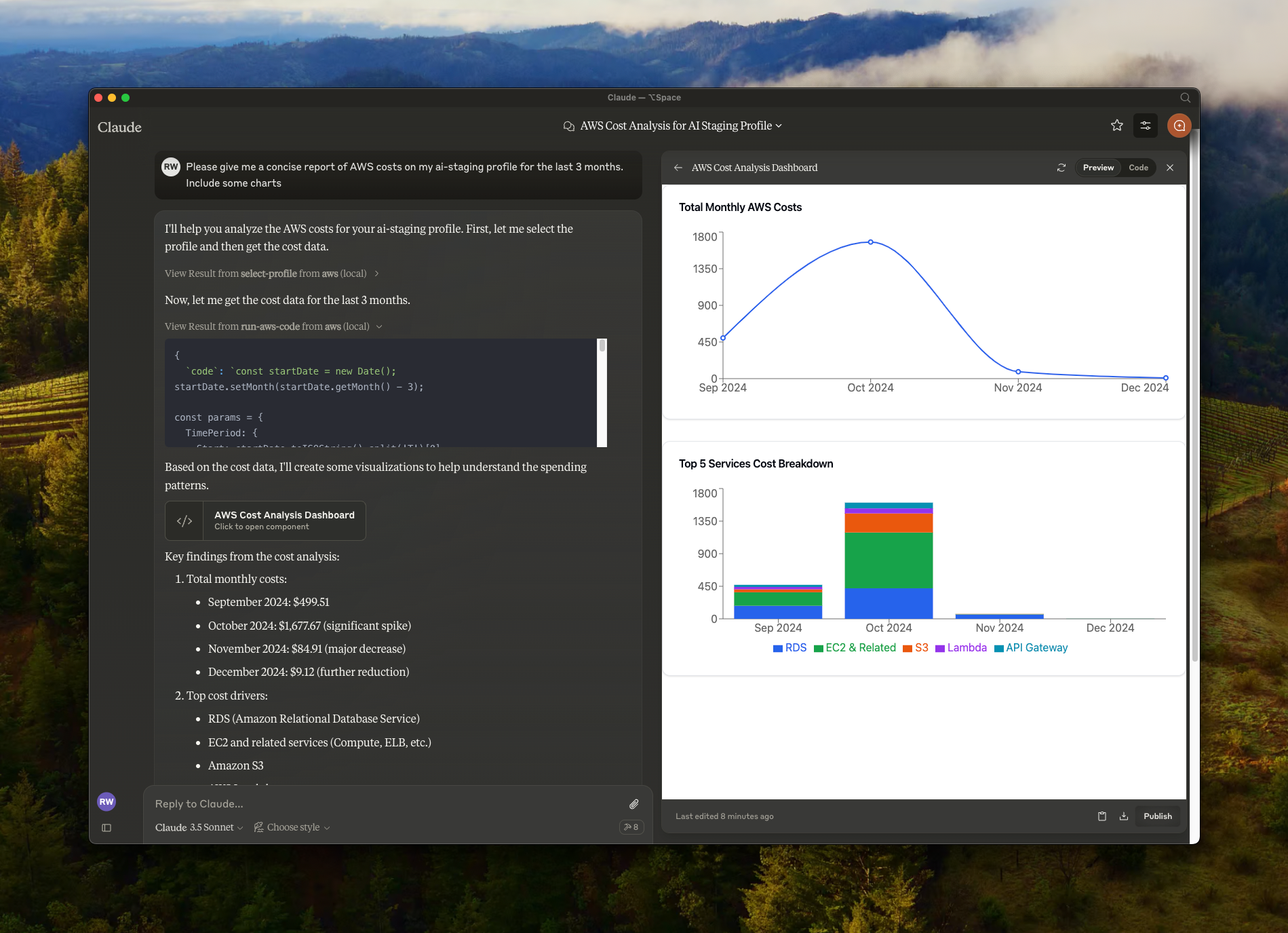
Features
- 🔍 Query and modify AWS resources using natural language
- ☁️ Support for multiple AWS profiles and SSO authentication
- 🌐 Multi-region support
- 🔐 Secure credential handling (no credentials are exposed to external services, your local credentials are used)
- 🏃♂️ Local execution with your AWS credentials
Prerequisites
- Node.js
- Claude Desktop
- AWS credentials configured locally (
~/.aws/directory)
Installation
- Clone the repository:
git clone https://github.com/RafalWilinski/aws-mcp
cd aws-mcp
- Install dependencies:
pnpm install
# or
npm install
Usage
- Open Claude desktop app and go to Settings -> Developer -> Edit Config
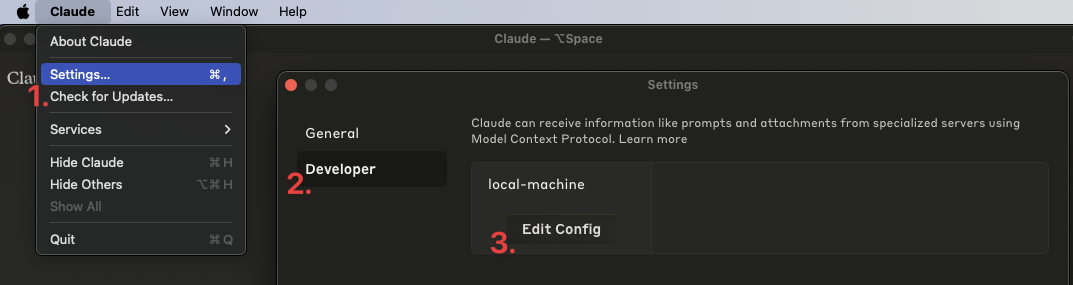
- Add the following entry to your
claude_desktop_config.json:
{
  "mcpServers": {
    "aws": {
      "command": "npm", // OR pnpm
      "args": [
        "--silent",
        "--prefix",
        "/Users/<YOUR USERNAME>/aws-mcp",
        "start"
      ]
    }
  }
}
Important: Replace /Users/<YOUR USERNAME>/aws-mcp with the actual path to your project directory.
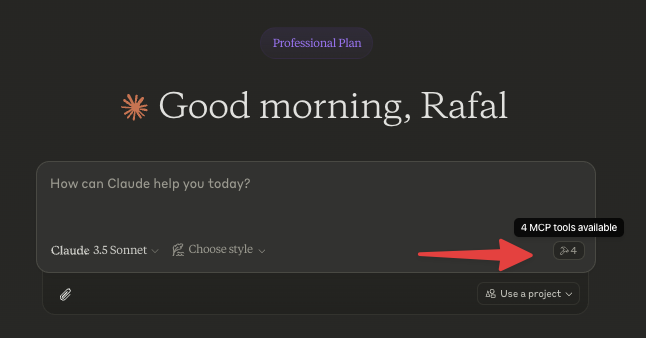
- Restart Claude desktop app. You should see this:
- Start by selecting an AWS profile or jump to action by asking:
- "List available AWS profiles"
- "List all EC2 instances in my account"
- "Show me S3 buckets with their sizes"
- "What Lambda functions are deployed in us-east-1?"
- "List all ECS clusters and their services"
Using with nvm
Build from source first and add following config:
{
  "mcpServers": {
    "aws": {
      "command": "/Users/<USERNAME>/.nvm/versions/node/v20.10.0/bin/node",
      "args": [
        "<WORKSPACE_PATH>/aws-mcp/node_modules/tsx/dist/cli.mjs",
        "<WORKSPACE_PATH>/aws-mcp/index.ts",
        "--prefix",
        "<WORKSPACE_PATH>/aws-mcp",
        "start"
      ]
    }
  }
}
Troubleshooting
To see logs:
tail -n 50 -f ~/Library/Logs/Claude/mcp-server-aws.log
# or
tail -n 50 -f ~/Library/Logs/Claude/mcp.log
Features in Development
- MFA support
- Cache SSO credentials to prevent from refreshing them too eagerly