OPET Fuel Prices
ให้บริการข้อมูลราคาน้ำมันปัจจุบันจาก OPET ซึ่งเป็นบริษัทจัดจำหน่ายปิโตรเลียมของตุรกี
เอกสาร
OPET Fuel Prices MCP Server
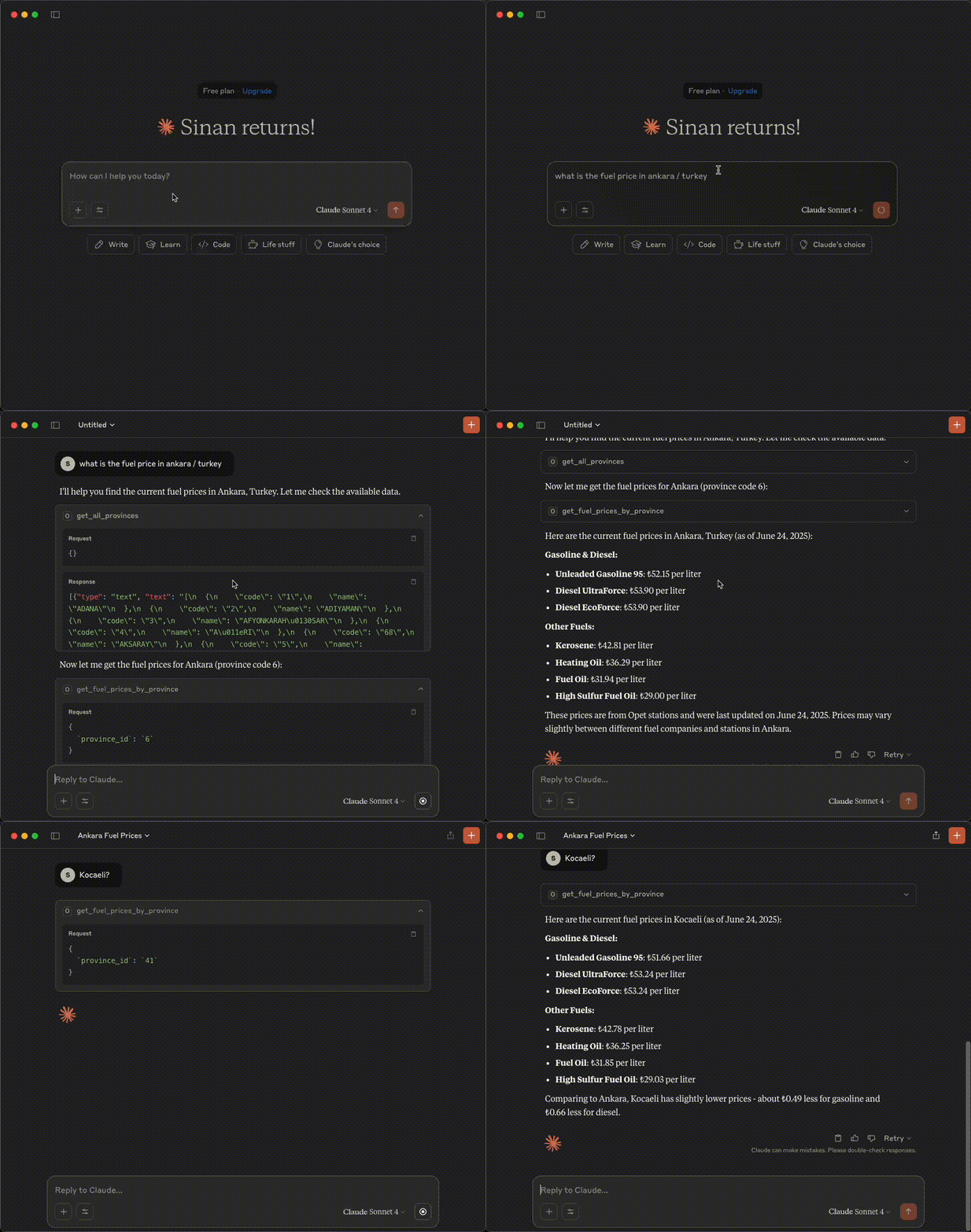
A Model Context Protocol (MCP) server that provides access to OPET fuel prices data through Claude AI.
Demo
Features
- Get all available provinces
- Fetch fuel prices for specific provinces
- Get last update timestamp
- Error handling with detailed messages
Prerequisites
Before using this MCP server, you need to set up the OPET API server first.
1. Install OPET Package
Install the OPET package from https://github.com/sinanerdinc/opet:
pip install opet
2. Start OPET API Server
Start the API server using one of the following methods:
Option A: Using CLI
opet-cli --api
Option B: Using Docker
docker run -p 8000:8000 sinanerdinc/opet api
Option C: Using Docker with custom port
docker run -p 5050:8000 sinanerdinc/opet api
The API server will be available at http://localhost:8000 (or your custom port).
Installation
Prerequisites
- Python 3.12 or higher
- uv package manager (recommended) or pip
- OPET package installed and API server running
Setup
- Clone the repository:
git clone <repository-url>
cd opet-mcp
- Using uv
# Install uv if you don't have it
curl -LsSf https://astral.sh/uv/install.sh | sh

# Create virtual environment and install dependencies
uv venv -p 3.12
source .venv/bin/activate  # On Windows: .venv\Scripts\activate
uv sync
Configuration
Set the OPET API URL using environment variables. The URL should point to your running OPET API server:
# If using default port (8000)
export OPET_API_URL=http://localhost:8000

# If using custom port (e.g., 5050)
export OPET_API_URL=http://localhost:5050
Usage
Running the Server
Start the MCP server:
# With uv
uv run fastmcp run server.py

# With pip
fastmcp run server.py
Example Configuration
Option 1: Install the server to Claude with a custom name and API URL:
{
  "mcpServers": {
    "Opet Server": {
      "command": "uv",
      "args": [
        "run",
        "--with",
        "fastmcp",
        "fastmcp",
        "run",
        "/your_absolute_path/opet-mcp/server.py"
      ],
      "env": {
        "OPET_API_URL": "http://localhost:8000"
      }
    }
  }
}
Option 2: Installation Command
fastmcp install server.py --name "OPET Fuel Prices" \
  --env-var OPET_API_URL=http://localhost:8000
Available Tools
get_all_provinces()
Retrieves a list of all provinces where fuel prices are available.
get_fuel_prices_by_province(province_id)
Fetches current fuel prices for a specific province using its ID.
Parameters:
province_id(str): The unique identifier of the province
get_last_update_time()
Gets the timestamp of when the fuel prices were last updated in the system.
License
This project is licensed under the MIT License - see the LICENSE file for details.