Royally
ทางการจัดการทุกเว็บไซต์ WordPress ที่คุณดูแลจาก Claude หรือ ChatGPT ไม่มีอะไรเผยแพร่จนกว่าคุณจะอนุมัติ ทุกการเปลี่ยนแปลงมีใบเสร็จที่คุณใช้ย้อนกลับได้ และเว็บไซต์ทั้งหมดอยู่ในบันทึกเดียวที่ตรวจจับการแก้ไขได้
คุณทำอะไรได้บ้างด้วย Royally MCP?
- Draft and publish page metadata — Ask your agent to write meta descriptions for pages missing them and send the changes for approval before they go live.
- Bulk SEO and content edits — Update SEO titles, descriptions, menu items or custom CSS across sites, previewing first and undoing in one step.
- Fleet-wide updates with rollback — Update plugins, themes and WordPress across every site, with a backup first and rollback for anything that breaks.
- Safe jobs without approval — Clear page caches, run backups and security scans across the fleet immediately, with each action logged.
- Review and undo changes — Check the approvals inbox and audit log, then undo a change on every site it touched from its receipt.
- Client reports and site health — Pull uptime, backup, vulnerability and Search Console data, and generate branded client reports.
เซิร์ฟเวอร์ MCP แบบโฮสต์
npx add-mcp 'https://app.royally.io/mcp'ติดตั้งลง Claude Code, Codex, Cursor และอื่นๆ
เอกสาร
The command layer for your WordPress fleet.
Run your WordPress sites, or your clients’, from the AI agent you already use, like Claude or ChatGPT. Royally holds each change for approval, applies it across your sites and hands you a receipt you can undo.
Your AI agentClaude
You
Ashgrove Dental’s service pages have no meta descriptions. Write them and push them live.
Claude
I’ve drafted descriptions for 3 pages and sent them to Royally. They’ll go live once someone on your team approves.
RoyallyChange request CR‑1187
Meta descriptions · Ashgrove Dental
Requested by Claude for Marta Kowal
Waiting for approval
- /dental-implantsPendingNonePermanent dental implants in Ashgrove, placed and restored by one team in two visits.
- /teeth-whiteningPendingNoneIn-chair whitening that lifts several shades in about an hour. Book a free shade check.
- /emergency-dentistPendingNoneSame-day emergency appointments for toothache, chips and lost fillings. Call before 10am.
Needs one approver from Ashgrove’s team
Example data. The people and sites are invented.
Works with: 1,700+ tools across the MCP servers you already use
From the command line
Connect your AI agent in one command.
Sign in once, and Royally is added to Claude Desktop, Claude Code, Cursor, Windsurf and VS Code on your machine. Use Claude or ChatGPT in the browser? Add Royally as a connector instead.
- 1. Sign in to Royally in your browser
$ npx @royally/connect loginCopy - 2. Add Royally to every MCP client on this machine
$ npx @royally/connect configureCopy
A plugin on every site. The command layer in the cloud.
Royally runs in the cloud, so there’s nothing to host or keep updated. Each WordPress site runs the Royal MCP plugin, and your AI agent talks to one Royally connection instead of dozens of sites.
Your AI agent
- Claude
- ChatGPT
- Other MCP agents
“Point the Book now menu link to the new booking page on every site.”
RoyallyIn the cloud
- Approvals
- Receipts and undo
- Audit log
- Who can touch what
Nothing for you to host, patch or keep running.
Your WordPress sites
- Ashgrove Dental Royal MCP Updated
- Mercer & Lane Royal MCP Updated
- Fieldhouse Coffee Royal MCP Updated
- and the rest of your fleet
- Step 1
Install Royal MCP on each site
The plugin is included in every plan. It’s what lets Royally read a site and make changes it can undo. - Step 2
Connect your sites to Royally
Sign each site in once. Royally keeps the connections, checks them and tells you when one needs attention. - Step 3
Work from your AI agent
Add Royally to Claude or ChatGPT, or another agent that supports MCP, and ask for work across any of your sites. Changes can wait for approval and come back with a receipt.
10:26 · The coffee’s still warm
From notes in a coffee shop to a live page.
- 10:14Rough notes in Notion
- 10:21One message to the AI agent
- 10:23An email, not a surprise
- 10:23Approved without leaving the table
- 10:24A preview, not a surprise
- 10:26Publish it
Watch the story More stories: before the weekend, patched by lunch, a freelancer’s last day
ClaudeRoyally connected
Looks great. Publish it.
Approved on your phone.
Published. Receipt R‑20702, and you can undo it from there.
Royally
Receipt R‑20702
Page published
Done
Can be undone.
See it working.
Short walkthroughs of Royally on real WordPress sites.

Royally overview Approvals, backups, skills and integrations, start to finish.
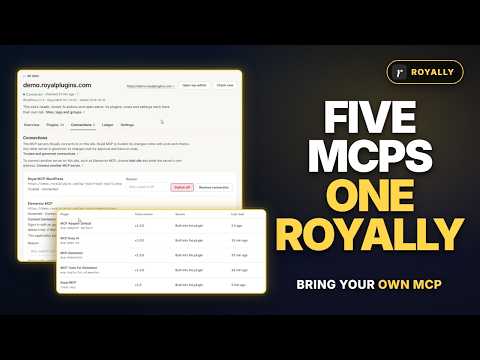
Bring your own MCP plugins Several MCP plugins and connections on one site, all behind Royally.
Your AI agent does the work. You keep the final say on every site.
Every change leaves a receipt.
Who asked, who approved, what changed on which site, and the one click that puts it back. The whole fleet in one tamper-evident log, so any edit to the record shows.
| Time | Site | Change | Receipt |
|---|---|---|---|
| 14:32 | Ashgrove Dental | Meta descriptions on 3 service pages Approved by Priya Nair | R‑20481Applied |
| 13:05 | Mercer & Lane | Purged the page cache after a menu update A safe job, so it ran without approval | R‑20477Applied |
| 11:48 | Fieldhouse Coffee | Title tags on 12 product pages Approved by Daniel Osei | R‑20470Undone |
| 09:16 | 14 sites | Backup check across the fleet 2 sites have no backup in the last 7 days | R‑20462Needs attention |
| 08:02 | Harlow Physio | Vulnerability alert for an outdated form plugin Flagged for the site’s owner | R‑20458Resolved |
Run the whole fleet from one place.
Royally works through the plugins your sites already run, so your agent can check, fix and report across every site at once.
Update plugins, themes and WordPress on every site. Royally backs up first, updates one item at a time and rolls back anything that breaks the site.
Built into Royally
Security
Run security scans and see known vulnerabilities on every site, along with each site’s administrators and recent account changes.
GuardPressWordfenceKadence Security
Check every site’s latest backup, and get an alert when one fails or never reaches cloud storage.
SiteVaultUpdraftPlus
Uptime every five minutes, certificates and domains, page speed and PHP errors, with alerts by email, Slack or Discord.
Built into Royally
Build and edit pages on any client site from a brief: sections from a layout, global classes and variables, templates with display conditions. Every build waits for approval, with a preview link first.
Elementor MCPRoyal MCP Pro
Change prices, stock, orders and coupons across client stores, previewed first and approved once, with a 7-day undo.
WooCommerceRoyal MCP Pro
Update SEO titles and descriptions, menu items and custom CSS, or copy a page template to other sites. Preview first, undo in one step.
ElementorDivi
SEO
Audit pages for missing descriptions, schema and duplicate headings, find broken links, and pull Search Console and Analytics data.
Rank MathSEOboltGoogle Search ConsoleGoogle Analytics
Speed
Clear page caches across the fleet straight after a change, without waiting for approval.
ForgeCacheLiteSpeed CacheW3 Total Cache
Weekly and monthly reports in your brand, as a link, a PDF or an email, and a read-only portal for each client.
Built into Royally
One request. The right tool on every site.
Your agent asks once. Royally routes the request to the plugin that does the job on each site, and falls back to the next one if a site doesn’t have it.
You ask your AI agent
“Clear the page cache on all 14 sites.”
A safe job, so it runs straight away and lands in the audit log.
Royally14 of 14 sites cleared
- Ashgrove DentalClearedthrough ForgeCache
- Mercer & LaneClearedthrough LiteSpeed Cache
- Fieldhouse CoffeeClearedthrough W3 Total Cache
- Harlow PhysioClearedthrough ForgeCache
- and 10 more sites, each through its own cache plugin
Built for people trusted with other people’s sites.
Your AI agent never holds a site password. Royally connects each site once and decides what each person and agent is allowed to touch.
Approvals before anything goes live
Edits wait in one inbox across every client site until someone on your team approves them. AI agents can never approve their own changes, and safe jobs like backups and cache purges run straight away.
- Meta descriptions · Ashgrove Dental 3 pages · requested by Claude Waiting
- Plugin settings · Mercer & Lane 1 change · approved by Priya Nair Approved
- Title tags · Fieldhouse Coffee 12 pages · approved by Daniel Osei Applied
Undo across sites
One undo puts back a change on every site it touched.
R‑20470 · 12 pages restored in one step
A tamper-evident audit log
Every request, approval and change, in order and chained so any edit shows. Export it with a signature anyone can check.
A kill switch
Switch off a plugin’s tools on one site or across every site in one move while you look into something.
Scoped access
Roles decide what each person and agent can do. Sign-ins expire on their own, and nobody shares a password.
Works with your AI agent
Connect once, then work from the agent you already use.
ClaudeChatGPTOther MCP agents
Priced by the size of your fleet.
Every plan includes the Royal MCP Pro plugin on your connected sites.
Solo $99 / year $89 / yearWorks out at $7.42 a month3 sites · 2 seats
Freelancer $288 / year $249 / yearWorks out at $20.75 a month10 sites · 3 seats
Studio $468 / year $390 / yearWorks out at $32.50 a month50 sites · 5 seats
Agency $999 / year $790 / yearWorks out at $65.83 a month250 sites · unlimited seats
Seats are for your team. Clients who see their reports or use the client portal never take a seat. Running more than 250 sites? Talk to us about Enterprise. Compare plans
Works best with Royal MCP. Bring your own.
Royal MCP gives Royally the most to work with, including receipts and one-step undo. Already run another MCP plugin or server on a site? Connect it alongside Royal MCP and Royally signs in to it for you.
Its changes go through the same approvals and audit log, and Royally warns you when two plugins clash.
Mercer & Lane2 connections
- Royal MCPConnectedApprovals, receipts and one-step undo
- Another MCP pluginGovernedApprovals and the audit log
Questions people ask first.
Which AI agents does Royally work with?
Claude and ChatGPT today. Royally uses the standard MCP connection, so other agents that support it can connect too, and we name each one here once we’ve tested it. You connect Royally once and then ask your agent for work across any of your sites.
Do I need to host anything?
No. Royally runs in the cloud. The only thing on your sites is the Royal MCP plugin, which is included in every plan.
Can I use another MCP plugin with Royally?
Yes. Connect it alongside Royal MCP and its changes go through the same approvals and audit log. Receipts and one-step undo come from Royal MCP.
Does my AI agent get our site passwords?
No. Each site connects to Royally through the Royal MCP plugin, and every person and agent gets short-lived access limited to what their role allows.
Can anything go live without approval?
Only safe jobs, such as backups, cache purges and security scans, run straight away. Content, settings and other changes wait in your approvals inbox until someone on your team approves them, and AI agents can never approve their own changes.
What does undo actually restore?
Changes made through Royal MCP can be undone while their undo window is open. Undo on the change’s receipt puts it back on every site it touched, and the undo gets its own receipt. Changes made through other MCP servers get a receipt but can’t be undone from Royally.
Which plugins does Royally work with?
The Royal Pro plugins, plus popular plugins your sites already run, including Rank Math, UpdraftPlus, Wordfence and LiteSpeed Cache. Every plan includes the Royal MCP Pro plugin on your connected sites, and other MCP plugins, like Elementor’s, connect alongside it.
Can I use Royally today?
Yes. Buy a plan on the Royal Plugins store and sign in. If you already hold a Royal MCP Pro licence, it comes with a Royally plan sized to it.