Remote File Server
เซิร์ฟเวอร์ MCP ที่ให้สิทธิ์การเข้าถึงแบบอ่านแก่ไคลเอนต์ MCP ใดๆ ไปยังเซิร์ฟเวอร์แชร์ไฟล์ SMB/CIFS
เอกสาร
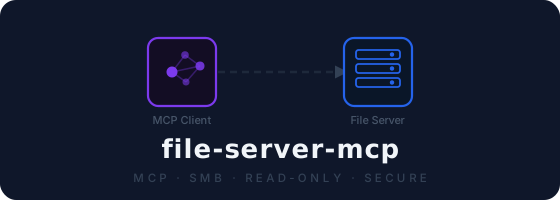
remote-file-server-mcp
Give any AI assistant read access to your SMB/CIFS file shares — securely, in minutes.




What is this?
An MCP (Model Context Protocol) server that bridges Claude Desktop (or any MCP client) to your SMB/CIFS network share — Windows file servers, NAS drives, Samba shares, anything SMB.
Ask Claude to read reports, search through spreadsheets, or summarize documents that live on your network — without moving a single file, pasting credentials into a chat, or granting write access.
flowchart LR
    A("🤖 Claude Desktop\nor any MCP client"):::client
    B("🔌 file-server-mcp\n<i>this server</i>"):::server
    C("🗄️ SMB File Server\nWindows · NAS · Samba"):::storage

    A -- "MCP / stdio" --> B
    B -- "SMB 445 · encrypted" --> C

    classDef client  fill:#7c3aed,color:#fff,stroke:none
    classDef server  fill:#2563eb,color:#fff,stroke:none
    classDef storage fill:#0f766e,color:#fff,stroke:none
Features at a glance
| Read-only by design | The server exposes zero write operations — your files are safe |
| Credentials stay local | Passed as env vars, never appear in tool calls or chat history |
| SMB encryption & signing | Packet signing and encryption are both on by default; set SMB_ENCRYPT=false to disable encryption only |
| Path traversal blocked | .. segments are rejected before any SMB call is made |
| Sensitive file denylist | .env, *.key, *.pem, id_rsa, keystores, and more are never listed or read |
| Audit log | Every tool call written as a JSON entry (operation, path, outcome, and tool-specific metadata) — never file contents |
| Office & PDF parsing | Excel, Word, PowerPoint, and PDF files are parsed into readable text — requires the optional [docs] extras |
| Subdirectory allowlist | Lock the server to only the directories the model actually needs |
Tools
| Tool | Arguments | Description |
|---|---|---|
list_files | path (optional) | List files and directories. Empty path = share root. Returns JSON. |
read_file | path | Return text contents. Oversized files return a preview or hard-error. Office/PDF files are parsed. |
get_file_info | path | Return metadata (size, type, timestamps) without reading the file. |
search_files | pattern, path (optional), max_depth (optional) | Glob search (e.g. *.csv). Recurses up to max_depth (default 5, max 10), returns up to 200 matches. |
All paths are relative to the share root — e.g. reports/2024/q1.xlsx.
Quickstart
Option A — pip install
pip install -e /path/to/remote-file-server
Then use "command": "file-server-mcp" in your MCP client config.
Option B — uv (no install needed)
uv run --directory /path/to/remote-file-server file-server-mcp
Option C — run from source
python3 -m venv .venv && source .venv/bin/activate
pip install -r requirements.txt
python server.py
Option D — Docker
docker build -t file-server-mcp .
See Dockerfile for runtime usage.
MCP Client Configuration
Add an entry under mcpServers in your client config file.
uv (run from source, no prior install):
{
  "mcpServers": {
    "file-server": {
      "command": "uv",
      "args": ["run", "--directory", "/path/to/remote-file-server", "file-server-mcp"],
      "env": {
        "SMB_HOST": "192.168.1.100",
        "SMB_SHARE": "my_share",
        "SMB_USERNAME": "my_user",
        "SMB_PASSWORD": "my_password"
      }
    }
  }
}
pip/uv pip (console script entry point):
{
  "mcpServers": {
    "file-server": {
      "command": "file-server-mcp",
      "env": {
        "SMB_HOST": "192.168.1.100",
        "SMB_SHARE": "my_share",
        "SMB_USERNAME": "my_user",
        "SMB_PASSWORD": "my_password",
        "SMB_PORT": "445",
        "ALLOWED_PATHS": "reports,finance",
        "AUDIT_LOG_PATH": "/var/log/file-server-mcp/audit.jsonl"
      }
    }
  }
}
Security note: This config file contains credentials — restrict its permissions (
chmod 600on macOS/Linux).
Restart your MCP client after saving.
Connecting to multiple servers
{
  "mcpServers": {
    "file-server-prod": {
      "command": "file-server-mcp",
      "env": { "SMB_HOST": "10.0.0.10", "SMB_SHARE": "Production", "...": "..." }
    },
    "file-server-dev": {
      "command": "file-server-mcp",
      "env": { "SMB_HOST": "10.0.0.20", "SMB_SHARE": "Development", "...": "..." }
    }
  }
}
Environment Variables
| Variable | Required | Default | Description |
|---|---|---|---|
SMB_HOST | Yes | — | IP address or hostname of the SMB server |
SMB_SHARE | Yes | — | Share name on the server |
SMB_USERNAME | Yes | — | Username for SMB authentication |
SMB_PASSWORD | Yes | — | Password for SMB authentication |
SMB_PORT | No | 445 | SMB port |
SMB_ENCRYPT | No | true | Set to false to disable SMB encryption (not recommended) |
SMB_TIMEOUT | No | 30 | Seconds before an SMB connect or operation times out |
MAX_FILE_SIZE_MB | No | 10 | Maximum file size in MB that read_file will read |
READ_PREVIEW_LINES | No | 100 | Lines to return for oversized files. Set to 0 to hard-error instead |
ALLOWED_PATHS | No | — | Comma-separated subdirectory allowlist, e.g. reports,finance/2024 |
AUDIT_LOG_PATH | No | stderr | File path for JSON audit logs. Falls back to stderr if unset |
Security
- SMB packet signing is required on all connections.
- Path traversal is blocked —
..segments are rejected before any SMB call. - Sensitive file denylist covers
.env,*.key,*.pem,*.bak,id_rsa,*.pfx,*.p12,*.token,.netrc,.htpasswd, keystore files, and more. For production, combine this withALLOWED_PATHSto restrict access to only the directories the model needs. - File size limit prevents reading files that would overflow the context window.
- Audit logging records every tool call in JSON (operation, path, outcome, tool-specific metadata) — never file contents.
- Error messages are sanitised — internal hostnames, UNC paths, and credentials are never exposed to the client.
Requirements
- Python 3.11+
- Network access to the SMB server (port 445 by default)
- SMB credentials with read permissions on the share