context-distill
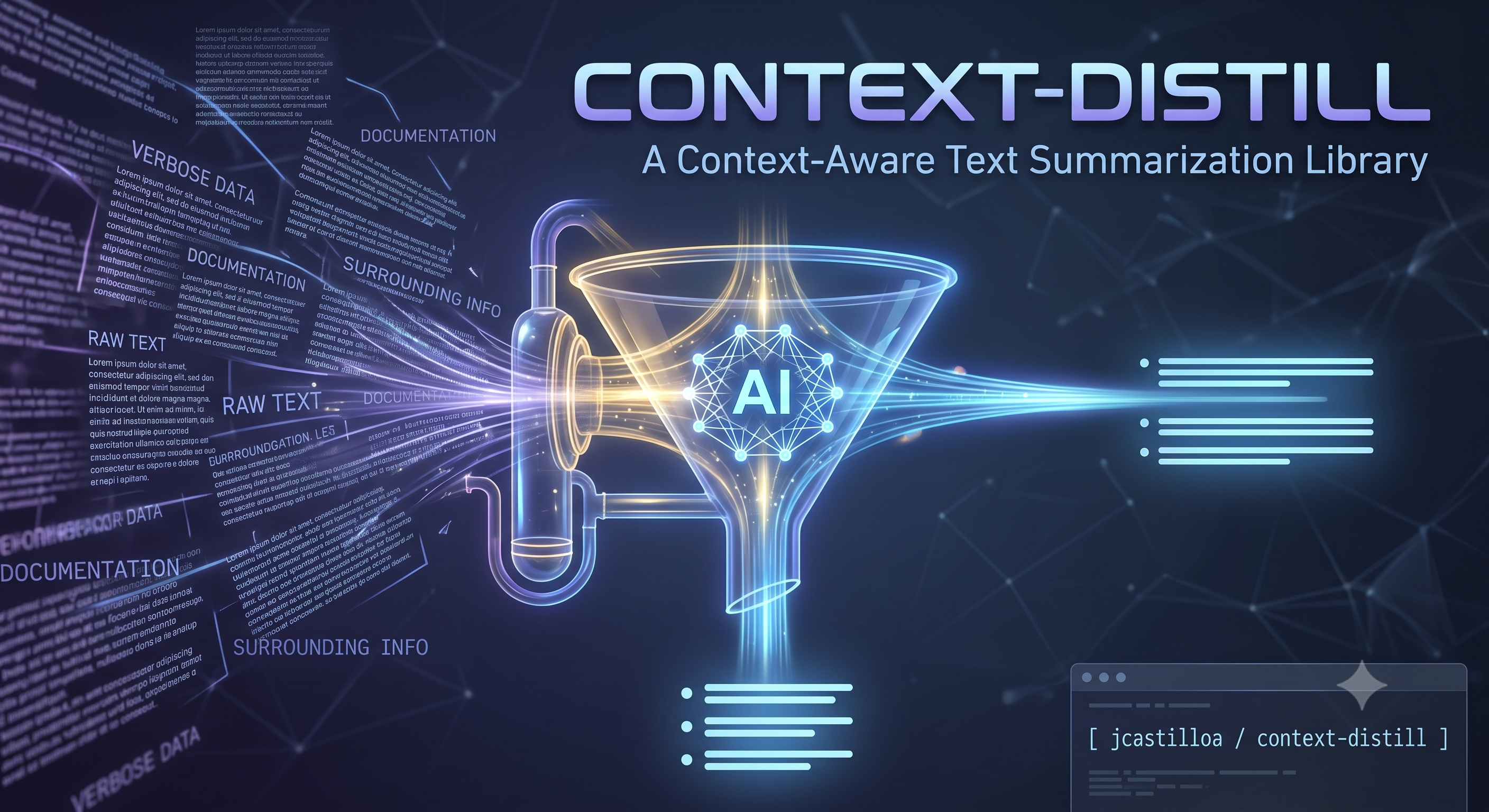
context-distill คือ MCP server ที่บีบอัดผลลัพธ์คำสั่งที่มีสัญญาณรบกวนให้เป็นสรุปที่แม่นยำและนำไปปฏิบัติได้สำหรับเวิร์กโฟลว์ LLM ใช้ distill_batch สำหรับล็อกขนาดใหญ่ และ distill_watch สำหรับความแตกต่างระหว่างรอบต่อรอบ สร้างด้วย Go, Cobra, Viper และ DI เพื่อการกลั่นที่เชื่อถือได้ทั้งในเครื่องและผ่านผู้ให้บริการ
เอกสาร
context-distill
A Go tool that distills command output and retrieves code context before it reaches a paid LLM. Available as a Skill (recommended), a standalone CLI, and an MCP server. Inspired by the distill CLI and built with hexagonal architecture, dependency injection, and TDD.
Overview
context-distill exposes four operations accessible in three ways:
| Mode | Best for | How it works |
|---|---|---|
| Skill ⭐ (recommended) | Any agent that can read markdown and run shell commands | The agent reads a SKILL.md file from its own skills directory and learns when and how to invoke the CLI. Zero config on the agent side. |
| CLI | Local scripts, CI pipelines, shell-capable agents | Direct subcommands: context-distill distill_batch, context-distill distill_mcp_output, context-distill distill_watch, context-distill search_code. |
| MCP | Agents/clients with native MCP support (Claude Desktop, Cursor, Codex…) | Runs as an MCP server over stdio transport. |
| Operation | Purpose |
|---|---|
distill_batch | Compresses full command output to answer a single, explicit question. |
distill_mcp_output | Distills raw MCP payloads, or calls an MCP tool and distills its result in one step. |
distill_watch | Compares two consecutive snapshots and returns only the relevant delta. |
search_code | Locates relevant repository code and returns compact matches for the next reasoning step. |
All three modes share the same underlying use cases, validation rules, and output behavior. Only the invocation method differs.
It also provides:
- LLM provider configuration via YAML and environment variables.
- An interactive terminal UI for first-time setup (
--config-ui). - Support for Ollama and any OpenAI-compatible provider.
Why Skill Mode Is Recommended
| Skill | CLI | MCP | |
|---|---|---|---|
| Agent config required | None — just drop SKILL.md in the agent's skills directory | Agent must know how to run shell commands | Register server in client config |
| Works across agents | ✅ Any agent that reads markdown | ✅ Any agent that runs shell | ⚠️ Only MCP-compatible clients |
| Setup complexity | Copy one file per agent | Install binary | Install binary + register transport |
| Portability | Works in any repo | Works in any shell | Tied to MCP client config |
Skill mode works because modern coding agents (Codex, Claude Code, Cursor, Aider, OpenCode…) already know how to read project documentation and execute shell commands. A SKILL.md file teaches the agent when to distill or retrieve code context and how to call the CLI — no protocol integration needed.
Features
- Triple interface — Skill file for zero-config agent adoption + CLI for direct shell use + MCP tools for protocol-native clients.
- Four core operations —
distill_batch,distill_mcp_output,distill_watch, andsearch_code. - Hexagonal architecture —
distill/domain,distill/application,platform/*. - Dependency injection via
sarulabs/di. - Config management with
viper+.env. - Provider-specific validation at config time.
- Interactive setup UI (
--config-ui). - Unit, integration, and optional live tests.
Requirements
- Go 1.26+
- Make (recommended)
If you prefer not to compile, you can install a prebuilt binary from GitHub Releases (see below).
Installation
Option A: Build from source
make build
The binary is placed at ./bin/context-distill.
To install it into your PATH:
make install
# installs to ~/.local/bin/context-distill
Option B: Prebuilt binary (no build required)
Linux / macOS:
# Latest release
curl -fsSL https://raw.githubusercontent.com/jcastilloa/context-distill/master/scripts/install.sh | sh

# Specific version
curl -fsSL https://raw.githubusercontent.com/jcastilloa/context-distill/master/scripts/install.sh | VERSION=vX.Y.Z sh
Windows (PowerShell):
# Latest release
iwr https://raw.githubusercontent.com/jcastilloa/context-distill/master/scripts/install.ps1 -UseBasicParsing | iex

# Specific version
$env:VERSION='vX.Y.Z'; iwr https://raw.githubusercontent.com/jcastilloa/context-distill/master/scripts/install.ps1 -UseBasicParsing | iex
Installer environment variables:
| Variable | Default |
|---|---|
REPO | jcastilloa/context-distill |
SERVICE_NAME | context-distill |
INSTALL_DIR | ~/.local/bin (Linux/macOS) · %LOCALAPPDATA%\context-distill\bin (Windows) |
VERSION | Latest release tag |
Makefile Targets
make help
| Target | Description |
|---|---|
make build | Build the binary to ./bin/context-distill |
make install | Install binary to ~/.local/bin/context-distill |
make clean | Remove ./bin |
Quick Start
1. Configure the provider (all modes)
context-distill --config-ui
2. Verify it works
echo "PASS: TestA, PASS: TestB, FAIL: TestC - expected 4 got 5" | context-distill distill_batch --question "Did tests pass? Return only PASS or FAIL. If FAIL, list failing test names."
context-distill distill_watch --question "What changed? Return one short sentence." --previous-cycle "services: api=OK, db=OK, cache=OK" --current-cycle "services: api=OK, db=FAIL, cache=OK"
context-distill distill_mcp_output \
  --tool-name "list_items" \
  --question "Return only item names, one per line." \
  --output '[{"type":"text","text":"[{\"id\":\"a1\",\"name\":\"Alpha\"},{\"id\":\"b2\",\"name\":\"Beta\"}]"}]'
context-distill distill_mcp_output \
  --server-command "/absolute/path/to/mcp-server" \
  --server-arg "--transport" \
  --server-arg "stdio" \
  --tool-name "get_status" \
  --tool-arguments '{"scope":"production"}' \
  --question "Return only status and version as JSON."
context-distill search_code --query "provider_name" --mode text --question "Return only file:line, one per line."
If commands return expected compact answers, setup is ready.
3. Choose your mode
⭐ Skill mode (recommended)
Copy SKILL.md into the appropriate agent skills directory (see Skill Setup). Your agent will read it automatically and start distilling.
CLI mode
Use the subcommands directly in scripts or agent shell calls:
# Pipe (preferred)
echo "data" | context-distill distill_batch --question "..."

# Explicit flag
context-distill distill_batch --question "..." --input "data"

# Explicit stdin marker
echo "data" | context-distill distill_batch --question "..." --input -

# MCP payload distillation
context-distill distill_mcp_output --tool-name "list_items" --question "Return only item names." --output '<mcp payload>'

# MCP call + distillation in one step
context-distill distill_mcp_output --server-command "/absolute/path/to/mcp-server" --server-arg "--transport" --server-arg "stdio" --tool-name "get_status" --tool-arguments '{"scope":"production"}' --question "Return only status and version as JSON."

# Code retrieval
context-distill search_code --query "LoadDistillConfig" --mode symbol --question "Return likely definitions first as file:line, one per line."
MCP mode
context-distill --transport stdio
Then register the server in your MCP client (see MCP Client Registration).
Skill Setup (Recommended)
The canonical installable skill now lives in SKILL.md.
That file is the clearest place to learn the behavior and the easiest file to copy into an agent skills directory.
The skill now covers four concrete workflows:
- Distill long command output with
distill_batch. - Distill raw MCP payloads you already have with
distill_mcp_output --output. - Call an MCP tool and distill the result in one step with
distill_mcp_output --server-command. - Locate code before opening many files with
search_code.
Additional ready-to-copy templates live here:
Where to install the Skill
Install SKILL.md at project level, global level, or both:
| Agent | Project-level path | Global path |
|---|---|---|
| Claude Code | .claude/skills/context-distill/SKILL.md | ~/.claude/skills/context-distill/SKILL.md |
| Codex | .codex/skills/context-distill/SKILL.md | ~/.codex/skills/context-distill/SKILL.md |
| OpenCode | .opencode/skills/context-distill/SKILL.md | ~/.opencode/skills/context-distill/SKILL.md |
| Cursor | .cursor/skills/context-distill/SKILL.md | ~/.cursor/skills/context-distill/SKILL.md |
Project-level (recommended for teams): every agent working on the repo picks it up automatically.
Global (recommended for personal use): available in every project without per-repo setup.
Quick install example (Claude Code, project-level)
mkdir -p .claude/skills/context-distill
cp SKILL.md .claude/skills/context-distill/SKILL.md
Quick install example (all agents, global)
for agent in .claude .codex .opencode .cursor; do
  mkdir -p ~/"$agent"/skills/context-distill
  cp SKILL.md ~/"$agent"/skills/context-distill/SKILL.md
done
CLI Commands Reference
The CLI commands provide the same capabilities as the MCP tools (distillation + code retrieval) but are invoked directly from the shell. Use them in local scripts, CI pipelines, or with agent runtimes that execute shell commands instead of MCP tools.
Input methods
# 1. Pipe (preferred)
echo "data" | context-distill distill_batch --question "..."

# 2. Explicit flag
context-distill distill_batch --question "..." --input "data"

# 3. Explicit stdin marker
echo "data" | context-distill distill_batch --question "..." --input -
distill_batch
Distills one raw output payload using an explicit question contract.
go test ./... 2>&1 | context-distill distill_batch --question "Did all tests pass? Return only PASS or FAIL."
Flags:
| Flag | Required | Description |
|---|---|---|
--question | yes | Exact question to answer from the command output. |
--input | no | Raw command output to distill. If omitted, reads from stdin. |
distill_mcp_output
Distills MCP results in either of these modes:
- You already have a raw MCP payload and pass it with
--output. - You want
context-distillto call an MCP tool first and then distill the result.
context-distill distill_mcp_output \
  --tool-name "list_items" \
  --question "Return only item names, one per line." \
  --output '<mcp payload>'
context-distill distill_mcp_output \
  --server-command "/absolute/path/to/mcp-server" \
  --server-arg "--transport" \
  --server-arg "stdio" \
  --tool-name "get_status" \
  --tool-arguments '{"scope":"production"}' \
  --question "Return only status and version as JSON."
Flags:
| Flag | Required | Description |
|---|---|---|
--question | yes | Exact question to answer from the MCP result. |
--tool-name | no* | Helpful context when using --output; required when invoking a server. |
--output | no* | Raw MCP payload to distill directly. |
--server-command | no* | MCP server binary to invoke when --output is omitted. |
--server-arg | no | MCP server argument. Repeat for multiple values. |
--tool-arguments | no | JSON object passed to the target MCP tool. |
* You must provide either --output or a server invocation (--server-command + --tool-name).
distill_watch
Distills only the relevant delta between two snapshots.
context-distill distill_watch \
  --question "Return only newly failing services, one per line." \
  --previous-cycle "$(cat /tmp/health.prev)" \
  --current-cycle "$(cat /tmp/health.curr)"
Flags:
| Flag | Required | Description |
|---|---|---|
--question | yes | Exact question to answer from cycle changes. |
--previous-cycle | yes | Previous watch cycle output snapshot. |
--current-cycle | yes | Current watch cycle output snapshot. |
search_code
Searches repository code locally and distills compact matches according to --question.
context-distill search_code \
  --query "distill_watch" \
  --mode symbol \
  --question "Return definitions first, then usages, as file:line."
Important:
- CLI syntax uses flags. Use
--query,--mode,--question,--max-results,--context-lines. - Do not use shell arguments like
search_code mode=text query="..." max_results=5(that format is not valid CLI syntax). - For
--mode path, treat--queryas a path fragment (for example,.go), and use--scopefor glob filters.
Flags:
| Flag | Required | Description |
|---|---|---|
--query | yes | Search query for text, regex, symbol name, or path fragment. |
--mode | yes | Search mode: text, regex, symbol, or path. |
--question | yes | Output contract for final compact result. |
--scope | no | Optional glob filters (repeat flag or comma-separated). |
--max-results | no | Hard limit for returned candidates (default 20). |
--context-lines | no | Context lines around each match (default 2). |
CLI Notes
- CLI commands and MCP tools share the same underlying use cases and validation rules.
- Invalid/missing inputs return a non-zero exit code.
- Output is written to standard output exactly as produced by the selected use case.
MCP Server Mode
Running the server
context-distill --transport stdio
# or without building:
go run ./cmd/server --transport stdio
Version
go run ./cmd/server version
Server Flags
| Flag | Description | Default |
|---|---|---|
--transport | MCP transport mode (stdio) | service.transport |
--config-ui | Open setup UI and exit | false |
MCP Client Registration
After building or installing the binary, register it in your MCP client to use the tool interface.
JSON-based clients (Claude Desktop, Cursor, etc.)
{
  "mcpServers": {
    "context-distill": {
      "command": "/absolute/path/to/context-distill",
      "args": ["--transport", "stdio"]
    }
  }
}
Codex — manual TOML (recommended)
Add to ~/.codex/config.toml:
[mcp_servers.context-distill]
command = "/absolute/path/to/context-distill"
args = ["--transport", "stdio"]
startup_timeout_sec = 20.0
If you used make install:
[mcp_servers.context-distill]
command = "/home/<your-user>/.local/bin/context-distill"
args = ["--transport", "stdio"]
startup_timeout_sec = 20.0
Codex — CLI registration
codex mcp add context-distill -- /absolute/path/to/context-distill --transport stdio
Verify:
codex mcp list
codex mcp get context-distill
Restart your Codex session so it picks up the new server.
OpenCode — interactive CLI
opencode mcp add
Follow the prompts:
- Location →
Current projectorGlobal. - Name →
context-distill. - Type →
local. - Command →
/absolute/path/to/context-distill --transport stdio.
Verify:
opencode mcp list
If the server is not connected yet, restart your OpenCode session.
OpenCode — manual config (opencode.json)
{
  "$schema": "https://opencode.ai/config.json",
  "mcp": {
    "context-distill": {
      "type": "local",
      "command": ["/absolute/path/to/context-distill", "--transport", "stdio"],
      "enabled": true
    }
  }
}
Registration notes
- Always use an absolute binary path.
- Always use
stdiotransport. - If the server does not appear, run
codex mcp list --jsonto inspect the resolved config.
MCP Tools Reference
The MCP tools expose the same capabilities as the CLI commands (distillation + code retrieval), but are consumed by MCP-compatible clients over the stdio transport.
distill_batch
| Parameter | Type | Required | Description |
|---|---|---|---|
question | string | yes | What to extract from the input. Must include an output contract. |
input | string | yes | Raw command output to distill. |
Returns a short, focused answer to question.
distill_watch
| Parameter | Type | Required | Description |
|---|---|---|---|
question | string | yes | What delta to report. Must include an output contract. |
previous_cycle | string | yes | Snapshot from the previous cycle. |
current_cycle | string | yes | Snapshot from the current cycle. |
Returns a short summary of relevant changes, or a no-change message when nothing meaningful differs.
search_code
| Parameter | Type | Required | Description |
|---|---|---|---|
query | string | yes | Search query for text, regex, symbol, or path. |
mode | string | yes | Search mode: text, regex, symbol, path. |
question | string | yes | Output contract for distilled response. |
scope | array[string] | no | Optional glob scope filters. |
max_results | number | no | Hard match limit (default 20). |
context_lines | number | no | Context lines per match (default 2). |
Returns compact output controlled by question, after local repository retrieval.
Notes:
- This section documents MCP tool payload fields (
snake_case), not shell flags. - CLI equivalents are
--query,--mode,--question,--scope,--max-results,--context-lines.
Configuration
Terminal UI (recommended for first-time setup)
context-distill --config-ui
# or without building:
go run ./cmd/server --config-ui
Editable fields:
| Field | Notes |
|---|---|
provider_name | Dropdown list of supported providers. |
base_url | Required for OpenAI-compatible providers. |
api_key | Masked input. Required for openai, openrouter, jan. |
Validation rules:
- Providers that require an API key block save until one is entered.
- OpenAI-compatible providers require a
base_url. - Provider aliases are normalized automatically (e.g.
OpenAI Compatible→openai-compatible,dmr→docker-model-runner).
Persisted config path: ~/.config/context-distill/config.yaml
Save preserves existing YAML sections (service, openai, etc.) and updates only the relevant distill fields.
Manual YAML configuration
You can also edit the config file directly.
Lookup order:
~/.config/<service>/config.yaml./config.yaml
Example config.yaml:
service:
  transport: stdio

openai:
  provider_name: openai
  api_key: sk-xxxx
  base_url: https://api.openai.com/v1
  model: gpt-4o-mini
  timeout: 30s
  max_retries: 3
  supports_system_role: true
  supports_json_mode: true

distill:
  provider_name: ollama
  base_url: http://127.0.0.1:11434
  model: qwen3.5:2b
  timeout: 90s
  max_retries: 0
  thinking: false
Note:
service.versionis injected at build time from binary metadata and does not need to be set manually.
Provider Matrix
| Provider | Transport | API Key Required | Default Base URL |
|---|---|---|---|
ollama | native ollama | No | http://127.0.0.1:11434 |
openai | openai-compatible | Yes | https://api.openai.com/v1 |
openrouter | openai-compatible | Yes | https://openrouter.ai/api/v1 |
openai-compatible | openai-compatible | No (backend-dependent) | — |
lmstudio | openai-compatible | No | http://127.0.0.1:1234/v1 |
jan | openai-compatible | Yes | http://127.0.0.1:1337/v1 |
localai | openai-compatible | No | http://127.0.0.1:8080/v1 |
vllm | openai-compatible | No | http://127.0.0.1:8000/v1 |
sglang | openai-compatible | No | — |
llama.cpp | openai-compatible | No | — |
mlx-lm | openai-compatible | No | — |
docker-model-runner | openai-compatible | No | http://127.0.0.1:12434/engines/v1 |
Writing Good Questions
The quality of distillation/search output depends on the question contract — whether invoked via Skill, CLI, or MCP. Be explicit about what you want and in what format.
Bad questions
"What happened?""Summarize this"
Good questions
"Did tests pass? Return only PASS or FAIL. If FAIL, list failing test names, one per line.""List only changed file paths, one per line.""Return valid JSON only with keys: severity, file, message."
distill_batch examples
| Source | Question |
|---|---|
go test ./... | "Did tests pass? Return only PASS or FAIL." |
git diff | "List changed files and one short reason per file. Max 10 lines." |
| CI logs | "Return only blocking errors with file and line if available." |
distill_watch examples
| Snapshots | Question |
|---|---|
| Test watcher output at T−1 / T | "What changed in failure count? Return one short sentence." |
| Deployment status at T−1 / T | "Return only newly failing services, one per line." |
search_code examples
| Mode | Question |
|---|---|
text | "Return only file:line, one per line." |
symbol | "Return likely definitions first, then usages, as file:line." |
path | "Return matching file paths only, one per line." |
AGENTS.md Templates
If you prefer to embed instructions directly in your project's AGENTS.md, use the standalone files instead of copying big blocks out of this README:
Suggested policy one-liner
Drop this into your project docs for a quick reference:
Default policy: use `context-distill` (via Skill, CLI, or MCP) to distill command output and run `search_code` for repository localization before sending data to an LLM, unless raw output is explicitly required.
Project Structure
context-distill/
├── cmd/
│   └── server/
│       ├── main.go
│       ├── bootstrap.go
│       └── openai_distill_config.go
├── distill/
│   ├── application/
│   │   └── distillation/
│   └── domain/
├── mcp/
│   ├── application/
│   └── domain/
├── platform/
│   ├── config/
│   ├── configui/
│   ├── di/
│   ├── mcp/
│   │   ├── commands/
│   │   ├── server/
│   │   └── tools/
│   ├── ollama/
│   └── openai/
├── shared/
│   ├── ai/domain/
│   └── config/domain/
├── SKILL.md
├── config.sample.yaml
├── config.yaml
├── Makefile
└── AGENTS.md
Architecture
Dependency rule:
platform  →  shared + distill/application + distill/domain
distill/application  →  distill/domain
cmd  →  platform + shared
Constraint: shared and distill/domain must never import platform.
Development
Tests and static checks
go test ./...
go vet ./...
Suggested local workflow
go test ./...context-distill --config-ui- Verify CLI works:
echo "hello world" | context-distill distill_batch --question "Return the input verbatim." context-distill search_code --query "provider_name" --mode text --question "Return only file:line, one per line." - (Optional) Start MCP server:
context-distill --transport stdio - Validate behavior from your MCP client or via CLI commands.
Optional live test (real provider)
DISTILL_LIVE_TEST=1 OPENAI_BASE_URL=https://openrouter.ai/api/v1 \
go test -tags=live ./platform/di -run TestLiveDistillBatchWithOpenAICompatibleProvider -v
Troubleshooting
| Problem | Fix |
|---|---|
provider unauthorized | Verify distill.api_key (or the fallback openai.api_key, depending on the provider). |
requires base_url | Set distill.base_url. The fastest path is --config-ui. |
| MCP client does not detect the server | Confirm the binary path is absolute, has execute permissions, and transport is stdio. |
| Server fails on config validation | Run --config-ui for initial setup, then start normally. |
| CLI command returns non-zero exit code | Check required flags are present and non-empty (distill_batch: --question; distill_mcp_output: --question plus either --output or --server-command + --tool-name; distill_watch: --question, --previous-cycle, --current-cycle; search_code: --query, --mode, --question). |
distill_mcp_output fails before tool execution | Check that --tool-arguments is valid JSON and that the MCP server command path is absolute and executable. |
search_code fails with query is required despite passing values | You likely used MCP-style args (mode=text query=...) in shell. Use CLI flags: context-distill search_code --mode text --query "..." --question "...". |
Agent ignores SKILL.md | Ensure the file is placed inside the correct agent skills directory (e.g. .claude/skills/context-distill/SKILL.md). See the Skill Setup table for all paths. |
Security
- Never commit real API keys to public repositories.
- Prefer environment-based secrets in shared or CI environments.
License
Copyright © 2026 jcastilloa. All rights reserved.
Redistribution and use in source and binary forms, with or without modification, are permitted provided that the following conditions are met:
- Redistributions of source code must retain the above copyright notice, this list of conditions and the following disclaimer.
- Redistributions in binary form must reproduce the above copyright notice, this list of conditions and the following disclaimer in the documentation and/or other materials provided with the distribution.
- Neither the name of the copyright holder nor the names of its contributors may be used to endorse or promote products derived from this software without specific prior written permission.
THIS SOFTWARE IS PROVIDED BY THE COPYRIGHT HOLDERS AND CONTRIBUTORS "AS IS" AND ANY EXPRESS OR IMPLIED WARRANTIES, INCLUDING, BUT NOT LIMITED TO, THE IMPLIED WARRANTIES OF MERCHANTABILITY AND FITNESS FOR A PARTICULAR PURPOSE ARE DISCLAIMED. IN NO EVENT SHALL THE COPYRIGHT HOLDER OR CONTRIBUTORS BE LIABLE FOR ANY DIRECT, INDIRECT, INCIDENTAL, SPECIAL, EXEMPLARY, OR CONSEQUENTIAL DAMAGES (INCLUDING, BUT NOT LIMITED TO, PROCUREMENT OF SUBSTITUTE GOODS OR SERVICES; LOSS OF USE, DATA, OR PROFITS; OR BUSINESS INTERRUPTION) HOWEVER CAUSED AND ON ANY THEORY OF LIABILITY, WHETHER IN CONTRACT, STRICT LIABILITY, OR TORT (INCLUDING NEGLIGENCE OR OTHERWISE) ARISING IN ANY WAY OUT OF THE USE OF THIS SOFTWARE, EVEN IF ADVISED OF THE POSSIBILITY OF SUCH DAMAGE.