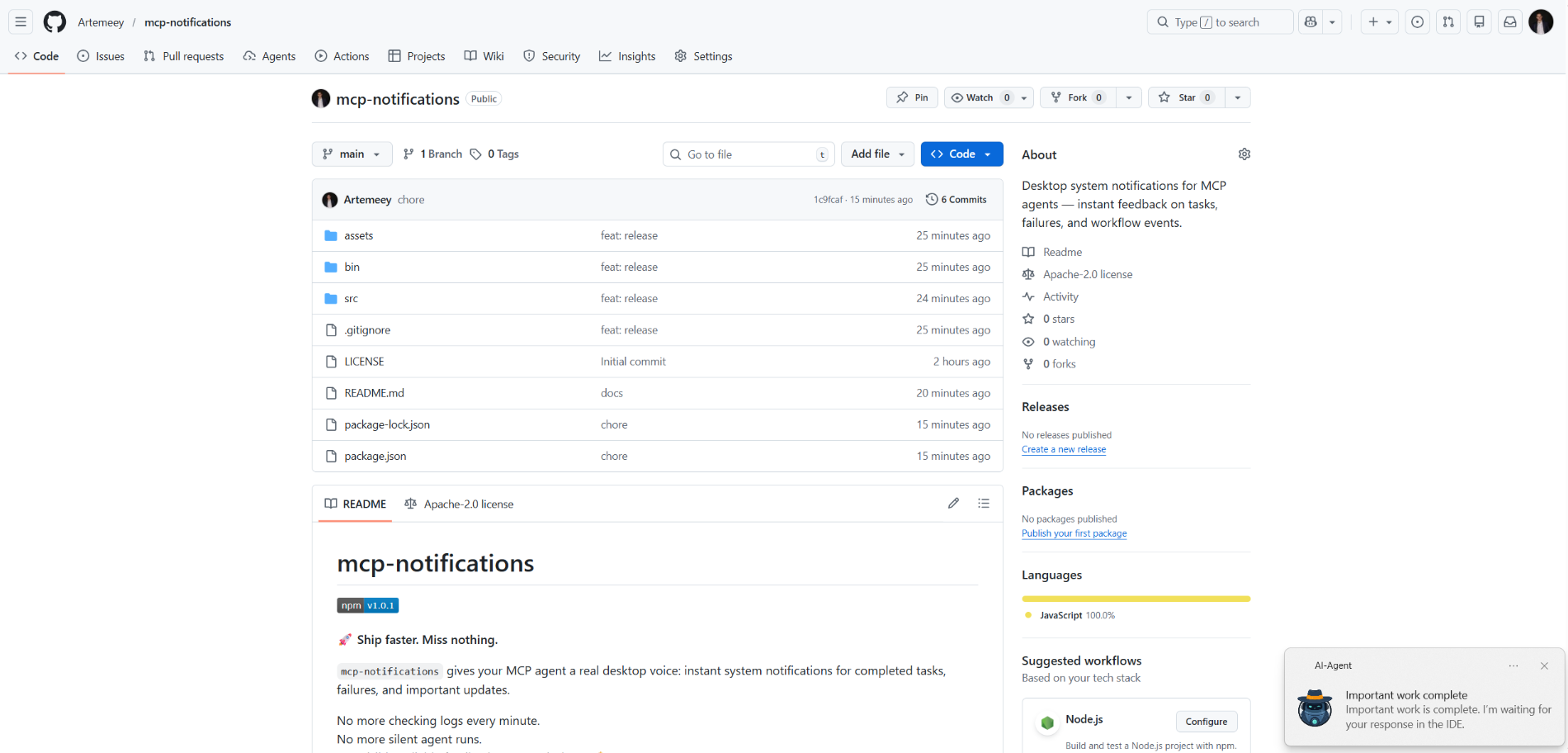
mcp-notifications
ทางการการแจ้งเตือนระบบเดสก์ท็อปสำหรับเอเจนต์ MCP — ข้อเสนอแนะทันทีเกี่ยวกับงาน ความล้มเหลว และเหตุการณ์ในเวิร์กโฟลว์
คุณทำอะไรได้บ้างด้วย Notifications MCP?
- ส่งการแจ้งเตือนบนเดสก์ท็อป — ขอให้เอเจนต์เรียกใช้
send_notificationพร้อมชื่อเรื่องและข้อความที่กำหนดเองเมื่องานเสร็จสิ้น - รวมการแจ้งเตือนแบบมีเสียง — ตั้งค่า
play_sound: trueเพื่อให้การแจ้งเตือนเล่นเสียงระบบเมื่อส่งถึง - ปรับแต่งแหล่งที่มาของการแจ้งเตือนบน Windows — ส่ง
app_idเพื่อควบคุมชื่อแอปที่แสดงใน toast หรือตั้งค่าแบบโกลบอลผ่านตัวแปรสภาพแวดล้อมMCP_NOTIFICATIONS_APP_ID - ใช้ไอคอนที่กำหนดเอง — ระบุพาธของ
iconเพื่อแทนที่รูปภาพเริ่มต้นในการแจ้งเตือน
เอกสาร
mcp-notifications

🚀 ส่งงานได้เร็วขึ้น ไม่พลาดทุกสิ่ง
mcp-notifications ช่วยให้เอเจนต์ MCP ของคุณส่งการแจ้งเตือนบนเดสก์ท็อปสำหรับงานที่เสร็จสมบูรณ์ งานที่ล้มเหลว และการอัปเดตที่สำคัญ
สิ่งนี้มีประโยชน์อย่างยิ่งสำหรับเอเจนต์ AI แบบคอนโซล เนื่องจากโดยปกติแล้วพวกมันจะไม่มีการแจ้งเตือนในตัวตามค่าเริ่มต้น
ไม่ต้องคอยเช็คแชททุกนาทีอีกต่อไป
ไม่ต้องเจอการตอบสนองของเอเจนต์แบบเงียบๆ อีกต่อไป
แค่การตอบรับที่มองเห็นได้และเชื่อถือได้บนเดสก์ท็อปของคุณ 🔔
ปัญหาทั่วไปที่สิ่งนี้แก้ไขได้
คุณมอบหมายงานให้เอเจนต์ AI หลายตัว จากนั้นก็รอและคอยตรวจสอบว่าใครตอบกลับมาบ้างแล้ว
ด้วย mcp-notifications สิ่งนี้จะง่ายขึ้น: เอเจนต์สามารถแจ้งเตือนคุณบนเดสก์ท็อปเมื่อมันต้องการข้อมูลจากคุณ หรืองานเสร็จสิ้นแล้ว
ทำไมทีมถึงติดตั้งสิ่งนี้
- ⚡ การตอบรับทันทีจากเวิร์กโฟลว์ MCP ของคุณ
- 🧠 มีสมาธิดีขึ้น: ปล่อยให้เอเจนต์ทำงานในขณะที่คุณยังคงโฟกัสกับงานหลักของคุณ
- 🖥️ การแจ้งเตือนแบบเนทีฟของระบบปฏิบัติการผ่าน
node-notifier - 🧵 พฤติกรรมแบบไม่บล็อก: การส่งการแจ้งเตือนถูกจัดคิวไว้ในพื้นหลัง
ติดตั้งแบบโกลบอล
ข้อกำหนด:
- Node.js
>=20 - npm
>=10
npm i -g @topvisor/mcp-notifications
ชื่อไฟล์ปฏิบัติการ (ใช้ชื่อนี้ในการกำหนดค่า MCP):
mcp-notifications
mcp-notifications เป็นจุดเริ่มต้นเซิร์ฟเวอร์ MCP (stdio) ไม่ใช่คำสั่งแจ้งเตือนแบบครั้งเดียว
การตั้งค่า: Codex
เพิ่มสิ่งนี้ลงใน ~/.codex/config.toml:
[mcp_servers.notifications]
enabled = true
command = "mcp-notifications"
args = []
รีสตาร์ท Codex หลังจากอัปเดตการกำหนดค่า
การตั้งค่า: Claude Agent
เพิ่มการกำหนดค่าเซิร์ฟเวอร์ MCP ลงในไฟล์การกำหนดค่าไคลเอนต์ Claude ของคุณ:
{
  "mcpServers": {
    "notifications": {
      "command": "mcp-notifications",
      "args": []
    }
  }
}
จากนั้นรีสตาร์ทไคลเอนต์ Claude
คำแนะนำการแจ้งเตือนของเอเจนต์ AI
มีสองแนวทางสำหรับการแจ้งเตือน: แบบกำหนดเองและแบบอัตโนมัติ
เลือกแบบที่เหมาะกับเวิร์กโฟลว์ของคุณมากกว่า
แบบกำหนดเอง
ในงานที่คุณต้องการได้รับการแจ้งเตือน ให้บอกเอเจนต์อย่างชัดเจน ตัวอย่าง:
Count files in the project; after the task is fully complete, notify me with sound.
คุณยังสามารถกำหนดเสียง หัวข้อ และกฎความถี่ภายในแชทนั้นๆ ได้อีกด้วย ตัวอย่าง:
Notify me about your replies without sound, include the reply text, and use title: "Large Refactoring"
แบบอัตโนมัติ
การแจ้งเตือนอัตโนมัติสามารถกำหนดค่าได้แบบโกลบอลหรือต่อโปรเจกต์
ตัวอย่างคำสั่งเพื่อเปิดใช้งานการแจ้งเตือนอัตโนมัติสำหรับการตอบกลับของเอเจนต์:
Send `send_notification` after your replies (actual task time >5 seconds or many steps); `play_sound: false`; `app_id: '{put your chat name here}'`
เวลาเป็นเกณฑ์คร่าวๆ และขึ้นอยู่กับพฤติกรรมของโมเดล ดังนั้นให้ปรับคำสั่งนี้ตามความชอบของคุณเอง
ในสกิล
คุณยังสามารถเปิดใช้งานการแจ้งเตือนในสกิลเฉพาะได้อีกด้วย ตัวอย่างสำหรับสกิล Review:
After the review, run `send_notification` with a short summary; `play_sound: true`; `app_id: 'Reviewer {put task id here}'`
เครื่องมือ
send_notification
อินพุต:
titlestring(จำเป็น)messagestring(จำเป็น)play_soundboolean(ไม่บังคับ, ค่าเริ่มต้น:false)iconstring(ไม่บังคับ, พาธแบบสัมบูรณ์หรือสัมพัทธ์ไปยังไฟล์รูปภาพ)app_idstring(ไม่บังคับ, Windows App User Model ID สำหรับแหล่งที่มาของ toast)
ตัวอย่าง:
{
  "title": "Codex",
  "message": "Deployment completed successfully",
  "play_sound": true,
  "icon": "/opt/mcp-notifications/icons/custom.png",
  "app_id": "Topvisor.Codex"
}
app_id (Windows)
app_idควบคุมแหล่งที่มาที่แสดงในการแจ้งเตือนแบบ toast ของ Windows- หากไม่ได้ตั้งค่า
app_idWindows อาจแสดงSnoreToastเป็นแหล่งที่มา - คุณสามารถส่ง
app_idในการเรียกใช้เครื่องมือแต่ละครั้ง หรือตั้งค่าMCP_NOTIFICATIONS_APP_IDเป็นตัวแปรสภาพแวดล้อมสำหรับเซิร์ฟเวอร์
การเลือกแบ็กเอนด์
คุณสามารถเลือกการขนส่งการแจ้งเตือนผ่านตัวแปรสภาพแวดล้อม MCP_NOTIFICATIONS_BACKEND:
auto(ค่าเริ่มต้น): ใช้powershellใน WSL หากมี มิฉะนั้นจะใช้node-notifierpowershell: บังคับใช้การขนส่ง toast ของpowershell.exeWindows (แนะนำสำหรับ WSL)node-notifier: บังคับใช้แพ็คเกจnode-notifier
ข้อความแจ้งในแชทเพื่อทดสอบใน Codex
ใช้ข้อความเหล่านี้โดยตรงในแชท:
Check send_notification
Send a notification without sound: title "Test", message "Check"
Send a notification with sound: title "Test", message "Check"
Send a notification with app_id "Topvisor.Codex": title "Test", message "Check"
Send 3 test notifications in a row without sound
ผลลัพธ์ของเครื่องมือที่คาดหวังในบันทึก/การตอบสนอง:
Notification queued
พฤติกรรม
- ✅ ใช้ช่องทางการแจ้งเตือนมาตรฐานของระบบ
- 🔊 ใช้เสียงการแจ้งเตือนมาตรฐานของระบบเมื่อ
play_sound: true - 🤖 ใช้รูปภาพหุ่นยนต์ Topvisor ที่มาพร้อมเป็นไอคอนการแจ้งเตือนเริ่มต้น
- 🧰 ตอบกลับอย่างรวดเร็วในขณะที่การแจ้งเตือนถูกส่งในคิวพื้นหลัง
ตัวอย่าง
เอเจนต์ AI กำลังรอคุณอยู่: