Quantum Simulator MCP Server
เครื่องจำลองวงจรควอนตัมพร้อมโมเดลสัญญาณรบกวนและการรองรับ OpenQASM 2.0 ที่เข้าถึงได้ผ่าน Model Context Protocol (MCP)
เอกสาร
Quantum Simulator MCP Server
A Docker image providing a quantum circuit simulator that implements the Model Context Protocol (MCP), allowing integration with MCP clients such as Claude for Desktop.
Features
- Quantum computing simulator with noise models
- Support for OpenQASM 2.0 quantum circuits
- Quantum circuit simulation using Qiskit
- Support for various noise models (depolarizing, thermal relaxation, readout error)
- Multiple result types including counts, statevector, and visualized histograms
- Pre-configured example circuits
- Seamless integration with MCP clients
Quick Start
get the docker image
docker pull ychen94/quantum-simulator-mcp:latest
Simply run the container with the following command:
docker run -i --rm -v /tmp:/data/quantum_simulator_results -e HOST_OUTPUT_DIR="/tmp" ychen94/quantum-simulator-mcp:latest
This command:
- Mounts the
/tmpdirectory on your host to store histogram output files - Sets the
HOST_OUTPUT_DIRenvironment variable to/tmp - Keeps the container running with
-i(interactive mode) - Automatically removes the container when it exits with
--rm
Using with Claude for Desktop
-
Install Claude for Desktop
-
Edit the Claude configuration file:
- macOS:
~/Library/Application Support/Claude/claude_desktop_config.json - Windows:
%APPDATA%\Claude\claude_desktop_config.json
- macOS:
-
Add the following configuration to the
mcpServerssection:
{
  "mcpServers": {
    "quantum-simulator": {
      "command": "docker",
      "args": [
        "run",
        "-i",
        "--rm",
        "-v", "/tmp:/data/quantum_simulator_results",
        "-e", "HOST_OUTPUT_DIR=/tmp",
        "ychen94/quantum-simulator-mcp:latest"
      ]
    }
  }
}
- Restart Claude for Desktop
- Look for the hammer icon in the Claude UI, indicating available MCP tools
MCP Tools
The server provides the following MCP tools:
- run_circuit: Run a quantum circuit with specified noise model
- list_noise_models: List all available noise models and their descriptions
- list_result_types: List all available result types and their descriptions
- get_circuit_stats: Analyze a quantum circuit and return statistics
- create_test_histogram: Create a test histogram file to verify output directory configuration
MCP Resources
The server provides example quantum circuits:
qasm://examples/bell-state.qasm: Bell state preparation circuitqasm://examples/grover-2qubit.qasm: 2-qubit Grover's algorithm implementationqasm://examples/qft-4qubit.qasm: 4-qubit Quantum Fourier Transformquantum://noise-models/examples.json: Example noise model configurations
Example Usage in Claude
Here are some prompts you can use in Claude:
-
"Run a Bell state circuit and show me the results"
-
"What noise models are available in the quantum simulator?"
-
"Simulate a 2-qubit Grover's algorithm with 0.01 depolarizing noise"
-
"Create a test histogram and show me the file path"
-
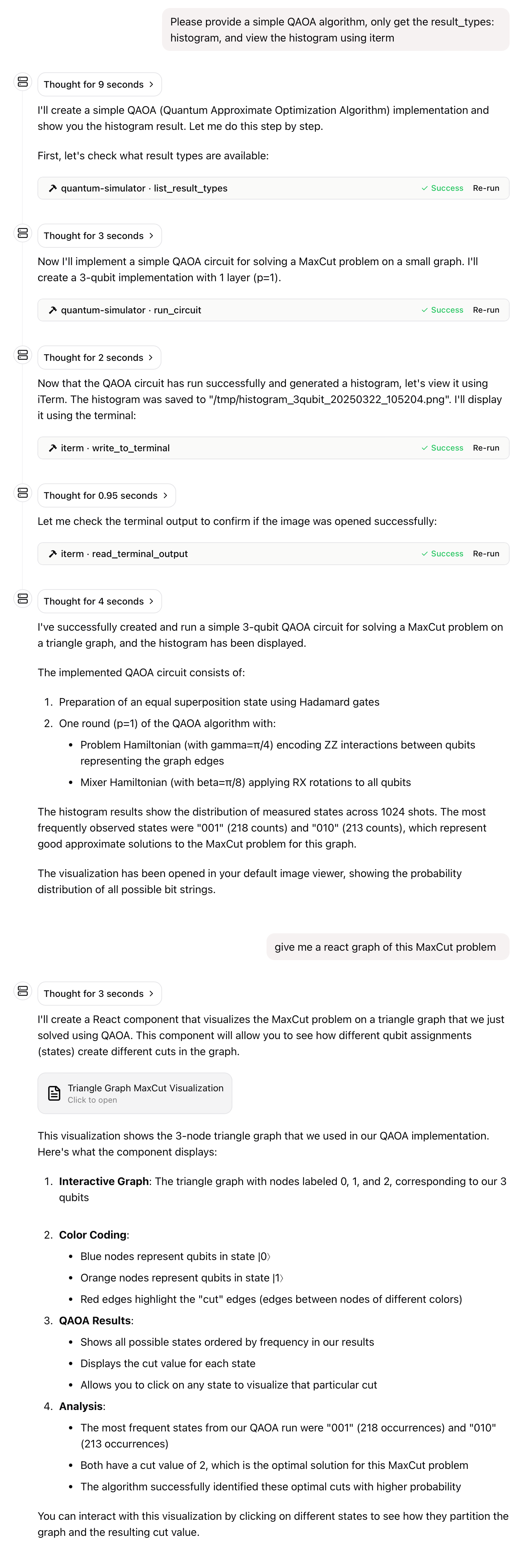
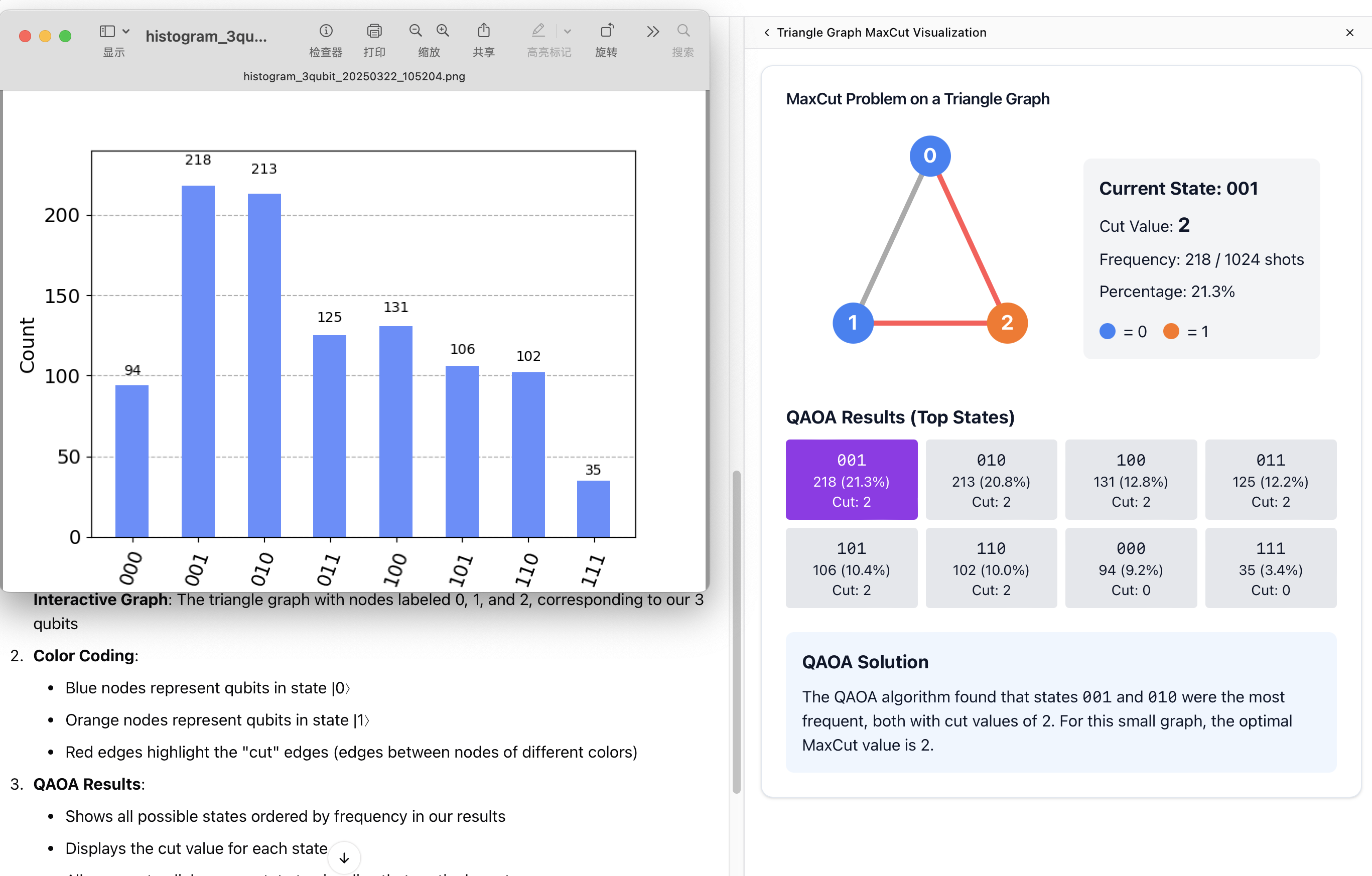
"Please provide a simple QAOA algorithm, only get the result_types: histogram, and view the histogram using iterm"
Volume Mapping
The container generates histogram PNG files in /data/quantum_simulator_results. These files need to be accessible from your host system. The volume mapping (-v /tmp:/data/quantum_simulator_results) makes these files available in your host's /tmp directory.
Environment Variables
QUANTUM_OUTPUT_DIR: Output directory for histogram files inside the container (default:/data/quantum_simulator_results)HOST_OUTPUT_DIR: Corresponding path on the host system (default:/tmp)
Multi-Architecture Support
This image supports the following architectures:
- linux/amd64
- linux/arm64 (confirmed working on Mac M-series chips)
Note: The image has not been tested on Windows systems yet, but should work as long as Docker Desktop is properly configured.
Troubleshooting
Issue: Claude cannot access the histogram files.
Solution: Ensure the volume mapping is correct and the HOST_OUTPUT_DIR environment variable matches the host path in your volume mapping.
Issue: Docker container exits immediately.
Solution: Make sure to use the -i flag to keep stdin open, which is required for the MCP STDIO transport.
License
This project is licensed under the MIT License. For more details, please see the LICENSE file in this project repository.