MCP Builder
เซิร์ฟเวอร์ที่ใช้ Python สำหรับติดตั้งและกำหนดค่าเซิร์ฟเวอร์ MCP อื่นๆ จาก PyPI, npm หรือไดเรกทอรีในเครื่อง
เอกสาร
mcp-builder
A Python-based MCP server to install other MCP servers.
The purpose of this server is to provide a complete, user-friendly, and cross-platform way to install and configure MCP servers.
TODO
- Support for more MCP Clients (e.g. Cursor, Windsurf, ...)
- Support for more MCP server types and sources (e.g., Node.js, Java, etc.)
- Support recovery mechanism for failed installations
- ...
Features
- Package Repository Installation: Install MCP servers from PyPI or npm packages
- Local Installation: Install MCP servers from local directories
- Configuration Management: Configure environment variables and arguments for installed servers
- Automatic Detection: Automatically detect the type of MCP server (Node.js or Python)
- Cross-Platform Support: Works on Windows, macOS, and Linux
Requirements
- Python 3.10 or higher
- pip (for Python packages)
- Node.js and npm (optional, for JavaScript packages)
Installation
Install from Source
git clone https://github.com/xd3an/mcp-builder.git
cd mcp-builder
pip install -e .
Usage
Running Directly
After installation, you can run the MCP Builder directly:
# Using the entry point
mcpbuilder

# Or as a module
python -m mcp_builder.server
Development Mode
For development and testing, you can use the MCP CLI tools:
# Install MCP CLI tools
pip install "mcp[cli]"

# Run in development mode
mcp dev path/to/mcp_builder/server.py

# npx @modelcontextprotocol/inspector
npx @modelcontextprotocol/inspector python -m mcp_builder.server
MCP Client Integration
Claude Desktop Integration
To use MCP Builder with Claude Desktop, add it to your claude_desktop_config.json file:
{
  "mcpServers": {
    "mcp-builder": {
      "command": "python",
      "args": [
        "-m",
        "mcp_builder.server"
      ]
    }
  }
}
The configuration file is located at:
- Windows:
%APPDATA%\Claude\claude_desktop_config.json - macOS:
~/Library/Application Support/Claude/claude_desktop_config.json - Linux:
~/.config/Claude/claude_desktop_config.json
Example Commands
Once integrated with Claude Desktop, you can ask Claude to:
read https://github.com/microsoft/playwright-mcp help me install playwright-mcp in my claude config
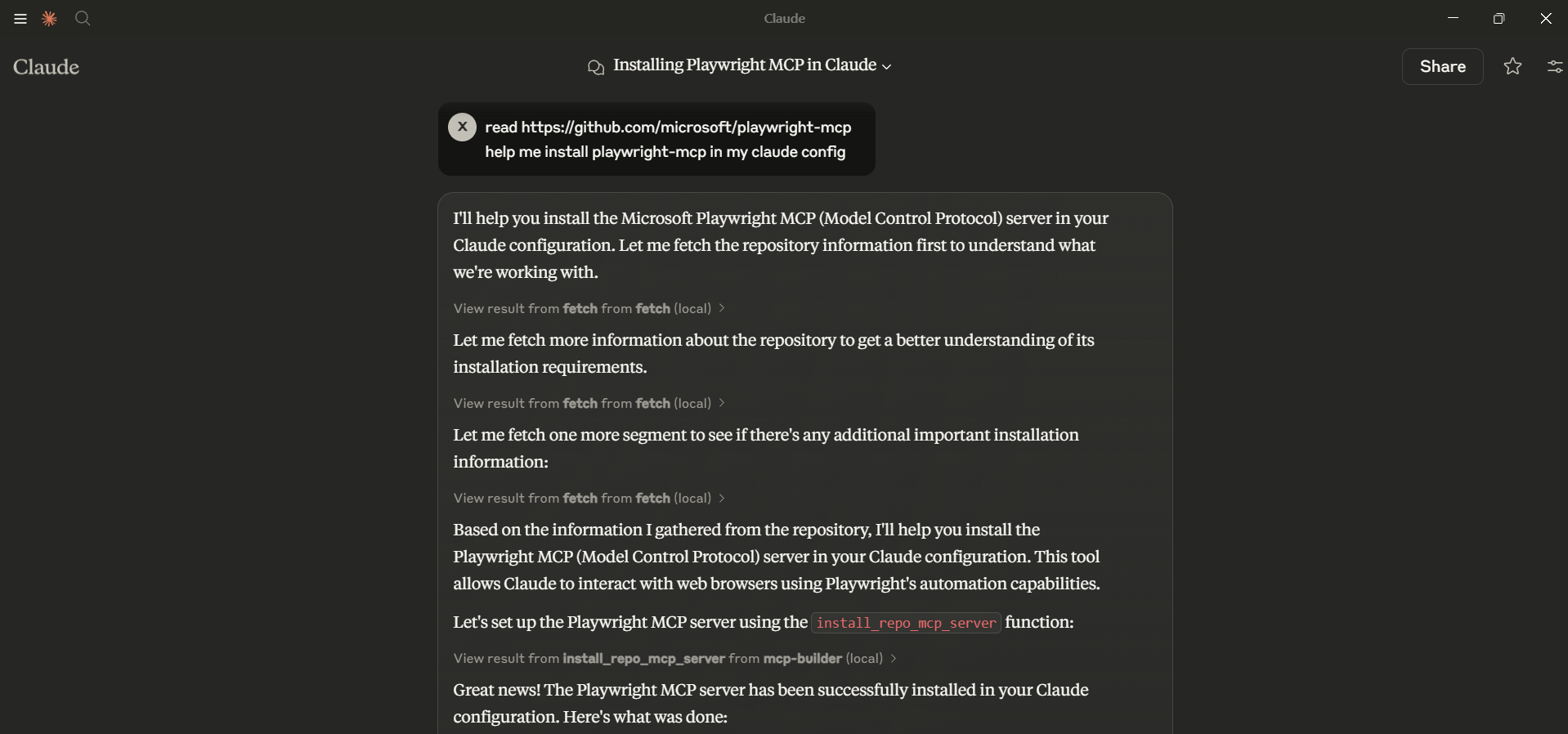
How It Works
MCP Builder modifies the Claude Desktop configuration file to register MCP servers. It supports:
- Node.js Packages: Installs using
npxand configures Claude to use them - Python Packages: Configures Claude to use Python modules
- Local Repositories: Installs dependencies and configures Claude to use local code