MLflow Prompt Registry MCP Server
เข้าถึงเทมเพลตพรอมต์ที่จัดการใน MLflow Prompt Registry ต้องมีเซิร์ฟเวอร์ MLflow ที่ทำงานอยู่ซึ่งกำหนดค่าผ่านตัวแปรสภาพแวดล้อม MLFLOW_TRACKING_URI
เอกสาร
MLflow Prompt Registry MCP Server
Model Context Protocol (MCP) Server for MLflow Prompt Registry, enabling access to prompt templates managed in MLflow.
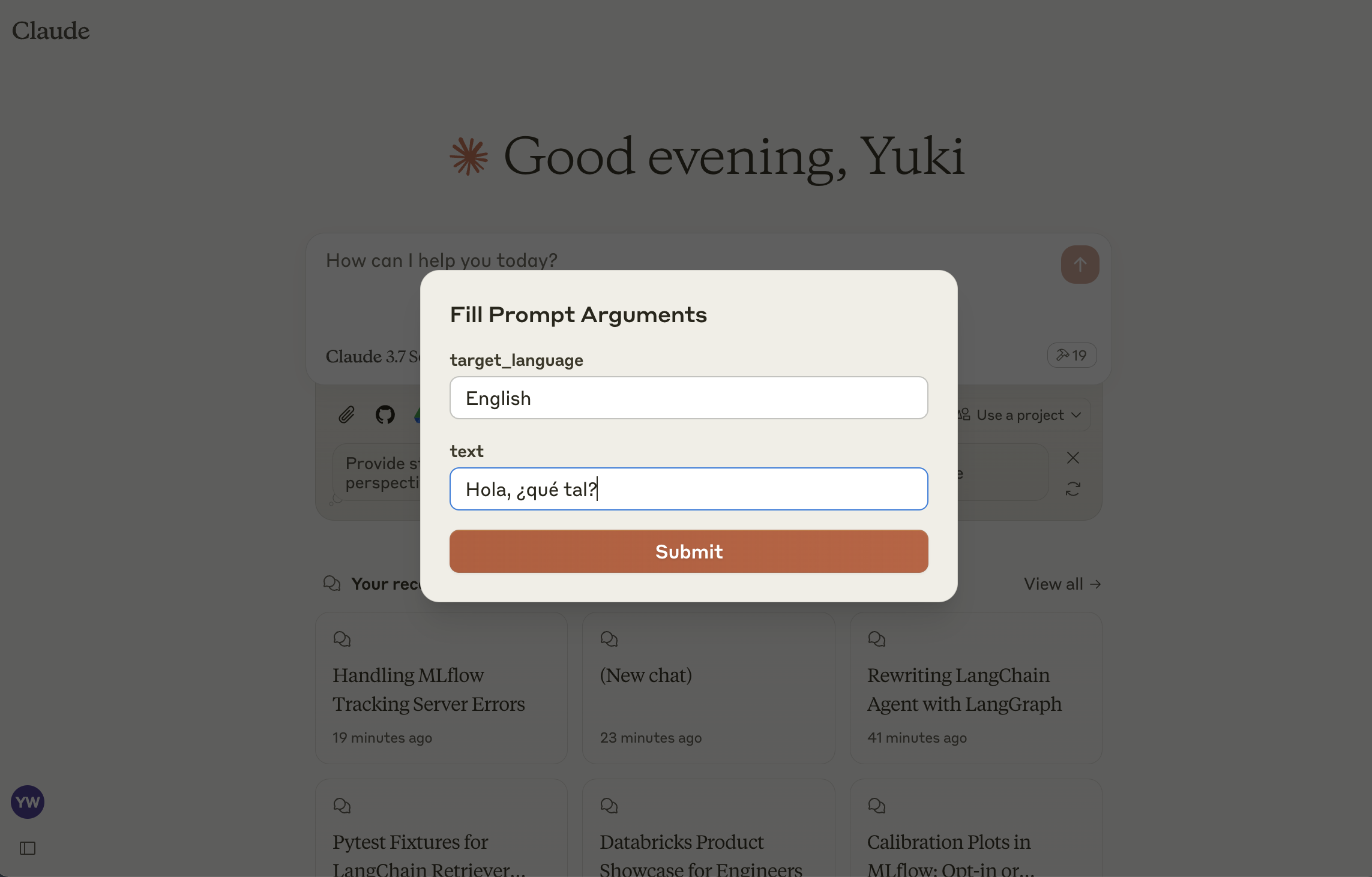
This server implements the MCP Prompts specification for discovering and using prompt templates from MLflow Prompt Registry. The primary use case is to load prompt templates from MLflow in Claude Desktop, allowing users to instruct Claude conveniently for repetitive tasks or common workflows.
Tools
list-prompts- List available prompts
- Inputs:
cursor(optional string): Cursor for paginationfilter(optional string): Filter for prompts
- Returns: List of prompt objects
get-prompt- Retrieve and compile a specific prompt
- Inputs:
name(string): Name of the prompt to retrievearguments(optional object): JSON object with prompt variables
- Returns: Compiled prompt object
Setup
1: Install MLflow and Start Prompt Registry
Install and start an MLflow server if you haven't already to host the Prompt Registry:
pip install mlflow>=2.21.1
mlflow server --port 5000
2: Create a prompt template in MLflow
If you haven't already, create a prompt template in MLflow following this guide.
3: Build MCP Server
npm install
npm run build
4: Add the server to Claude Desktop
Configure Claude for Desktop by editing claude_desktop_config.json:
{
  "mcpServers": {
    "mlflow": {
      "command": "node",
      "args": ["<absolute-path-to-this-repository>/dist/index.js"],
      "env": {
        "MLFLOW_TRACKING_URI": "http://localhost:5000"
      }
    }
  }
}
Make sure to replace the MLFLOW_TRACKING_URI with your actual MLflow server address.