SpriteRelay: Aseprite MCP Server
Aseprite MCP server for Claude, Cursor and Codex. Edits real .aseprite files with layers, frames and tags, live with native undo or staged with commit and rollback.
Documentation
kobold-hood-staff-venom.asepriteReal export
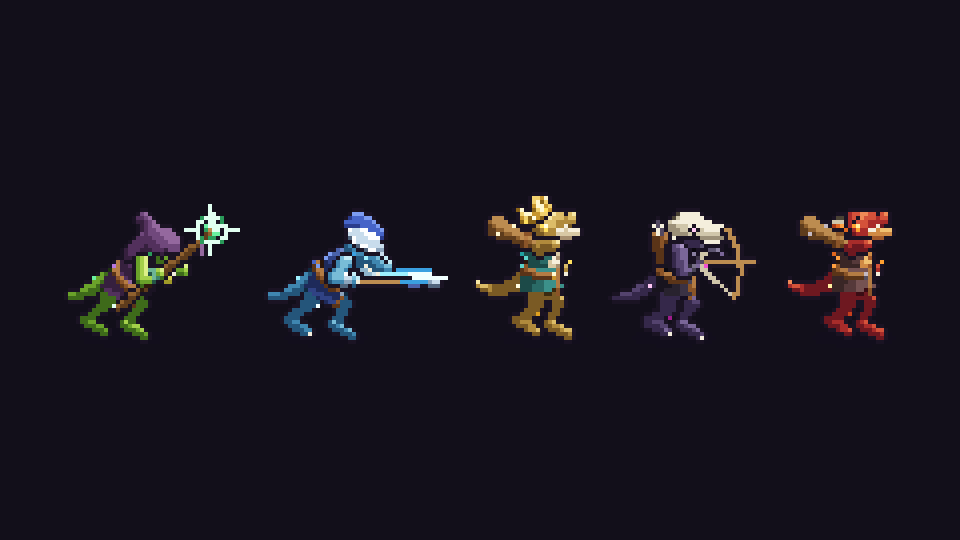
attack · staff
Layers
Palette · 48 slots
Tags
Tag data {"spawn":3,"muzzle":"muzzle · staff","projectile":"bolt","speed":140,"note":"spawn the projectile on this frame at the muzzle slice's pivot; speed in px/s"}
Open the file
Not a picture of a sprite. The sprite.
One of 100 kobold enemies an AI agent built through SpriteRelay, playing from its real exported sheet. The layers, the 48-colour palette, the tags and the hitbox data are read from the file.
builds published
.aseprite files, built step by step
frames, every one a real export
named, editable layers
Setup routes for Claude, Codex, Cursor, VS Code and other stdio MCP clients. See the setup guide
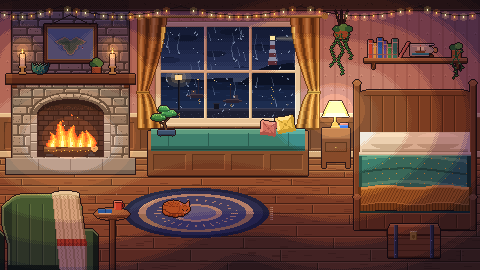
A frame from Cozy rainy night: 480×270, 11 layers, 672 frames in one file.
Real pixels
Zoom in. Every pixel is on the grid.
Image generators paint something that looks like pixel art. SpriteRelay gives your assistant the file itself: one colour per pixel, a real palette, named layers, frame timings and animation tags. You can open it, recolour it, and keep drawing.
- Layers, frames, tags, slices, palettes and tilemaps
- Exports: sheets with JSON, GIFs, atlases, palette variants
- Every change is reviewable before it becomes permanent
Move over the picture to look closer.Tap the picture to look closer.
Demos
Watch SpriteRelay in Aseprite
 Play
PlaySpriteRelay Live MCP demo
AI-assisted pixel art animation in the open Aseprite document.
 Video thumbnail: SpriteRelay CLI MCP demo
SpriteRelay CLI MCP demo AI-assisted pixel art automation through a staged Aseprite workflow.
Video thumbnail: SpriteRelay CLI MCP demo
SpriteRelay CLI MCP demo AI-assisted pixel art automation through a staged Aseprite workflow. Video thumbnail: Celeste-inspired pixel art made with AI in Aseprite
Celeste-inspired pixel art made with AI in Aseprite A screen recording of SpriteRelay Live building a mountain scene.
Video thumbnail: Celeste-inspired pixel art made with AI in Aseprite
Celeste-inspired pixel art made with AI in Aseprite A screen recording of SpriteRelay Live building a mountain scene. Video thumbnail: Aseprite MCP + AI pixel art setup: SpriteRelay Live and CLI
Aseprite MCP + AI pixel art setup: SpriteRelay Live and CLI Install, connect your assistant, and make a first edit.
Video thumbnail: Aseprite MCP + AI pixel art setup: SpriteRelay Live and CLI
Aseprite MCP + AI pixel art setup: SpriteRelay Live and CLI Install, connect your assistant, and make a first edit.
Builds
Characters, worlds and whole scenes
Each one built step by step by an AI agent through SpriteRelay CLI, with every frame a real export you can inspect.
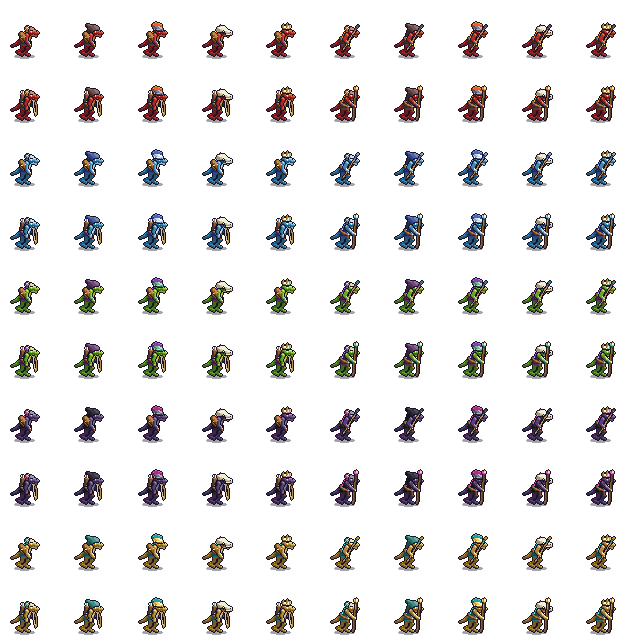 Playable
1 file · 43 frames
One enemy, a hundred enemies
One kobold enemy built in Aseprite by an AI agent, then cut and palette-swapped into 100 game-ready files with sheets, tags, hitboxes and timings.
Characters · Palette variants
 Playable
1 file · 304 frames
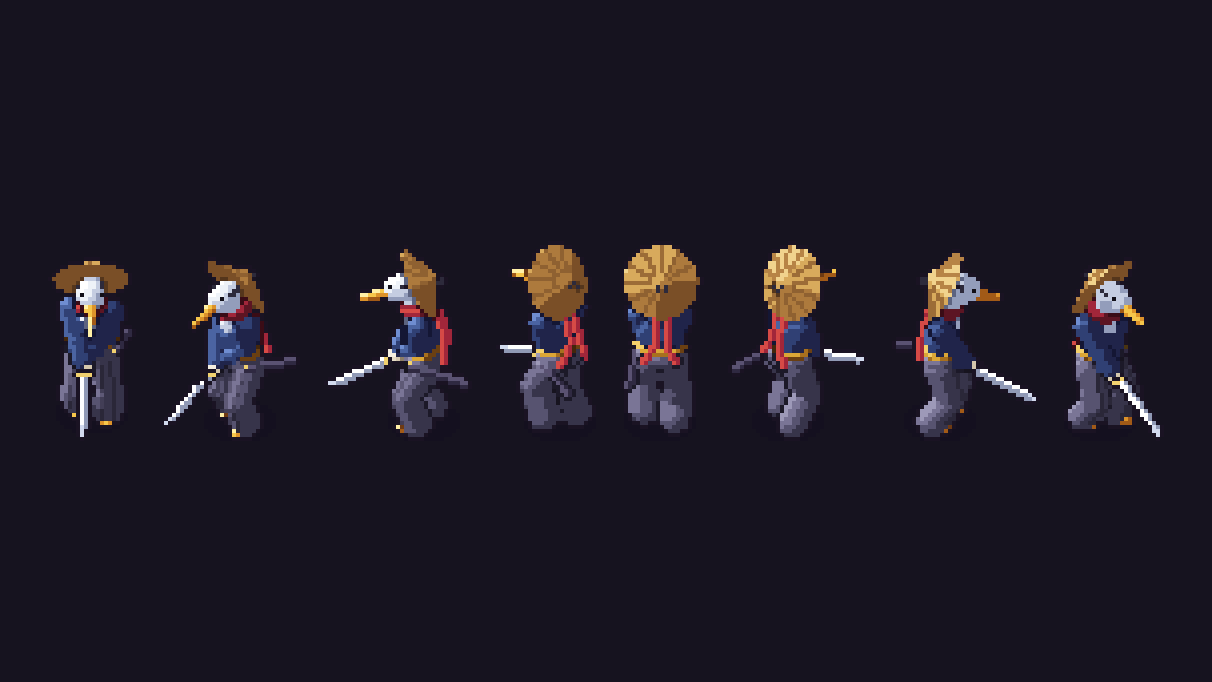
One sprite, eight directions
A 64×64 heron swordsman in all 8 directions: idle, walk, attack, hurt and death, 304 frames in one Aseprite file with tags, timings and hitboxes.
Characters
 Playable
1 file · 300 frames
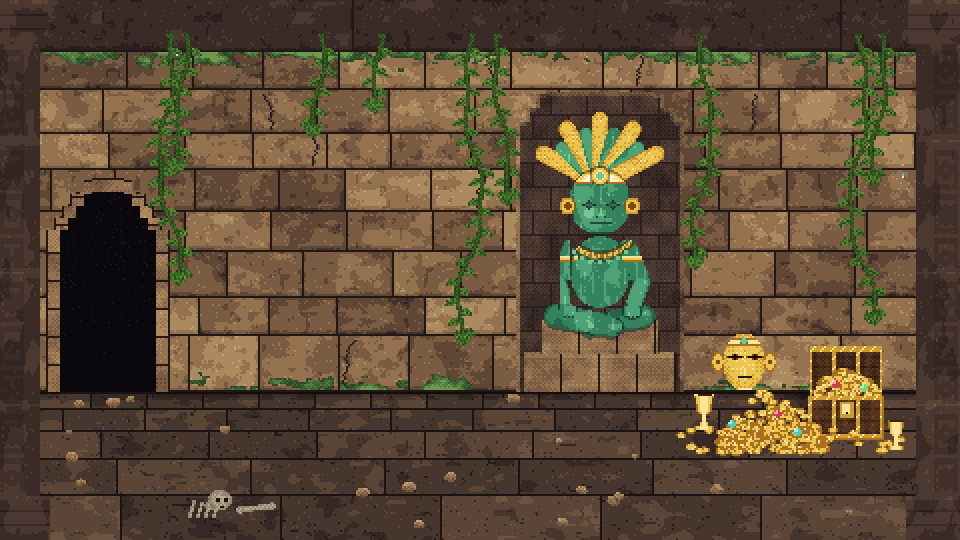
Light a pixel sprite
A jungle temple drawn three times in one Aseprite file: colour, normal and data maps. A moving torch then lights every brick, coin and hidden carving.
Light & depth · Animated scenes
2 files · 16 frames
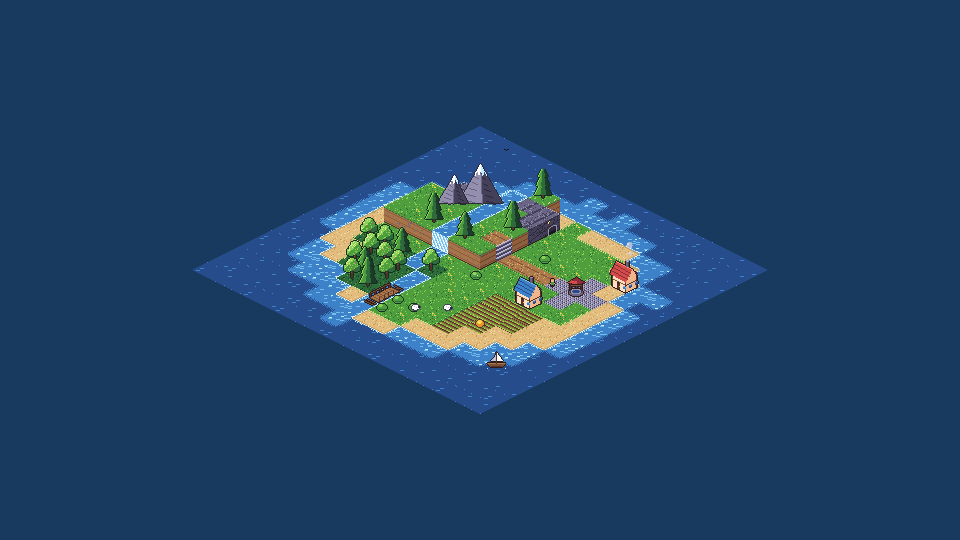
The isometric world
An isometric tile kit and a 96×96-diamond continent painted on real Aseprite tilemap layers, with forests, landmarks and animated water.
Worlds & tilemaps
1 file · 672 frames
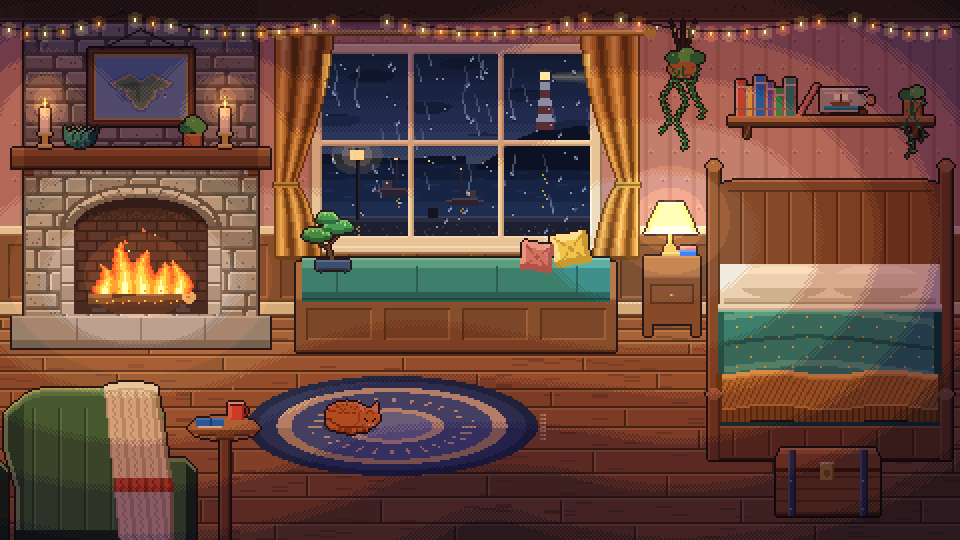
Cozy rainy night
A 480×270 cozy room with a fire, a cat and rain on the window: 672 frames, 17 tags and 11 layers in one Aseprite file, made for a 1-hour 4K ambience.
Animated scenes · Worlds & tilemaps
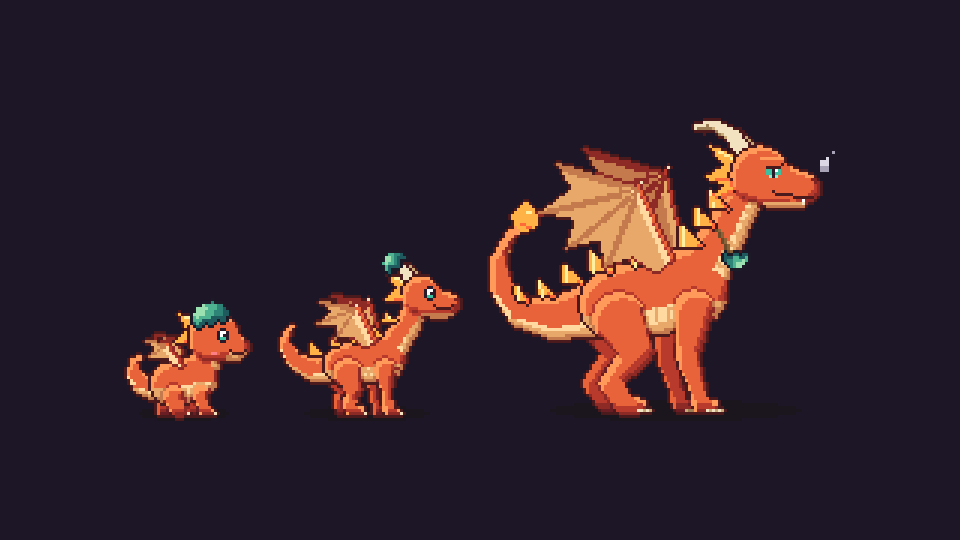
4 files · 84 frames
The dragon grows up
A hatchling dragon grows into a baby, a teen and an adult: three new game-ready sprites with walk, run, fly and fire animations, built in Aseprite.
Characters
Play
Play with the real exports
These pages load the actual exported sheets and data, so what you play is what the file contains.
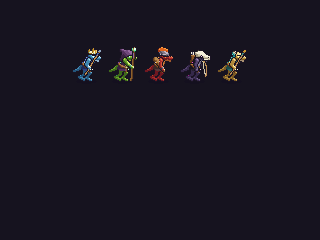 Enemy Forge Pick a head, a weapon and an element, then play any of the 100 kobolds with their hitboxes.Play now
 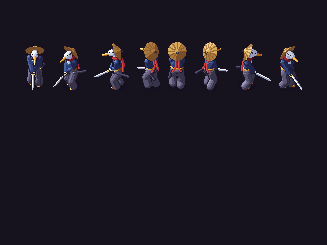 Play the Heron Walk the 8-direction heron around a courtyard and cut a straw dummy.Play now
 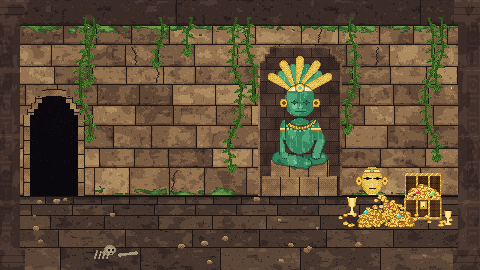 Light the Temple Carry the torch and watch the normal maps catch the light.Play now
How it works
See the change. Review it. Keep it, or recover.
New to MCP? Read the Aseprite MCP guide.
-
Understand the document
Inspect layers, frames, tags, linked cels, palettes, and available capabilities. -
Apply a validated change
Use structured operations in the open document or a staged working copy. -
Review the result
Render previews, compare changes, and inspect animation behaviour before accepting it. -
Keep or recover
Undo an existing-document Live patch, or explicitly commit and roll back staged work.
Live Aseprite editing
Use an AI assistant to inspect and change the active document while Aseprite remains open, see the result immediately, then continue or undo without leaving the editor.
Existing-document patches form one labelled native undo step. Creating a new document is the exception.
Staged Aseprite automation
Run batch sprite workflows in a retained temporary working copy: inspect, patch, preview, and export before choosing what is written to a production path.
file_commit is the only caller-path writer. It supports backups when overwriting, durable manifest journals, journal-based post-commit verification, and rollback.
Pricing
Choose Live, staged, or both
No subscription. Pay once, keep the version you bought.
Staged production
SpriteRelay CLI
once
Work in a retained staged copy so project files change only when you explicitly commit.
- Aseprite does not need to remain open
- Preview before writing to a project path
- Backups when overwriting, plus manifest journals, verification, and rollback
Recommended // Save $4.99
SpriteRelay Complete
once
Use Live for immediate iteration and CLI for controlled release work.
- SpriteRelay Live and matched Bridge
- SpriteRelay CLI
- Both recovery models
Immediate editing
SpriteRelay Live
once
Inspect and change the document already open in Aseprite, see the result immediately, then continue or undo.
- Requires open Aseprite and the matched Bridge
- One labelled undo step per existing-document patch
- Guarded export remains an explicit action
One-time USD prices, licensed per natural person. Aseprite is required and licensed separately. Complete is a digital download with automatic access after successful payment. No shipping charges.
Choose with confidence
| Question | SpriteRelay CLI | SpriteRelay Live |
|---|---|---|
| Must Aseprite be open? | No. It launches licensed Aseprite in batch mode. | Yes. It works with the running editor and active document. |
| Where do edits happen? | In a retained temporary working copy. | Immediately in the attached document. |
| How do I recover? | Discard staged work before commit. Overwrites create backups; manifest commits add durable journals, verification, and rollback. | One labelled native undo step for an existing-document patch. Creating a new document is outside existing undo history. |
| Best for | Repeatable batch production, exports, and controlled release work. | Visual iteration in the document already open in Aseprite. |
Included with your purchase
You receive the files for the product you choose. Complete includes both private packages and the matched Live Bridge. Read the setup guide
Private release packages
One or both .tgz files, according to your purchase.
Matched Aseprite extension
The Live Bridge, included with Live and Complete.
Documentation and checksums
Install, pairing, recovery, notices, and AI-assisted setup guidance.
Per-user major-version entitlement
Includes updates within the same major version if released; a future major version may be priced separately.
Why SpriteRelay
Keep your Aseprite projects editable, reviewable, and ready to ship
Use Live for immediate visual decisions and CLI for controlled production changes without giving up source structure or a clear recovery path.
Preserve document structure
Work with layers, frames, tags, palettes, and linked cels. When supported and enabled, persistent UUIDs keep layer targeting reliable after renames or reordering.
Automate the work around each sprite
Compose reusable parts, generate palette variants, edit tilemaps, audit animations, and build repeatable export recipes.
Catch problems before delivery
Find empty or duplicate frames, inspect timing, compare rendered changes, and preview outputs before keeping them.
Use validated actions
No raw-Lua or arbitrary-code channel is exposed through either product.
Technical interface
Broad capability. A compact MCP surface.
SpriteRelay groups a wide Aseprite operation set into a small number of purpose-built tools, helping agents choose the right action without navigating hundreds of endpoints or exposing an arbitrary-code channel.
Top-level tools across CLI and Live
Patch operations in the CLI public inventory
Patch operations in the Live public inventory
Six purpose-built tools group typed operation families behind clear boundaries. This is designed to reduce tool-schema context and repeated definition tokens while making operation selection clearer; actual token use depends on the MCP client, model, and request. Inventory counts include reserved and capability-gated entries.
Questions
Know what you are buying
Still unsure? Email support@spriterelay.com before you spend anything.
What is SpriteRelay?
SpriteRelay is local Aseprite MCP software. Live edits the active document through the matched Bridge; CLI stages batch automation before an explicit production commit.
What is Aseprite MCP?
It is a Model Context Protocol workflow that gives a compatible AI assistant structured tools for Aseprite. Read the Aseprite MCP guide.
What is the difference between Live and CLI?
Live targets the document open in Aseprite for immediate iteration. CLI works in a staged copy for batch and controlled production work, with preview and explicit commit. Overwrites create backups, while manifest commits support durable journals, verification, and rollback.
What software does SpriteRelay require?
You need Node.js 18 or newer, your own licensed Aseprite installation, and an MCP client that supports local stdio servers. Live also requires Aseprite to remain open with the matched Bridge installed. See the setup guide.
Is this an AI image generator?
No. SpriteRelay gives your AI assistant structured tools to build and edit real .aseprite files: layers, frames, tags, palettes, tilemaps and exports. The pixels are placed on Aseprite's own grid, and the file stays editable by you afterwards.
Is the licence per user?
Yes. One licensed person may use SpriteRelay on multiple devices they control. Each additional direct user needs a licence unless separate written team or site terms apply. The EULA controls.
Which updates are included?
A licence includes updates within the same major version if released. A future major version may require another purchase, and no future update is promised. See the update terms.
What is the refund policy?
Direct buyers may request a refund within 14 days. For immediately delivered digital content, that right may end after delivery begins if the buyer consented and acknowledged the loss of the right. Storefront terms and mandatory law also apply; see the refund terms.
What support is included?
Best-effort installation, compatibility, documentation, and reproducible-bug support may be available at support@spriterelay.com. Response and resolution times are not guaranteed.
Which Aseprite versions are supported?
The current CLI baseline is Aseprite 1.3.18.1 with Lua API 40. Live requires Aseprite 1.3-rc5 or newer with Lua API 25 or newer. Version-sensitive CLI features are capability-gated.
What does SpriteRelay Complete contain?
Complete contains SpriteRelay Live, SpriteRelay CLI, and the matched SpriteRelay Live Bridge under one per-user licence.
What happens if a Live edit is interrupted?
An interrupted mutation is marked uncertain and is never silently replayed. Inspect the document and undo if needed before continuing.
Will it overwrite my source files?
CLI changes staged copies until file_commit. Live patches the open document but does not save it to disk; existing-document patches form one undo step, with new-document creation as the exception. Permanent exports require an explicit commit; manifest commits use durable journals.
Does SpriteRelay upload my artwork?
SpriteRelay itself does not upload artwork during ordinary use; core processing and optional diagnostics stay on your device. Your MCP client or AI provider may process data under its own privacy terms. Read how SpriteRelay handles local processing or the privacy terms.
Can the agent execute arbitrary Lua?
No. Both products accept validated operations; neither exposes a raw-Lua or arbitrary-code channel.