Seedance 2.5— Free Online
Create cinematic video with the Seedance 2.5 AI video generator on SeedGen — up to 30 seconds, 480p or 720p output, and up to 50 mixed references.
Documentation
Create with the Seedance 2.5 video model
Seedance 2.5 AI Video Generator
Create cinematic AI videos with Seedance 2.5. Blend text, images, video, and audio in one multimodal workflow—with synced sound and consistent characters.
Runs in the browser · no install · new accounts start free
1080p
Current max output
480p, 720p, and 1080p available
30s
Single-shot clip
One continuous take
50
Reference inputs
Multimodal, mixed media
1:1
Local editing
Edit a region, keep the rest
What's New in Seedance 2.5
Explore the Latest Seedance 2.5 Upgrades
Seedance 2.5 is built for more complete creative tasks, with longer storytelling, stronger multimodal reference control, and more precise video editing. Here are the upgrades that make the biggest difference in real-world creation.
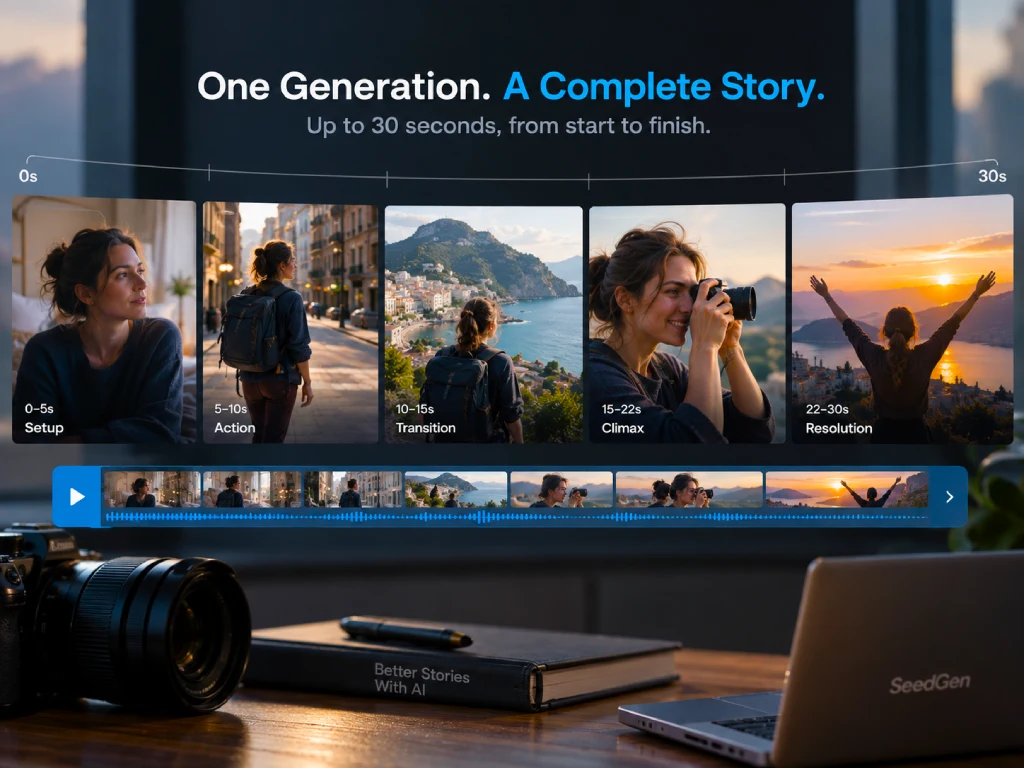
30-Second Storytelling in One Generation
Create videos up to 30 seconds in a single generation, with enough room for setup, action, transitions, and resolution. Seedance 2.5 is designed to handle connected shots and scene changes as part of one coherent story instead of simply extending a single moment.
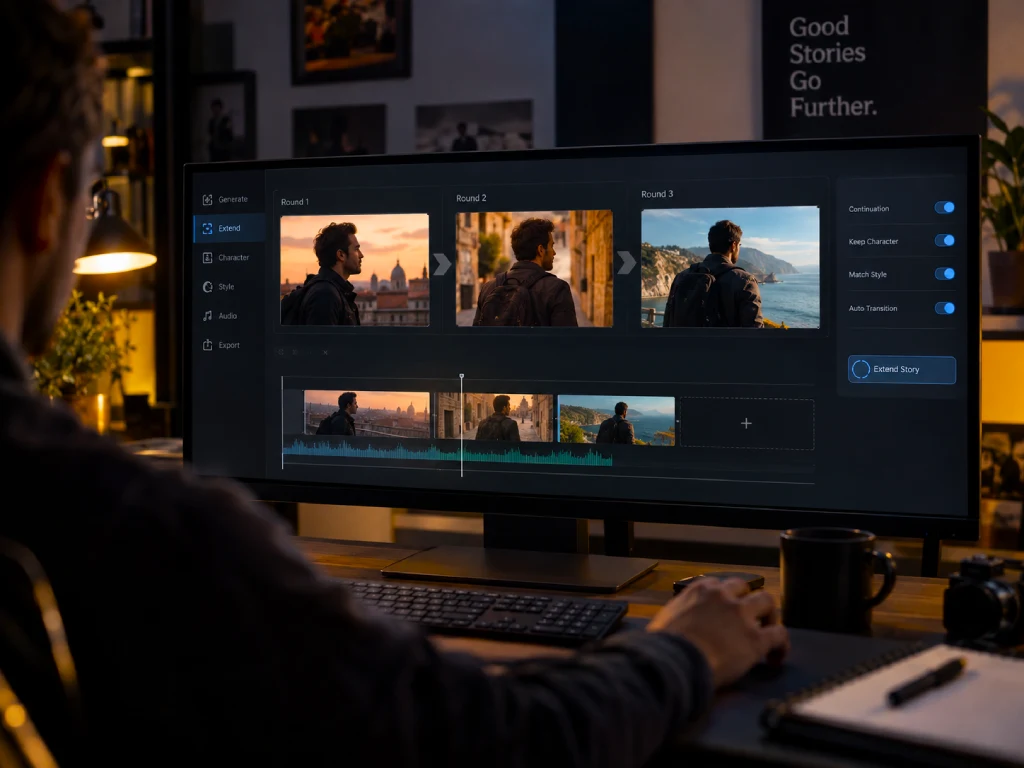
Multi-Round Extension for Longer Stories
Continue beyond the initial generation with multi-round video extension. Seedance 2.5 improves continuity across longer sequences, helping maintain a more consistent visual and audio language as the story develops.
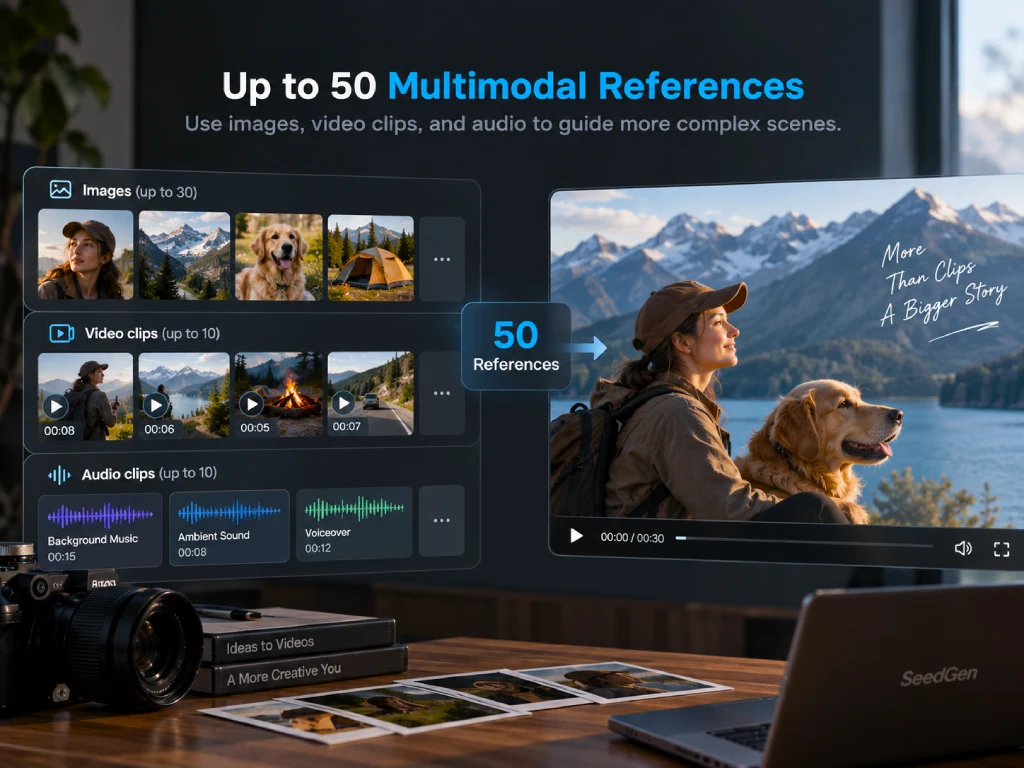
Up to 50 Multimodal References
Guide a generation with up to 30 images, 10 video clips, and 10 audio clips in a single request. Use references for characters, environments, props, visual style, motion, sound, and other creative details across more complex scenes.
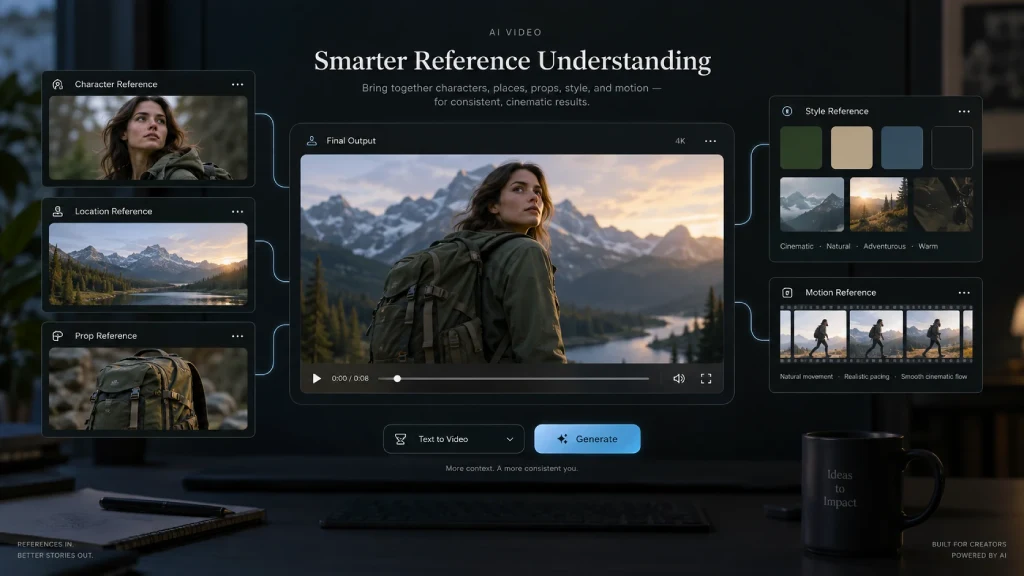
Smarter Reference Understanding
Seedance 2.5 goes beyond basic reference matching. It can interpret composition, characters, scenes, styles, props, motion, and creative intent across multiple inputs, giving you more control over multi-character and multi-scene videos.
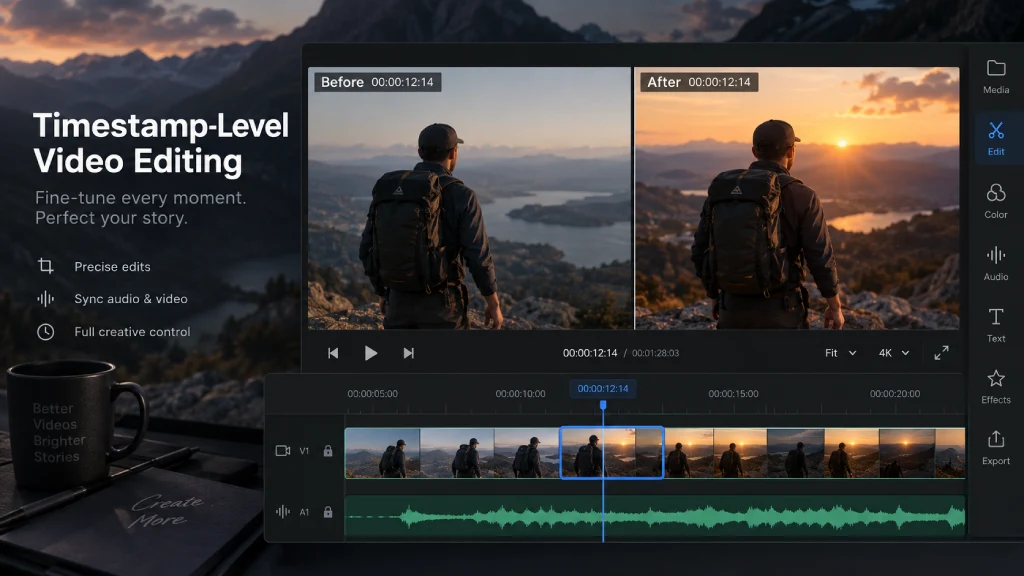
Timestamp-Level Video Editing
Make targeted changes at specific moments instead of regenerating the entire video. Timestamp-level control lets you identify where an edit should happen and refine audio or visual content with greater precision.
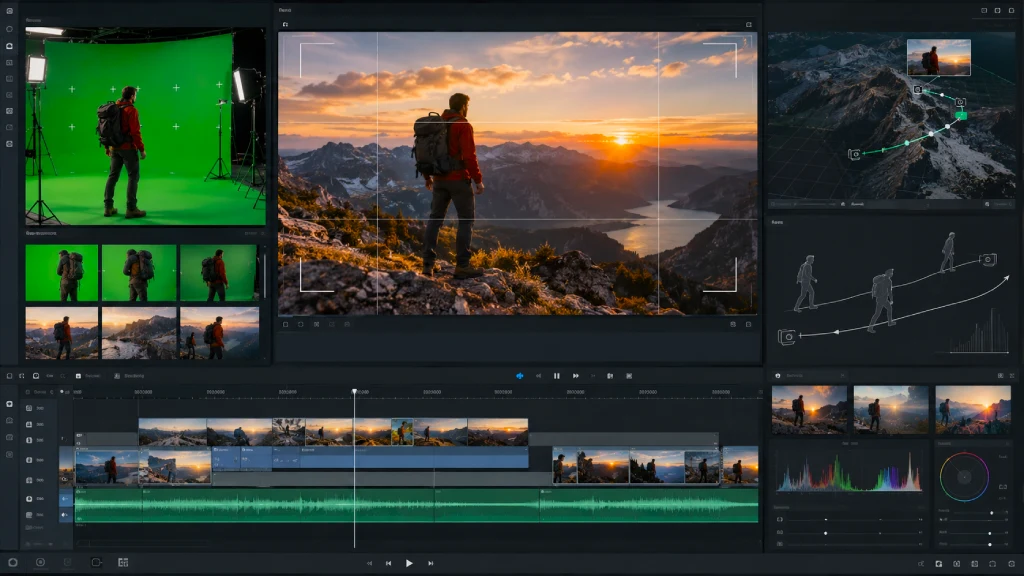
More Professional Production Control
Seedance 2.5 expands editing and production capabilities with features such as green-screen editing, camera-perspective control, reference-based editing, professional camera movement, and performance blocking for more demanding creative workflows.
Showcase
Seedance 2.5 showcase: from idea to a finished scene
Real frames from the Seedance generation family — the quality Seedance 2.5 brings to 30-second single shots and finished, production-ready work.
How it works
Seedance 2.5: from prompt to video in four steps
01
Describe the shot
Name the subject first, then setting, lighting, mood, and the camera move. A specific brief gives Seedance 2.5 a clear target and fewer retries.
02
Add references
Bring up to 50 images or frames to lock a character, a product, or a look — Seedance 2.5 holds them consistent across the clip.
03
Set the format
Pick an available aspect ratio, choose 480p, 720p, or 1080p, and set a clip length from 4 to 30 seconds.
04
Generate & refine
Preview, keep the takes that work, and adjust one variable at a time. Local editing lets you fix a region without re-rolling the whole shot.
Need a deeper walkthrough? Read the Seedance 2.5 step-by-step guide.
Use cases
What you build with Seedance 2.5
One model, many jobs — from a quick social clip to a finished, repeatable scene.

Film, trailers & short drama
Seedance 2.5 uses a continuous 30-second take to carry a real beat — an establishing shot, a turn, and a resolution — without cutting between fragments. Bring a set of references and an ensemble stays on-model from the first frame to the last, which is what turns a lucky generation into a usable scene.

Ads, ecommerce & campaigns
Seedance 2.5 region-level editing pays off here: approve one polished spot, then re-cut it for each market — swap a product, a price, or a line of on-screen text — while the shot, lighting, and quality stay identical. One asset becomes a dozen localized versions without a reshoot.

Game, product & pre-visualization
Drive Seedance 2.5 previz straight from a reference set — feed in white models plus material references and get back a fully rendered clip. Even in dynamic shots like collisions, structure, proportion, and motion stay stable, so earlier design assets and shot plans carry straight over.
2.5 vs 2.0
Why Seedance 2.5 is a real upgrade
The previous generation is still a capable, fast drafting tool. Here is what genuinely changes — the Seedance 2.0 generator stays available for quick drafts.
Length
Earlier single shots were useful for a few seconds at most; Seedance 2.5 renders one continuous take up to 30 seconds long. That is the difference between a clip you cut together from fragments and a shot that carries a beat, a turn, and a resolution in one pass — without the seams where a face shifts or the lighting jumps between cuts.
References
Seedance 2.5 takes up to 50 full-modal assets in a single generation — images, frames, even white models and material references — and understands them together. A whole cast and its environments stay on-model across the clip, holding a consistency a single reference never could.
Editing
Region-level editing lets Seedance 2.5 change one element while the rest of the frame stays identical — fix a detail, or re-cut a finished ad for another market — so the output is genuinely editable and deliverable instead of something you re-roll from scratch. For a team on a deadline, that is the whole point of the upgrade.
Starter
A simple way to start creating with SeedGen.
$10
One-time payment
Includes
- 300 credits · $0.033 / credit
- Create up to 20 5-second videos*
- Access to Seedance 2.5 & Wan 3.0
- Generate videos up to 30 seconds
- Up to 1080p Full HD
- Commercial use included
- Credits never expire
MOST POPULAR
Creator
Built for regular creators and ongoing projects.
$30
One-time payment
Includes
- 1,000 credits · $0.030 / credit
- Create up to 66 5-second videos*
- Access to Seedance 2.5 & Wan 3.0
- Generate videos up to 30 seconds
- Up to 1080p Full HD
- Commercial use included
- Credits never expire
Pro
More credits for frequent and higher-volume creation.
$99.90
One-time payment
Includes
- 3,500 credits · $0.029 / credit
- Create up to 233 5-second videos*
- Access to Seedance 2.5 & Wan 3.0
- Generate videos up to 30 seconds
- Up to 1080p Full HD
- Commercial use included
- Credits never expire
*Estimate based on Wan 3.0 Standard at 480p. Actual credit use varies by model, resolution, duration, and generation mode.
Looking for more pricing details? Visit our Pricing page.
Seedance 2.5 questions
Answers about Seedance 2.5 — what's new, references, output settings, pricing, and commercial use.
It is SeedGen's video workflow built on the Seedance 2.5 model — the next generation in the Seedance line, built for finished work rather than quick drafts. You start from a text prompt or images, add references, set format and length, and generate a cinematic clip in the browser.
 Get started
Create your first Seedance 2.5 shot
Open the Seedance 2.5 generator, bring your references, and turn a single prompt into a finished scene.