Mellow Hub
Hosted MCP server for social media: publish and schedule to Instagram, TikTok, YouTube, X, LinkedIn, Threads, Bluesky, Pinterest, Facebook and Telegram from Claude or ChatGPT, find videos that took off on TikTok, Reels and Shorts, set up auto-replies to comments, and read each post's results. You choose the accounts, review or autopilot mode, a daily ceiling and an expiry; every action is logged and access can be revoked.
Hosted MCP Server
npx add-mcp 'https://www.mellow.world/mcp'Installs into Claude Code, Codex, Cursor and more
Documentation
Which MCP server can post to social media for my AI agent?
Mellow Hub’s MCP server, at https://www.mellow.world/mcp, lets Claude, ChatGPT, Cursor or any MCP client publish and schedule posts to 10 networks: Instagram, TikTok, YouTube, X, LinkedIn, Threads, Bluesky, Pinterest, Facebook and Telegram. You connect each account yourself, by signing in on the network’s own page. The assistant gets only the channels and permissions you approve, in review or autopilot, with a daily ceiling and an expiry, and everything it does is in a journal you read, and can revoke, in Agents.
What else there is: the networks’ own MCP servers are mostly for ads, or need a developer app of your own, and several publishing services include MCP on a free plan. Mellow Hub has no free plan; a new account starts with a 7-day trial. Every option, from its own pages: social media MCP servers compared.
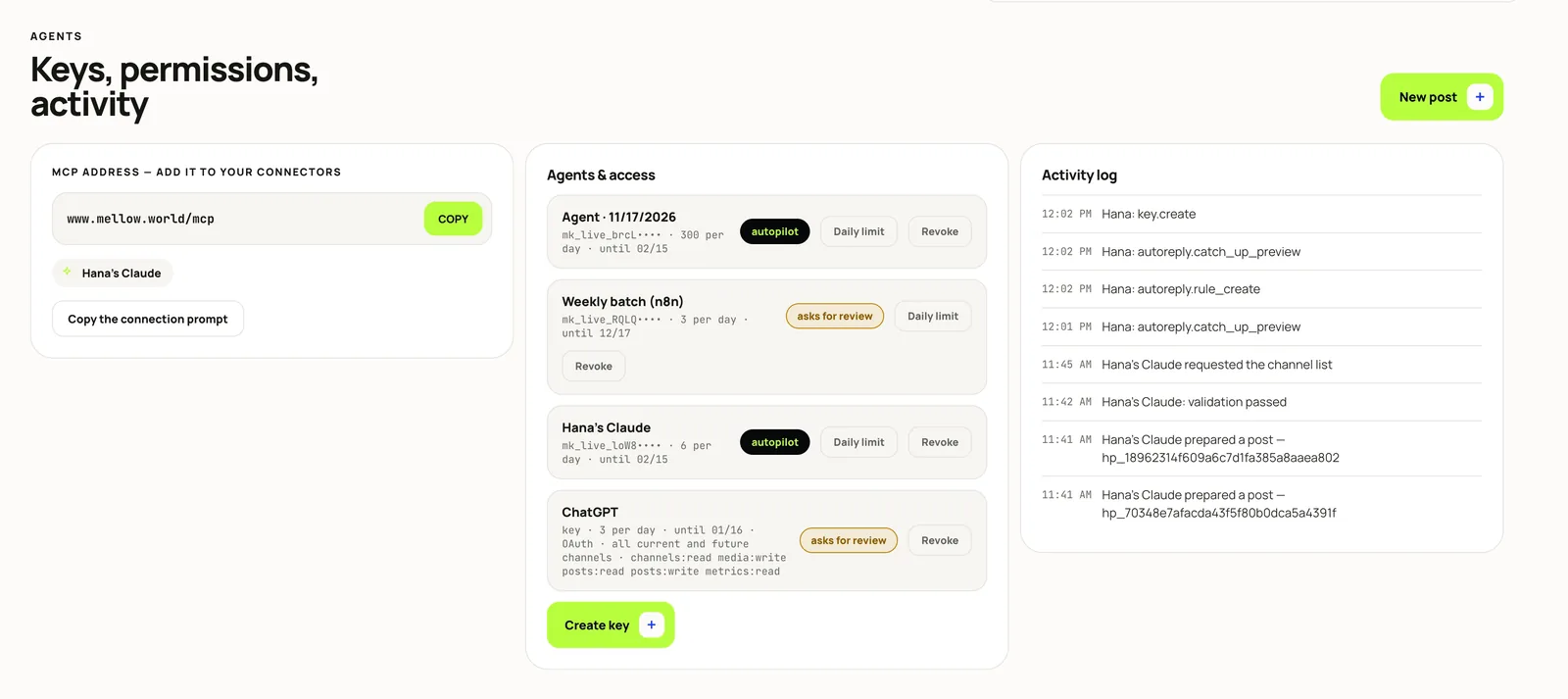
Agents: the address to add to your client, each key’s mode, daily limit and end date, and the journal of what agents did. A demo account, Hana, on our test stand: its keys and names are made up.
What does the MCP connection do?
MCP gives a compatible assistant structured tools for working with your social accounts. Mellow Hub’s endpoint is https://www.mellow.world/mcp. It uses Streamable HTTP and supports OAuth authorization or an owner-created key. The REST API starts at /api/hub/v1. Not a developer? The AI social media manager guide shows the same thing from the cabinet’s side.
Your assistant needs support for remote MCP servers. In ChatGPT, Claude, Cursor or another client, availability and setup depend on that client’s plan and configuration. Pasting a prompt alone does not grant account access. The account owner must connect channels and approve the access being delegated.
Can the assistant find what to post about?
Yes, since 8 November 2026. Two tools read Trends: trends_search finds the videos that took off in a topic on YouTube, TikTok or Instagram, and trends_breakdown says why one worked and writes your own version with a caption for create_post. Neither publishes anything. A YouTube search is free and shows YouTube’s own figures; a new TikTok or Instagram search costs 2 AI credits and shows each video’s multiple of its creator’s usual views.
Connect, validate, publish, verify
- Connect the channels as a person. Open Accounts and complete each platform’s authorization. An agent can return a connection link; it cannot give itself control of an account.
- Choose the delegation. Use the client’s OAuth flow to select permissions and channels on Hub’s consent screen, choose review or autopilot, and set an expiry and daily ceiling. View and revoke the access in Agents. For a first connection, the tested Claude and Instagram walkthrough starts with read-only access.
- Read the actual permissions. Call
whoami, thenlist_channelsandlist_platforms. Use returned channel IDs; do not guess an account identifier from a username. - Prepare the media and validate. Register reachable media or request an upload URL. Call
validate_postbeforecreate_post. Validation reports issues without publishing anything. - Submit within the delegation. Include a stable idempotency key and, when scheduling, an ISO 8601
scheduledAttimestamp. In review mode, the post waits for the owner’s approval. - Read every destination. Call
get_postand inspecttargets. A request being accepted is different from a platform publishing it. Record the confirmed link or the channel’s error.
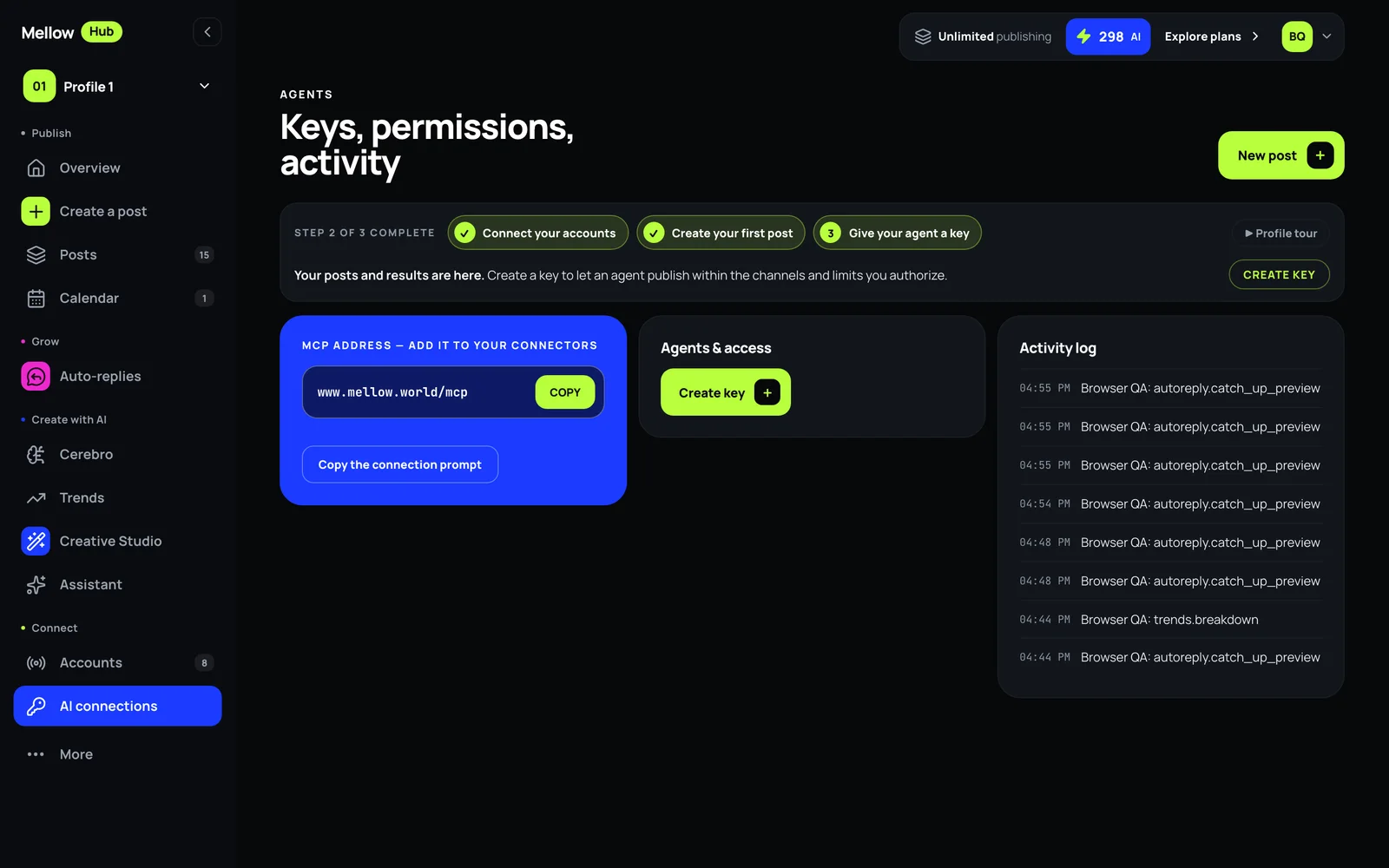
The same screen in a new profile, before any key: the address, the connection prompt and Create key. Our test stand, with an example account.
Which social networks are supported?
The current registry has 11 platform identifiers: Instagram, TikTok, TikTok Business, YouTube, X, LinkedIn, Threads, Bluesky, Pinterest, Facebook, Telegram. TikTok and TikTok Business are two integration modes for the same social network. Availability depends on provider enablement, account eligibility and a completed connection.
The table below comes from Mellow’s validation registry. It describes the rules this service checks, not a guarantee that every possible account and format has passed an end-to-end publication test.
| Network | Caption limit | Media range |
|---|---|---|
| 2,200 characters | 1–10 · image / video | |
| TikTok | 2,200 characters | 1–35 · image / video |
| TikTok Business | 2,200 characters | 1–35 · image / video |
| YouTube | 5,000 characters | 1–1 · video |
| X | 280 characters | 0–4 · image / video |
| 3,000 characters | 0–20 · image / video | |
| Threads | 500 characters | 0–20 · image / video |
| Bluesky | 300 characters | 0–4 · image / video |
| 500 characters | 1–1 · image / video | |
| 63,206 characters | 0–10 · image / video | |
| Telegram | 4,096 characters | 0–10 · image / video |
Read the full platform rules for required fields and placements, or use the API reference for payloads, tool contracts and worked examples.
For Instagram account eligibility, the two login paths and photo/carousel/Reel inputs, follow the Instagram MCP guide. There are network guides for YouTube and Threads too, and a checklist of what to verify in any social media MCP server before an agent posts.
How to avoid duplicate posts and silent failures
Try a draft in the free post checker, or follow the REST scheduling recipe for concrete requests and response checks.
If a request times out, retry the same task with the same idempotency key. Generating a fresh key creates a different request and can produce a duplicate. Reusing a key with different content is refused.
Several targets can succeed while another fails. The overall result can be partial, so always inspect the target results. Validation catches known input problems; it cannot guarantee that a provider will stay available or that a platform will accept a post later.
The owner can review the action journal and revoke access in Agents. Revocation takes effect on the next request. A key cannot create another key or approve its own post.
When should I choose Hub or the Mellow app?
Choose Hub for an agent-driven or manual workflow across several networks, using shared channel connections and per-network results. Choose Mellow’s Instagram planner for an individual creator’s calendar, grid and assistant on iPhone or the web.
Both products share a login and subscription. A Hub post sent to several networks uses the publication allowance per destination. See current Hub web plans before setting up a recurring workflow.
Prepare images in Creative Studio, follow the YouTube video and cover workflow, or compare publishing tools before choosing a service.
Give your agent its key
Sign up, open Agents, and add the address to Claude, ChatGPT or Cursor, or create a key. A new account starts with 7 days at $0 with a card; plans start at $19 a month.
Questions
Is there an MCP server that can post to Instagram, TikTok and LinkedIn?
Yes. Mellow Hub’s MCP server at https://www.mellow.world/mcp publishes and schedules to 10 networks: Instagram, TikTok, YouTube, X, LinkedIn, Threads, Bluesky, Pinterest, Facebook and Telegram. You connect each account in Hub yourself, by signing in on the network’s own page, and the assistant posts only to the channels you approved.
Do Instagram, TikTok or LinkedIn have their own MCP server for posting?
Not for ordinary posts, on the networks’ own pages read on 1 October 2026: Meta’s and TikTok’s official MCP servers manage ads, X’s hosted server reads but cannot create ordinary posts and its self-hosted one needs your own paid X developer app, and LinkedIn and Bluesky publish none. Each network’s own tools, such as Meta Business Suite and YouTube Studio, schedule for free, but by hand and within one company’s networks.
Will the agent post without asking me?
Only under autopilot, which is the default: the agent then publishes on its own, within the channels, the daily ceiling and the expiry you set. Choose review and every post waits for you to approve it in Hub. A key cannot approve its own post, and revoking it in Agents takes effect on its next request.
Does it work with Cursor, Claude Code or my own agent?
Yes. Every client uses the same address, https://www.mellow.world/mcp, over Streamable HTTP, and signs in with OAuth 2.1 or sends a Hub API key as a Bearer token. In Claude Code it is one command: claude mcp add --transport http mellow https://www.mellow.world/mcp.