Kapwing MCP
Work with your Kapwing workspace from Claude, ChatGPT, and other agents: upload footage, add subtitles, dub and translate videos, generate and edit videos, and fetch exports without leaving the chat.
Hosted MCP Server
npx add-mcp 'https://www.kapwing.com/mcp'Installs into Claude Code, Codex, Cursor and more
Documentation
Connector URL https://www.kapwing.com/mcp
How to edit videos with the Kapwing MCP
1
Copy the Kapwing MCP URL
2
Open Settings → Connectors
In Claude or ChatGPT, add a custom connector, name it Kapwing, and paste the URL.
3
Click Add → Connect, sign in with your Kapwing account — you're set. Ask your agent to upload a clip, subtitle it, or grab your last export.
Your video toolbox, driven by chat
Upload footage
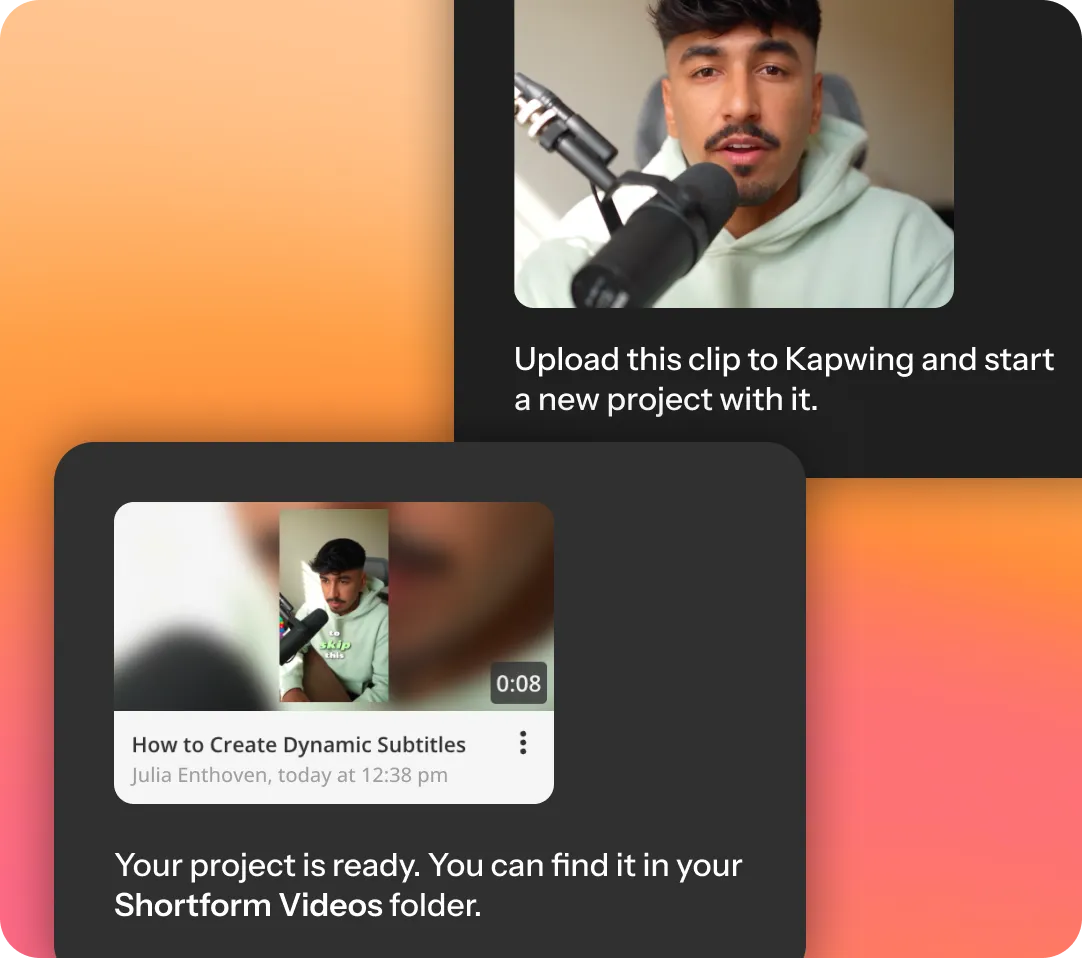
Send your agent a file, a link, or a folder and it lands straight in your Kapwing workspace, ready to edit. Ideal for translation integrations, adding subtitles automatically, and sharing assets with your editing team.
Upload this clip to Kapwing and start a new project with it.
Grab your latest export
Edit videos
Prompt to video
Add subtitles
Translate subtitles
AI dubbing
Sync B-roll
Made for how creative teams actually work
Collaboration baked in
The agent works inside your Kapwing workspace, so you can see its work, edit projects, share outputs, and manage everything from your cloud workspace — whether you're collaborating with people or with AI.
No integration overhead
Connect to Kapwing's editing and localization tools without building or maintaining an API integration.
Works where you already work
Available through Claude Web, Claude Desktop, Claude Code, Cowork, and ChatGPT — wherever you're already talking to an agent.
Secure by default
OAuth authentication tied to your Kapwing account. No API keys to generate, rotate, or expose.
Uses your workspace credits
Every action runs on the workspace credits already included in your Kapwing plan. No separate charges, no new billing.
Available to any Kapwing account
Free, paid, or team — if you have a Kapwing account, you can connect the MCP.
Your account, your rules
Authentication
Kapwing MCP uses OAuth. Each person authenticates with their own Kapwing account. There's no shared org-level access, so your agent only ever sees the projects and exports you personally have access to.
Permissions
Your agent can do whatever you could do in Kapwing directly. If you can view a project, it can retrieve it; if you can edit it, it can edit it. Admins can turn MCP access on or off from Kapwing workspace settings.
Availability
MCP access — upload, latest export, subtitles, translated subtitles, and AI dubbing — is available on all Kapwing plans, including free accounts, and runs on your existing workspace credits.
Frequently Asked Questions
We have answers to the most common questions that our users ask.
Do I need an API key?
No. Kapwing MCP uses OAuth tied to your Kapwing account. No API key required.
How to set up in Claude
To set up the Kapwing MCP in Claude, open Settings → Connectors and select the option to add a custom connector. Name it Kapwing and paste https://www.kapwing.com/mcp as the connector URL. Click Add → Connect, then sign in to your Kapwing account to authorize access. Use this MCP tutorial for further guidance.
How to set up in ChatGPT
To connect the Kapwing MCP to ChatGPT, open Settings → Connectors and add a custom connector. Enter Kapwing as the name and use https://www.kapwing.com/mcp as the connector URL. Click Add → Connect and sign in to your Kapwing account to authorize the connection. Use this MCP tutorial for further guidance.
How much does the Kapwing MCP cost?
The Kapwing MCP runs on the workspace credits included in your existing Kapwing plan. There's no separate MCP fee. However, you may deplete credits faster than expected when using the MCP. Monitor your usage in Workspace Settings, or ask "how many Kapwing credits do I have left?" to stay on top of your usage.
Which Kapwing plans support MCP?
All Kapwing plans, including free accounts. Heavier usage (large uploads, frequent dubbing/translation) will draw down credits faster, so higher-tier plans go further. Review available credits on our pricing page.
Does this give my agent access to my whole team's projects?
No. Access is per-user, not org-wide. Each teammate connects with their own Kapwing account and only reaches the projects they already have permission to see or edit.
What can my agent actually do with Kapwing?
Kapwing's MCP allows creators to use Claude and ChatGPT as a shortcut to editing videos and creating content. You can upload media to the AI agent directly or retrieve exports directly from Kapwing. Edit and generate videos or images, add subtitles, translate subtitles, dub videos, create voice clones, sync B-roll, and combine and assemble footage. More Kapwing tools are coming to MCP over time.
What's the difference between this and the Kapwing API?
Kapwing does not at this time have an API or SDK for developers. The MCP is a version of the API wrapped so an AI agent can use it conversationally, with no integration code required. Creative teams can set up access to Kapwing from Claude Cowork and ChatGPT Work so they can use LLM features like automations, script writing, and cloud storage seamlessly with Kapwing video creation and editing workflows.
Is my data secure?
Yes. Authentication happens through OAuth against your own Kapwing account, so your agent only ever accesses projects and exports you already own. Kapwing does not share your data or use it for training AI models.
Can I buy more credits?
Business and Enterprise users can buy more credits in Workspace Settings. Contact us for information about the Enterprise plan.
Ready to give your agent a video workspace?
Free, paid, or team — connect Kapwing in under a minute.