Bigshot
Bigshot's built-in MCP server lets coding agents search your Mac screenshots by text, description or similar image, and look up the source code behind them. Runs on your Mac with the Bigshot app.
Documentation
Supercharged screenshots for Mac.
Capture, annotate, organise, and find your screenshots and copied images. Right under your notch.
-
Recent captures in the notchHover to see them, click to edit, drag one out.
-
[ShortcutsHover the notch and press one key to switch the Project, the tag, or the capture mode, or to start any tool.
Tag new capturesT
1No tag
2checkout
3new landing
4onboarding
PProjectTTagMMode
CSLAIROH
-
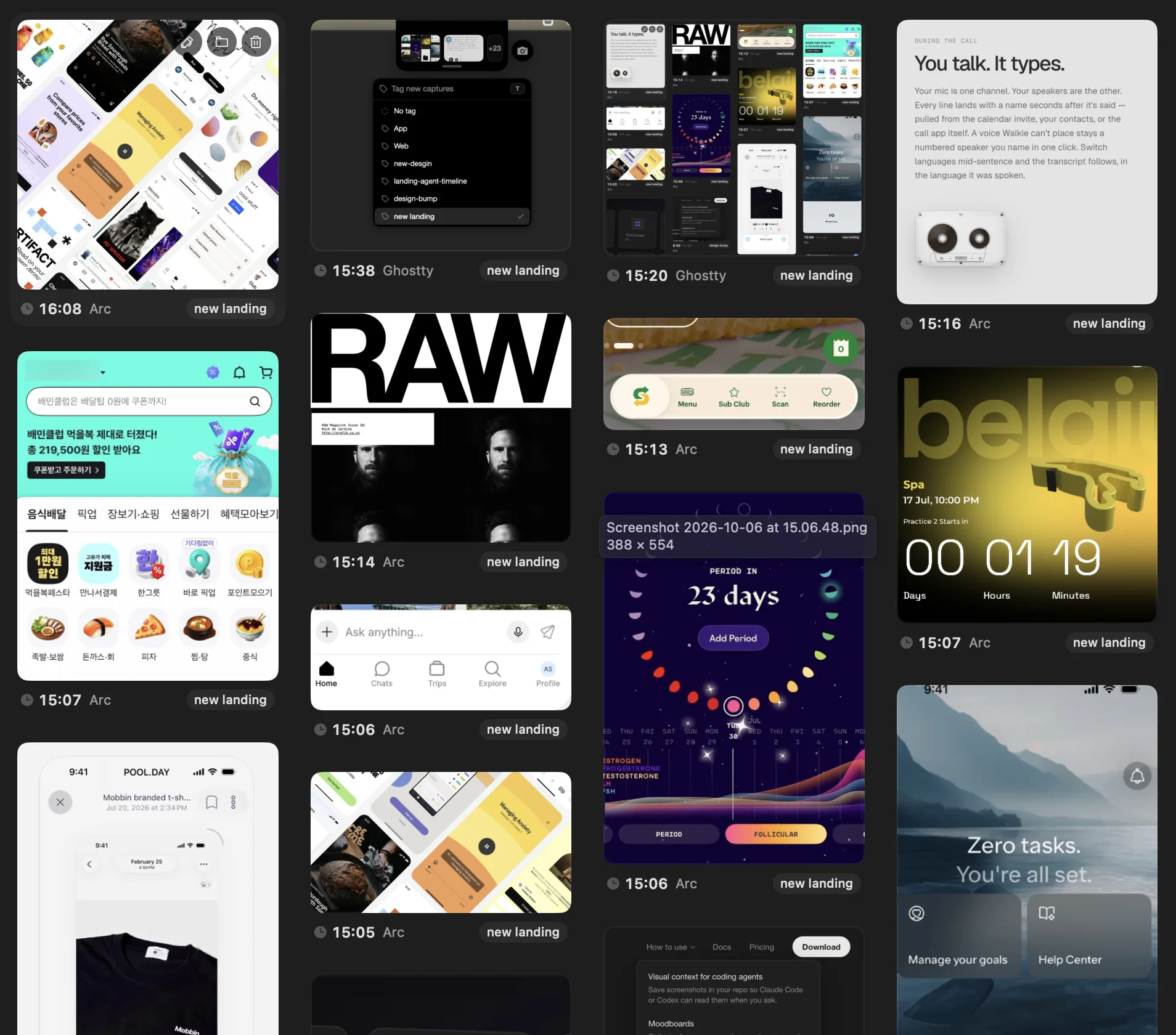
MoodboardsTag what you capture, and every capture under the tag becomes one board.
-
[ClipboardCopy an image in any app and it joins your screenshots.
Open Image in New TabSave Image As…Copy Image
](https://www.bigshot.pics/docs/capture-modes#images-you-copy)
-
8 captures
-
[Duplicates stack themselvesTake the same screen again and the new shot lands on top of the old ones, one place in the notch instead of five.
Recent captures in the notch
Capture and edit
Select part of the screen and Bigshot finds the edges. Then mark it up, hide what is private, and measure what you need.
- RedactionRedactionPixelate or blur what should stay private.
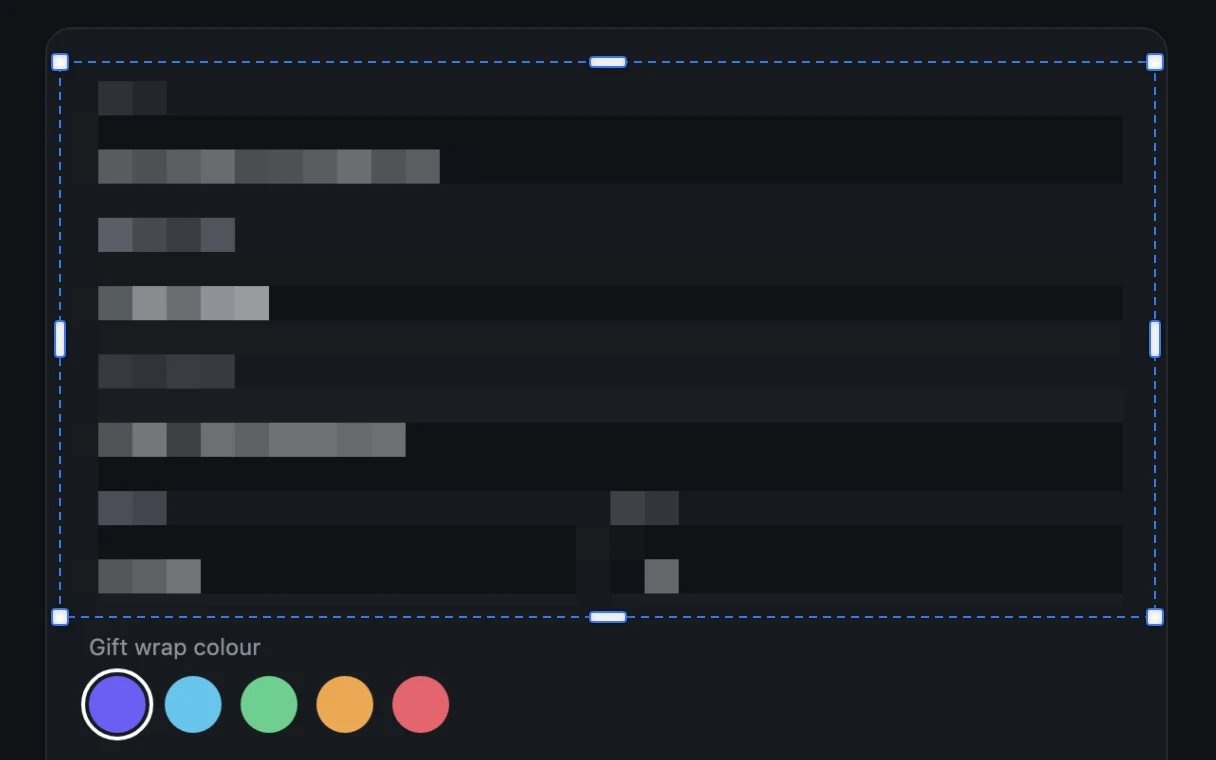
- Capture, mark up, dragSelect part of the screen, draw on it, and it is back in the notch, ready to drop into any app.
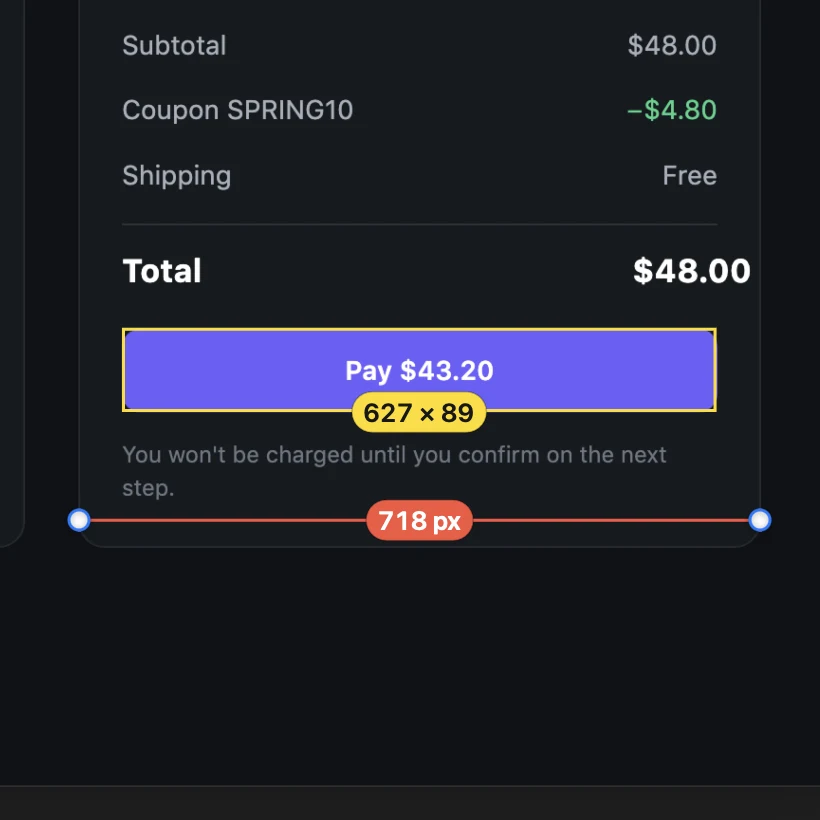
- Measurements**– px**Distances and sizes in pixels.
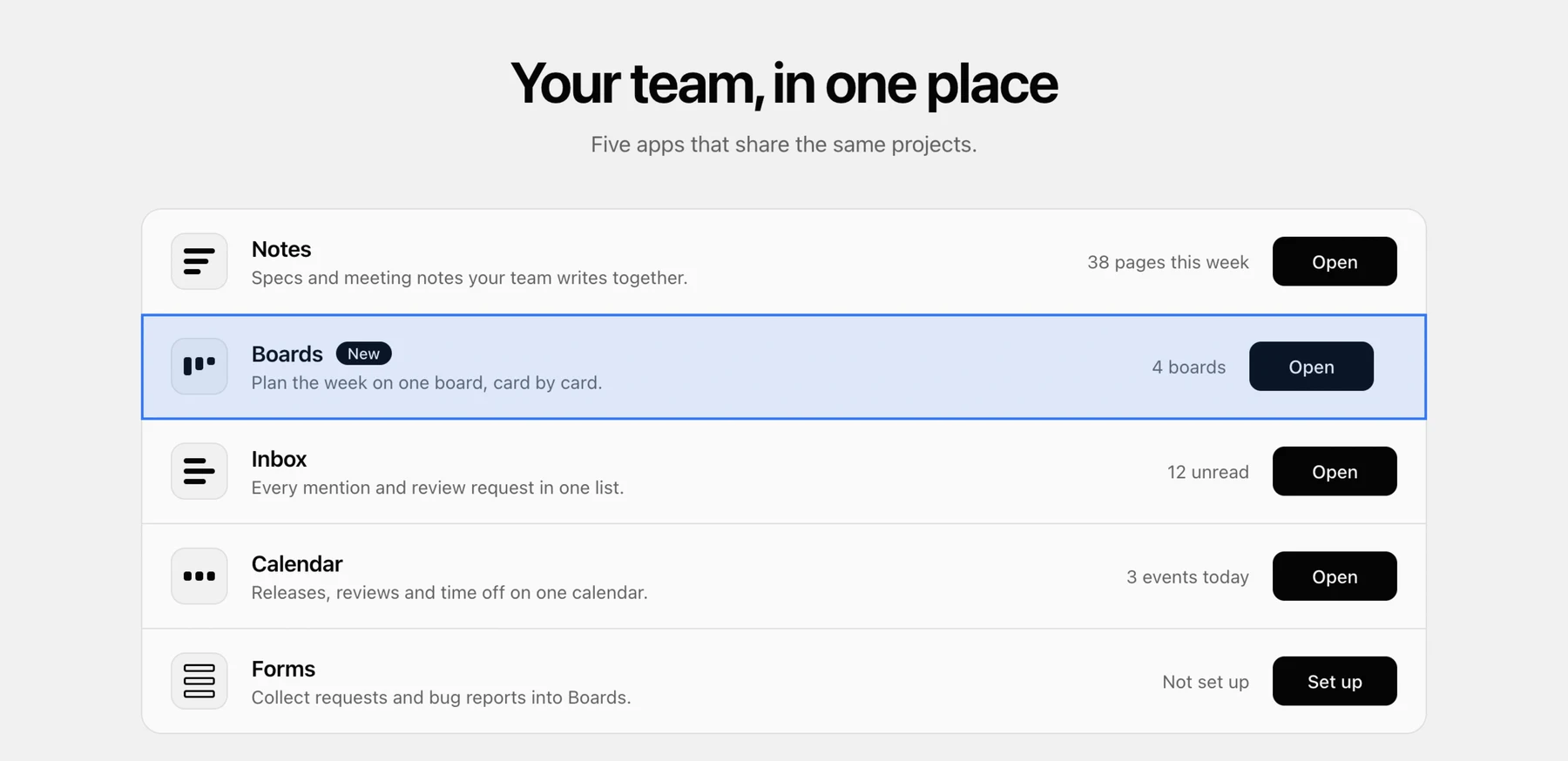
- Smart selectionSnaps to the window, panel, or row under the pointer, so there is nothing to crop.
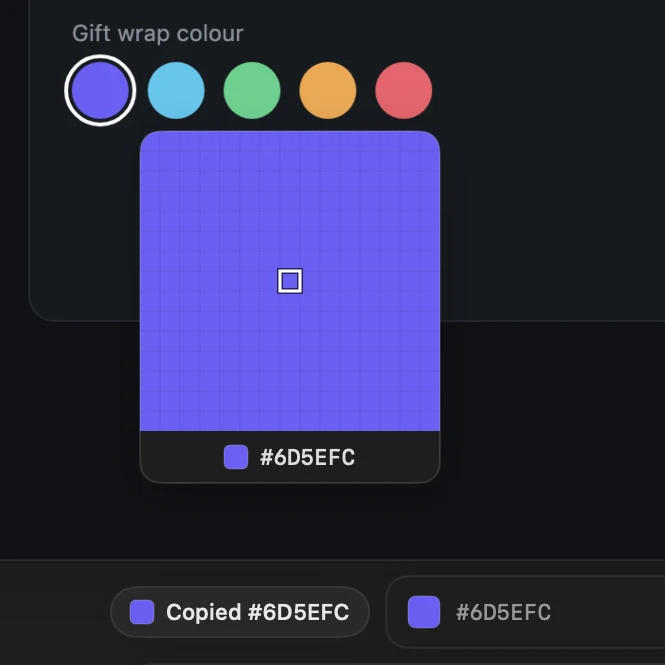
- Colour Picker#6D5EFCrgb(109 94 252)hsl(246 96% 68%)oklch(58.8% 0.226 281.2)Any pixel's colour, copied as HEX, RGB, HSL, or OKLCH.
Hack your own app
Bigshot is a screenshot app that knows your code and lets your agents know your screenshots.
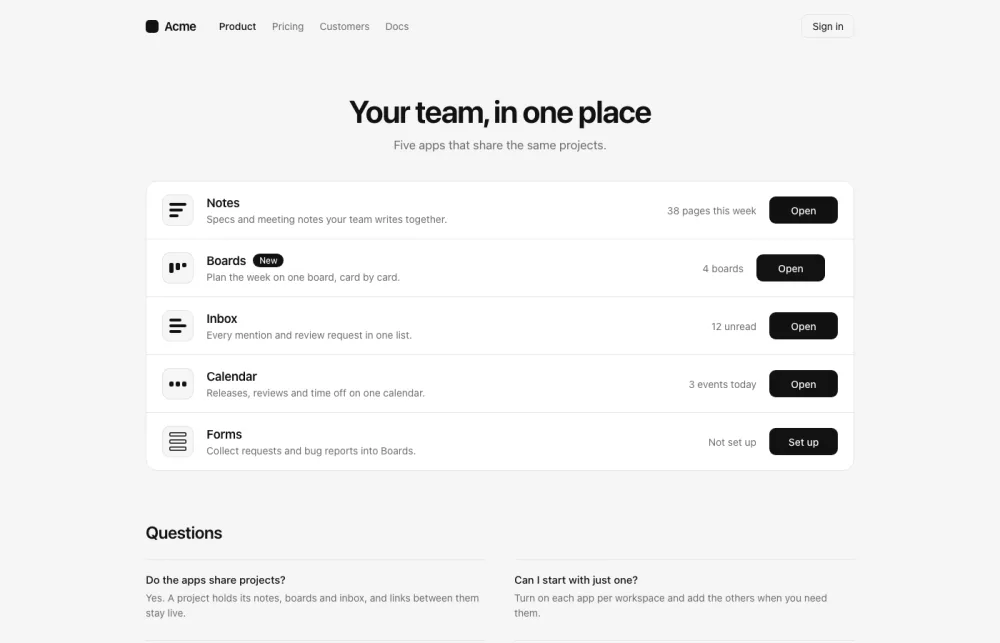
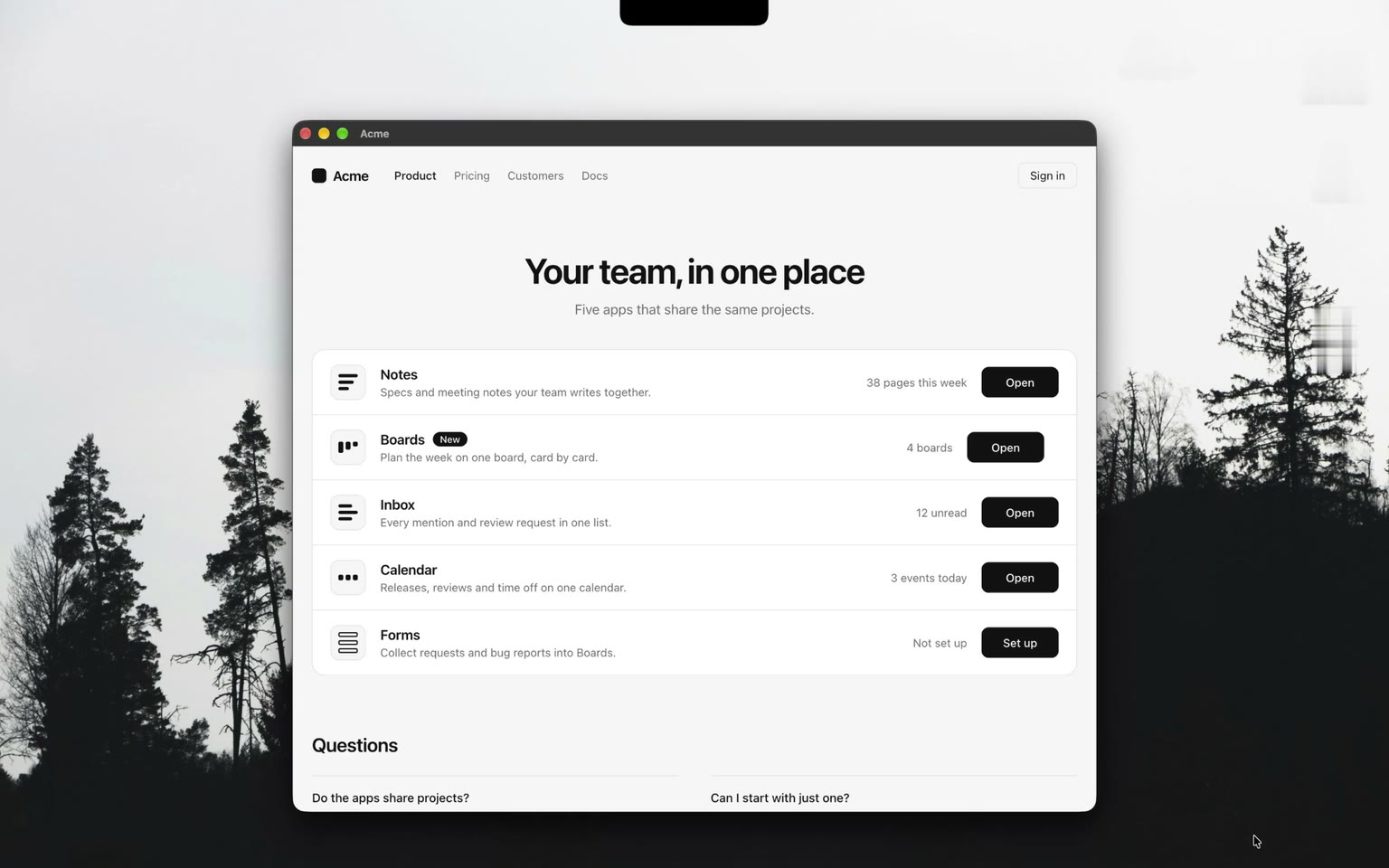
AcmeProductPricingCustomersDocs
Your team, in one place
Five apps that share the same projects.
-
NotesSpecs and meeting notes your team writes together.
38 pages this weekOpen
-
BoardsNewPlan the week on one board, card by card.
4 boardsOpen
-
InboxEvery mention and review request in one list.
12 unreadOpen
-
CalendarReleases, reviews and time off on one calendar.
3 events todayOpen
-
FormsCollect requests and bug reports into Boards.
Not set upSet up
_30_<SiteHeader active="Product" />
_33_<h1 className={styles.title}>Your team, in one place</h1>
_34_<p className={styles.lede}>Five apps that share the same projects.</p>
-
ProductPage_page.tsx:38_ apps.map((app) =>
-
_5_name: "Notes",``_6_blurb: "Specs and meeting notes your team writes together.",_8_usage: "38 pages this week",``_9_action: "Open", -
_12_name: "Boards",``_13_blurb: "Plan the week on one board, card by card.",_15_usage: "4 boards",``_16_action: "Open", -
_20_name: "Inbox",``_21_blurb: "Every mention and review request in one list.",_23_usage: "12 unread",``_24_action: "Open", -
_27_name: "Calendar",``_28_blurb: "Releases, reviews and time off on one calendar.",_30_usage: "3 events today",``_31_action: "Open", -
_34_name: "Forms",``_35_blurb: "Collect requests and bug reports into Boards.",_37_usage: "Not set up",``_38_action: "Set up",
ProductPage_page.tsx:33_
Code Lens · Acme
2 components 100% of the text
Page / page.tsx
Copy for AgentX-rayClose
Drag over part of your running app.
See the file and line behind any component.
Your agent searches your screenshots and the code behind them.
An agent changes what you select, on a branch.
Your own private island
Make the island under your notch look the way you want. Part of Pro.
Threetools.
Project
Tag
Choose which tools it holds, where they sit, and how big they are. Drag a widget, pull its edge, or drop it off. Try it here.
Not on the island
Frame and export
Open a capture in its own window. Add a background and a frame, pick a size, and copy or save it.
Electric
bigshot.pics
 bigshotUse casesDocsBlogPricing_Download_
Supercharged screenshots for Mac.
Capture, annotate, organise, and find your screenshots and copied images. Right under your notch.
Download for macOS__Buy Pro
1920 × 1080 · Electric · PNG
Backgrounds95 gradients, a colour, your own image, or none.
FramesA window or a browser, with your padding, corners, and shadow.
SizesRatios, sizes for X, LinkedIn, and Instagram, or your own.
Everything in Bigshot
Capture
- Smart selectionSnaps to the window, panel, or card under the pointer.
- Five capture modesDisplay, Window, Area, Smart, and Frame.
- Frame and timerPlace a box once and fire it on a timer, for menus and hovers.
- ClipboardImages you copy in any app join your screenshots.
Edit
- AnnotationsArrows, boxes, highlights, spotlights, text, and numbered steps.
- RedactionPixelate or blur what should stay private.
- Measure and RulerPixels in a capture, or points anywhere on screen.
- Colour PickerAny pixel's colour as HEX, RGB, HSL, or OKLCH.
- Copy textSelect the text in a capture and copy it.
Export
- Backgrounds95 gradients, a colour, your own image, or none.
- FramesA window or a browser, with your padding, corners, and shadow.
- SizesRatios, sizes for social posts, or your own width and height.
- BalanceEvens out the margins around what you captured.
- Copy, save, or sendPNG, JPEG, or HEIC, by AirDrop, Messages, Mail, or drag.
Notch
- Your island layoutDrag widgets where you want them, resize them, or take them off.
- Drag and dropDrag a capture from the notch into any app.
- Duplicate stacksThe same screen taken again stacks under its newest shot.
Library
- TagsTag captures as they come in, then filter by tag.
- MoodboardsEvery capture under one tag, as one board.
- Smart searchBy the words in it, by what it shows, or by likeness to another capture.
- ProjectsEach project's captures in its own folder.
- Keep and clean upOld captures go to the Trash unless you keep them.
Runs locally
Text recognition, search, and Code Lens run on your Mac. Your screen and your code never go to our servers.
Free for one Project
The free version has Capture, Code Lens, Inline Agent, Hooks and screenshot context. It works with one Project and now and then asks you to upgrade. Pro adds unlimited Projects and your own island layout, and stops the reminders, for a one-time $19.
Before you start
Does anything leave my Mac?
Yes, if you send a capture to a cloud model. Dragging it into an agent, starting an Agent Run, or running a Hook hands it to the agent or API you picked, and Claude Code, the Anthropic API, and the OpenAI API run in the cloud. If your agent uses a local model, for example opencode or Codex set up with Ollama, the capture stays on your Mac. Code Lens, the Code map, text recognition, and the optional image model always run on your Mac. Bigshot itself only contacts bigshot.pics to check your licence and for updates, and Hugging Face when you download the image model.
Do I need a coding agent?
No. Capture, the editor, the island, and the Library work on their own as a screenshot tool. Screenshot context, Code Lens, and Inline Agent are there for when you write code.
Which code can Code Lens match?
Code Lens works on anything on your screen. The Code map it matches against reads TypeScript and JavaScript (including JSX and TSX), Markdown and MDX, Swift (SwiftUI and AppKit), Python, and shell scripts. Code Lens matches on text out of the box; an optional on-device image model, a 390 MB download you choose to install, adds matching on icons, images, and charts.
Does Bigshot change my code on its own?
Only when you start an Agent Run. The agent works on a new branch, in a separate worktree by default, and asks you before it does anything that needs permission. Bigshot never pushes or merges; you review the branch and merge it yourself.
Which agents work?
Inline Agent uses Claude Code, Codex, Cursor, Gemini CLI, or opencode, signed in with your own account. Hooks support Claude Code, Codex, Cursor, the Anthropic API, and the OpenAI API. You can also copy or drag captures into any app that accepts images.
What is free, and what does Pro add?
Capture, Code Lens, Inline Agent, Hooks, and screenshot context for your agent are all free. Free works with one Project and now and then reminds you to upgrade. Pro adds unlimited Projects and your own island layout, and stops the reminders, on up to 2 Macs. It is a one-time purchase of $19 at launch, then $29, with 12 months of updates. Your last covered version keeps working forever.
What do I need?
An Apple silicon Mac on macOS 14 or newer, with Screen Recording permission granted to Bigshot.
Try it on your next screenshot
Download Bigshot, hover the notch, and capture.
macOS 14 or newer · Apple silicon · Free for one Project