AppScreenStudio MCP
Let Claude Code, Cursor, Codex or Gemini CLI design App Store and Google Play screenshots in the live AppScreenStudio editor: edit text, colors, layout, devices and templates, translate, and capture previews.
Hosted MCP Server
npx add-mcp 'https://www.appscreenstudio.com/api/mcp'Installs into Claude Code, Codex, Cursor and more
Documentation
Works with your favorite AI agents:Claude CodeCodexCursorGemini CLI
 4.8 / 5 Average rating from 891 reviews
 9,100+ Developers and ASO specialists
 8,500+ Completed screenshot projects
 25,600+ Hours of design work saved
App Store screenshot templates that already convert.
Each template is a complete App Store screenshot set: headlines, layout, device frames and backgrounds. Drop in your app captures and change anything. Most templates are free.
✓ Most templates are free · Premium sets on Pro
From raw captures to a store-ready listing.
Create app store screenshots online, without Figma or Photoshop. No design experience needed, and nothing to install.
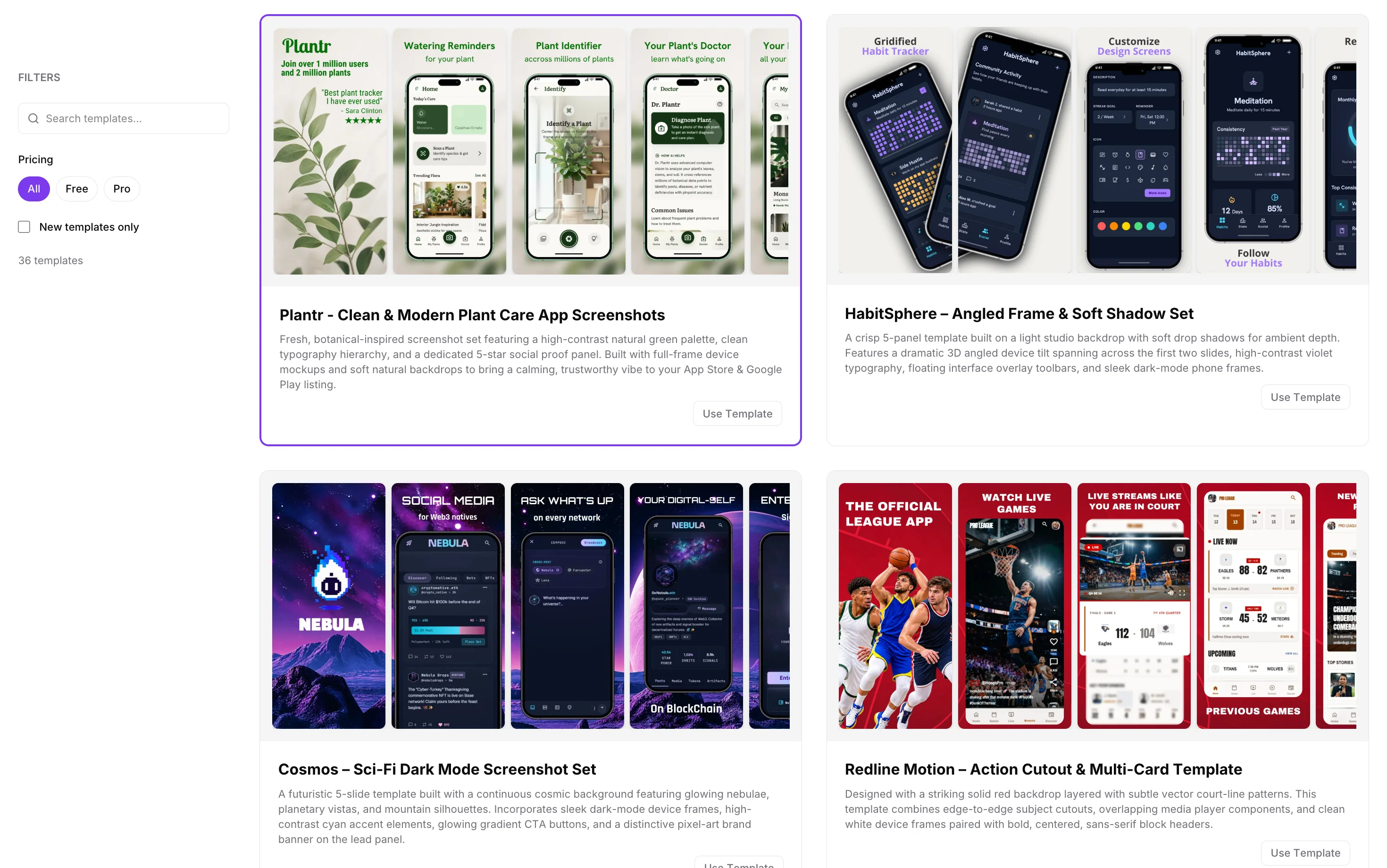 Choose your look
Every App Store and Google Play size. One click.
Design once. AppScreenStudio resizes your layout for each required device, so you never rebuild the same screenshot for a different display.
iPhone & iPad screenshots
Build a complete App Store screenshot set with iPhone 17 Pro and iPad frames, feature headlines and backgrounds, then export ready-to-upload PNGs for App Store Connect.
6.9″ iPhone 1320 × 2868
6.5″ iPhone 1284 × 2778
13″ iPad 2064 × 2752
Android phone & tablet screenshots
Present your Android app with Pixel or Galaxy frames and export phone and tablet screenshots for Google Play Console from the same project as your iOS set.
Phone 9:16 1080 × 1920
7″ tablet 1200 × 1920
10″ tablet 1600 × 2560
Feature graphic 1024 × 500
App Screenshot Generator for Indie Developers and ASO Teams
AppScreenStudio is the app screenshot maker and generator behind 9,100+ developers and ASO specialists. Upload raw captures, pick a template, and export every Apple App Store and Google Play Store size in one click, no Figma, no Photoshop, no monthly subscription.
Building a full ASO stack? See our list of the best app store optimization tools, free and paid, fact-checked quarterly.
One set. 89 store locales.
Localized screenshots help your listing feel native in every market. Translate your copy with AI, review it, and fine-tune it per language.
Localize your app screenshots
Bring every headline to 89 App Store and Google Play locales. AI translation uses credits, and you stay in control of the final wording for each audience.
ENGLISH 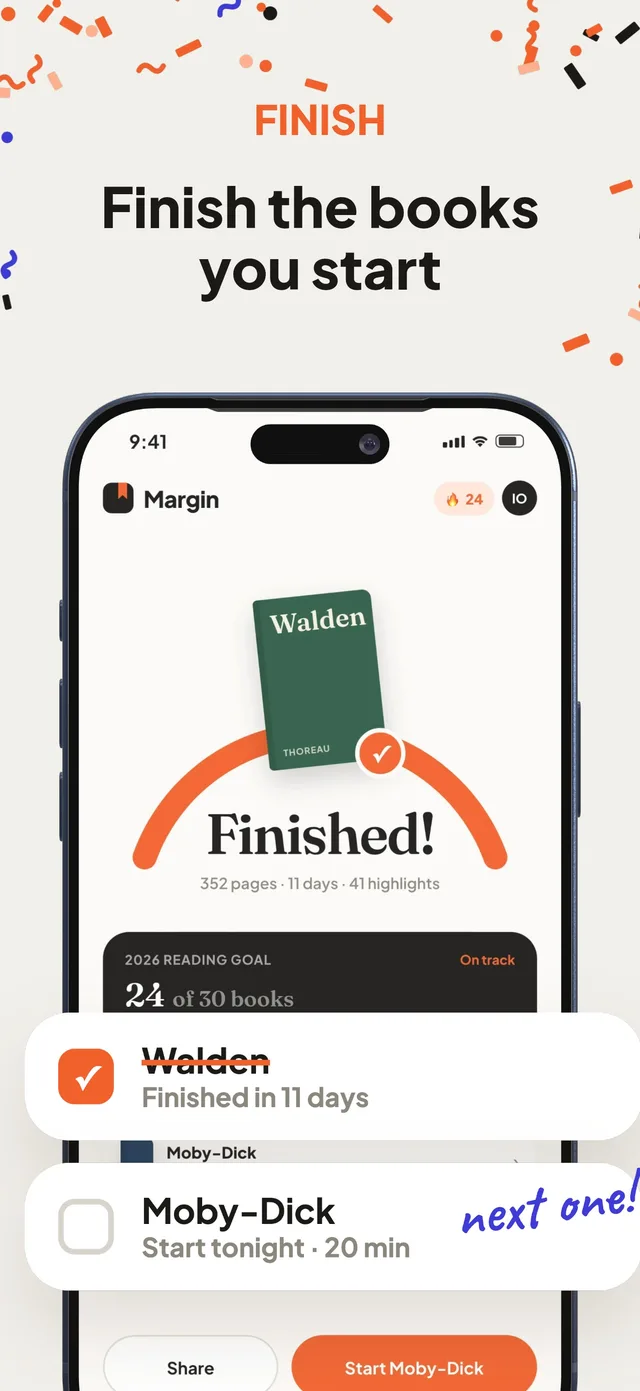
DEUTSCH 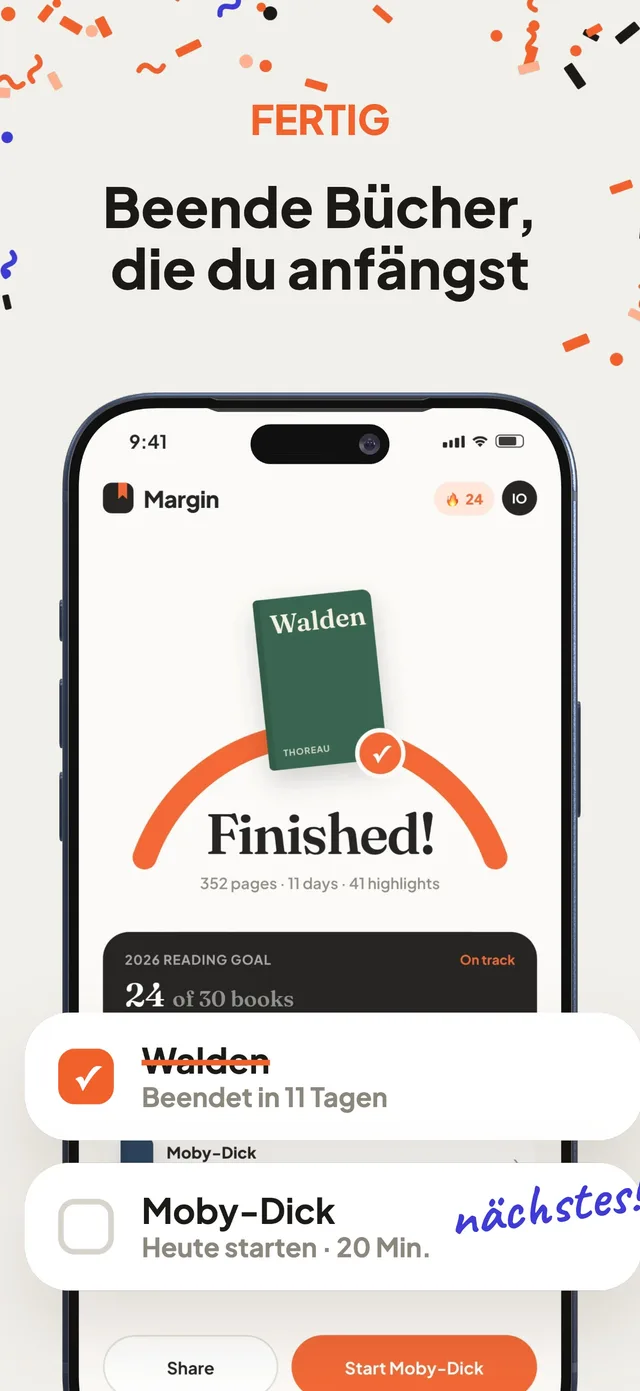
ESPAÑOL 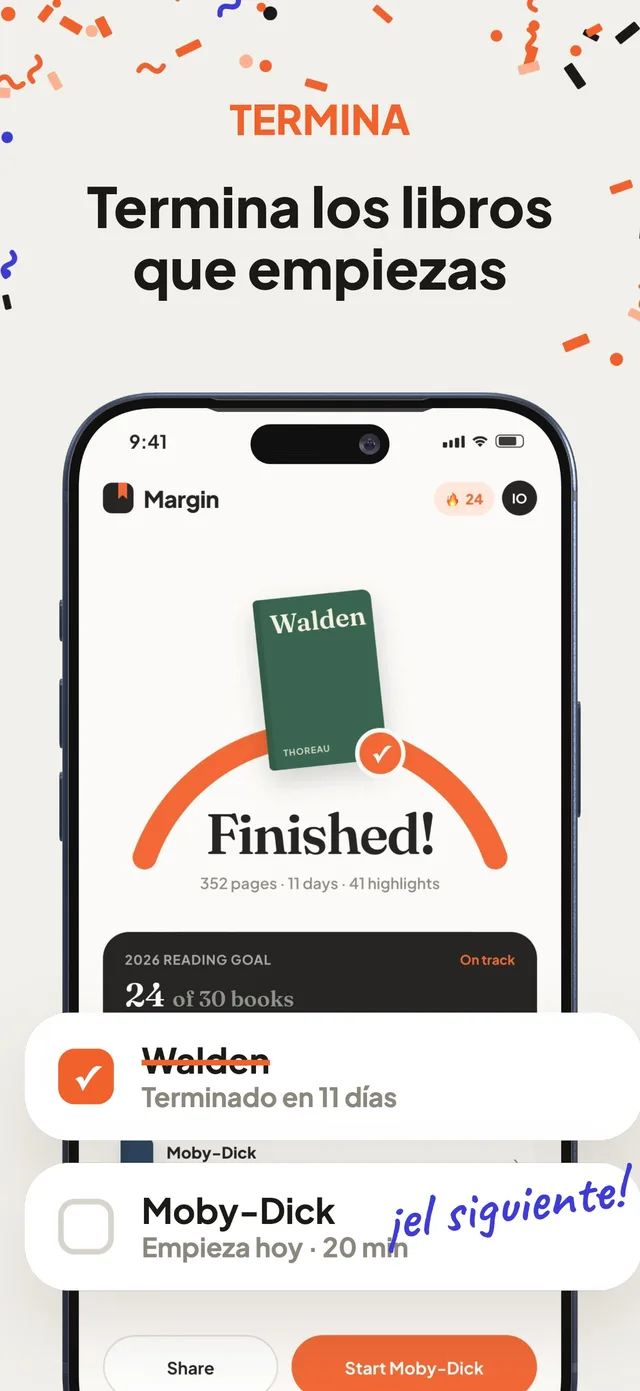
한국어 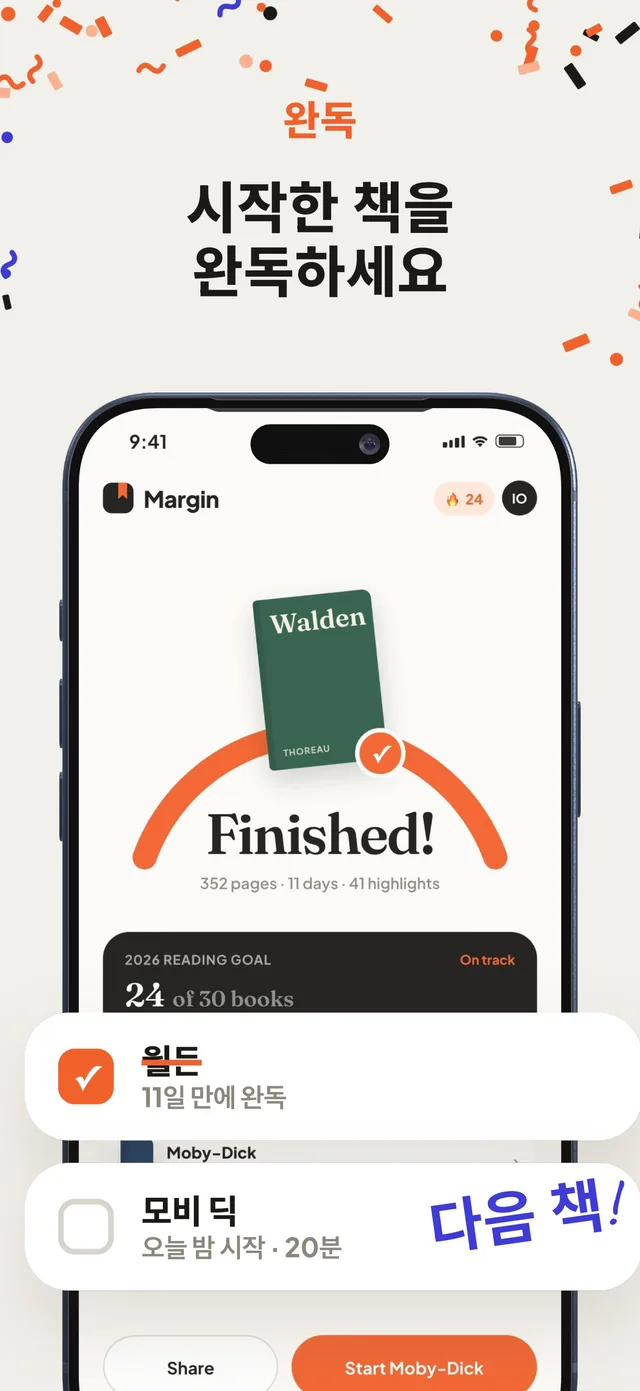
+ 85 more locales, from Turkish to Brazilian Portuguese.
AI assets with personality
Generate mascots, backgrounds and app assets that make your listing as distinct as your app, right inside the editor.
 Mascots
  Backgrounds
  App assets
Busy shipping? Let your agent design it.
Connect Claude Code, Codex, Cursor or Gemini CLI to the live editor. Your agent edits text, colors, layout and devices while you watch, then you review and export.
- Open the editor and click Connect. You get an MCP endpoint and a private token.
- Paste the config into your agent. It now has the AppScreenStudio tools.
- Describe what you want. Watch the set update live, adjust anything by hand, then export.
// Copied from the editor's Connect panel
{
  "mcpServers": {
    "app-screen-studio": {
      "url": "https://www.appscreenstudio.com/api/mcp",
      "headers": {
        "Authorization": "Bearer <your-token>"
      }
    }
  }
}> Make a 5-screen App Store set for my habit app. Bold purple gradient, yellow highlight on one word per headline, iPhone 17 Pro frames.✓ Connected to AppScreenStudio editor
Agents work inside your editor session. You review the result and export it yourself.
Pay once. No renewal.
Most screenshot tools bill you every month or every year until you cancel. AppScreenStudio Pro is a one-time payment for 1 month or 1 year, and it simply ends when the period is over.
| AppScreenStudio | Other tools | |
|---|---|---|
| Paid plan billing | One-time payment, no subscription | Usually a monthly or yearly subscription |
| When Pro ends | Access simply ends. Nothing renews | Renews until you cancel |
| Money-back guarantee | 7 days on Pro | Depends on the tool |
Loved by app makers.
4.8 out of 5 from 891 reviews, collected right after people export their screenshots.
4.8 891 reviews
- ★★★★★ “All the options I needed are there, very useful”Doc
- ★★★★★ “user friendly and the cheapest for a good quality”Adebayo
- ★★★★★ “Great tool so far. Has enough functionality to build the screenshots. Pricing is well structured.”Petar
- ★★★★★ “Brilliant tool really helped me out with this one!!”Mike
- ★★★★★ “Easy to use. Only platform that allowed genuine design capability”AppScreenStudio user
- ★★★★★ “This is a revolutionary product! Kudos to all the developers for doing what they do best.”Cartier
Start free. Go Pro once.
One app or your next ten. There’s room to build.
Essential
Core design tools, free forever.
$0 forever
No credit card required
- iPhone, iPad & Android device frames
- Every App Store & Google Play size
- One-click multi-size export
- 1 export per day
- Unlimited screenshots and templates
- Up to 2 projects
- No credit card required
Pro
More room to create
The whole studio, unlocked.
$5 / Month
$60. Pay once for 1 year access + 6,000 AI credits.
- Unlimited projects
- Unlimited exports
- Ad-free editor
- Screenshot localization
- Mascot generation
- Background generation
- Asset generation
- and more
✓ One-time payment. No subscription.
✓ 7-day money-back guarantee on Pro.
App screenshot questions, answered.
Something else on your mind?
Is the app store screenshot generator free?
Yes. Essential includes the core design tools, free templates, device frames, and 1 export per day. You don’t need a credit card. Upgrade to Pro for premium templates, unlimited exports, and AI features.
Is Pro a subscription?
No. You pay once for either one month or one year of Pro access. The monthly package includes 500 AI credits; the yearly package includes 6,000 AI credits. Access is limited to the period you purchase, with no recurring subscription.
How do I make app screenshots without design experience?
Start with a ready-made template. Add your app screens, then edit the headlines, colors, and backgrounds in the visual editor. No design experience is needed.
Which App Store and Google Play sizes can I export?
Export screenshot sets for iPhone, iPad, Android phones, and tablets from the same project. See the App Store screenshot size guide and Google Play screenshot size guide to match your exports to the devices your app supports.
Can I customize the templates and device frames?
Yes. Edit the headlines, fonts, colors, backgrounds, and screenshot order in your browser. Add your app captures and select iPhone, iPad, Pixel, or Galaxy frames to suit your listing. Browse the app screenshot templates to find a starting point.
Can I localize screenshots into multiple languages?
Yes. The editor supports 89 store locales. Pro includes localization tools, and you can use AI credits to translate your copy before reviewing and adjusting it for each market.
Can my AI agent design my screenshots?
Yes. Click Connect in the editor to get an MCP endpoint and token, add them to Claude Code, Codex, Cursor or Gemini CLI, and ask for changes in plain language. The agent edits text, colors, layout and devices in your live project. You review the result and export. See how to connect your agent.


Great app? Give it great screenshots.
Start with a free template and have a store-ready set before your coffee gets cold.