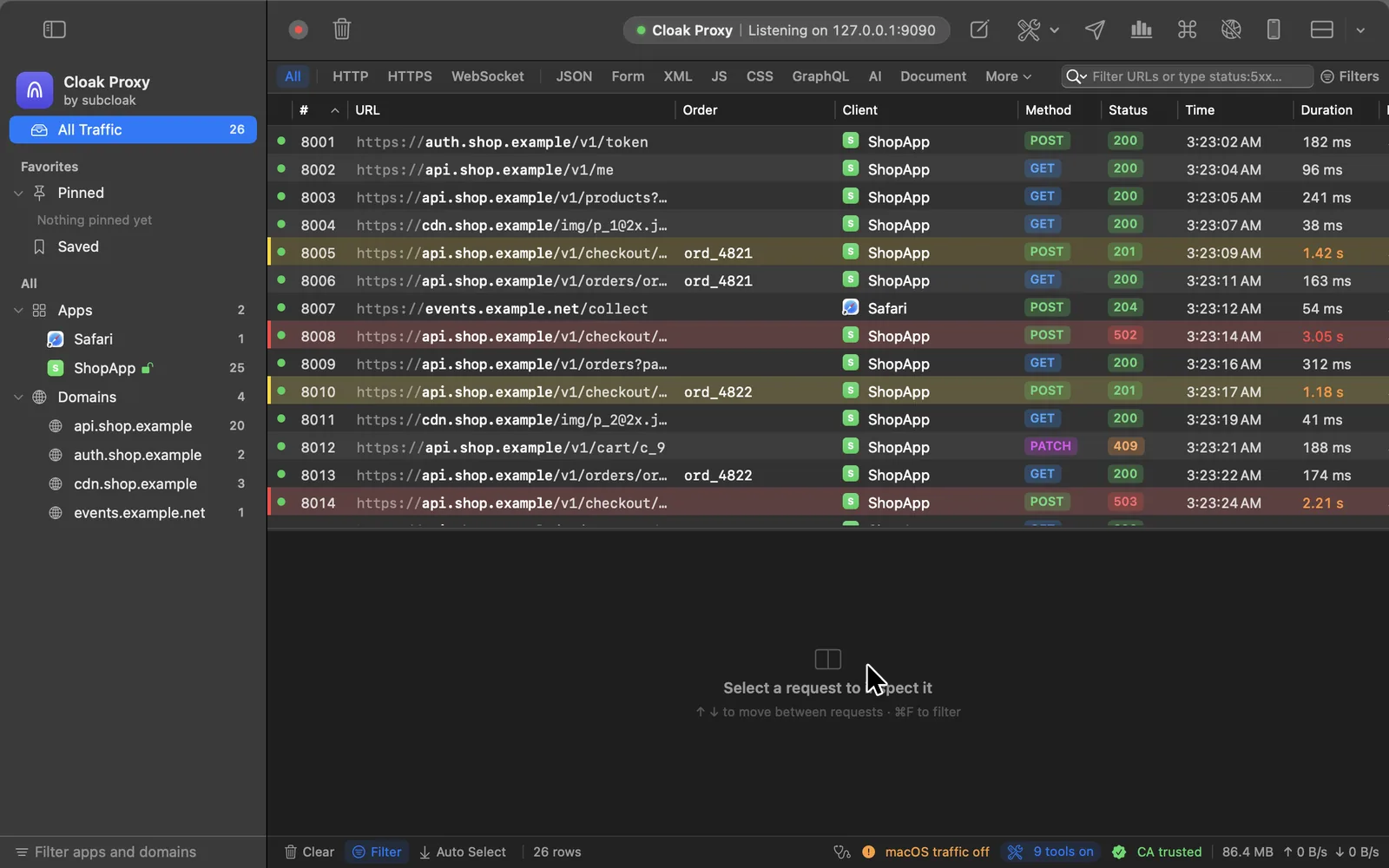
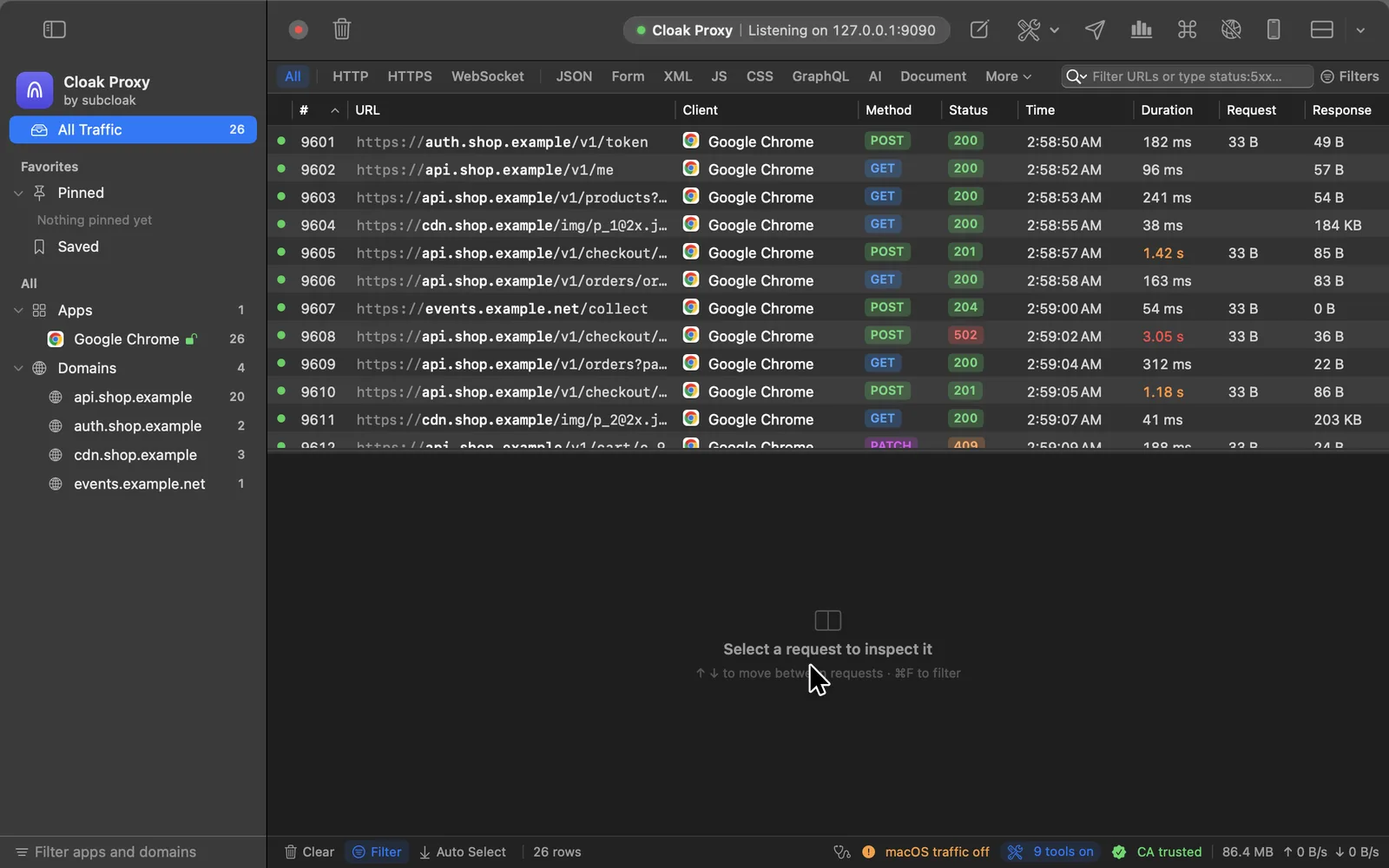
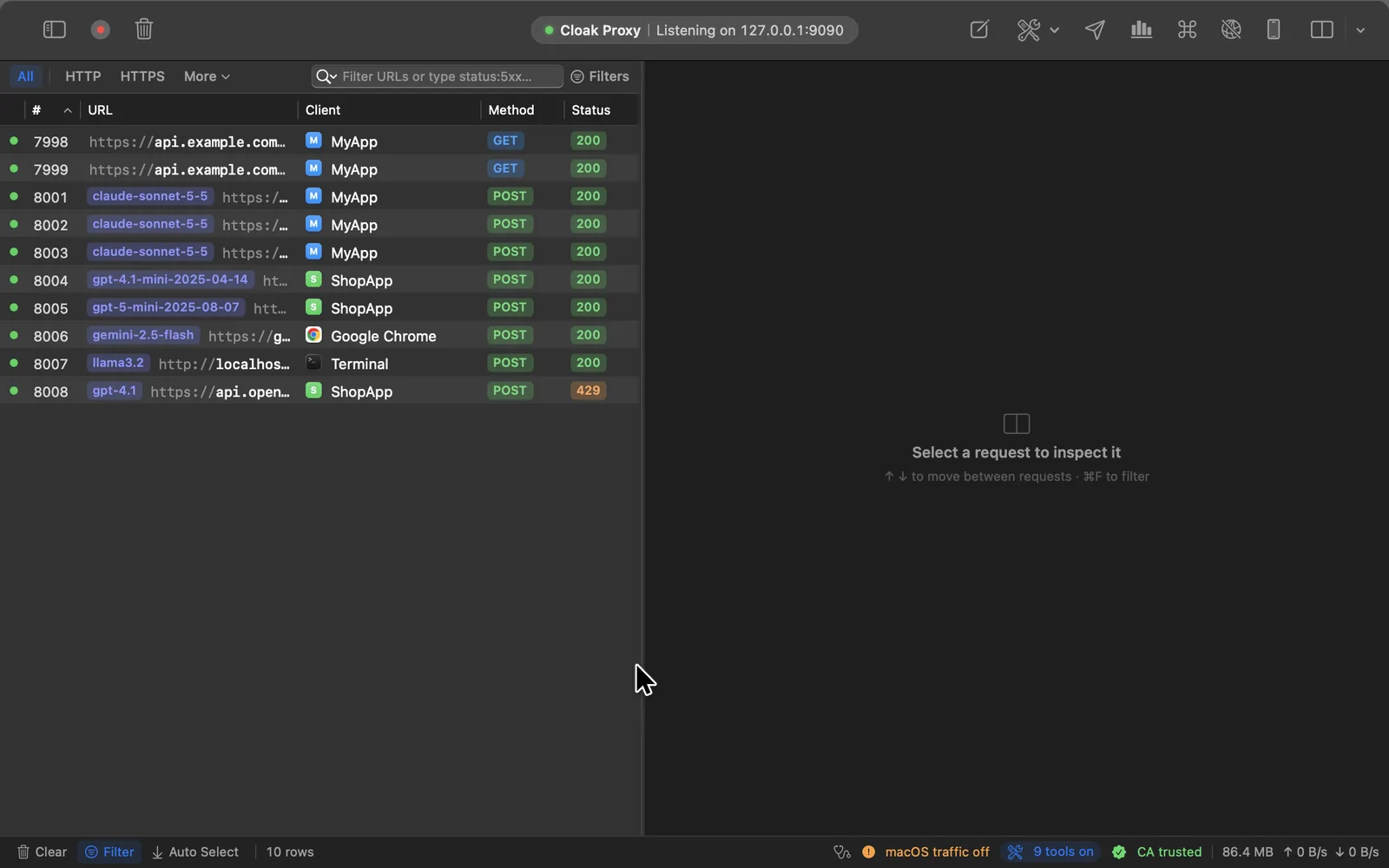
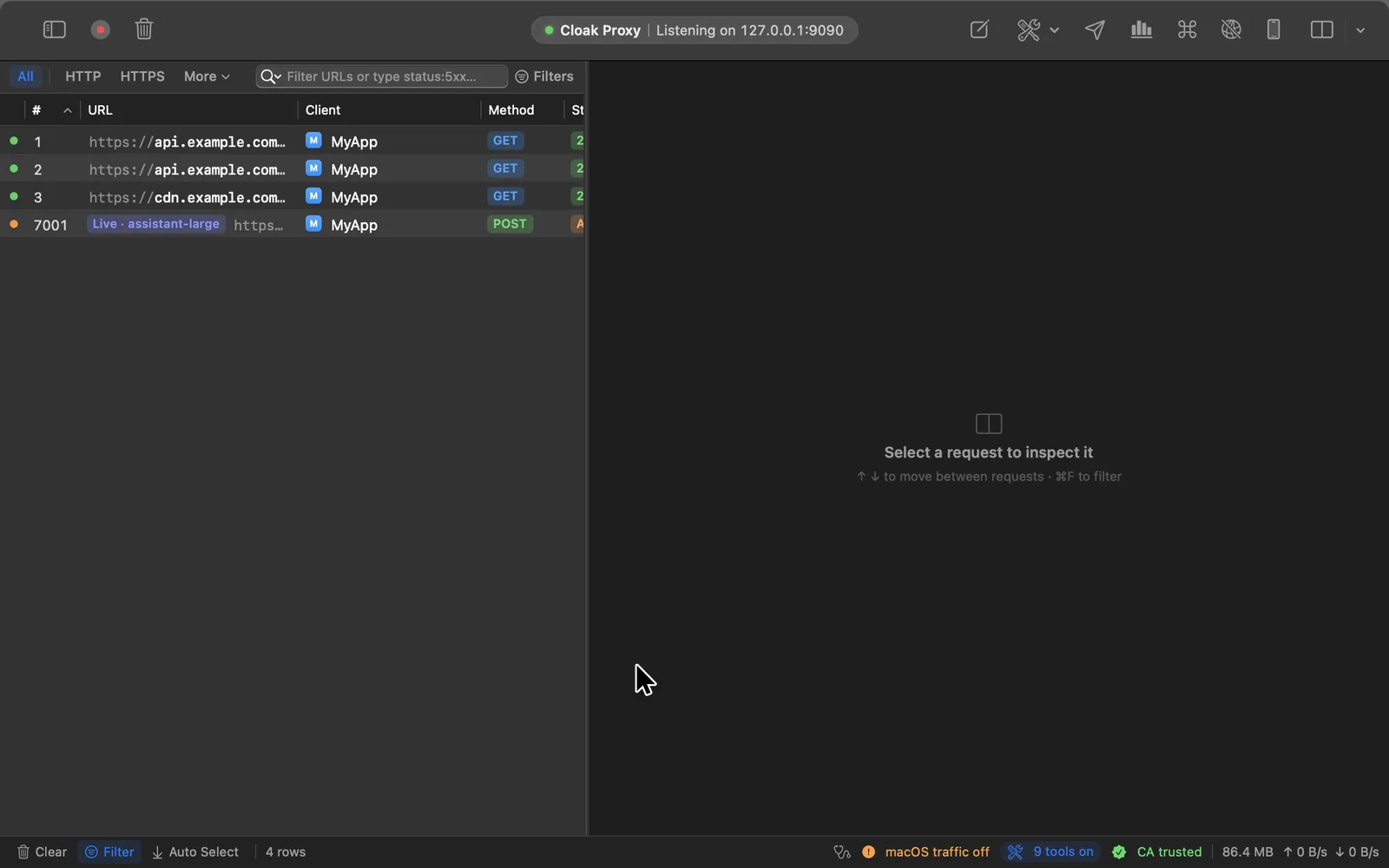
Written in Swift, with a command palette for everything (⇧⌘A). Switch between the main screens, in light or dark.
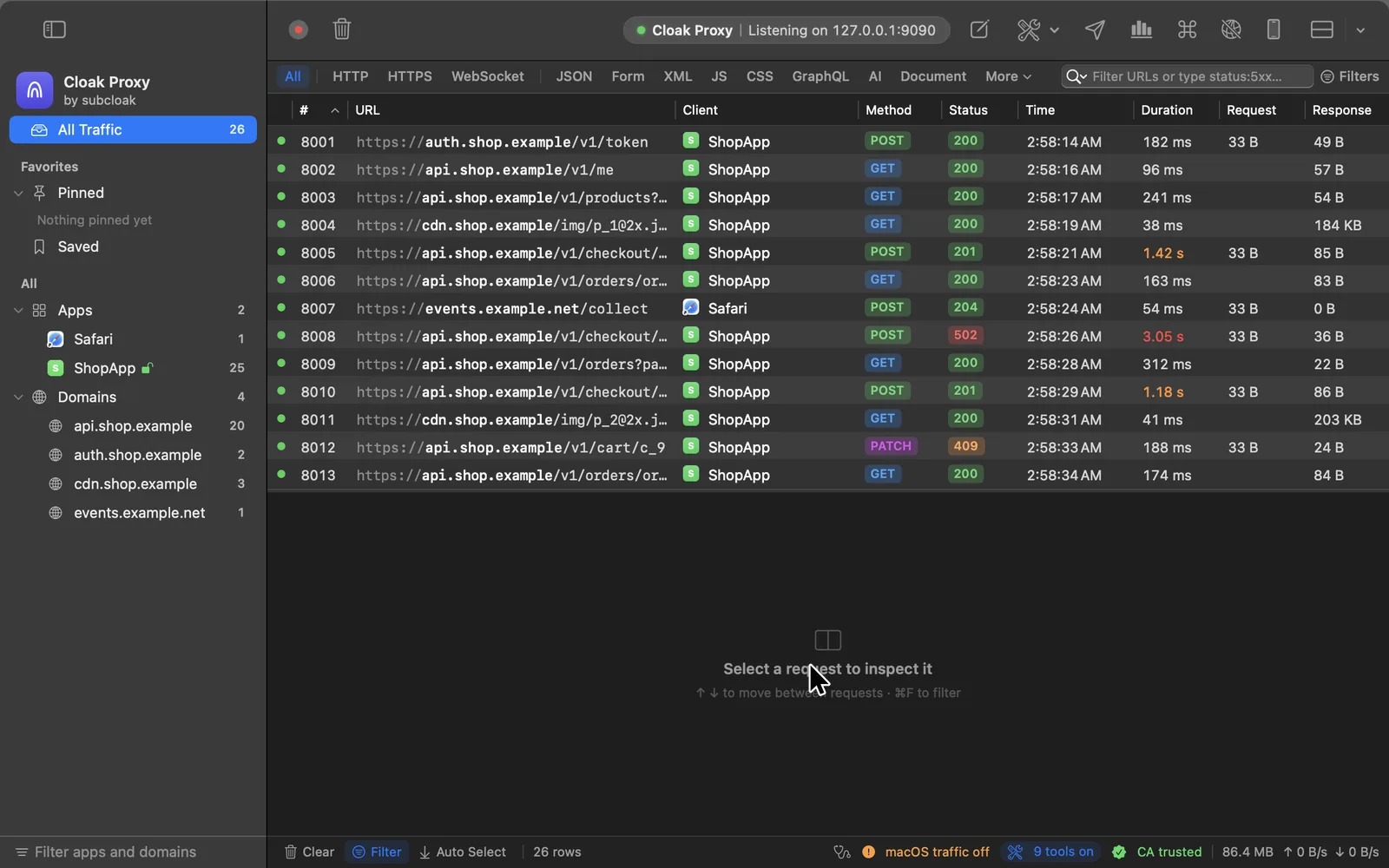
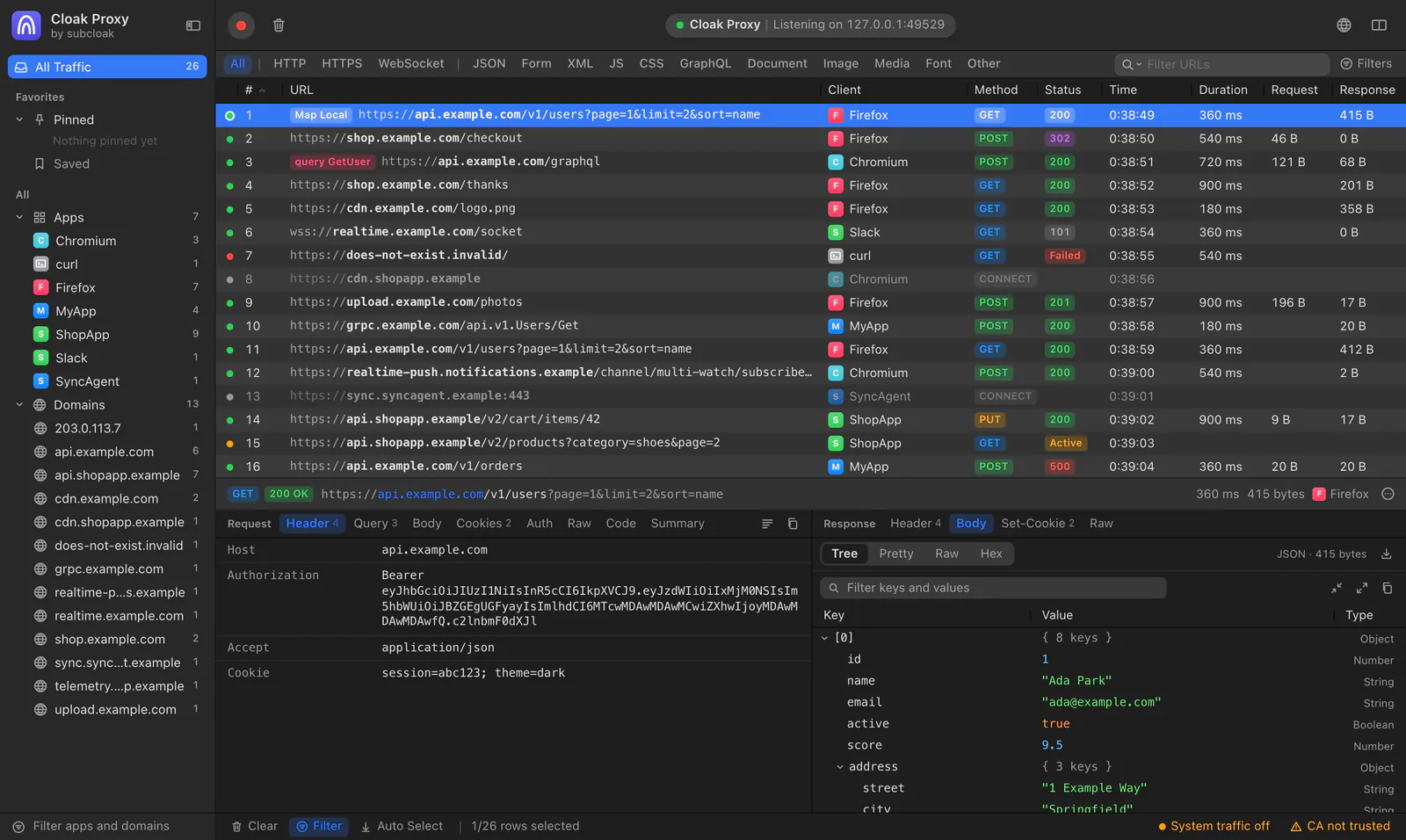
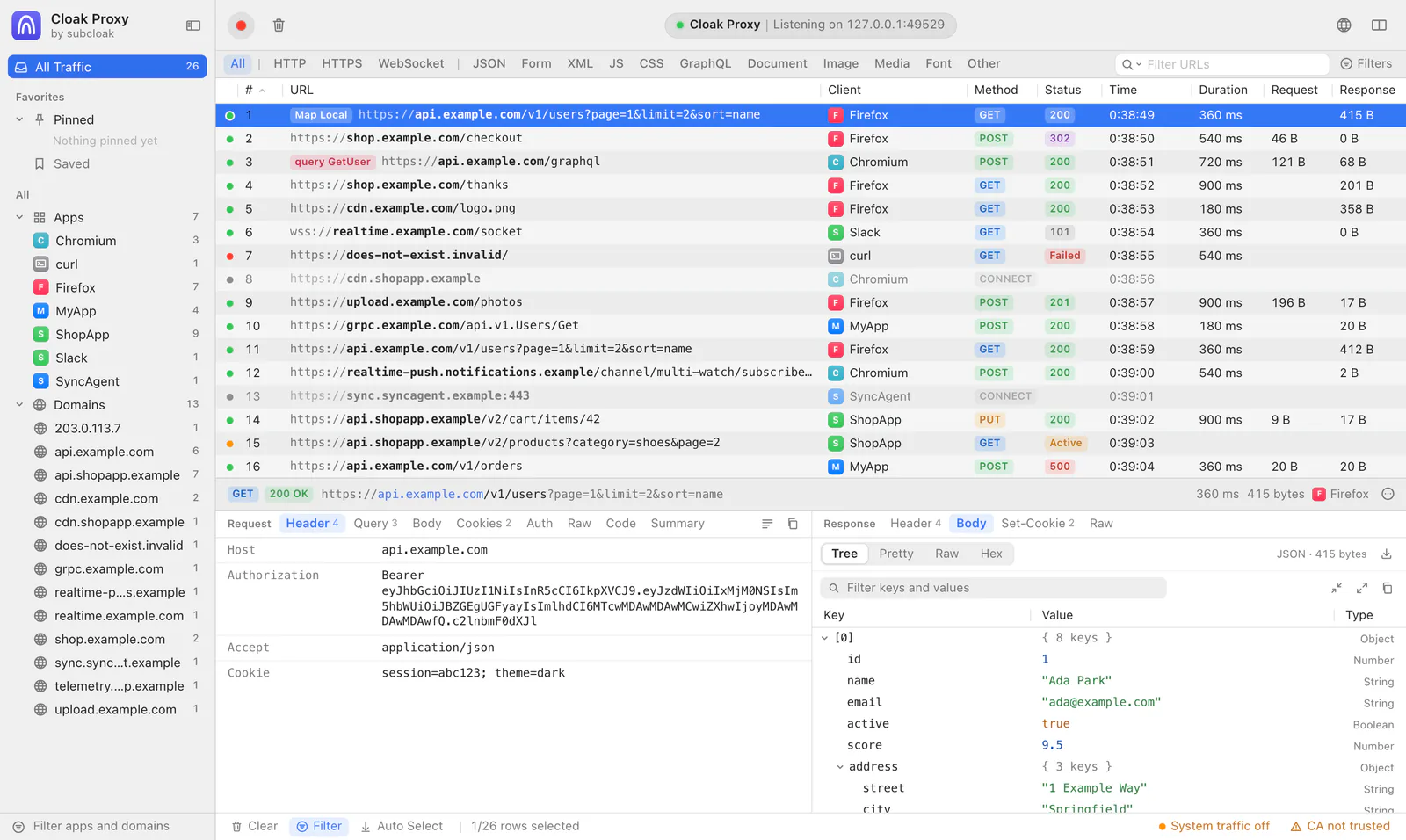
Every request, live
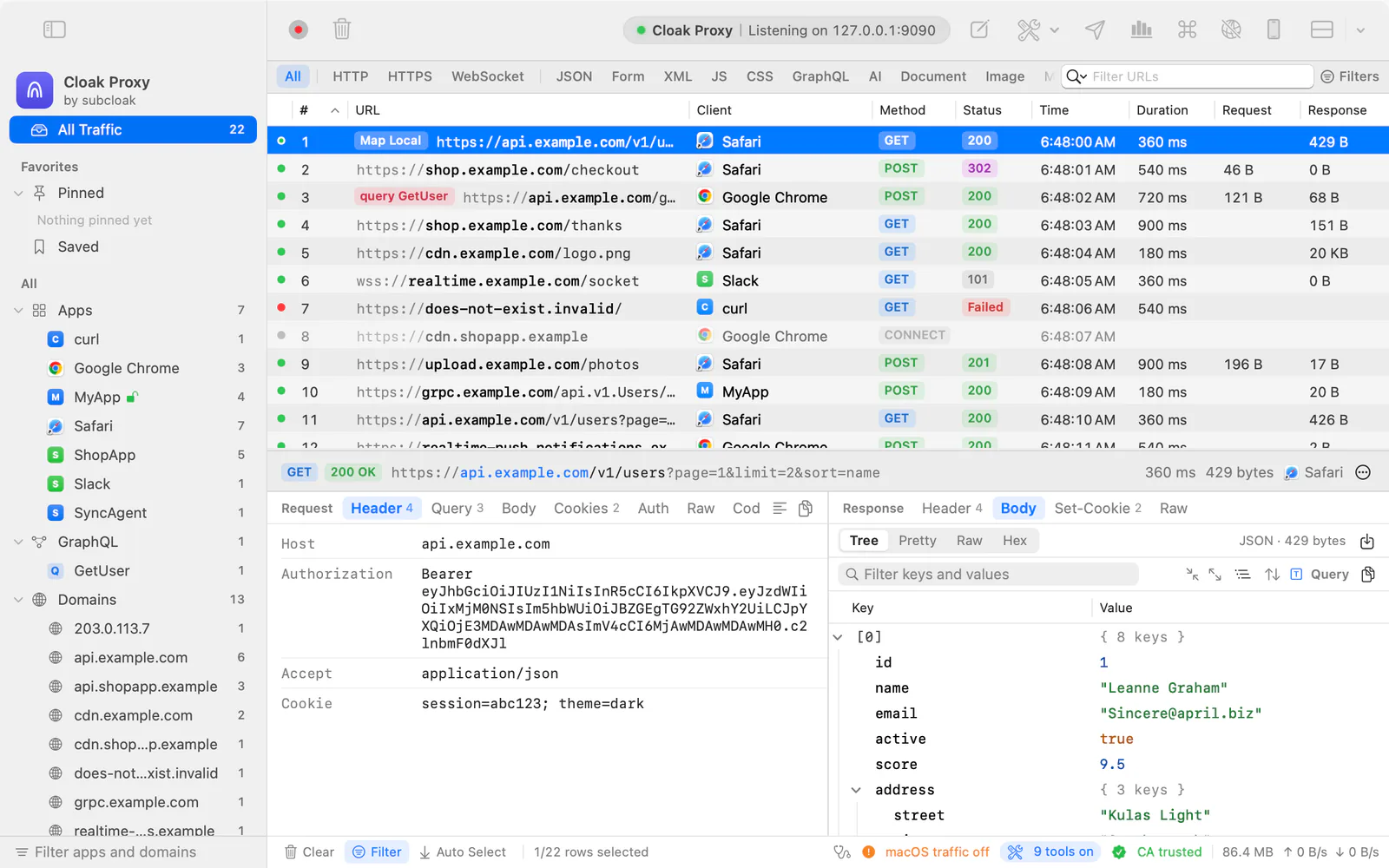
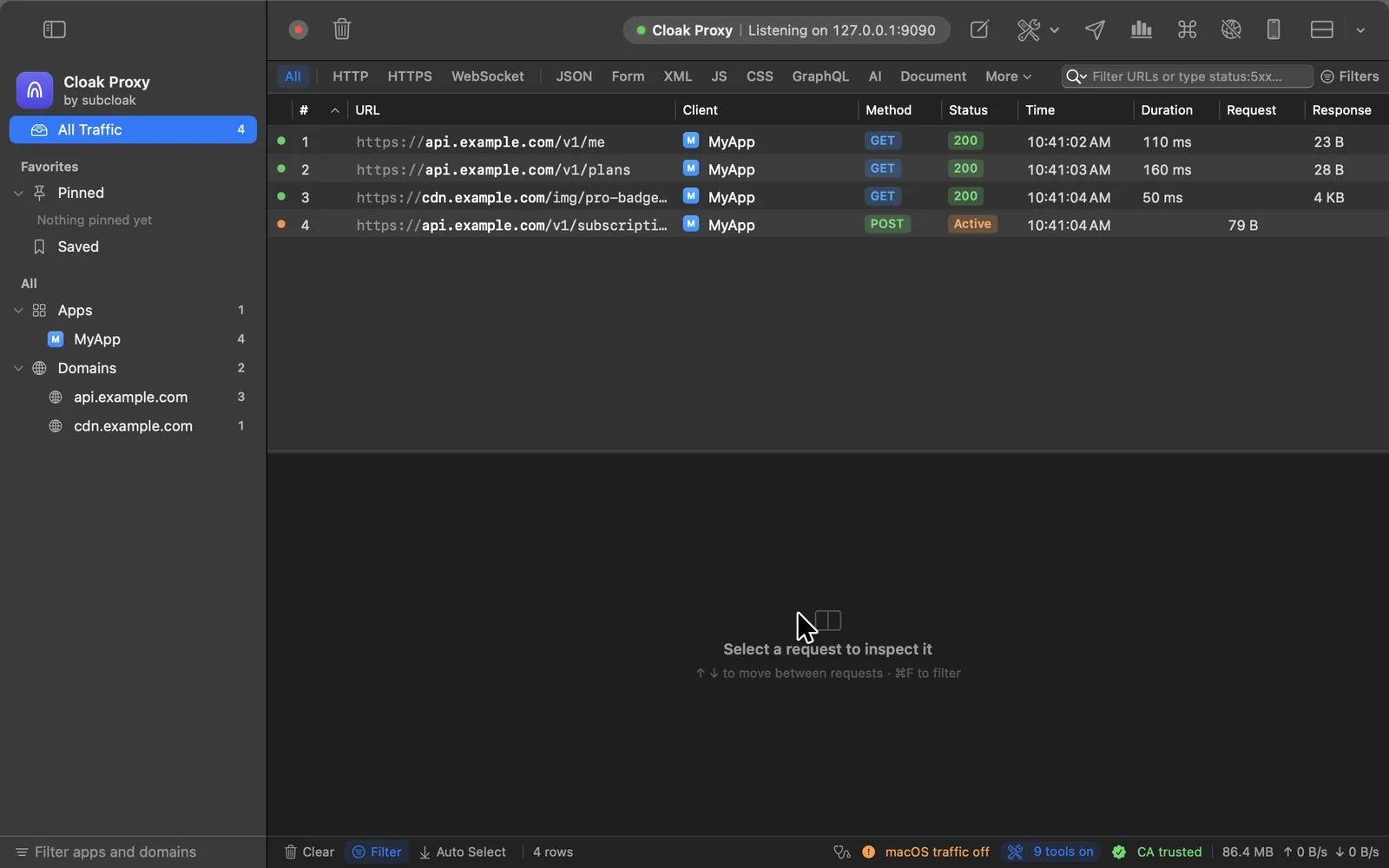
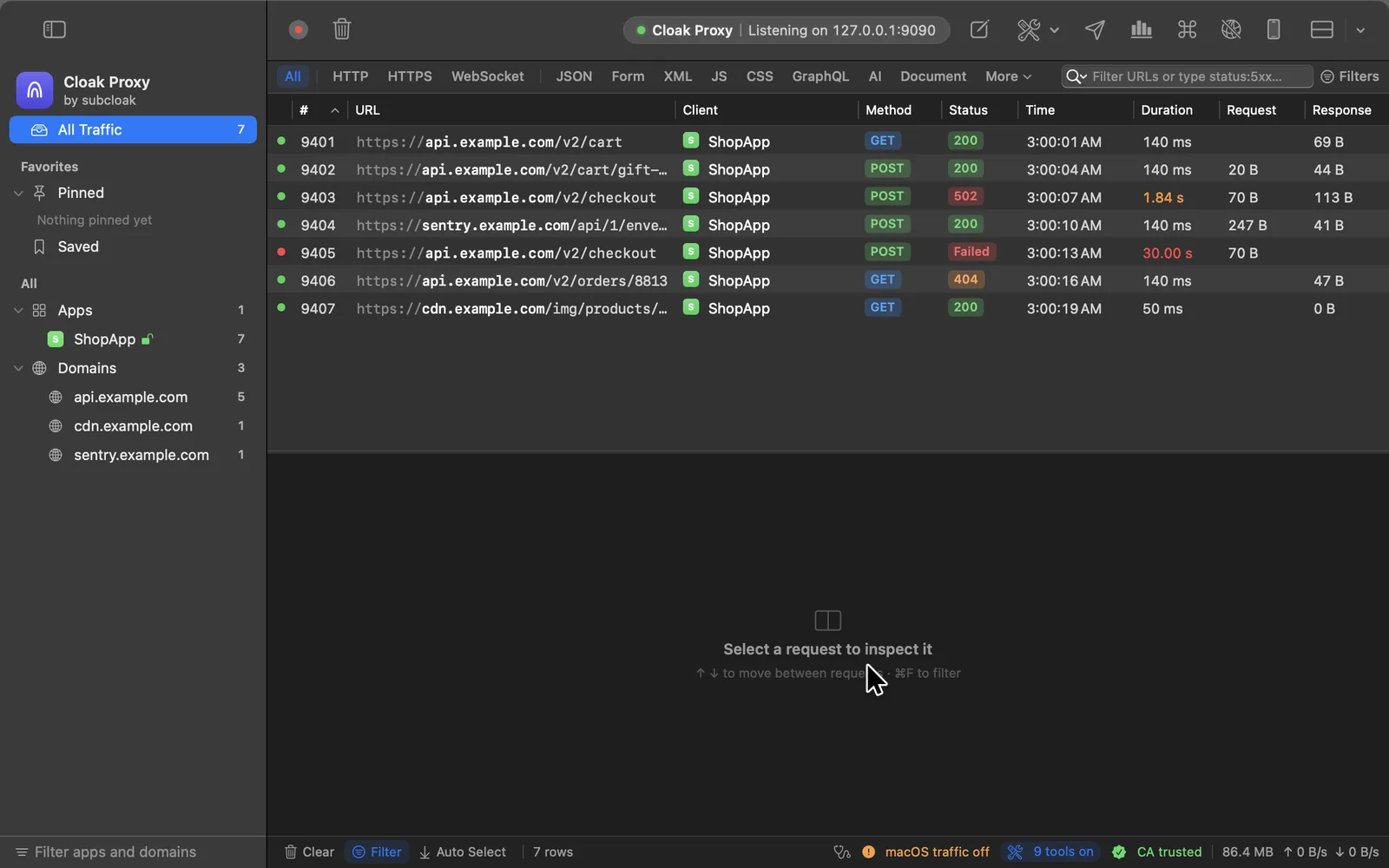
Each app and host in the sidebar, with method, status, size and timing. Filter by anything you type.
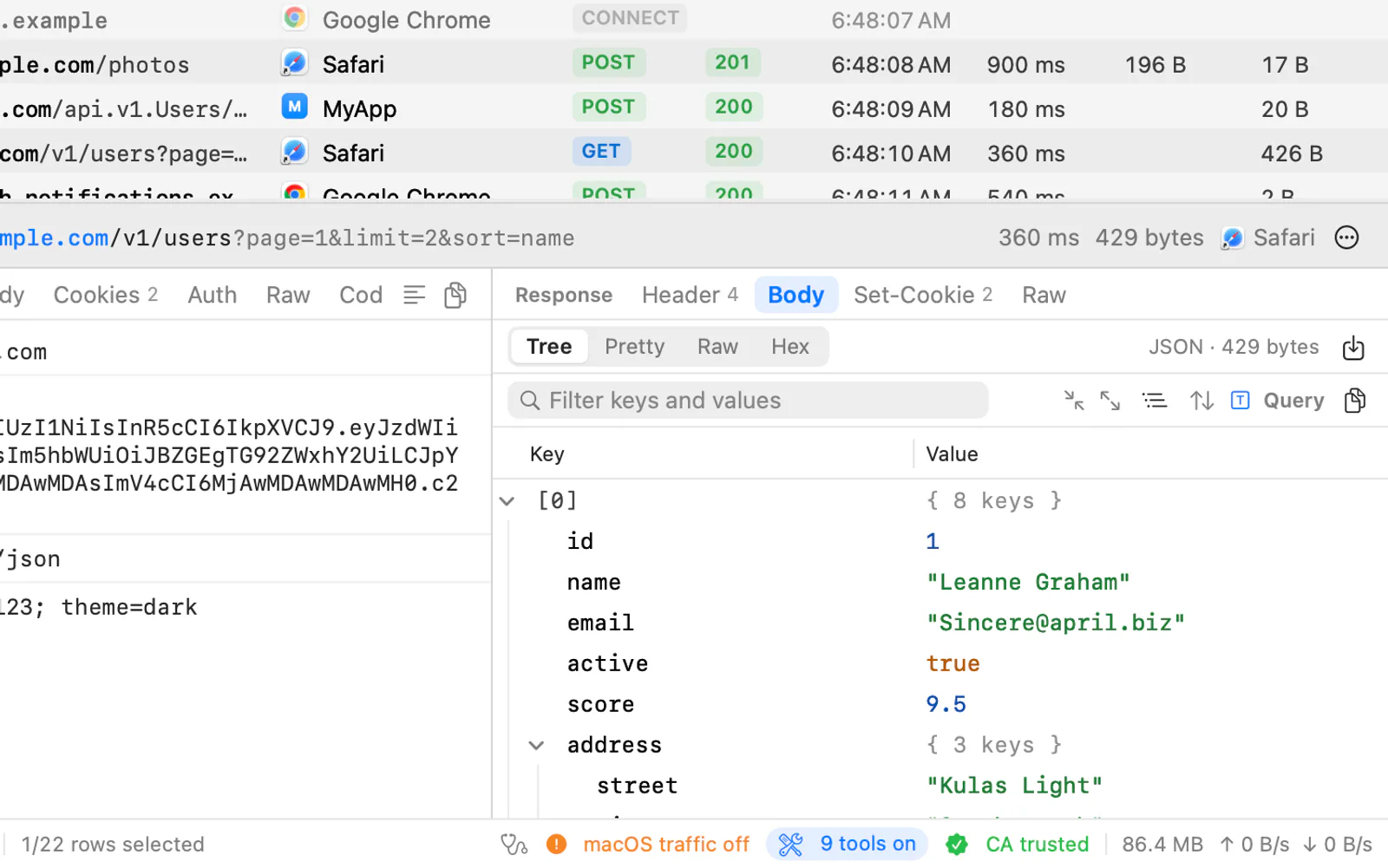
Request and response, side by side
A fast JSON tree with JSONPath and jq, plus viewers for forms, images, Protobuf, MessagePack and hex.
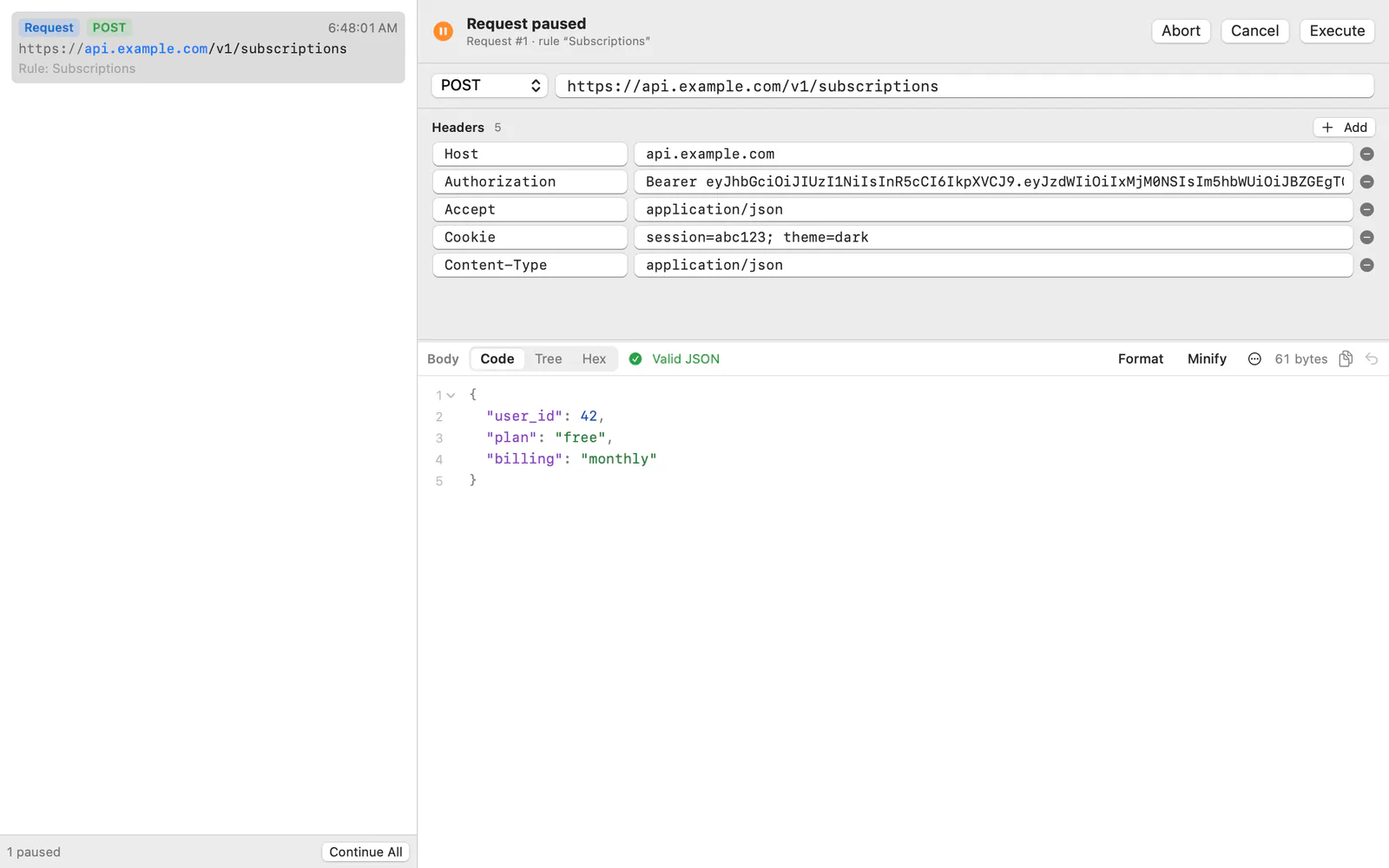
Pause it, mock it, change it
12 debugging tools, each a right-click away on any captured request.
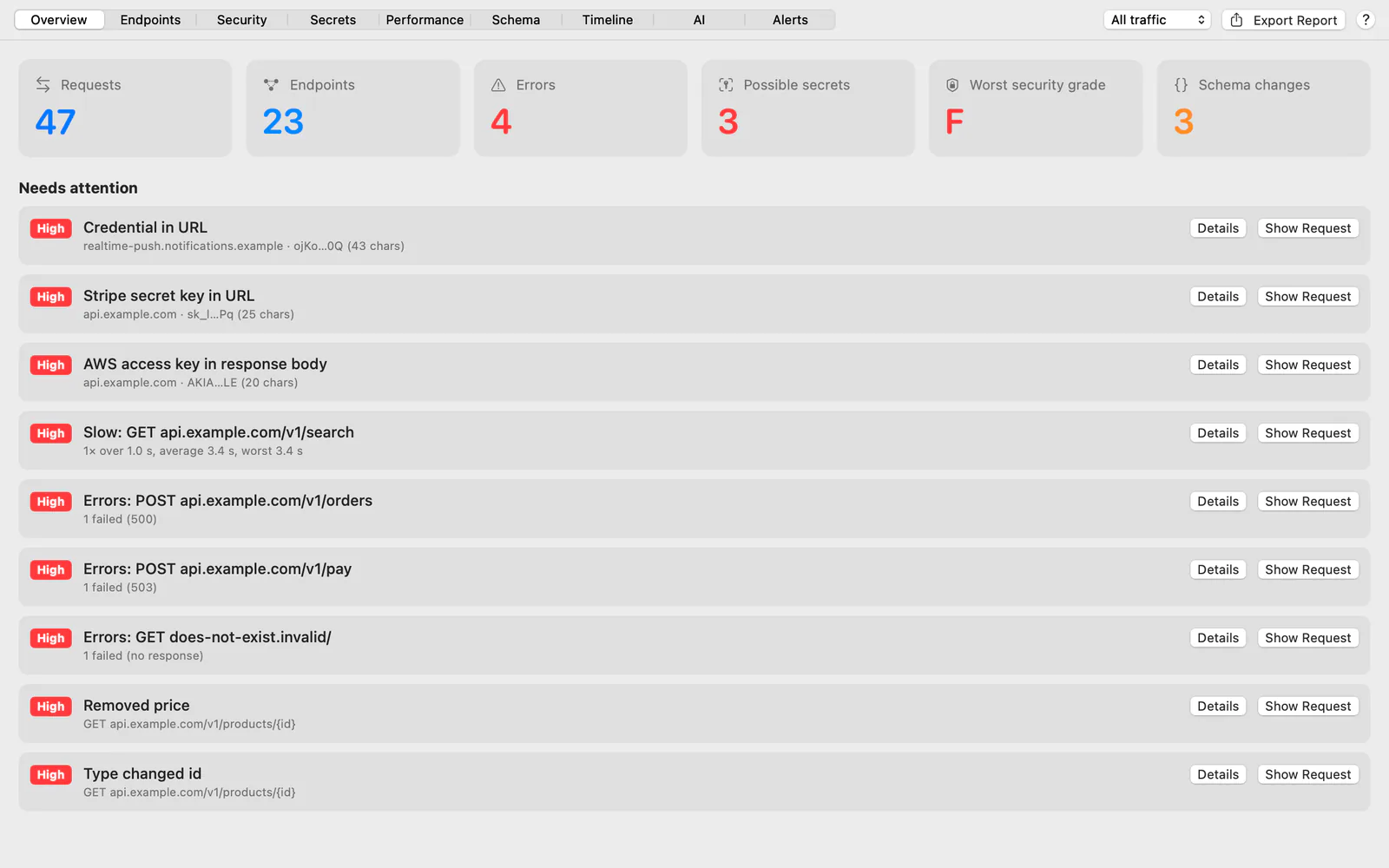
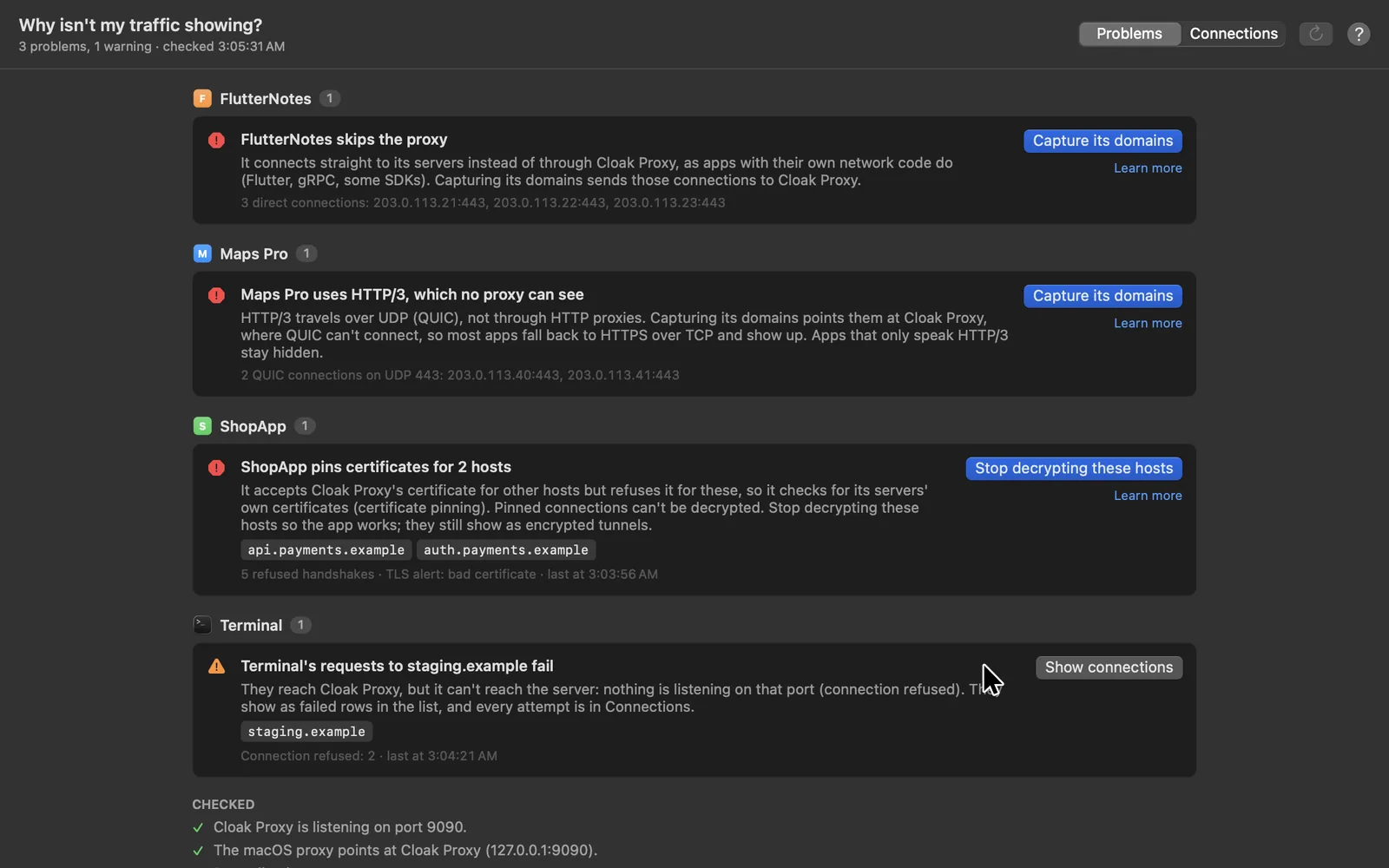
Problems, found for you
Leaked keys, slow endpoints, weak security headers and API schema changes, flagged as you browse.
An API client, built in
Collections, environments, tests, runs, mocks and load tests, saved as plain files you can keep in Git.
Coming soon
Cloak Proxy for iPad
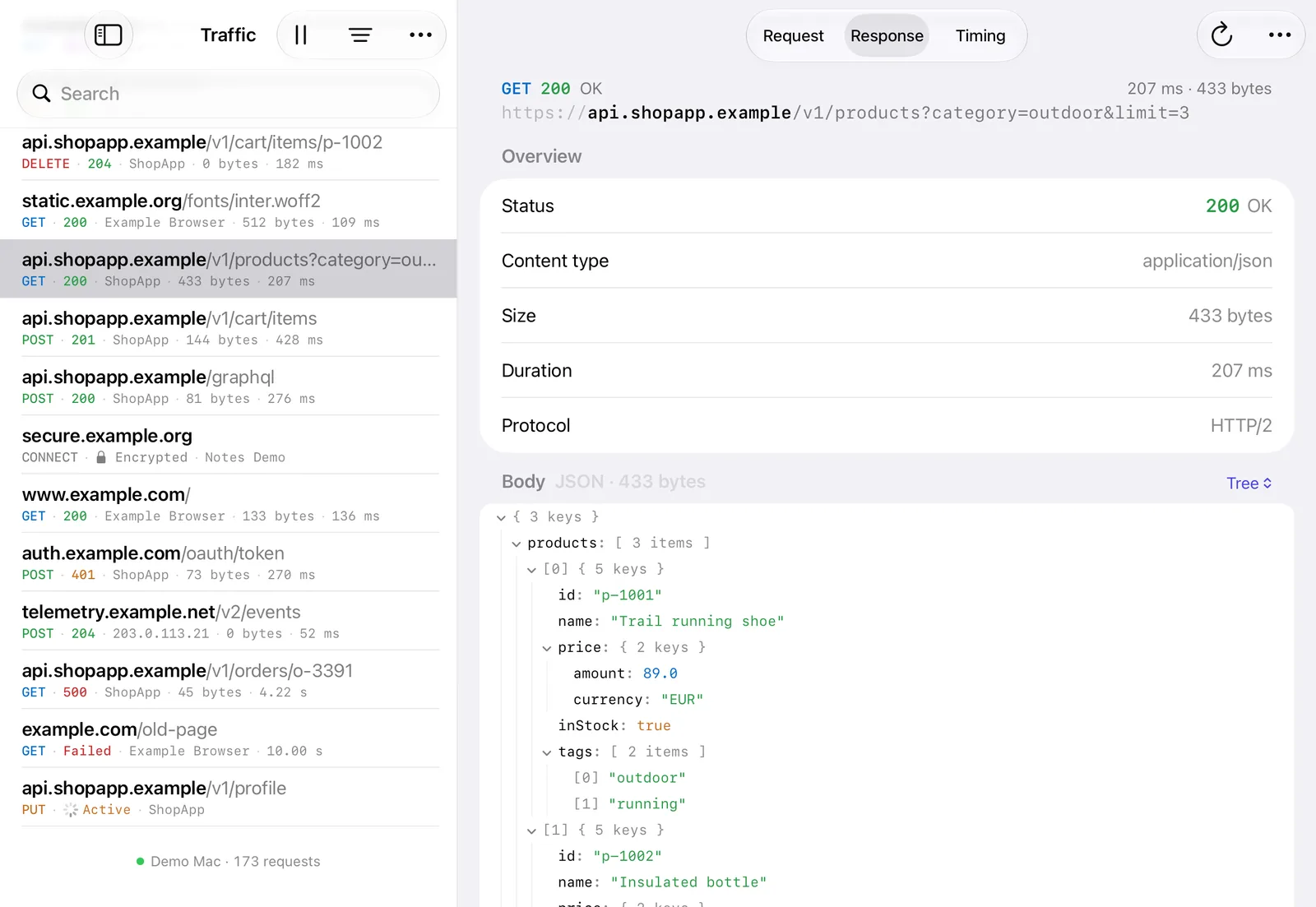
Your Mac's traffic, live on the iPad, or the iPad's own apps captured on the iPad itself.
A proxy that tests, not just watches.
0.4.0 read AI traffic, turned what you captured into API tests, broke things on purpose and handed a bug to your team with the proof attached. 0.4.1 added a query language, live sharing and a browser extension, and brought nearly every Mac window to the Linux beta. 0.5.0 catches the Mac apps that ignore the proxy.
The filter bar takes conditions like these, with autocomplete from your session and saved queries. Highlight and extract rules color the rows a query picks and copy a value from each into its own column.
status:5xx app:ShopApp dur:>500ms
36 fields · autocomplete · saved queries
Live sharing
Show a colleague, live.
Proxy › Share Live Traffic gives a read-only link and a QR code for someone on your network. A query picks what they see, secrets are hidden, and the link ends when you say. Their browser connects straight to your computer.
No upload · no account · ends on a timer
Browser extension
Which tab sent that request?
For Chrome, Edge, Brave and Firefox. Each request shows the tab, page and frame that made it and the script line or stack that started it. Record one tab without a system proxy, and console errors go into bug reports.
Comes with the app · built into Safari from 0.5.0
Model calls and token streams are HTTP like everything else. Cloak Proxy reads them the way you would: tokens, cost, the prompt as a transcript, and every streamed event as it lands.
Every token, every cent, every cache miss.
Model calls from any app or agent get an AI tab: the model, input, cached and output tokens, the estimated cost, time to first token and speed, and a bar of where the context window went.
OpenAI, Anthropic, Gemini, Ollama and OpenAI-compatible servers
The first change since the last turn: where the prompt cache stops matching
Spend by model, app and host, and a cost budget for CI
Server-Sent Events, JSON lines and long chunked bodies pass through as they arrive, so chat UIs keep typing while you watch. The Messages tab lists every event with the gap since the one before.
A timeline strip that shows a slow first token or a stalled stream
GraphQL subscriptions, @defer and @stream, operation by operation
Ended, closed by the app or broken: the list says which
Cloak Proxy is an MCP server with 133 tools. Claude Code, Codex, Cursor or VS Code can read your traffic, check costs and contracts, set up mocks and failures, and get an app's traffic flowing in the first place.
7 agent skills teach coding agents when and how to use it
Tokens, cookies, keys and passwords are redacted before they reach the model
capture_setup walks an agent through a simulator, phone, Docker or Flutter app
Runs on your Mac, and assistants ask before deleting anything
$ claude mcp add cloak-proxy -- "/Applications/Cloak Proxy.app/Contents/Resources/cloakctl" mcp
$ cloakctl skills install claude codex
Test your API without writing tests.
You've already tapped through the app. Cloak Proxy turns that traffic into an authorization test, a contract check, a release diff and a test suite, and each one can fail a CI build.
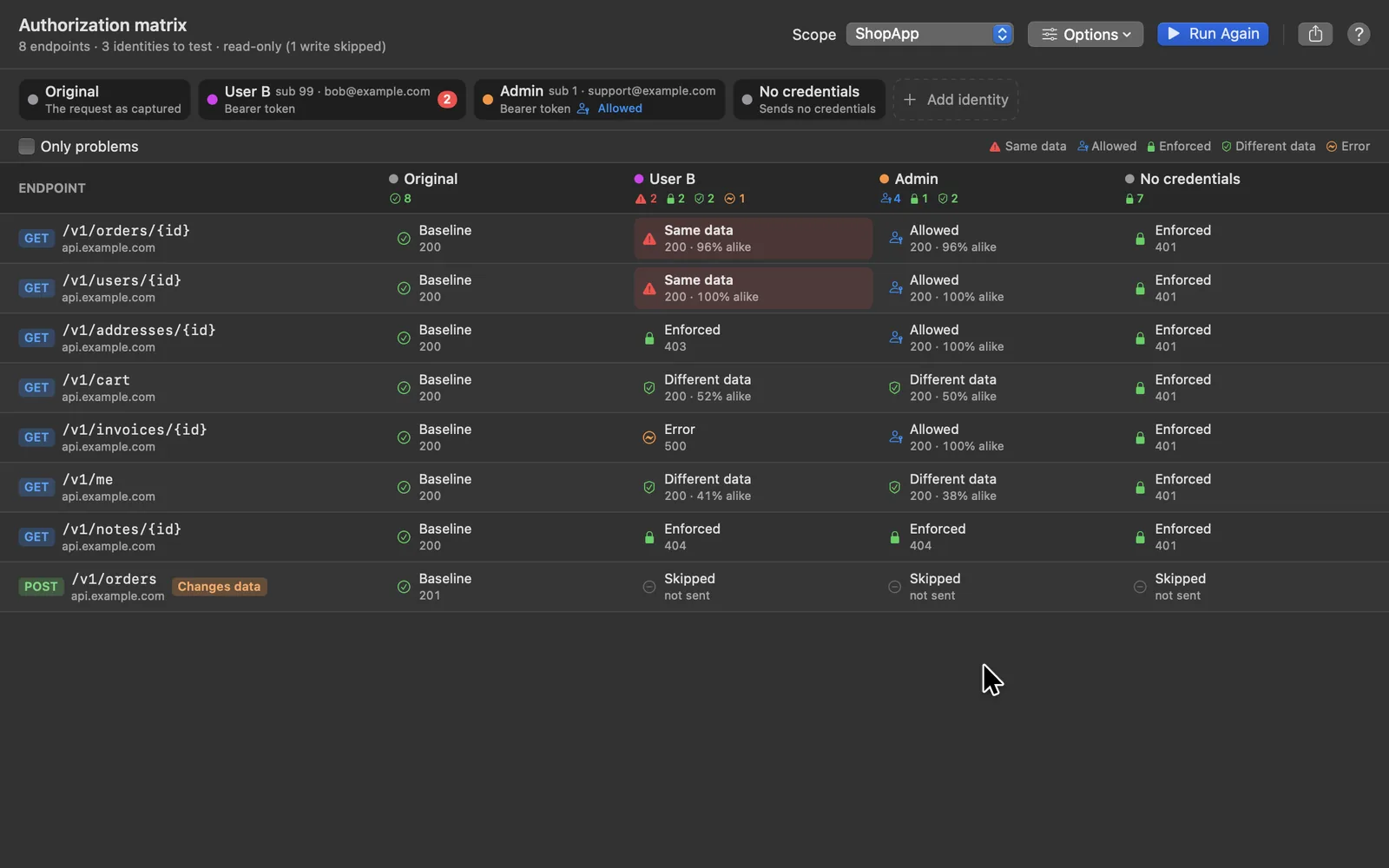
Would user B see user A's orders?
Capture a session as one user, then add others: another user's token, an admin, no credentials. Cloak Proxy replays every captured request as each one, and a response that hands the first user's data to the second stands out.
Endpoint by identity, with a verdict and how alike the bodies are
Read-only methods by default; writes only when you opt in
Admins marked as allowed, and a CI check that fails on a leak
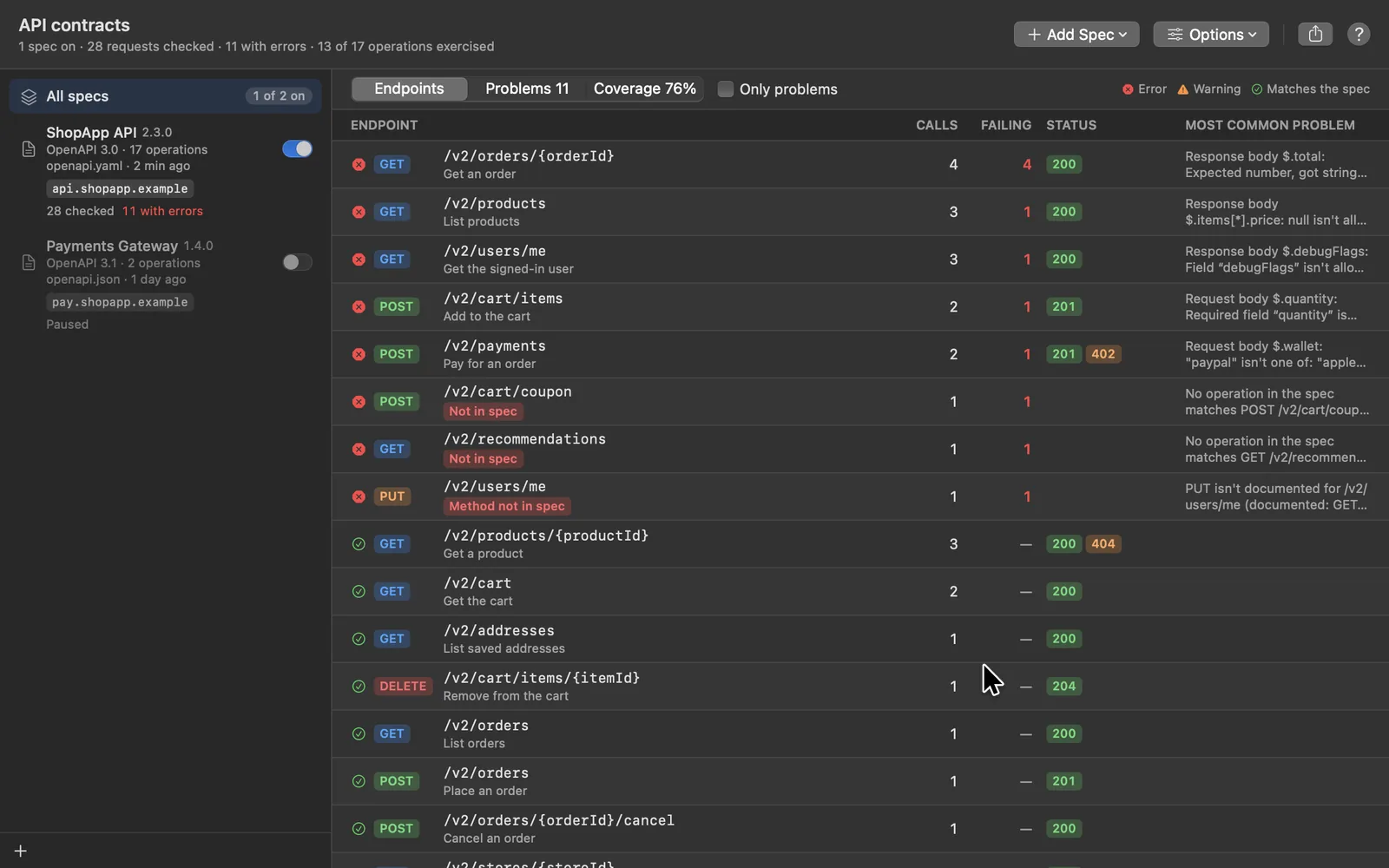
Bind a spec to your API's host and every request and response is checked as the app runs: undocumented endpoints and methods, invalid parameters, unexpected status codes, and bodies that don't match their schemas.
Each problem with its JSON path, the expected and actual value
Coverage: the documented operations nobody called
No spec yet? Draft a starting one from the traffic
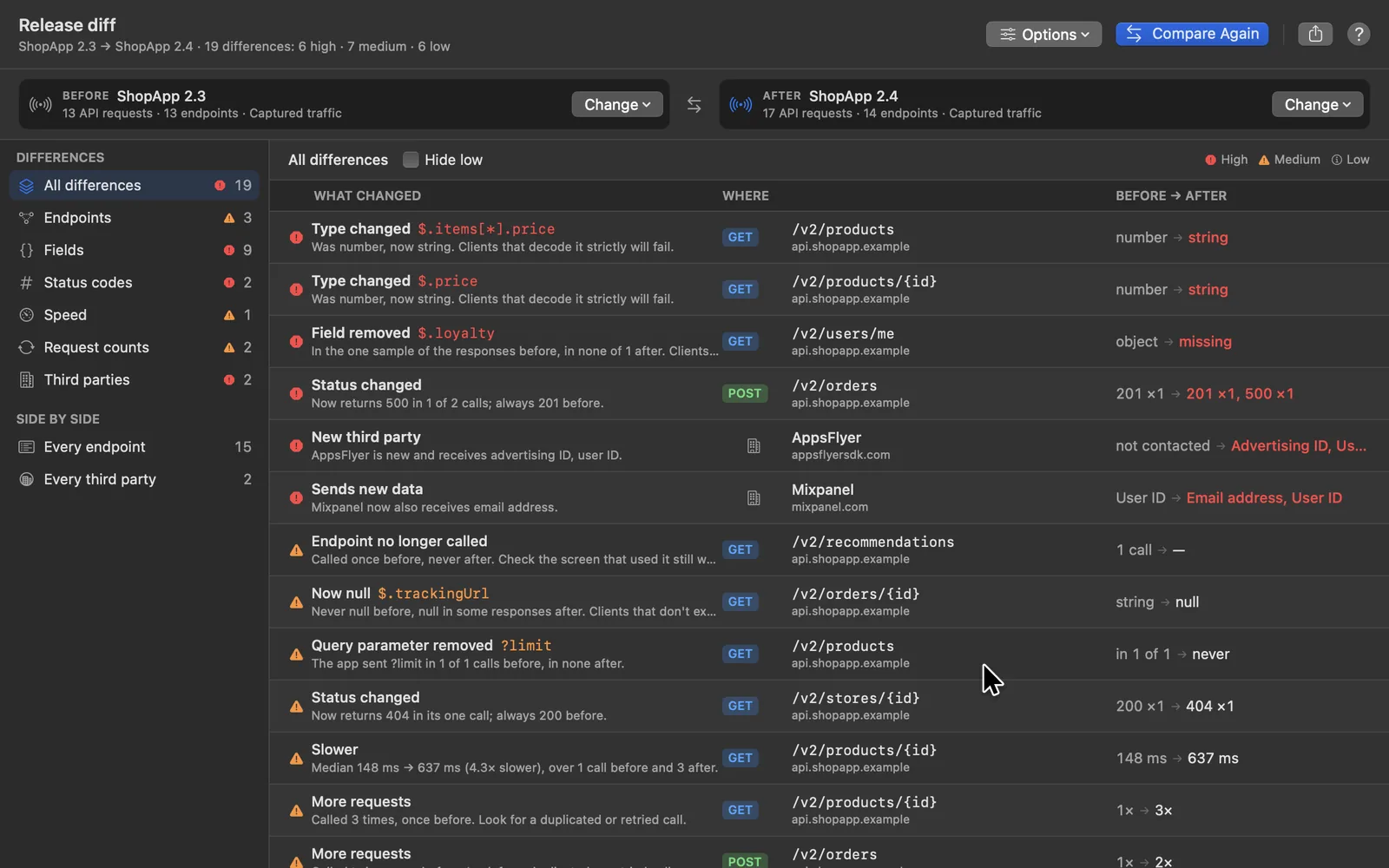
Record the same journey on two builds and compare them endpoint by endpoint: fields removed, retyped or now null, new status codes, slower calls, and third parties that now receive user data.
Every difference ranked high, medium or low
The requests on both sides, side by side
Split one session by the app version in its User-Agent
Select what you captured and get an API-client collection that runs: status, content type, a JSON schema, values that never change and a time budget for every endpoint, with IDs and tokens read from each fresh response.
Send captured requests to another environment and compare every answer, field by field, with timestamps and request IDs ignored. Or mirror live traffic to a second host as the app runs, without slowing the app down.
Record a session in your end-to-end run, then check it: authorization, the API contract, what changed since the last release, staging against production, even what the model calls cost. Each check exits non-zero when it finds a problem, and writes Markdown, JSON or JUnit for the report.
Make it fail before your users do.
Pause a request and edit it, answer it from a file, or fail it the ways real networks do, for exactly the requests you pick, down to one GraphQL mutation. Every rule can be made from a captured request in two clicks.
Flaky on purpose, and on schedule.
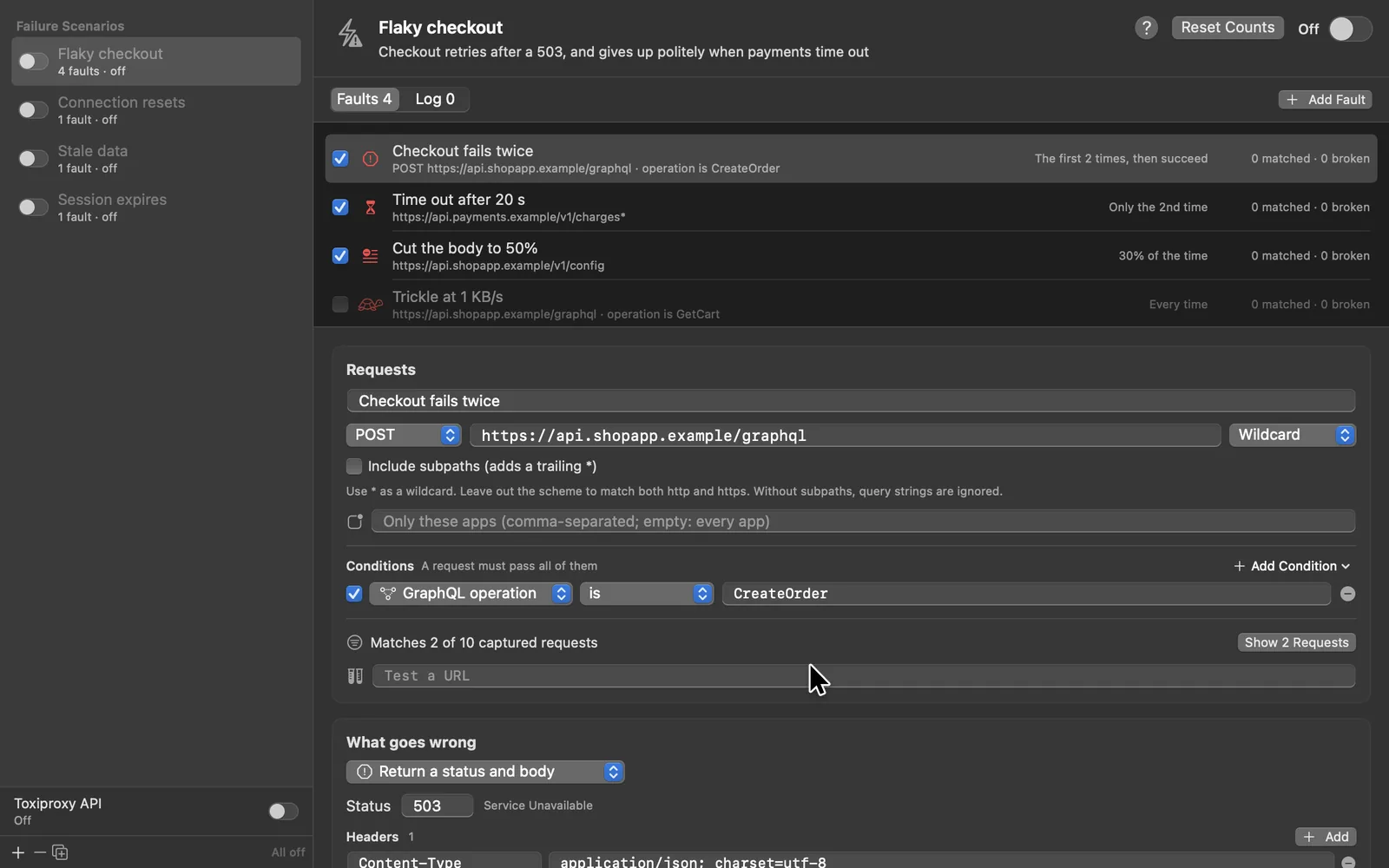
Time out, reset the connection, drop it halfway, trickle the body or serve stale data: every time, the first N times, only the Nth, or a share of the time. A scenario switches on and off as a whole, and logs what it did to each request.
Ten templates, from Flaky API to Session expires
Right-click any request and choose Simulate a Failure
A Toxiproxy-compatible API for the tests you already have
One mock for one mutation. One click for a whole scenario.
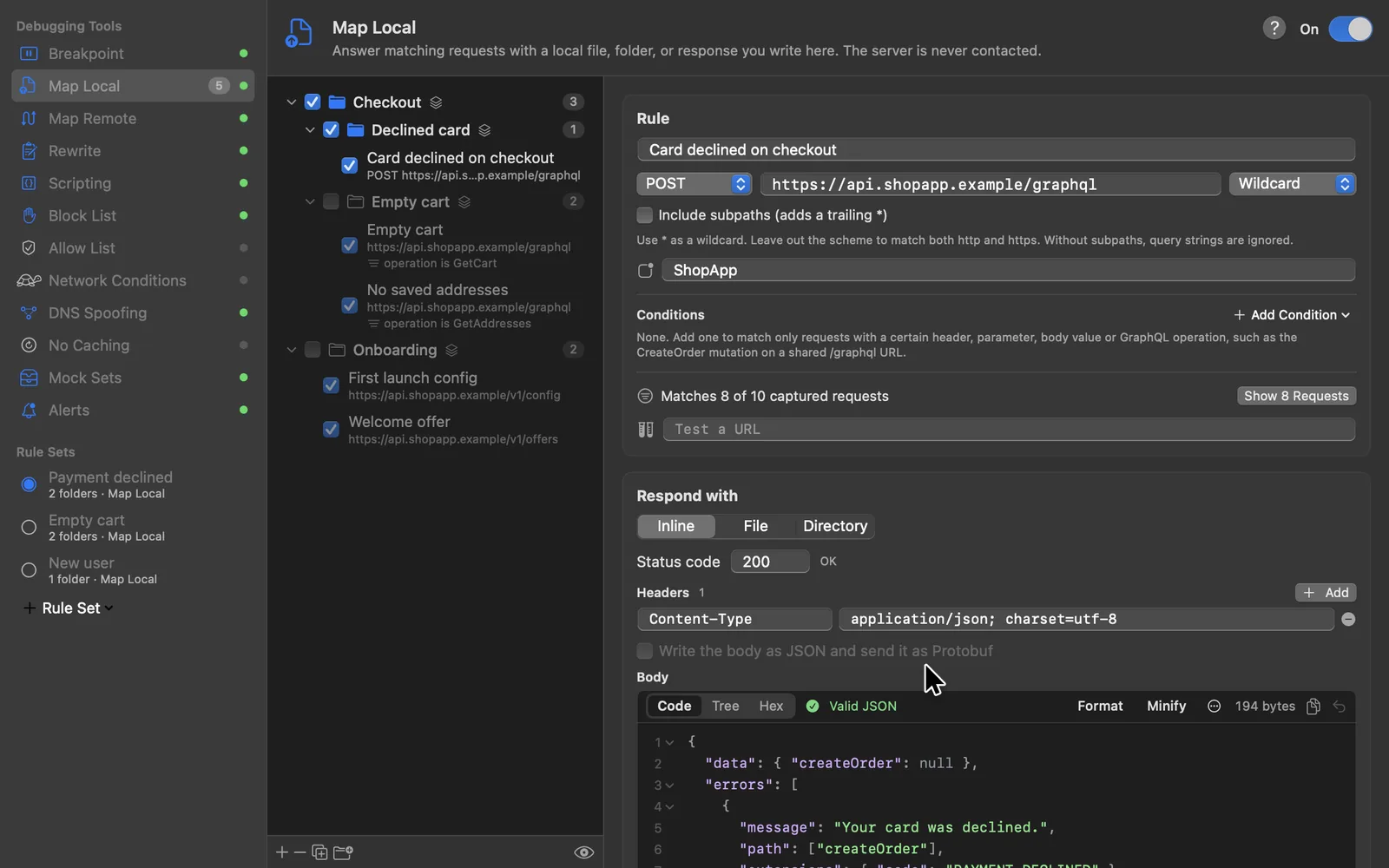
Every rule in every tool can also require a header, a query parameter, a JSON body value or a GraphQL operation. Group rules in folders, save them as rule sets like Payment declined, and switch between them.
Map Local answers from a file, a folder or a response you write
A live count of the captured requests a rule matches
Share a folder or a set as a file, or switch sets from CI
For the days the problem isn't in the request: slow the network, cut off a host, send a domain to another server, or replay a whole session with no network at all. Each one is a rule you can narrow to chosen apps, headers or GraphQL operations.
Turn failing requests into a bug report, follow a request into your backend's traces, edit Protobuf as JSON, and capture any browser, container or app in one click.
A bug report that reproduces itself.
Pick the failing requests, or the last few minutes of an app, and get a bundle: a summary with the failures first, a redacted HAR and session, cURL commands, and a flow that replays it all in the API client.
Each failure with its trace link, contract errors and Sentry report
File it in GitHub, Jira or Linear with your own token
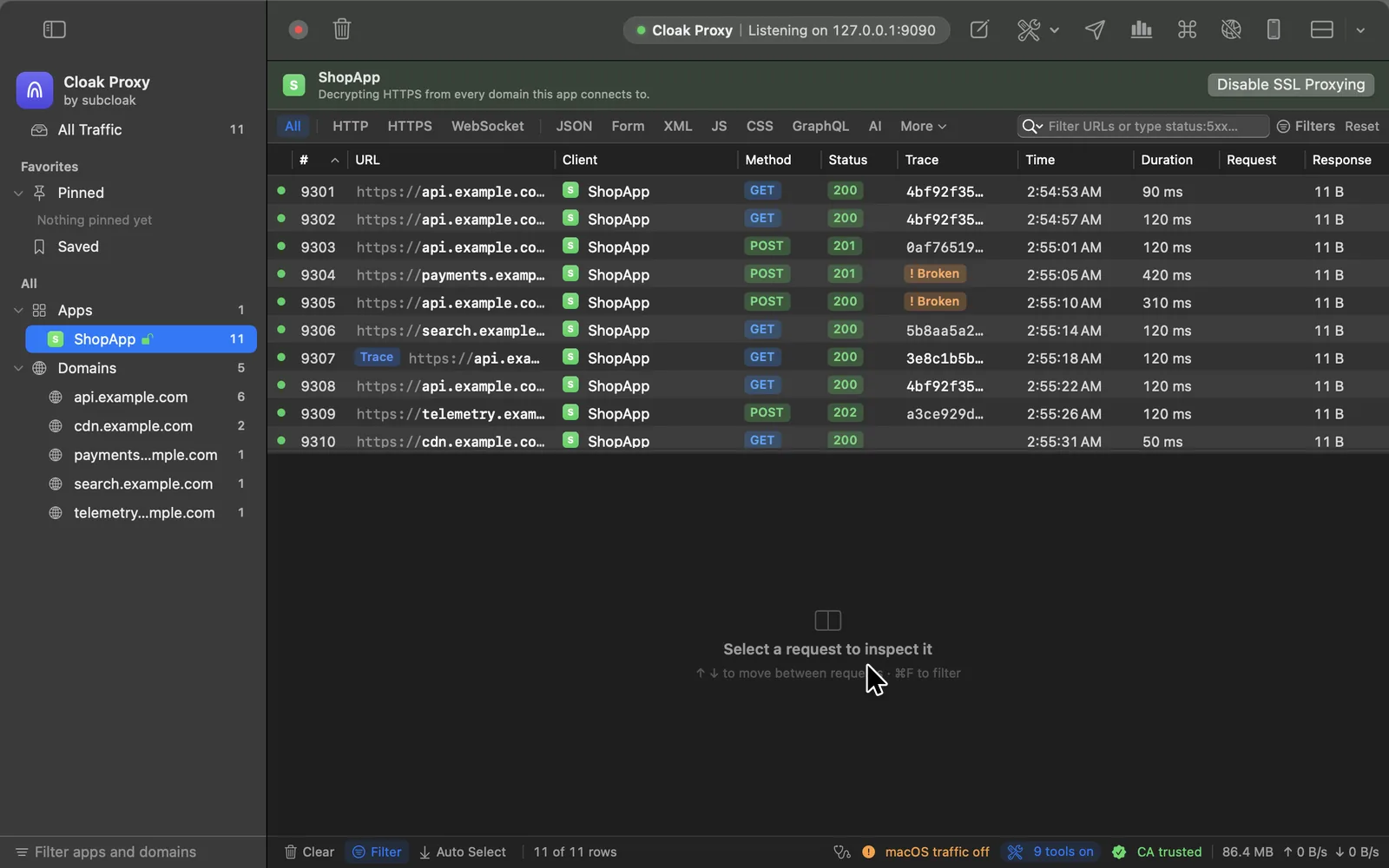
Cloak Proxy reads W3C traceparent, B3, Jaeger, Datadog, X-Ray, Cloud Trace and Sentry headers on every request, and opens the trace in Jaeger, Honeycomb, Datadog, Grafana Tempo or your own backend.
Flags requests where propagation broke, and says why
The other captured requests in the same trace
Adds a sampled traceparent to the hosts you choose
gRPC, gRPC-Web, Connect and Protobuf bodies open as JSON in breakpoints, Compose and Edit and Repeat, and go back out as Protobuf, framed, with their trailers. Without your.proto files, fields are keyed by number and still encode to the same bytes.
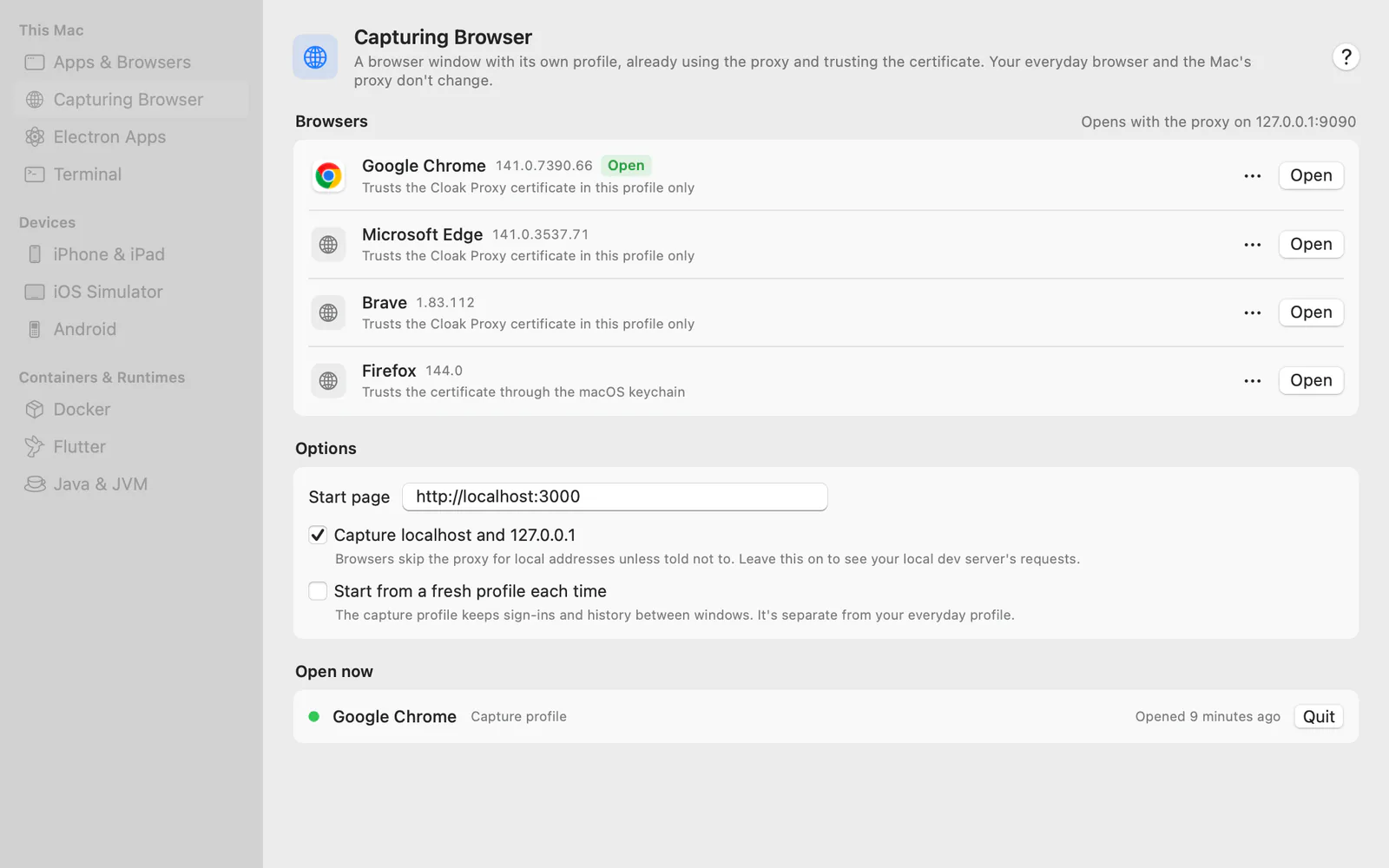
A browser in its own profile, an Electron app, a Docker Compose stack, a Flutter build or a phone. Cloak Proxy sets up the proxy and the certificate for each, step by step.
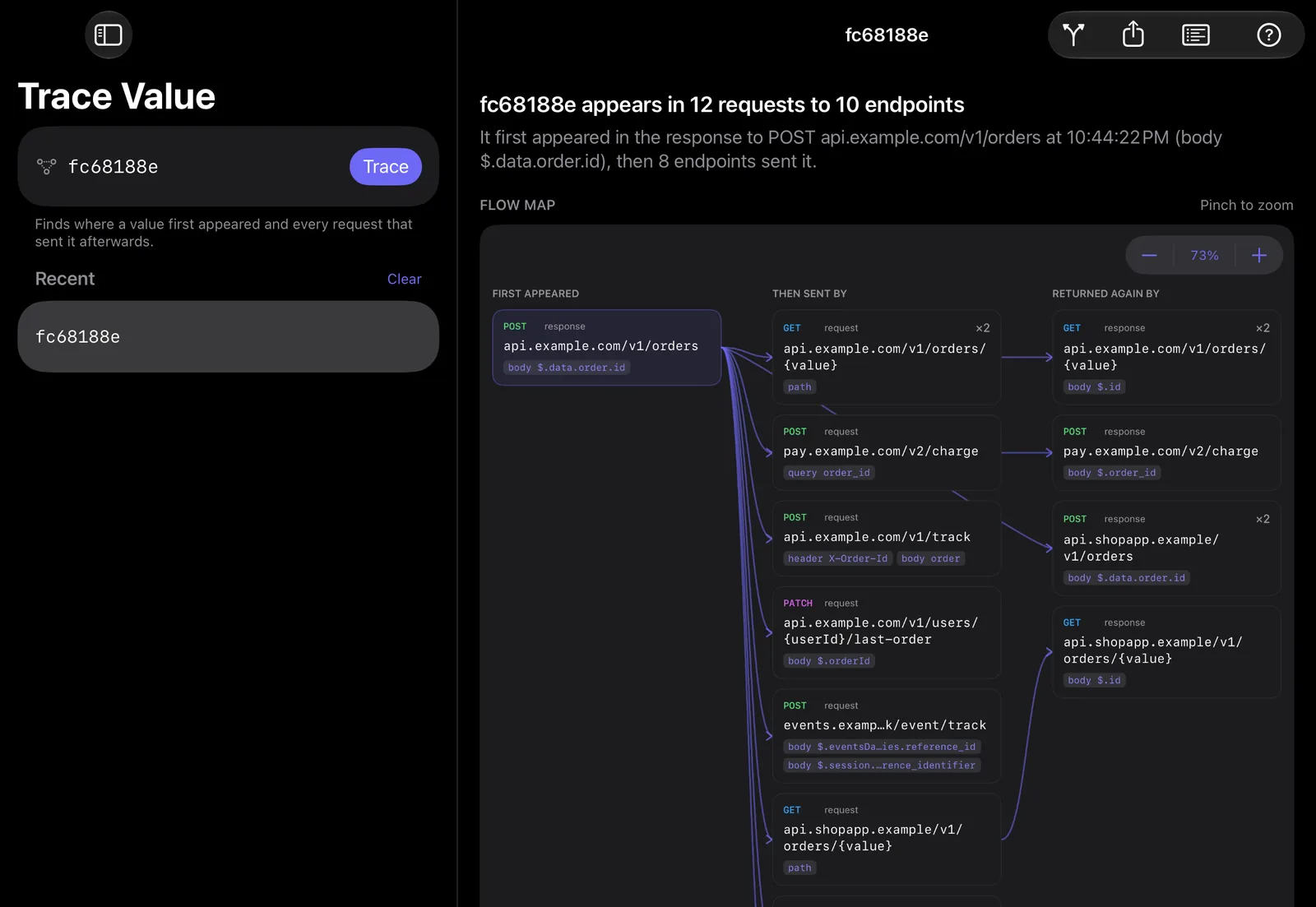
A proxy shows you requests. This one connects them.
Paste an order ID, a token or an email. Cloak Proxy finds the response it came from and every request that sent it on, then replays the chain with fresh values or shows which companies received it.
Trace Value · fc68188e
5 requests · 4 endpoints · 1 third party POST response · first appeared api.shopapp.example/v1/orders $.data.order.id fc68188e GET request api.shopapp.example/v1/orders/{value} path POST request pay.shopapp.example/v2/charge query order_id POST request api.shopapp.example/v1/track header X-Order-Id POST request · third party graph.facebook.com/…/activities body custom_events[*].order_ref
The Linux beta has nearly every Mac window. A phone or another computer can watch your Mac's traffic in a browser, your own app can send its requests straight in, and an iPad app is on the way.
The same Cloak Proxy, on Linux.
A.deb, an RPM, an AppImage and a tarball for amd64 and arm64, with the Mac app's interface in a native WebKitGTK window and the same engine underneath. Since 0.4.1 nearly every Mac window is there too. It's still a beta: here's what's in it, and what isn't yet.
.deb for Debian and Ubuntu,.rpm for Fedora and RHEL, AppImage or tarball for any distribution · amd64 and arm64 · needs WebKitGTK 6.0
In the beta
Capture and HTTPS decryption, with the GNOME, KDE and terminal proxy set for you and restored on quit
The traffic list and inspector, the query bar with highlight and extract rules, Search Everything and Trace Value
All 12 debugging tools, breakpoints, Compose and Repeat, with rule conditions, folders and sets
Insights, Privacy Map, Authorization Matrix, API Contracts, Release Diff, Failure Scenarios, Make Tests and Compare Environments
Device and runtime setup, the Doctor, and DNS capture for apps that skip the proxy (with the.deb or the RPM)
The whole API client, Report Bug, live sharing, the browser extension, cloakctl and the MCP server
Still to come
The web companion; live sharing already shows your traffic in another browser
A Flatpak package
Testing on real desktops: KDE's proxy switching, and the browser extension in a real browser
Windows comes after. Any Linux machine can also send its traffic through Cloak Proxy on a Mac.
Watch from any screen. Capture from inside your app.
See what your Mac captures in a browser on your phone while you tap through an app, or send your own app's requests to Cloak Proxy with no proxy settings at all.
Your Mac's traffic, in any browser.
Pair Safari or Chrome on a phone, a tablet or another computer once, and watch requests arrive as your Mac captures them. Nothing to install on the other device.
Headers, bodies and timings for every request, live
Pause recording and turn tools on or off from the page
Pair with a QR code or a 6-digit code; remove a browser any time
Add CloakProxyKit to the debug build of your iOS or macOS app and call start(). Its URLSession requests show up under the app's name, even from hosts that pin their certificates.
Your Mac's traffic on the iPad. Or the iPad's own.
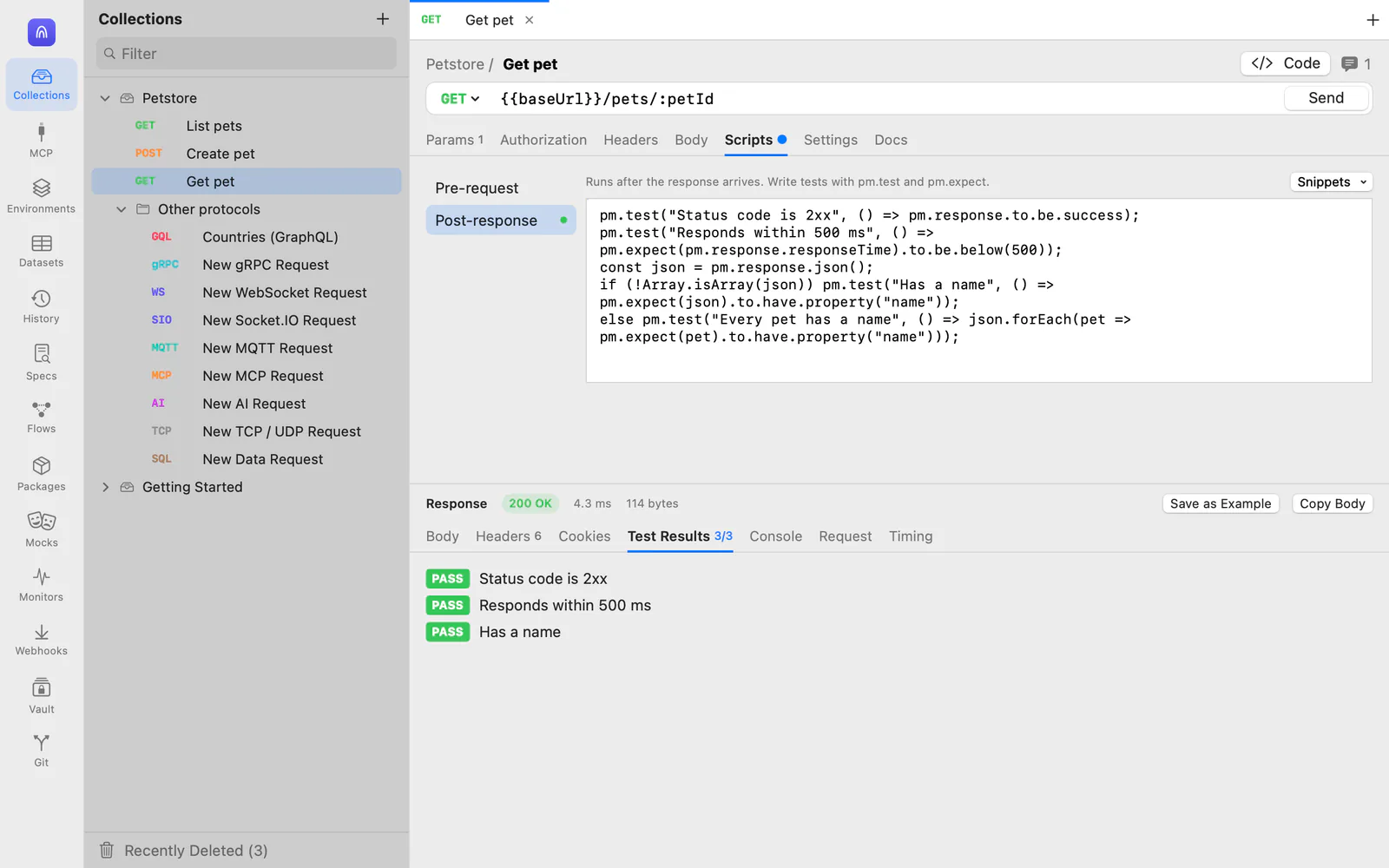
A native iPad app, made for touch: the traffic list and inspector, all 12 debugging tools, the API client, and an MCP server your AI assistant can reach over Wi‑Fi.
It isn't out yet. We'll email you once when it is, and that's all.
Connect to your Mac
Pair with a QR code, and the traffic your Mac captures streams to the iPad as it happens. Change tools and rules from the iPad, and use Insights, Trace Value and Privacy Map there.
Capture on this iPad
The proxy runs on the iPad itself. A guided setup takes you through the certificate, trust and the Wi‑Fi proxy, and notices each step as you finish it. Keep it next to the app you're testing, in Split View or Stage Manager.
One app, end to end.
From the first byte on the wire to a contract check in CI. Every feature links to its page in the docs. Search it, or just read it.
216 features, all free
Click any feature to read its documentation, or browse docs.subcloak.com.
Every feature on this page, free forever. No telemetry: your traffic never leaves your computer unless you send it, and the only thing that contacts Subcloak is the optional update check. It's on the Mac today, in beta on Linux, and coming to every platform you debug on.
Paid upgrades elsewhere. Free here.
In other well-known debugging proxies, features like these often come with a licence, a paid plan or a Pro tier. In Cloak Proxy they're simply part of the app: no account, no trial clock, nothing to unlock.
We'd rather show our working than ask you to take our word for it. The comparison lists price and features side by side, with a source for every cell, and says when another tool is the better pick.
“Often elsewhere” means paid, or in a paid tier, in at least one of the four proxies in our comparison, checked 13 October 2026 (contract checking on 18 October 2026).
Cloak Proxy next to Charles, Proxyman, HTTP Toolkit and mitmproxy: price, platforms, breakpoints, scripting, the API client, MCP, and what only Cloak Proxy does, with sources. Including when another tool fits you better. See the comparison
Yes, for life. There's no trial, no paid tier, no account and no sign-up, and every feature on this page is included. Subcloak is a security practice: we build Cloak Proxy for our own penetration testing and give it away, and our testing work pays for it. You can leave your email when you download to hear about new releases, but you don't have to.
How does it compare with Charles, Proxyman, HTTP Toolkit or mitmproxy?
They're all good tools, and some run on Windows or are open source. Cloak Proxy is free with nothing behind a paywall, and adds an API client with collections, a full MCP server, an LLM Inspector and API testing from captured traffic. See the side-by-side comparison, with sources.
Which Macs does it run on?
Any Mac with macOS 14 Sonoma or later, Apple silicon or Intel. One download runs natively on both.
Does it run on Linux or Windows?
Linux, yes, as a beta: a.deb, an RPM, an AppImage or a tarball, for amd64 and arm64, with the Mac app's interface in a native WebKitGTK window. Since 0.4.1 nearly everything on the Mac is in it: capture and decryption, the query bar, the debugging tools, the testing windows, device setup and the Doctor, the whole API client, live sharing, the browser extension, cloakctl and the MCP server. Still to come are the web companion, a Flatpak package, and testing on real KDE desktops; see what's in it. Windows is on the way: join the waitlist and we'll email you once when it's ready.
Is there an iPad app?
It's coming. Cloak Proxy for iPad connects to your Mac and shows its traffic live, or captures on the iPad itself. It isn't available to download yet: join the waitlist and we'll email you once when it's out. Until then, the web companion shows your Mac's traffic live in Safari on the iPad.
How do I check the download is genuine?
After the download starts, the page shows the file's SHA-256. On a Mac, run shasum -a 256 ~/Downloads/Cloak-Proxy.dmg in Terminal; on Linux, sha256sum with the package's name. Compare the two. Only download Cloak Proxy from subcloak.com.
Can I deploy it to a team's Macs?
Yes. Download the installer package for teams, Cloak-Proxy.pkg, from the download form. It's signed with a Developer ID Installer certificate and notarized by Apple, for your device management (MDM) service or sudo installer, and a sample configuration profile pre-approves App Capture's network extension. See Deploy to a team's Macs.
Is it notarized by Apple?
Yes. Cloak Proxy is signed with a Developer ID and notarized by Apple, so it opens like any other app: the first time, macOS only asks whether you want to open an app downloaded from the internet.
Does my traffic leave my Mac?
No. Cloak Proxy runs entirely on your computer and has no account, cloud sync or telemetry, and your traffic never leaves your computer unless you send it. Captured requests stay there unless you export them, file a bug report, publish one as a Gist, or send them to an AI assistant you've connected yourself. Bug reports, Gists and AI assistants get tokens, cookies, keys and passwords replaced with REDACTED by default, and exports can do the same. Agent Mode and AI requests use your own key and, from version 0.4.2, ask before they first send anything to a provider. The LLM Inspector's costs come from a price list on your Mac. The only thing that contacts Subcloak is the optional update check, which asks for the latest version number. See the privacy policy.
Is the authorization matrix safe to run?
It replays captured requests as the identities you add, straight to the server. Only read-only methods (GET, HEAD, OPTIONS) run unless you opt in to writes, and the replays never touch your traffic list or rules. Run it against apps and servers you're allowed to test, ideally staging with test accounts.
Is it safe to install its certificate?
Cloak Proxy creates its own root certificate, unique to your install, and adds it to your login keychain only when you click Install & Trust (macOS asks for your password). You can remove it or regenerate it from Settings at any time, or use your own CA. Apple's own services, such as push notifications and Apple Account sign-in, are never decrypted.
What about apps with certificate pinning?
Apps that pin their certificates refuse any certificate but their own, so no proxy can decrypt them without changing the app. Leave SSL Proxying off for those hosts and their traffic passes through as normal tunnels, so the app keeps working and you still see which hosts it talks to. For your own iOS or macOS app, the in-app SDK records requests inside the app, so pinned hosts show up too.