Pictory MCP
Community MCP server connecting AI assistants to Pictory API workflows for video creation, transcription, asset search and project management; requires Pictory API access.
Documentation
🎬 Pictory Coupon Code & MCP Server: Automate AI Videos (20% Off: activatecode)



-orange.svg?style=for-the-badge&logo=tag)
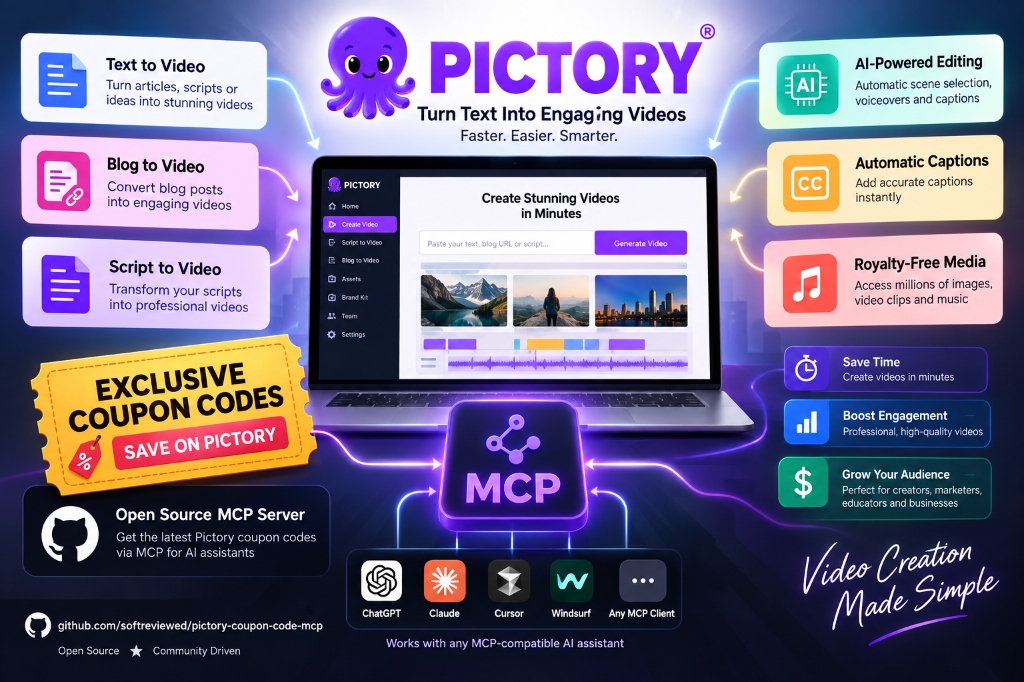
A universal, production-grade Model Context Protocol (MCP) server for Pictory.ai. Connects modern AI assistants and coding agents (Claude Desktop, Cursor IDE, Cline, Roo Code, Windsurf, ChatGPT, Antigravity) directly to the complete Pictory cloud video generation studio.
Transform scripts or articles into rendered videos, repurpose long-form podcasts into viral short clips (Reels/Shorts/TikToks), overlay realistic AI presenter avatars, search millions of stock B-roll assets, synchronize templates with your Pictory web dashboard, and publish directly to Vimeo and Amazon S3.
⚡ What This MCP Does (At a Glance)
                       ┌─────────────────────────┐
                       │ Any AI Assistant / Agent│
                       │(Claude, Cursor, Antigrav)│
                       └────────────┬────────────┘
                                    │ (JSON-RPC stdio)
                       ┌────────────▼────────────┐
                       │       pictory-mcp       │
                       │ FastMCP Universal Server│
                       └────────────┬────────────┘
                                    │
   ┌───────────────┬────────────────┼───────────────┬────────────────┐
   ▼               ▼                ▼               ▼                ▼
pictory_video  pictory_transcribe pictory_assets pictory_projects pictory_integrations
- Script/Render - Long Video Trans - Stock Search  - Web Sync CRUD  - Vimeo Publish
- Storyboard    - Viral AI Shorts  - Music & Mood  - Master Brand   - AWS S3 Storage
- Avatar Overlay- Timed Subtitles  - 300+ Voices     Templates      - Quotas & Usage
- Scene Patching- Highlight Clips  - AI Studio Gen - Scene Patches  - Job Cleanup
🚀 Quickstart (1-Minute Setup)
1. Get Your Pictory API Key & Exclusive Community Discount
To use this MCP server, you need a Pictory account and API key.
[!TIP]
🎁 Exclusive Community Perk: Save ~60% with Verified Coupon Code
If you are setting up or upgrading your Pictory account, you can combine Pictory's 40% annual subscription discount with our verified partner coupon code
activatecodefor an extra 20% recurring discount (saving up to $94/year):
- Verified Coupon Code:
activatecode- Direct Activation Link: Activate 20% Off Pictory AI
- Step-by-Step Checkout Guide: For exact walkthrough steps on how to stack the 40% annual discount with the promo code, read our in-depth Pictory AI coupon code guide.
- Video Tutorial: Watch our step-by-step Pictory coupon code video walkthrough.
Once subscribed, navigate to Settings → API Access (or visit https://app.pictory.ai/api-access) and copy your API key.
2. Connect to Your AI Client
🟣 Option A: Claude Desktop
Add to your claude_desktop_config.json:
- macOS:
~/Library/Application Support/Claude/claude_desktop_config.json - Windows:
%APPDATA%\Claude\claude_desktop_config.json
{
  "mcpServers": {
    "pictory": {
      "command": "uvx",
      "args": ["pictory-mcp"],
      "env": {
        "PICTORY_API_KEY": "pictai_your_api_key_here"
      }
    }
  }
}
🔵 Option B: Cursor IDE
- Open Settings → Features → MCP Servers.
- Click + Add New MCP Server.
- Name:
pictory - Type:
command - Command:
uvx pictory-mcp - Environment variable:
PICTORY_API_KEY=pictai_your_api_key_here
🟠 Option C: Cline (VS Code Extension)
In VS Code with the Cline extension:
- Open the Cline panel → Click the MCP Servers icon (plug icon).
- Click Configure MCP Servers (or open
%APPDATA%\Code\User\globalStorage\saoudrizwan.claude-dev\settings\cline_mcp_settings.json). - Add the
pictoryconfiguration:
{
  "mcpServers": {
    "pictory": {
      "command": "uvx",
      "args": ["pictory-mcp"],
      "env": {
        "PICTORY_API_KEY": "pictai_your_api_key_here"
      },
      "disabled": false,
      "autoApprove": []
    }
  }
}
🦘 Option D: Roo Code (VS Code Extension)
In VS Code with Roo Code:
- Open Roo Code settings → MCP Servers tab.
- Edit
cline_mcp_settings.json(stored in%APPDATA%\Code\User\globalStorage\rooveterinaryinc.roo-cline\settings\cline_mcp_settings.json):
{
  "mcpServers": {
    "pictory": {
      "command": "uvx",
      "args": ["pictory-mcp"],
      "env": {
        "PICTORY_API_KEY": "pictai_your_api_key_here"
      }
    }
  }
}
🌊 Option E: Windsurf (Codeium)
Add to your ~/.codeium/windsurf/mcp_config.json:
{
  "mcpServers": {
    "pictory": {
      "command": "uvx",
      "args": ["pictory-mcp"],
      "env": {
        "PICTORY_API_KEY": "pictai_your_api_key_here"
      }
    }
  }
}
⚙️ Option F: OpenCode & Continue.dev
In ~/.continue/config.json:
{
  "experimental": {
    "modelContextProtocolServers": [
      {
        "transport": {
          "type": "stdio",
          "command": "uvx",
          "args": ["pictory-mcp"],
          "env": {
            "PICTORY_API_KEY": "pictai_your_api_key_here"
          }
        }
      }
    ]
  }
}
🐳 Option G: Docker MCP Gateway
Add to custom.yaml or run directly:
docker mcp server enable pictory
🛠️ Master Tool Reference (5 Consolidated Tools)
| Tool | Category | Key Supported Actions |
|---|---|---|
pictory_video | Video Rendering & Editing | render_storyboard, create_preview, render_from_preview, render_with_modifications, update_elements, render_project, poll_job |
pictory_transcribe | Transcription & Viral Clips | transcribe_video, poll_transcription, automatic_highlights, custom_highlights, get_subtitles |
pictory_assets | Stock & AI Asset Engine | search_media, search_music, list_music_genres, list_music_moods, list_avatars, list_voiceovers, list_styles, list_fonts, generate_ai_image, generate_ai_video, get_signed_url |
pictory_projects | Project & Template Sync | list_projects, get_project, update_project, delete_project, list_templates, get_template, create_template, update_template, delete_template, update_scene |
pictory_integrations | Cloud & Account Ops | get_quota, get_aicredits_usage, list_vimeo_connections, create_vimeo_connection, list_aws_connections, create_aws_connection, clean_job |
💡 Practical Automation Use Cases & Workflows
Here are 5 real-world automation blueprints you can build immediately with this MCP server:
🌟 1. Automated Blog-to-Video Pipeline (Content Repurposing)
New Blog Post URL ──▶ Pictory MCP (Scrapes & Summarizes) ──▶ Matches Getty B-Roll + Voiceover ──▶ 1080p MP4 Ready
- How it works: When a new article is published on WordPress or Ghost, your agent calls
pictory_videowith"blogUrl": "https://yoursite.com/article". Pictory automatically reads the article, extracts the core talking points, generates a multi-scene storyboard, matches Storyblocks B-roll for each sentence, and overlays a synchronized talking-head presenter avatar. - Result: Repurpose 1 written article into a professional YouTube video in under 3 minutes with zero video editing software.
🌟 2. Long Video to Viral Shorts & Reels Generator (9:16)
Long Podcast/Webinar ──▶ pictory_transcribe ──▶ AI Engagement Scoring ──▶ Vertical Clip + Karaoke Captions
- How it works: Pass an existing YouTube video or webinar recording URL to
pictory_transcribe(action="transcribe_video"withmax_duration=60). Pictory transcribes the full audio, runs sentiment and engagement analysis to detect the most captivating moments, and slices them into 60-second vertical (9:16) clips with dynamic, word-by-word highlighted captions. - Result: Generate 5-10 high-converting TikToks, Instagram Reels, and YouTube Shorts from a single podcast.
🌟 3. Autonomous "Faceless" YouTube Channel Engine
AI Writes Script ──▶ pictory_assets (Curate Music & Footage) ──▶ pictory_video (Render) ──▶ Full Video
- How it works: Your AI assistant (Claude, Cursor, or Cline) writes a compelling 5-minute educational script. The agent queries
pictory_assetsto search for thematic background music (search_musicby genre or mood like "Inspiring" or "Cinematic") and applies a modern subtitle animation preset (list_styles). The agent then compiles the complete project viarender_storyboard. - Result: 100% hands-free faceless video generation for niche YouTube channels, documentation hubs, or educational tutorials.
🌟 4. Zero-Credit Scene Optimization & A/B Testing
create_preview (0 Credits) ──▶ Inspect Thumbnails ──▶ update_scene (Surgical Tweak) ──▶ Final Render
- How it works: Before rendering, call
pictory_video(action="create_preview"). This gives you complete scene breakdown, thumbnail URLs, and duration timings without consuming any of your monthly render minutes. If Scene 2 needs a different hook or Scene 4 needs a different B-roll clip, usepictory_projects(action="update_scene") to surgically swap it before triggering the final render. - Result: Eliminates wasted credits and lets you A/B test different hooks and titles risk-free.
🌟 5. Enterprise S3 & Vimeo Auto-Publishing Pipeline
Video Render Finished ──▶ pictory_integrations ──▶ Direct Upload to AWS S3 & Vimeo Showcase
- How it works: Connect your enterprise cloud infrastructure once using
create_aws_connectionorcreate_vimeo_connection. Whenever a video rendering job finishes, Pictory automatically publishes the high-bitrate MP4 directly into your private AWS S3 bucket or Vimeo channel. - Result: Complete end-to-end automation from raw text prompt to cloud-hosted streaming delivery.
💡 Example: URL-to-Video with Talking-Head Avatar
Give Pictory a public URL and an avatar configuration — it will automatically scrape the content, generate scenes, match stock B-roll, and overlay a synchronized talking-head presenter:
{
  "videoName": "Article_Showcase",
  "aspectRatio": "16:9",
  "avatar": {
    "avatarId": "Brandon_expressive2_public",
    "position": "bottom-right",
    "width": "25%",
    "borderRadius": "100"
  },
  "voiceOver": {
    "enabled": true,
    "aiVoices": [{"speaker": "Martin", "speed": 100, "volume": 100}]
  },
  "backgroundMusic": {
    "enabled": true,
    "autoMusic": true,
    "volume": 0.12
  },
  "scenes": [
    {
      "blogUrl": "https://softreviewed.com/openai-gpt6-astra-benchmarks/"
    }
  ]
}
❓ Frequently Asked Questions & Developer Guide (Complete FAQ)
Every question below was answered and verified during live API integration and test runs on the Pictory API v2 production engine:
1. Can I turn a blog/website URL into a video with stock footage AND a talking head?
Yes, absolutely! When you specify "blogUrl": "https://your-site.com/article" in a scene, Pictory automatically:
- Scrapes the article text and summarizes key takeaways into individual scenes.
- Searches Getty Images & Storyblocks to match dynamic B-roll video for every sentence.
- Overlays the synchronized talking-head AI avatar (
avatarId) with real-time lip sync and voice narration across all scenes.
2. How can I review scenes before spending my video render credits?
Use pictory_video with action="create_preview". This generates a Storyboard Preview Job that returns scene thumbnails, text breakdowns, and timings without deducting render minutes. Once you review and approve the preview, call action="render_from_preview" with the job_id to render the final 1080p MP4.
3. How do I make surgical changes to an individual scene without re-rendering everything?
You can edit scenes at any time using:
pictory_video(action="update_elements"): Send a partial JSON array containing only the scene elements (text, background URL, duration, or font) you wish to modify.pictory_projects(action="update_scene"): Target an exactproject_idandscene_numberto swap background media or edit the script line while leaving all other scenes untouched.
4. Does editing scenes or previewing videos cost credits?
No! Editing scene text, swapping background assets, adjusting durations, and generating storyboard previews are 100% free and deduct zero video render minutes. Credits are only consumed when a final video is rendered into an MP4 file on Pictory's cloud servers.
5. What is the difference between Video Search (search_media) and Video Render (render_storyboard)?
search_media(Stock Search): Instantly searches Storyblocks and Getty Images catalogs for stock video footage and returns preview URLs and metadata for inspection.render_storyboard(Video Render): Submits a complete multi-scene composition (text, narration audio, avatar, background B-roll, subtitles, and music) to Pictory's cloud rendering engine to stitch everything into a polished 1080p/4K MP4.
6. Can projects created via MCP be viewed and edited in the official Pictory web dashboard?
Yes, 100%! Every storyboard created through this MCP server produces a legitimate project_id. You can call pictory_projects (action="get_project") or simply log into app.pictory.ai to see your project synchronized in real time. Any change made in the web UI reflects in the API, and vice-versa.
7. How do I customize avatar positioning, circular bubbles, and styling?
The top-level avatar object gives you complete layout control:
- Position:
"bottom-right","bottom-left","center","top-right","top-left". - Width:
"25%"(floating corner bubble),"50%"(split-screen presenter), or"100%"(full-screen talking head). - Border & Shape: Set
"borderRadius": "100"for a circular bubble or"0"for square. Add"borderThickness": 3and"borderColor": "rgba(255,255,255,1)"for a crisp white outline.
8. Does Pictory support generative AI models (like PixVerse, Stable Diffusion), and how are credits handled?
Yes! Through pictory_assets:
- AI Video: Generate custom B-roll clips with PixVerse (
action="generate_ai_video"). - AI Images: Generate custom photorealistic images with Recraft or Stable Diffusion (
action="generate_ai_image"). - Credit Pool: AI Studio generations consume your account's monthly AI Credits pool, which is tracked separately from your Video Render Minutes pool. Check both anytime using
pictory_integrations(action="get_aicredits_usage"andaction="get_quota").
9. How does background music work, and does it interfere with voiceover?
Pictory features intelligent audio auto-ducking. When you enable backgroundMusic alongside an AI voiceOver track, Pictory dynamically lowers the music volume (to ~10-15%) whenever the narrator speaks, and gently swells the volume during natural pauses. You can also search thousands of tracks by mood and genre (pictory_assets -> search_music).
10. Can I turn long YouTube videos or podcasts into viral short clips (Shorts/Reels/TikToks)?
Yes! Call pictory_transcribe with action="transcribe_video" and specify a target max_duration (e.g., 60 seconds). Pictory transcribes the audio, detects the most viral and engaging hooks using sentence scoring, and outputs vertical (9:16) clips with dynamic word-by-word highlighted captions.
11. What is the critical API quirk with highlight extraction (jobId in path)?
In the official Pictory API v2, highlight extraction endpoints (GET /v2/transcription/highlights/{jobId}) require the jobId to be provided in the URL path, not within the JSON request body. This MCP server handles this URL parameter mapping automatically so you never encounter 404 or 400 parameter errors.
12. Can Pictory export rendered videos directly to private cloud storage or Vimeo?
Yes! Through pictory_integrations:
- Vimeo Integration: Connect your Vimeo account (
create_vimeo_connection) to automatically push finished videos to Vimeo. - AWS S3 Storage: Connect your private AWS S3 bucket (
create_aws_connection) to automatically archive high-resolution MP4s directly to your own enterprise cloud infrastructure.
13. How do I get the maximum discount with the Pictory coupon code?
Stack Pictory's built-in 40% annual billing discount with our exclusive community coupon code activatecode to receive an effective ~60% total discount (saving up to $94/year). For a complete checkout walkthrough and plan pricing comparison, read our in-depth Pictory coupon code guide.
🧪 Testing & Verification
Run the test suite locally:
pytest tests/
All 17 unit tests validate payload serialization, error handling, route matching, and header authentication.
🤝 Support, Bug Reports & Custom Automations
- 🐛 Found a bug or API quirk? Open an issue on our GitHub Issues Tracker.
- 💼 Need custom AI video automations, enterprise deployment, or priority bug fixes? Reach out to us directly via SoftReviewed Contact.
📄 License
MIT License. Free for personal, commercial, and enterprise integration.