Pepys MCP
Pepys Transcribe turns audio and video into accurate text in 99 languages, with speaker labels, word-level timestamps and AI summaries. Paste a link from YouTube, TikTok, Instagram or a podcast feed, or upload large files, then export SRT, VTT, DOCX, PDF or JSON. It also offers a REST API and an MCP server for agents. 60 free minutes on signup, then pay-as-you-go credits from $0.85/hr with no subscription.
Documentation
Transcribe anything.
Turn long meetings, interviews, podcast backlogs, legal recordings and social clips into accurate, timestamped transcripts and useful notes. Pay only for the hours you use – no subscription.
or paste a link
60 min free · no card · GDPR · audio is never used for training


Trusted by users in 160+ countries
Researchers, creators, journalists, students and professionals use Pepys to turn audio and video into accurate transcripts.
What is Pepys Transcribe?
Pepys Transcribe is AI transcription software. Upload a recording or paste a link and get an accurate, timestamped transcript you can edit, search and export to Word, PDF, text and subtitle files. Check the file and recording limits for long uploads. Start with 60 free minutes, then pay as you go – credits never expire.
Start with the recording you have
Built for real recording backlogs
A workshop, a season of episodes, an interview round, or forty short clips. Bring the work as it actually arrives.
[Meetings
Teams calls & workshops
Upload the recording afterward. No bot joins the room.
](https://pepys.co/tools/meeting-transcription)[Podcasts
One episode or the backlog
Paste a link, an RSS feed, or process a whole batch.
](https://pepys.co/transcribe/podcasters)[Research
Interviews ready to code
Keep speakers, quotes, and timestamps attached.
](https://pepys.co/transcribe/research-firms)[Legal & evidence
Recorded statements, searchable
Create a private working transcript you can check against the audio.
](https://pepys.co/transcribe/lawyers)[Social & sermons
Clips turned into usable text
Make captions, summaries, quotes, and a searchable archive.
](https://pepys.co/tools/social-media-video-transcript)[Product & QA
Screen recordings documented
Turn spoken walkthroughs and demos into searchable handoffs.
](https://pepys.co/tools/screen-recording-to-text)
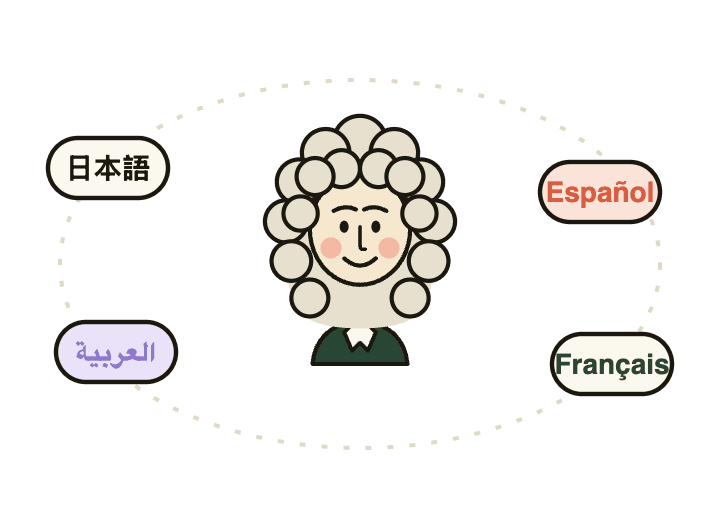
Detect any language. Deliver it in another.
We auto-detect the spoken language on the way in, 99 of them, then translate the finished transcript into any other, with timestamps and subtitles intact. Every language is the same flat rate – no language tiers.
Transcribe anything.
Auto-detected · 99 languages
Bring recordings in from anywhere.
Connect Drive, OneDrive, or Zoom. Dropbox and Box shared links work too.
Paste a shared link
No account connection needed.
Native, per-format AI
AI notes built for what you actually make.
One upload, output shaped to what you made. Pick your format and watch your recording come back as the notes that format actually needs – not one generic summary, not a bolt-on chatbot you re-prompt.
reel-hook-v3.mp42m 36s of audio · transcribed in 7s
0:00 / 2:36
- 0:00CreatorStop posting your best idea in the first three seconds. I know, I know, every guru told you to lead with the hook. But here's why that's quietly killing your watch time.
- 0:11CreatorA hook isn't the moment you say the smartest thing. It's the moment you open a loop the viewer needs to close. If you give away the answer in second one, there's no loop left, so there's no reason to stay.
- 0:23CreatorI pulled the retention graphs on my last forty Reels. Every single one that flopped had the same shape: a tiny spike, then a cliff at around the four-second mark. That cliff is people getting their answer and bouncing.
- 0:35CreatorSo I started doing the opposite. Instead of leading with the conclusion, I lead with the tension. I name the mistake first, then I make you wait twenty seconds for the fix. Watch time on those jumped from nine seconds to twenty-six.
- 0:47CreatorHere's the exact structure I use now, and you can steal it. Line one: name the painful mistake. Line two: raise the stakes, why it's costing them. Line three: promise the fix, but don't deliver it yet.
- 0:59CreatorThen the body is just you keeping that promise slowly. One proof point, then one example, then the actual method. You're paying off the loop in installments, not all at once.
- 1:11CreatorThe second thing that changed everything: I stopped editing for pace and started editing for momentum. Pace is fast cuts. Momentum is each sentence making you need the next one.
- 1:23CreatorGo pull a transcript of your video and read it with no audio, no visuals, just the words. If a line doesn't make you want to read the next line, it's dead weight. Cut it. The transcript is the skeleton.
- 1:35CreatorI do this before I ever open my editor now. I read the words cold, I delete every sentence that doesn't pull, and I rewrite the openers of the ones that survive. Ten minutes of that beats an hour of fancy transitions.
- 1:47CreatorAnd one tiny thing that punches way above its weight: end on an open question, not a summary. A summary tells people you're done. An open question makes them rewatch to check if they missed something.
- 1:59CreatorRewatches are the cheat code, by the way. The algorithm can't tell the difference between a loop you designed and a video so good they watched twice. Both just look like high retention to the feed.
- 2:11CreatorSo quick recap: open a loop instead of dumping the answer, pay it off in installments, edit the transcript before the footage, and close on a question. Do those four and your average view duration will climb on its own.
- 2:24CreatorIf you want the transcript-first checklist I run on every video, comment the word LOOP and I'll send it over. And follow, because tomorrow I'm breaking down the one caption mistake that's tanking your reach.
talking-headWhy Leading With Your Best Idea Is Killing Your Watch Time
The hook
“Stop posting your best idea in the first three seconds.”
Classic pattern-interrupt that attacks conventional wisdom the audience has been told repeatedly ('lead with the hook'). It works through a contrarian negation ('Stop...') paired with an implied threat to a result they care about (watch time), which is named seconds later. The creator preempts skepticism with 'I know, I know,' which builds credibility and stops the scroll by promising to overturn a belief the viewer already holds.
Core message
A hook should open a curiosity loop rather than give away the answer; you sustain watch time by paying that loop off in installments, editing the transcript before the footage, and closing on an open question to drive rewatches.
Call to action
If you want the transcript-first checklist I run on every video, comment the word LOOP and I'll send it over. And follow, because tomorrow I'm breaking down the one caption mistake that's tanking your reach.
Retention structure
- 1 Pattern-interrupt hook that negates accepted advice and names the stakes (watch time)
- 2 Reframe: redefines what a hook actually is ('the moment you open a loop the viewer needs to close')
- 3 Proof / credibility beat using personal data ('I pulled the retention graphs on my last forty Reels')
- 4 Payoff with a concrete, stealable framework (name the mistake, raise stakes, promise the fix, deliver in installments)
- 5 Tactical escalation: edit the transcript with no audio or visuals, then end on an open question to trigger rewatches
- 6 Recap of the four moves followed by a two-part CTA (comment 'LOOP' + follow with a next-video tease)
Topics
Short-form retentionHook writing and curiosity loopsWatch time and average view durationTranscript-first editingAlgorithm signals and rewatchesContent structure frameworks
Suggested hashtags
#contentcreator#shortformvideo#reelstips#watchtime#hookwriting#creatortips#videoediting#growthtips
Every persona gets notes built for their format, from the same upload.
Ask, don’t scrub
Ask the transcript anything.
An hour-long recording? Don’t skim it – ask. Every answer stays grounded in your transcript and cites the exact timestamp, so you can jump to the moment and check it yourself.
podcast-ep-42.mp3Ask AI
What's the main claim about memory?
That memory is a reconstruction, not a recording – every time you recall something you rebuild it from fragments and quietly edit it. The guest's blunt version: confidence is the worst possible witness.
Cited0:491:02
Any technique I can actually use today?
Yes – retrieval practice: close the book and force yourself to recall instead of rereading. The struggle to recall is the workout that builds the memory. And protect your sleep – that's when the brain files the day.
Cited1:281:53
Ask anything about this transcript…
Grounded in your transcript – if the answer isn’t in the audio, it says so instead of guessing.
Clean paragraphs. No more um's and ah's.
The left is what Pepys hands back – logical paragraphs with the filler stripped out, punctuated and readable. The right is the raw, one-line-per-segment dump most transcribers leave you with.
reel-voiceover.mp4
um so yeah everyone keeps telling you to like lead with your best line right but uh honestly if you give away the whole answer in the first second you know there's basically no reason for anyone to keep watching so the hook isn't kind of the smartest thing you say it's like a loop you open that they need to close and um that's the part that actually keeps people around
Raw
BeforeAfter
Works with the platforms you live in.
Paste a link from Google Drive, OneDrive, Dropbox, Box, YouTube, TikTok, Instagram, Facebook, Rumble, Kwai, a Twitch or Kick clip, Spotify, or Apple Podcasts, or drop in any audio or video file. We transcribe it once, then you export it however your workflow needs.
- YouTube
- TikTok
- Rumble
- Kwai
- Twitch
- Kick
- Spotify
- Apple Podcasts
- Dropbox
- Box
- or any file
Export to any format
- TXT
- Markdown
- DOCX
- SRT
- VTT
- JSON
Timestamps and subtitle timing carry through to every export.
Everything you need. No subscription.
Start free with transcription, AI notes, chat, translation and synced playback. Speaker labels (1.5 credits per minute) are open to every signed-in account, and any credit purchase unlocks batch uploads – you only top up minutes when you need them.
-
Private. No monthly cap. No subscription.
We never train on your audio. There is no monthly usage cap or subscription, and credits never expire. Buy credits when you need them, nothing to cancel. -
AI tuned to your format
Hooks for short-form, show notes for podcasts, decisions for meetings, study notes for lectures – built into the editor, not a bolted-on chatbot you re-prompt.
And the tools built in:
-
Accurate & timestamped
Word- and segment-level timestamps on every line. -
Speaker labels when you need them
Every voice on its own line, automatically. -
99 languages, in and out
Auto-detected in; translate the result on the way out. -
Every export format
TXT, SRT, VTT, DOCX, PDF, JSON in one click.
From file to finished, in three steps
01
Upload or paste a link
Any audio or video, any length. You record it – no bot ever joins your call – and we do the rest.
02
Get your transcript
Timestamps and AI tuned to your format – show notes, hooks, or a summary. Ready in minutes.
03
Export anywhere
SRT, VTT, TXT, DOCX, PDF, JSON. One click. Your credits never expire.
Loved by people who’d rather not type
Creators, podcasters, students, journalists, and researchers turn hours of audio into searchable text – with the AI notes to go with it.

-
Adam M. Entrepreneur Searchable customer interviews
-
Very focused and useful tool for getting transcripts from social media videos. My previous workflow was a kludge and took 10 minutes with CapCut—this took less than 30 seconds. Customer service and outreach was very responsive. Brandon G.Social Media MarketerFaster social transcripts Read full review on Trustpilot ↗
-
I had a great experience with Pepys! I uploaded a video for transcription, but unfortunately, my credits weren’t enough to complete it. I was worried that I would have to upload the entire video again or pay for more credits. I contacted their support team, and they were incredibly kind and helpful. They added complimentary credits to my account and completed my transcription without asking me to pay or re-upload the video. I was genuinely surprised and grateful for how thoughtfully they handled my situation. What impressed me most wasn’t just the service itself, but the customer support. They took the time to help me, and that really made a difference. Pepys has been very useful for my needs, and this experience made me appreciate the team even more. Thank you to the Pepys team for your kindness, generosity, and excellent support! I’ll definitely remember this experience. Highly recommended! Saram L.ProfessionalResponsive customer support Read full review on Trustpilot ↗
-
The customer service is what makes Pepys stand out for me. Almost-instant responses and fixes for every small issue I have run up against when transcribing podcasts (even when the problem was definitely user-error!) The product is simple and straightforward to use with an effective interface and allows single or bulk transcriptions and exports. Carys A.ResearcherTranscription and exports Read full review on Trustpilot ↗
-
I’ve been using Pepys Transcribe for AI transcription and it’s made turning recorded lectures into text that I can read much easier. The workflow is straightforward, and I especially like being able to get from audio to a usable transcript quickly. PriyamStudentLecture transcripts Read full review on Trustpilot ↗
-
Yuliya N. Spain Reusable material from recordings
Don't just take our word for it.
Ask ChatGPT, Claude, or Perplexity what Pepys is and who it's for. One click, and your favorite AI does the homework.
More from Pepys
[
Speak to write.
Pepys Dictate
Turn your speech into written work with private AI dictation on your Mac.
Explore Pepys Dictate](https://pepys.co/dictate)[
Listen instead of read.
Pepys Reader
Turn PDFs, ebooks and documents into something you can listen to.
Open Reader, free](https://pepys.co/reader)
GDPR controls are built in. We never train on your audio, your uploaded recordings are removed after about 30 days by default, and you can delete a transcript or your whole account. Security and privacy
No subscription. Just the hours you use.
Other tools bill you every month whether you transcribe or not. Pepys is pay-as-you-go from $0.85 an hour, charged only when you use it – credits never expire, nothing to cancel.