FL Studio Agent (fl-studio-agent)
Drive FL Studio from an AI agent: write notes, set tempo, levels and plugin parameters, check what sounds, and render the mix.
Documentation
FL Studio Agent
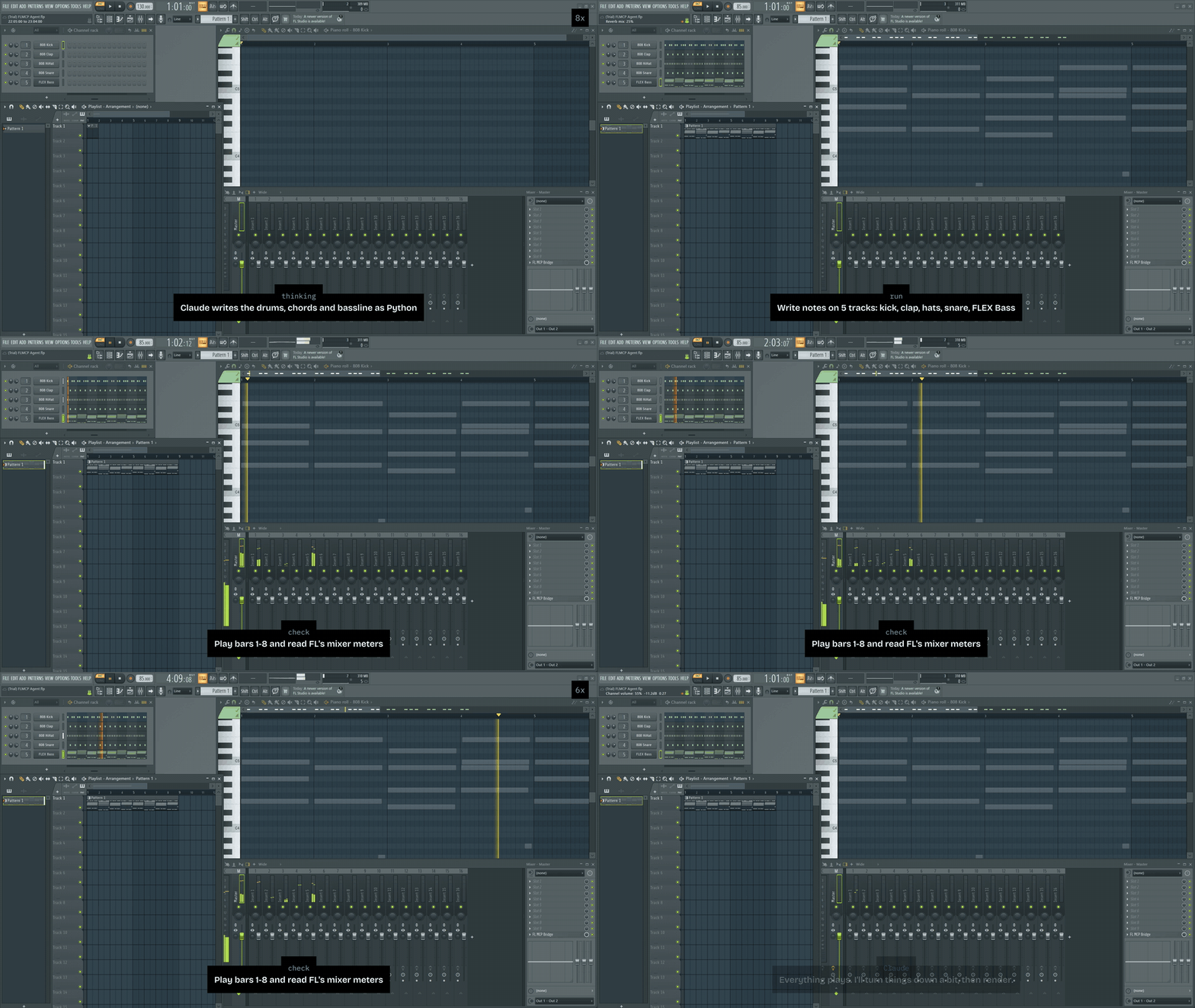
fl-studio-agent lets an AI agent work in your own FL Studio.
It writes notes, sets tempo, levels and plugin parameters, checks which channels sound, and renders the mix.
It is an MCP server, a Python SDK, and a native Bridge plugin.





Claude Code:
claude mcp add --scope user fl-studio -- uvx --python 3.12 fl-studio-agent
Quick start
You need FL Studio 2026 on macOS or Windows and uv.
-
Install uv if you don't have it. macOS:
curl -LsSf https://astral.sh/uv/install.sh | sh. Windows:powershell -ExecutionPolicy ByPass -c "irm https://astral.sh/uv/install.ps1 | iex", then open a new terminal souvxis on your PATH. Also on Windows, install loopMIDI, add two ports named exactlyFLMCP ReqandFLMCP Res, and tick Autostart loopMIDI in its tray menu so the ports come back after a restart (Windows has no virtual MIDI ports; macOS needs nothing). -
Set up FL Studio once. Start FL once if you never have, close it, then run (on Windows, in a terminal opened as administrator, because FL's plugin folder is under Program Files):
uvx --python 3.12 --from fl-studio-agent fl-mcp-installIt installs the controller and note scripts, assigns the controller's MIDI ports, creates the agent's own project (
FLMCP Agent.flp; your other projects are never touched), and downloads the prebuilt Bridge plugin, the native FL effect the server requires to write notes and render, checking it against the release's SHA-256 sums. It is safe to rerun. To update later, run it withfl-studio-agent@latestin place offl-studio-agentand restart FL and your client. -
Open the agent project in FL Studio: File > Open,
FLMCP Agent.flpin FL's Projects folder (Documents/Image-Line/FL Studio/Projects). It carries the Bridge on its Master insert; in any other song there is no Bridge running, so notes andrenderare refused. -
Add the server to your client with a button above or a config below, and ask for "a 4-bar chord loop in A minor".
Claude Code
claude mcp add --scope user fl-studio -- uvx --python 3.12 fl-studio-agent
Check it with claude mcp list.
Claude Desktop
Download fl-studio-agent.mcpb and open it (or drag it into Settings > Extensions). Claude Desktop installs the package itself; you still run step 2 once, which also installs the Bridge plugin the server requires into FL.
Or add this to claude_desktop_config.json (Settings > Developer > Edit Config):
{
  "mcpServers": {
    "fl-studio": {
      "command": "uvx",
      "args": [
        "--python",
        "3.12",
        "fl-studio-agent"
      ]
    }
  }
}
If Claude Desktop reports spawn uvx ENOENT, it cannot see your shell's PATH: replace "uvx" with the full path that which uvx (macOS) or where uvx (Windows) prints.
Cursor
Use the Install in Cursor button above, or add this to ~/.cursor/mcp.json:
{
  "mcpServers": {
    "fl-studio": {
      "command": "uvx",
      "args": [
        "--python",
        "3.12",
        "fl-studio-agent"
      ]
    }
  }
}
VS Code
Use the Install in VS Code button above, or run (macOS/Linux shell quoting):
code --add-mcp '{"name": "fl-studio", "type": "stdio", "command": "uvx", "args": ["--python", "3.12", "fl-studio-agent"]}'
Windsurf and other clients
Add the standard entry to the client's MCP config (Windsurf: mcp_config.json, see its MCP docs):
{
  "mcpServers": {
    "fl-studio": {
      "command": "uvx",
      "args": [
        "--python",
        "3.12",
        "fl-studio-agent"
      ]
    }
  }
}
Troubleshooting
Run the doctor while FL Studio is open:
uvx --python 3.12 --from fl-studio-agent fl-mcp-doctor
It prints one JSON report of the control plane (controller script and MIDI ports), the note plane (the Bridge), and the agent project.
Its status is ok only when all of them are connected, and not_ready otherwise, with a fix for each one that is not.
The usual fixes: open FLMCP Agent.flp in FL Studio before your client starts the server (the doctor reports no running Bridge when another song is open, and rerunning step 2 when none is installed); after an upgrade rerun step 2 with fl-studio-agent@latest (a stale controller is reported); on Windows, keep loopMIDI running with both ports.
Using the FL Studio trial? Set FLMCP_FL_LICENSE=trial in the server's env, and answer No when FL asks to save FLMCP Agent.flp: the trial cannot reopen a song it saved. If it was saved, delete it and rerun step 2, which creates it again.
uvx --python 3.12 fl-studio-agent --version prints the installed version.
Tools
The server exposes one tool, run: Python in a persistent kernel bound to the live FL Studio session.
Everything is code on the fl object: read the song (fl.channels, fl.mixer, fl.playlist, fl.patterns, notes, fl.scene()), write notes, tempo, levels, parameters, routing and sounds, read FL's meters (fl.meters()), and render the mix, a few bars, single instruments or stems (fl.render(...)) to listen with numpy, scipy, librosa and matplotlib, which come installed.
Files and shell are plain Python in the same sandbox.
The tool's description is the short manual: the kernel, a few facts about the session, one line per SDK area and the guides.
In run, help(fl.render) gives any method's detail and fl.guide("listening") opens a guide (optional reference on techniques such as measuring a render, ducking under the kick and finding sounds); docs/sdk-reference.md is the same docstrings as one page.
A model hears by measuring: fl.meters() takes seconds, and a render plays in real time.
Every result is what FL now has, so nothing needs waiting for, saving, or re-reading.
FL's transient refusals ("operation unsafe at current time", a busy control wire) are retried inside the engine; a model sees only errors it can act on.
Setup diagnostics are for the operator, not the model: fl-mcp-doctor prints the same report as JSON.
How it works
Three complementary lanes: flpkit edits project files, the native Bridge plugin performs live host operations, and the MIDI controller script handles live controller operations.
SETUP.md covers installing from a source checkout and building the Bridge.
Security
The Python the model writes in run, and every command it starts, runs in a sandbox limited to its own workspace folder, on macOS and Windows.
It can read and write that folder, read FL's stock presets and samples, and reach the public internet, so pip install works.
It cannot read your home folder or your other files, reach services on this computer (FL's control ports included), or touch other programs.
The engine itself, FL Studio and the Bridge are not sandboxed; the model's code reaches FL only through the engine.
Before any model code runs, the engine checks that the sandbox holds and refuses to run the code if it does not; the MCP server reports confined=true.
On macOS the sandbox does not block other computers on your local network.
Details: docs/38.
Development
For a disposable live smoke session, run fl-mcp-dev-session. For the local merge gate, run:
scripts/gate.sh
The gate is the authoritative test count and verification contract; see docs/gate.md for its current stages.
Documentation
- SETUP.md: installation from source, the Bridge plugin, Windows.
- docs/README.md: current documentation map.
- docs/24-coverage-map.md: capability status.
- RUNBOOK_E2E.md: end-to-end verification.