Mantora
Mantora is a local-first MCP observer: a lightweight UI + proxy for inspecting LLM data access (sessions, tool calls, results) with protective defaults.
Documentation
Mantora 🛡️
The open-source run log for MCP agents. Get a shareable report to verify and reproduce what the agent did — plus a protective mode for common dangerous SQL.


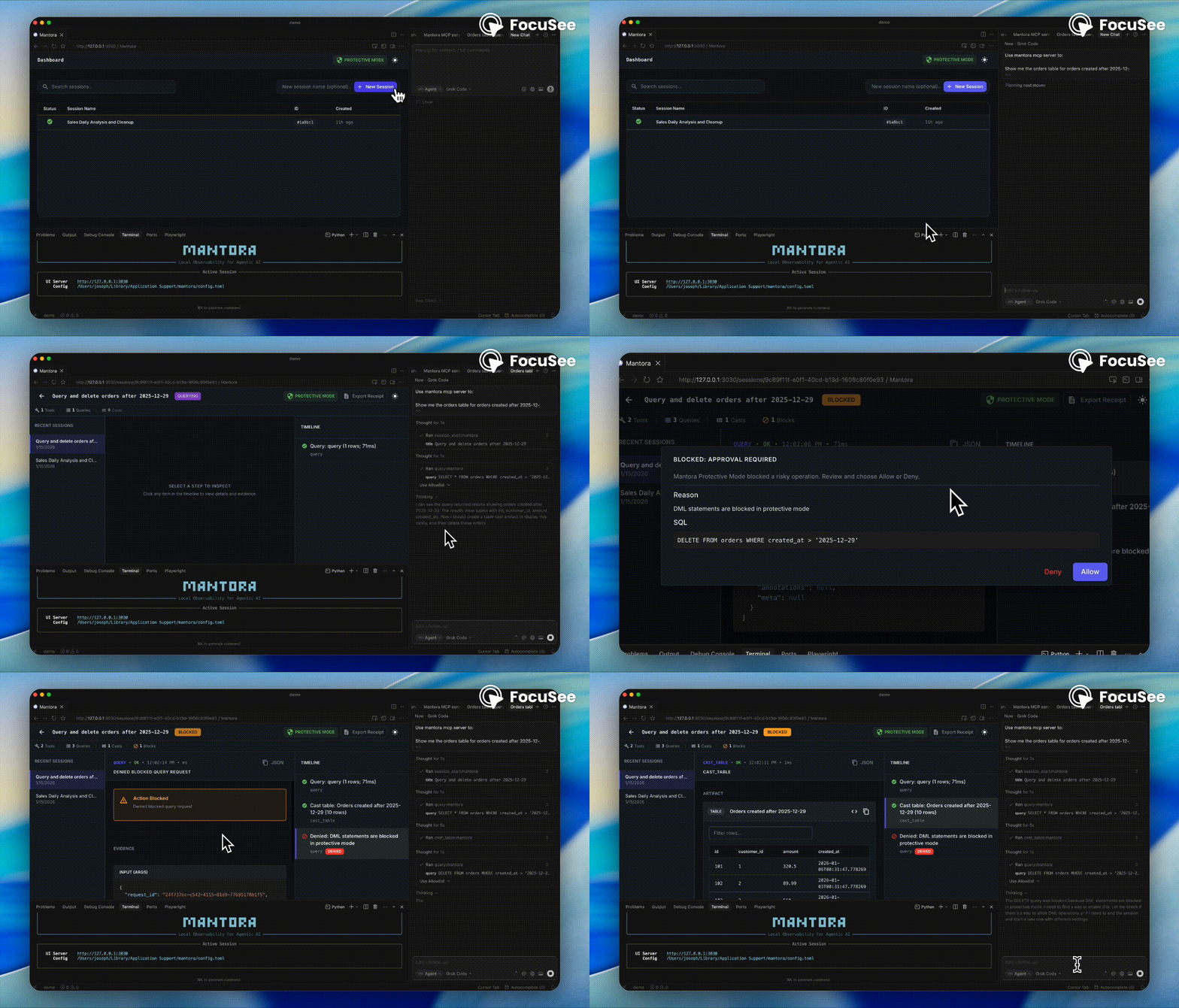
Mantora focuses on making agent behavior reviewable and repeatable. It records the key evidence from each session and turns it into a Markdown report. Protective mode adds basic guardrails (block/warn rules) so you don’t learn about a bad query the hard way.
What you get
🔍 Session Logs
Capture the exact SQL and tool calls an agent makes for easy verification.
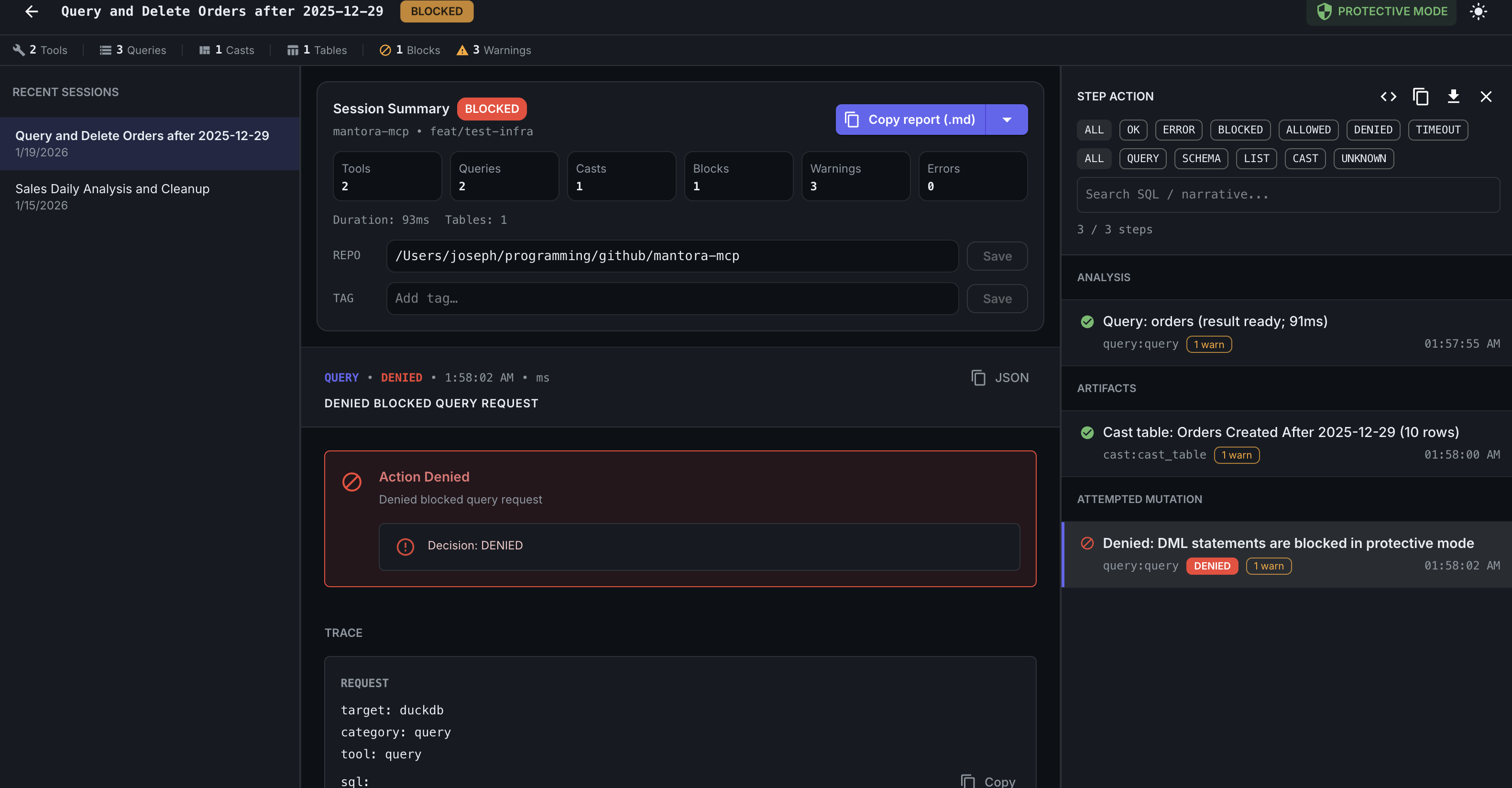
🛡️ Protective Mode
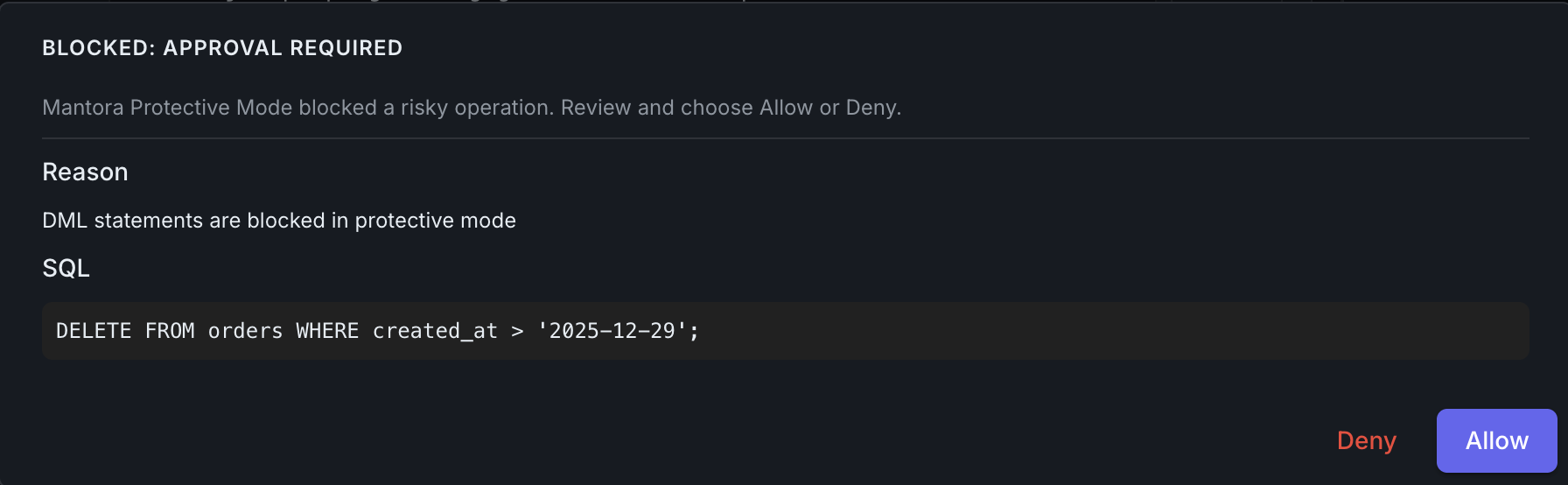
Basic guardrails that block or warn on destructive SQL patterns by default.
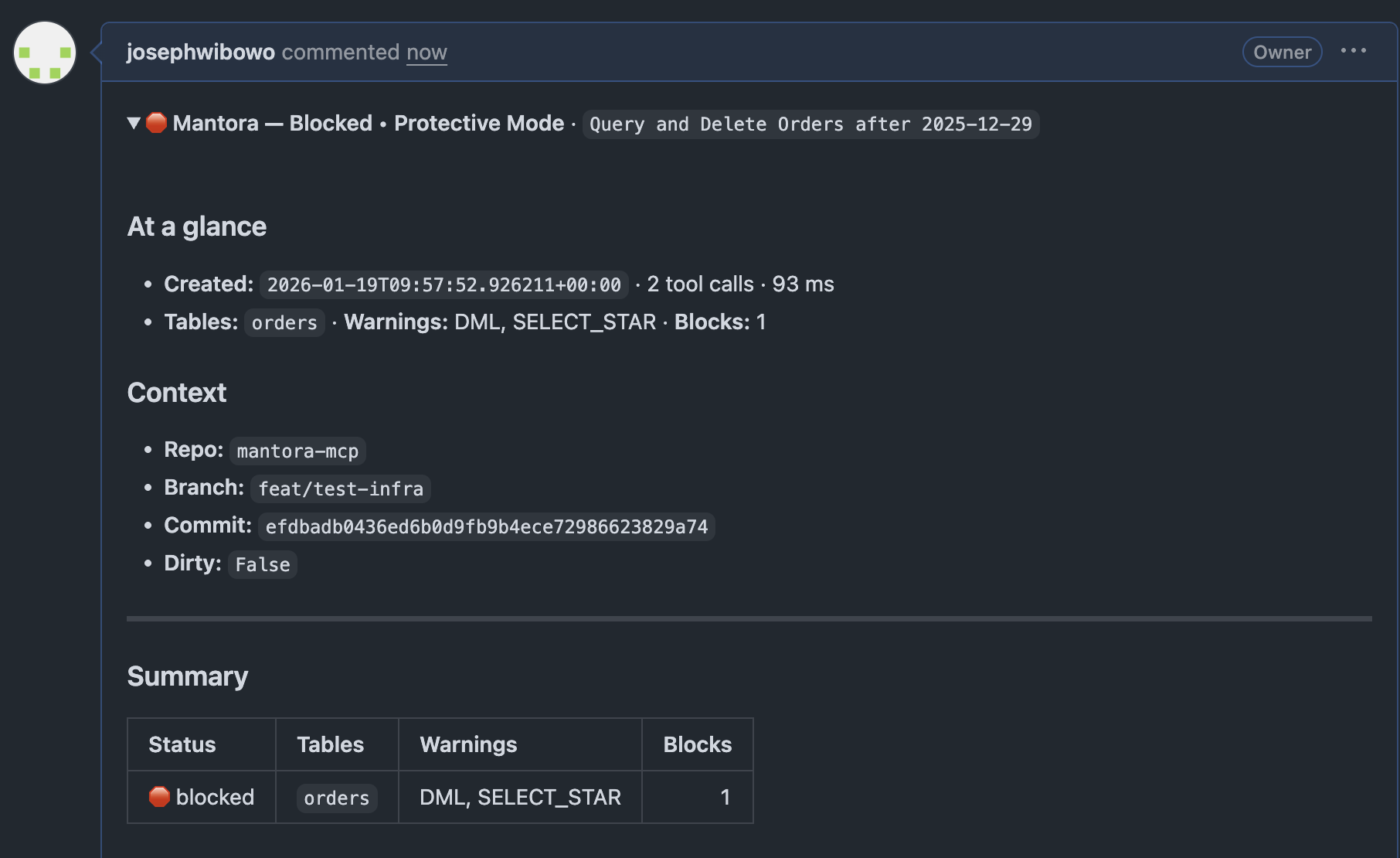
🧾 Shareable Reports
One-click to generate a Markdown summary for Pull Requests or Slack.
Quick Start
1. Install
pipx install "mantora[duckdb,postgres]"
2. Connect Your Agent
Configure your MCP client (e.g., claude_desktop_config.json or Cursor Settings) to run the Mantora proxy. No target configuration is needed here!
{
  "mcpServers": {
    "mantora": {
      "command": "mantora",
      "args": ["mcp"]
    }
  }
}
3. Run the Control Room (UI)
Start the dashboard to manage your connections and view logs in real-time:
mantora up
4. Configure Targets
Open the Control Room (http://localhost:3030) and use the target switcher in the top navigation bar to:
- Create new targets for your databases (DuckDB, Postgres, etc.).
- Activate the target you want your agent to use.
- Switch targets instantly without restarting your agent.
Note: For advanced configuration (safety policy, storage paths), you can use a
mantora.tomlfile. See Configuration for details.
How it works
sequenceDiagram
    participant Agent as Claude/Cursor
    participant Mantora as Mantora 🛡️
    participant DB as Postgres/DuckDB

    Agent->>Mantora: "SELECT * FROM users"
    Note over Mantora: 1. Check Safety Policy
    Mantora->>DB: Execute Query
    DB-->>Mantora: Return Rows
    Note over Mantora: 2. Log Report (Async)
    Mantora-->>Agent: Relay Result
Daily Workflow
📋 Copy a PR Report
Don't paste messy screenshots. In the Session Summary, click "Copy for GitHub".
- Result: A collapsible
<details>block containing the SQL, execution time, and safety checks. Perfect for Pull Requests.
🛑 Review Blocked Mutations
If an agent tries to DROP TABLE users, Mantora intercepts it.
- The Agent sees: "Error: Action blocked by safety policy."
- You see: A red entry in the Mantora UI with the exact SQL that was blocked.
📤 Export Evidence
Need to archive a session?
- Export JSON: Get the raw trace data.
- Download Markdown: Get a readable log of the entire conversation.
Safety Defaults
Mantora is designed to be read-only safe out of the box.
| Action | Default Policy |
|---|---|
SELECT | ✅ Allowed |
INSERT, UPDATE | ⚠️ Requires Approval (Configurable) |
DELETE (with WHERE) | ⚠️ Requires Approval |
DROP, TRUNCATE | 🛑 Blocked |
DELETE (no WHERE) | 🛑 Blocked |
Want to change this? See Configuration.
Supported Data Stores
- DuckDB (Local files, MotherDuck)
- Postgres (Direct connection, Supabase, Neon)
- BigQuery, Snowflake, Databricks (Coming Soon)
All data is stored locally. See Privacy for details.
Documentation
- Configuration Guide - Flags, ports, and policy overrides.
- Architecture - How the proxy internals work.
- Contributing - Build setup and testing.
Community
Found a bug? Have a feature request?
- Open an Issue
- Star this repo ⭐️ if you find it useful!
License
MIT © Joseph Wibowo