Tandem MCP
Local task queue + live board so parallel Claude Code, Cursor and Codex sessions stop double-claiming work. Atomic claims, approve-the-plan gate, results linked to commits. One Go binary, SQLite, no account
Documentation
Tandem
One task queue for the Claude Code sessions you already run in parallel.
Terminals, worktrees, subagents: they claim work from one queue atomically, read one shared briefing, and only pick up what you approved.
tandemcanvas.com · Releases · npm: @jaximus/tandem-mcp
npx -y @jaximus/tandem-mcp setup
If you run more than one agent session on a repo, they probably coordinate through a TODO.md that several of them are editing at once, or that each worktree has its own copy of. A file has no notion of who holds what, and no atomic claim. Tandem keeps intent in git and moves the churn (claims, statuses, results) into a queue every session on the machine reads live. Agents propose work, you approve the plan once, N sessions pull the approved queue without colliding, and every finished task carries a commit link.
One Go binary, one SQLite file in ~/.tandem, a board in your browser. No account, no server to rent, nothing phones home. Any MCP client works: Claude Code, Codex, Cursor, or your own script.
Zero double-claims, enforced in tests
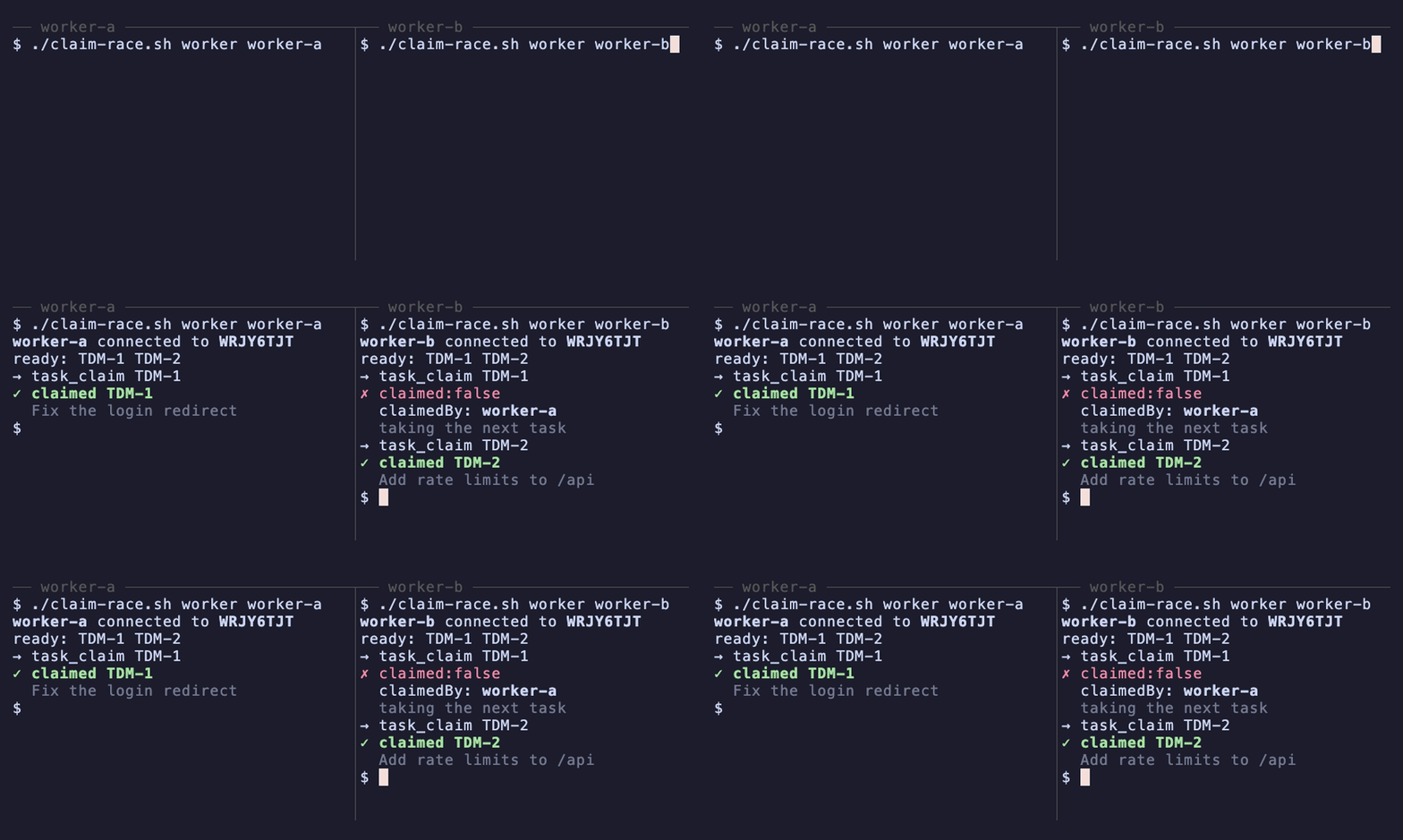
A claim is one conditional UPDATE … WHERE state = 'approved' inside a serialized transaction, so when two sessions go for the same task, exactly one wins and the other gets { claimed: false, claimedBy } naming the holder. Two tests hold that line:
TestClaimRaceHasOneWinner— 8 goroutines race one real SQLite row: exactly 1 winner, 7 losers, and every loser is told who holds it.TestConcurrentWorkerClaimsProduceOneWinner— two workers claim the same task concurrently through the HTTP handler: exactly one200, one409, and the409names the winner.
Run them with cd apps/api && go test ./internal/store/sqlite ./internal/api -run 'ClaimRace|ConcurrentWorkerClaims'.
Tandem is also planned on its own queue: more than 150 commits in this repo carry a TDM-n ticket (git log --oneline | grep -c TDM-).
What setup does
The one line at the top does everything a first run needs:
- Registers the MCP server with Claude Code at user scope (
claude mcp add --scope user tandem -- npx -y @jaximus/tandem-mcp), so every project can reach Tandem. Ifclaudeisn't on yourPATH, it prints the command for you to run. - Appends a short Tandem snippet to
~/.claude/CLAUDE.md(idempotent) so plain phrases — "make me a sprint board", "an agent board", "a task board", "a tandem canvas" — map tocanvas_create+epic_proposeinstead of a markdown file. - Downloads this platform's
tandembinary from the latest release into~/.tandem/bin, starts it onhttp://127.0.0.1:7891, and opens the board.
Restart Claude Code afterwards and check:
claude mcp list
# tandem: npx -y @jaximus/tandem-mcp - ✓ Connected
Flags: --project registers in the current repo's .mcp.json instead of user scope; --no-claude-md skips the snippet; --no-open leaves the browser alone. Cursor, Codex and any other stdio MCP client spawn the same command: npx -y @jaximus/tandem-mcp.
Then, in any Claude Code session: "make me a sprint board for the auth refactor" — the board opens with the plan on it, waiting for your approval.
What it looks like
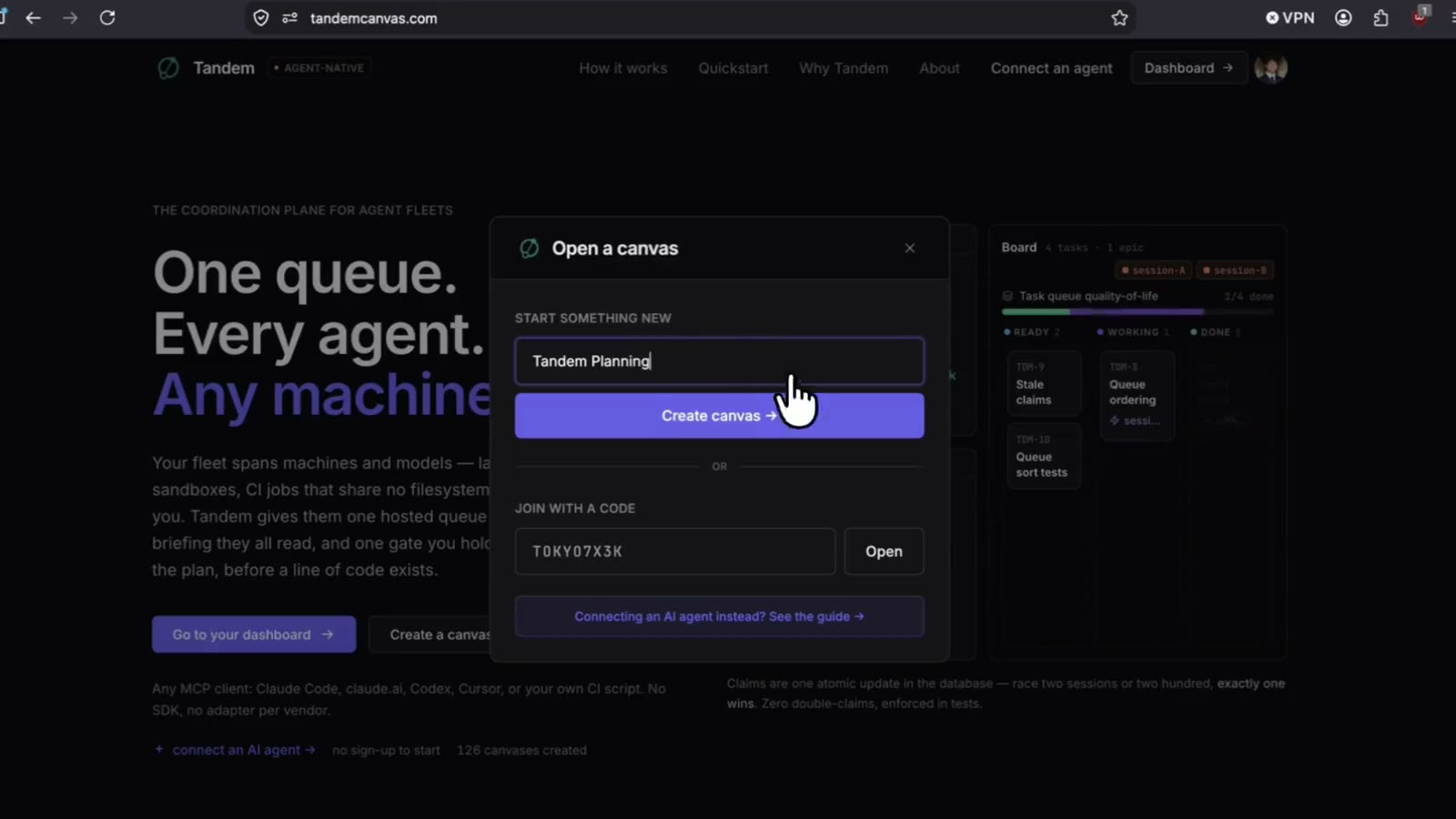
Click for the full demo clip.
How it works
Everything runs on one machine. The MCP server is a thin stdio proxy; the binary is the whole product.
flowchart LR
  CC[Claude Code / Cursor /<br/>any MCP client]
  MCP["tandem-mcp<br/>(stdio MCP server)"]
  T["tandem<br/>127.0.0.1:7891<br/>HTTP + WebSocket"]
  DB[("~/.tandem/tandem.db<br/>SQLite")]
  B[Board in your browser]

  CC -- tool calls --> MCP -- HTTP --> T
  T --- DB
  B <-- live WebSocket --> T
The loop: an agent plans, you approve once, sessions claim and complete, the board moves as it happens.
sequenceDiagram
  actor H as You
  participant A as Agent session
  participant T as Tandem
  participant W as N worker sessions

  H->>A: "plan the auth refactor"
  A->>T: epic_propose (epic + tasks)
  T-->>H: board shows the plan as proposed
  H->>T: approve once (web UI)
  W->>T: queue_next
  W->>T: task_claim (atomic — one winner)
  W->>T: task_progress (heartbeat)
  W->>T: task_complete + commit link
  T-->>H: board updates live
A task's life. Approval is the gate; editing an approved task's content sends it back through the gate, and a claim nobody heartbeats expires so another session can take it.
stateDiagram-v2
  [*] --> proposed
  proposed --> approved: human approves
  proposed --> rejected: human rejects
  approved --> executing: task_claim
  executing --> done: task_complete
  executing --> failed: task_complete (failed)
  executing --> executing: claim expires (~15 min, no heartbeat) — another session may take it over
  approved --> proposed: title/body edited (re-enters the gate)
  done --> approved: reviewer requests changes
Roles are simple: the browser is the human (the owner of every canvas in local mode); anything that connects with a canvas code over MCP is an agent. Agents can propose and claim; only the human can approve, reject or delete.
Teach your sessions the loop
setup gives Claude the phrases. For a repo that has its own board, pin it once:
npx -y @jaximus/tandem-mcp init --write
That creates a canvas, writes its code into the repo's .mcp.json as TANDEM_CANVAS_CODE, and appends the snippet below to AGENTS.md/CLAUDE.md. If you'd rather paste it yourself, replace AB3XK9QZ with your canvas code:
## Tandem task queue

The shared work queue for this repo is Tandem canvas `AB3XK9QZ`.

Every session:

1. `canvas_connect` with code `AB3XK9QZ` — once per session. Pass `role`
   ("executor" if you'll work tasks yourself, "planner" if you'll dispatch
   them to subagents) and a `name`. Keep the `session` handle it returns and
   pass it as `session` on every later Tandem call.
2. `queue_next` — the approved, ready-to-work queue. That is the entry point
   for work; don't go looking for it by reading the canvas. (`context_get`
   once if you need to orient on what this canvas is.)
3. Pick one task, `task_get` for its hydrated context (linked notes, roadmap
   items, its epic), then `task_claim` to claim it. The claim is atomic: if
   it returns `{ claimed: false, claimedBy }`, another session won — do NOT
   work on that task; go back to `queue_next` and take the next one.
4. Do the work. Every commit message for the task starts with its ticket
   ID, e.g. `TDM-7: add rate limiter`. On long work, `task_progress` with
   one line per meaningful step — it doubles as a heartbeat, so a task that
   runs past ~15 minutes doesn't become reclaimable underneath you.
5. `task_complete` with a `result` saying what was done and where — always
   include the commit hash(es) — plus `links` to the commit or PR.

Planning from a spec: when asked to decompose SPEC.md (or any spec file)
into work, use `epic_propose` — one epic per spec section, with that
section's tasks passed in the SAME call via `tasks`, so the human approves
once instead of task by task. In the epic body, record the spec file path,
the section heading, and the current commit SHA of the spec file. One human
approval of the epic approves its tasks (canvas approval policy `epic`, the
default); add more tasks to an existing epic later with `task_propose` and
that `epicId`. Before working a claimed task that belongs to an epic, diff
the spec section against the SHA recorded in the epic body: if the section
changed since the epic was planned, do not proceed — flag the task back
with `task_complete` using `status: "failed"` and an `error` noting the spec
drift, so the plan gets redone against the current spec.

If a task needs to deviate from the approved plan, don't silently do it —
propose the deviation with `task_propose` and `requiresApproval: true` so a
human gates it.

Dispatching subagents instead of working tasks yourself? Connect with
`role: "planner"` and paste each ready task's `handoff` block from
`queue_next` into one subagent per task — you dispatch, they claim. Never
claim a task you won't personally do, and never hand a subagent your
`session` handle; the canvas code is what travels.
Go parallel
In one session, ask Claude to plan ("read SPEC.md and propose the work on the Tandem canvas"), approve the epic once in the browser, then open two terminals in the same repo:
# terminal 1 and terminal 2:
claude "work through the approved Tandem queue until it's empty"
Both pull the same queue. Each claim has exactly one winner — the loser sees { claimed: false, claimedBy: "…" } and moves on. On the board, cards flip to executing with the claimant's name, every task carries its TDM-n ticket, and results with commit hashes land as tasks complete.
Want approving a task to launch the sessions instead of you starting them? tandem-mcp listen turns a task.approved webhook into a command — see docs/ORCHESTRATION.md. Locally that is one step: the server may deliver to 127.0.0.1 out of the box.
Commands
All from npx -y @jaximus/tandem-mcp <command> (or tandem-mcp <command> after npm i -g @jaximus/tandem-mcp).
| Command | What it does |
|---|---|
setup | First-run onboarding: register the MCP server with Claude Code, teach it the phrases, download and start the server, open the board. --project, --no-claude-md, --no-open. |
up | Start the local server (downloading the binary on first run) and open the board. --port, --data-dir, --code CODE, --no-open, --foreground. |
open [CODE] | Open the board — or one canvas — in the browser, starting the server first if needed. |
down | Stop the server up started. |
init | Set up the current repo: create a canvas, write .mcp.json, print the agent snippet. --write appends it to AGENTS.md/CLAUDE.md; --code wires an existing canvas; --name, --force. |
listen --exec '…' | Run a command when work is approved (local webhook listener). |
| (no command) | Run as the stdio MCP server — what your MCP client spawns. |
The MCP server also starts the backend itself the first time a tool call finds nothing listening locally, so a cold machine still works. TANDEM_AUTOSTART=0 turns that off; TANDEM_AUTOSTART_OPEN=1 opens the browser too.
Where things live
| Path | What it is |
|---|---|
~/.tandem/tandem.db | Every canvas, task, note and webhook — one SQLite file. Back it up by copying it. |
~/.tandem/secret | The auto-generated JWT secret (keeps tokens valid across restarts). |
~/.tandem/images/, ~/.tandem/logs/ | Uploaded images; the detached server's log. |
~/.tandem/bin/tandem | The downloaded binary. TANDEM_BIN or a tandem on your PATH wins over it. |
TANDEM_DATA_DIR moves the whole directory; PORT moves the port. The server answers GET /healthz and GET /api/config ({auth, local, version}). Every server setting is documented in apps/api/.env.example — none is required.
Run from source
| Path | What it is |
|---|---|
apps/api | Go server — HTTP + WebSocket hub, SQLite store (internal/store/sqlite, pure-Go modernc.org/sqlite), the web bundle embedded at build time |
apps/web | React + Vite + Tailwind board |
apps/mcp-gateway | @jaximus/tandem-mcp — the stdio MCP server and the CLI above |
apps/tandem-next | The Next.js landing site (tandemcanvas.com, deployed on Vercel) |
internal/shared | TypeScript types shared by web + gateway |
scripts/build.sh | Builds the web bundle, embeds it, cross-compiles the binary |
pnpm install
scripts/build.sh          # → dist/tandem for this machine (--all: every release target)
./dist/tandem             # local mode, data in ~/.tandem
Dev loop — the Go server plus Vite with HMR proxying to it:
cd apps/api && go run ./cmd/server     # http://localhost:7891
pnpm --filter web dev                  # http://localhost:5173 → proxies /api, /ws
Verify before committing:
cd apps/api && go build ./... && go test ./...
cd apps/web && pnpm build
cd apps/mcp-gateway && pnpm build && pnpm test
The schema is apps/api/internal/store/sqlite/schema.sql, applied by migrate.go (a schema_version table; bump schemaVersion and add a step when it changes). More in docs/DEV.md.
Releases
The server version is apps/api/VERSION. Tagging it publishes the binaries:
git tag v0.1.1 && git push origin v0.1.1
release.yml builds darwin / linux / windows × amd64 / arm64 and attaches them (plus SHA256SUMS) to the GitHub Release — what up downloads (TANDEM_VERSION pins one; default latest). The gateway's npm release is separate: mcp-v* tags, release-mcp-gateway.yml.
MCP tool surface
The default surface is an 18-tool intent facade shaped like the work loop: canvas_connect, canvas_create, agent_register, context_get, queue_next, queue_wait, task_find, task_get, task_claim, task_progress, task_complete, task_propose, task_amend, task_review, epic_propose, doc_write, doc_read, board_status. The raw CRUD surface (documents, notes, roadmap items, raw actions) is one opt-in away — TANDEM_FULL_TOOLS=1 or --full-tools. Per-tool reference: apps/mcp-gateway/README.md.
Sharing one instance with a team
Everything above is local mode: one machine, one user, no sign-in. Running a shared instance with accounts, importing boards from the old hosted Tandem, and what the local-first move cut are in docs/SELF-HOSTING.md.