Hologrow
officialThe e-commerce data layer for any AI
What can you do with Hologrow MCP?
- Discover connected platforms — Ask your assistant to call
list_platformsto see which data sources are connected and their schema names. - Explore available tables — Use
list_tablesto find queryable tables for a specific platform like Amazon or Google Ads. - Inspect data schemas — Have
get_data_dictionaryexplain columns, types, and field meanings before writing any SQL. - Check data freshness — Verify sync coverage and last refresh with
get_freshnessbefore making time-sensitive decisions. - Run read-only queries — Ask
query_dbto answer business questions with safe, read-only SQL against your synced commerce data.
Documentation






Hologrow MCP
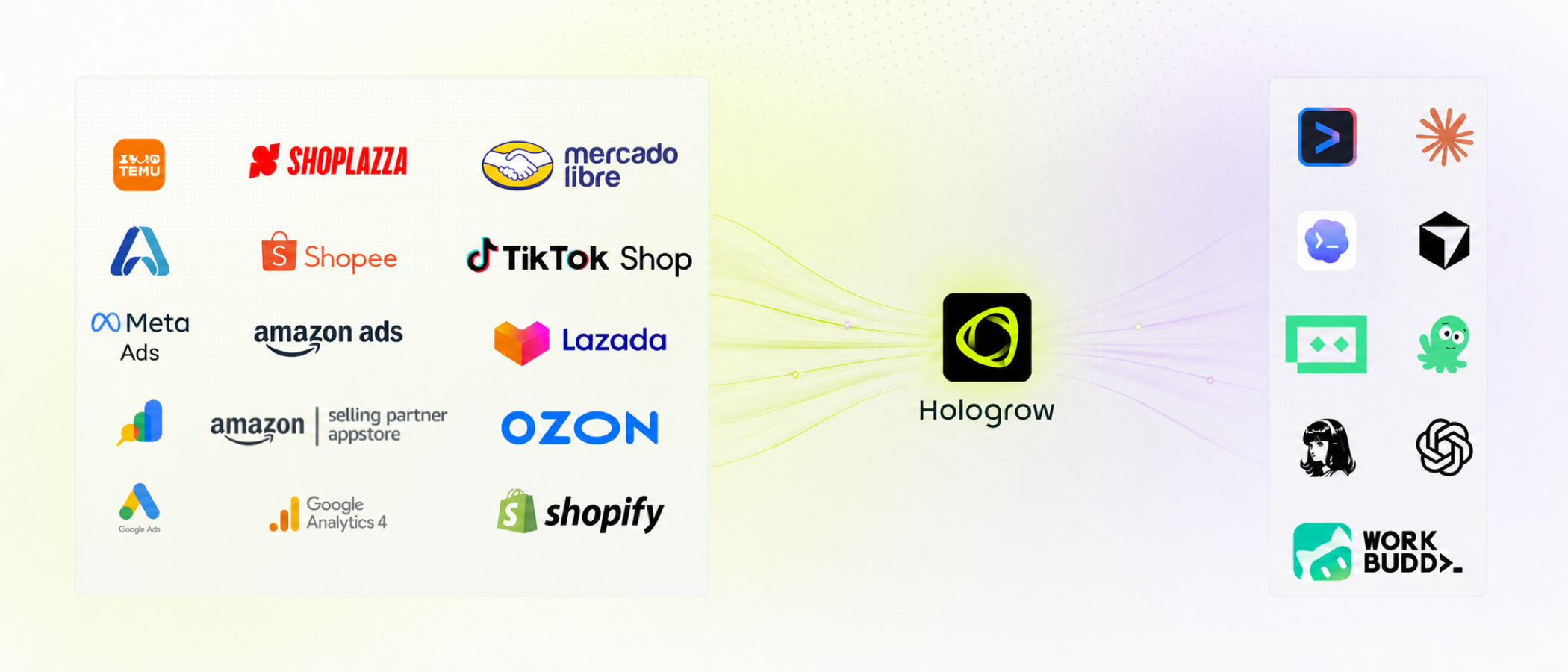
The commerce data layer for AI. Connect Amazon, Google Ads, GA4, and other selling systems once. Hologrow keeps the data synced, then MCP lets Claude, Cursor, Codex, ChatGPT, and other agents query it — without CSV exports or one-off API scripts.
Hosted at mcp.hologrow.ai. Console at connector.hologrow.ai. Docs at docs.hologrow.ai.
Why Hologrow?
- Built for the tools you already use: Connect once, then ask questions in Claude, Cursor, Codex, ChatGPT, Doubao, or Hermes
- LLM-ready commerce data: Stable tables for Amazon SP, Amazon Ads, Google Ads, GA4, Search Console, Shoplazza, and Lingxing ERP
- We handle the hard stuff: Platform OAuth, sync, freshness, and schema — agents only read
- Read-only by default: MCP never writes back to ad accounts or storefronts
- Agent ready: Five discovery tools plus analysis skills you can install with one command
Feature Overview
MCP tools
| Feature | Description |
|---|---|
| list_platforms | See which sources are connected and which schemas you can query |
| list_tables | List queryable tables for one platform |
| get_data_dictionary | Columns, types, keys, and field descriptions before you write SQL |
| get_freshness | Sync coverage and last successful refresh |
| query_db | One read-only SELECT against schema_name.table |
More
| Feature | Description |
|---|---|
| Skills | Reusable Amazon / Google Ads analysis workflows for your agent |
| Clients | ChatGPT, Claude, Cursor, Doubao, Claude Code, Hermes |
Quick Start
- Create a workspace at connector.hologrow.ai.
- Connect at least one data source and wait for the first sync.
- Add Hologrow MCP to your agent. OAuth clients authorize in the UI. Cursor / Claude Code / Hermes use an API key from AI Platforms → Advanced settings.
Creating an API key is not enough. Installation succeeds when the agent can call list_platforms.
MCP
Connect any MCP-compatible client. Transport is Streamable HTTP.
{
  "mcpServers": {
    "Hologrow": {
      "url": "https://mcp.hologrow.ai/mcp",
      "headers": {
        "Authorization": "Bearer YOUR_API_KEY"
      }
    }
  }
}
ChatGPT / Claude / Doubao (OAuth)
ChatGPT web
- ChatGPT → Settings → Security and login → turn on Developer mode.
- Sidebar → Plugins → +.
- Name:
Hologrow - Server URL:
https://mcp.hologrow.ai/mcp - Authentication:
OAuth
- Name:
- Click Sign in with Hologrow and allow access.
ChatGPT desktop / Codex
- Settings → Plugins → Add MCP server.
- Name:
Hologrow. Type: Streamable HTTP. URL:https://mcp.hologrow.ai/mcp. - Click Authenticate and complete authorization.
Claude web / desktop
- Settings → Customize → Connectors → Add custom connector.
- Name:
Hologrow. Remote MCP server URL:https://mcp.hologrow.ai/mcp. - Sign in and click Allow access.
Doubao desktop (desktop app only)
- Skills · Connectors · Partners → New custom connector.
- Name:
Hologrow. Transport: HTTP. URL:https://mcp.hologrow.ai/mcp. Leave headers empty. - Click Authorize and allow access.
Cursor / Claude Code / Hermes (API key)
Copy an API key from the console, then send this prompt to a new Agent conversation. Replace {apiKey}. Do not ask the agent to echo the key.
Install the Hologrow MCP server and test the connection.

Connection details:
- Name: Hologrow
- URL: https://mcp.hologrow.ai/mcp
- Transport: Streamable HTTP
- Authentication: API Key
- Header: Authorization: Bearer {apiKey}

Requirements:
1. Add Hologrow using this client's native MCP configuration. Use API Key authentication only; do not use OAuth.
2. Make only the changes required for installation. Keep the API key secret and do not repeat, log, or include it in your response.
3. After installation, call Hologrow's list_platforms tool once. Do not call any other tools.
4. If successful, list the connected data platforms exactly as returned. If installation, authentication, connection, or the tool call fails, stop and explain the error.
Verify
Start a new conversation and send:
Use Hologrow’s list_platforms tool to list my connected data platforms. Do not call any other tools.
Output:
{
  "items": [
    {
      "platform": "amazon_sp_seller",
      "connected": true,
      "table_count": 30,
      "schemas": [
        {
          "schema_name": "amazon_sp_seller_xxxxxxxx",
          "display_name": "US Seller",
          "connection_status": "healthy"
        }
      ]
    },
    {
      "platform": "google_ads",
      "connected": false,
      "table_count": 15,
      "schemas": []
    }
  ]
}
An empty list still means MCP is installed — the workspace just has no connected source yet.
Power Your Agent
Connect Hologrow to any AI agent in minutes.
Skill
Give your agent the query workflow and Amazon / Google Ads playbooks.
npx skills@latest add hologrow/hologrow-mcp --skill hologrow-data-middleware --global --yes
Restart the agent after installing. Works with Claude Code, Cursor, Codex, and other skills-compatible clients.
npx skills@latest add hologrow/hologrow-mcp --skill amazon-ppc-campaign --agent cursor --global --yes
npx skills@latest add hologrow/hologrow-mcp --skill google-ads-audit --agent claude-code --global --yes
Agent onboarding
Are you an AI agent? Fetch this skill, then call list_platforms.
curl -s https://raw.githubusercontent.com/hologrow/hologrow-mcp/main/skills/hologrow-data-middleware/SKILL.md
Tools
| Tool | Description |
|---|---|
list_platforms | Discover available data platforms, connection state, and schema names. Call this first. |
list_tables | List queryable tables for an exact platform returned by list_platforms. |
get_data_dictionary | Inspect columns, types, keys, and field meanings for 1 to 10 exact table names from list_tables. |
get_freshness | Check sync coverage and freshness. schema_name comes from list_platforms; pass 1 to 50 table names from list_tables. |
query_db | Answer a data question with one read-only SQL SELECT against schema_name.table. |
Always discover names from the tools. Never invent platform, schema, table, or column names. Middleware field names often differ from Amazon / Google UI labels.
list_platforms → list_tables → get_data_dictionary → get_freshness → query_db
If a tool fails or is cancelled, say so. Never infer zero, no data, or a metric from a missing result.
list_platforms
Discover the user's available data platforms, connection state, and schema names. Use during onboarding and whenever the relevant platform or schema is unknown. Returns platform plus schemas[].schema_name for later tools and SQL.
list_platforms()
list_tables
List queryable tables for an exact platform returned by list_platforms. Use this to find the tables relevant to the user's question before inspecting fields or writing SQL. Returns exact table names for get_data_dictionary, get_freshness, and query_db; never invent table names.
list_tables({ "platform": "amazon_sp_seller" })
Output:
{
  "tables": ["order_items", "sales_and_traffic_daily", "fba_inventory_summaries"]
}
get_data_dictionary
Inspect columns, types, keys, and field meanings for 1 to 10 exact table names returned by list_tables. Use before writing SQL. These names may differ from source-platform API or report fields; use only the returned names.
get_data_dictionary({
  "platform": "amazon_sp_seller",
  "table_names": ["orders", "order_items"]
})
get_freshness
Check sync coverage and freshness before making time-sensitive conclusions. schema_name must come from list_platforms schemas[].schema_name; provide 1 to 50 exact table names from list_tables. Optional scope filters by resource identity, for example {"marketplace_id": "ATVPDKIKX0DER"}.
get_freshness({
  "schema_name": "amazon_sp_seller_xxxxxxxx",
  "table_names": ["orders"],
  "scope": { "marketplace_id": "ATVPDKIKX0DER" }
})
query_db
Answer a concrete data question with one read-only SQL SELECT after discovering the relevant schema, tables, and columns. Fully qualify every table as schema_name.table and use only identifiers returned by list_platforms, list_tables, and get_data_dictionary.
query_db({
  "query": "SELECT purchase_date::date AS day, order_status, COUNT(*) AS order_items, SUM(quantity) AS units FROM amazon_sp_seller_<schema>.order_items WHERE purchase_date >= CURRENT_DATE - INTERVAL '7 days' GROUP BY 1, 2 ORDER BY 1 DESC LIMIT 100",
  "max_rows": 100
})
Replace <schema> with schema_name from list_platforms. item_price is the order-line total; divide by NULLIF(quantity, 0) only when you need per-unit price. Do not use _synced_at as the sales date.
Rules
- Single statement only. No
INSERT/UPDATE/DELETE/ DDL, noEXCEPTorINTERSECT, nopublicschema or system catalogs - Prefer filters, aggregation, and
LIMIToverSELECT * - Default
max_rowsis 1000
Skills
Advisory, read-only workflows on top of connected Hologrow data. Install hologrow-data-middleware first so other skills check coverage and freshness before they interpret performance.
npx skills@latest add hologrow/hologrow-mcp --skill SKILL_NAME
| Skill | Description |
|---|---|
hologrow-data-middleware | Discover coverage, freshness, schema, and safe SQL scope |
amazon-ppc-campaign | Build or optimize Amazon Sponsored Products / Brands |
amazon-display-ads | Plan Sponsored Display audiences, retargeting, and measurement |
amazon-listing-optimization | Audit listing copy against search and conversion evidence |
google-ads-audit | Baseline Google Ads account health |
google-ads-anomaly-detection | Explain a spend, CPA, CVR, CTR, or ROAS shift |
google-ads-utm-generator | Standardize Google Ads UTM / ValueTrack conventions |
ads-performance-analytics | Reconcile attribution, ROAS, and blended CAC |
21-ads-audit-global | Score connected paid-media accounts and prioritize fixes |
Example prompt after install:
Use $hologrow-data-middleware, then $google-ads-audit.
Audit my connected Google Ads account for the last 30 days. Show evidence, caveats, and the next action.
A larger catalog (SEO, research connectors, and more) lives in hologrow/hologrow-ai-skills. This repo keeps the skills that depend on Hologrow MCP.
Integrations
Agents & AI tools
- ChatGPT web, ChatGPT desktop, Codex
- Claude web, Claude desktop, Claude Code
- Cursor
- Doubao (desktop)
- Hermes
Data sources
Amazon SP Seller, Amazon SP Vendor, Amazon Ads, Google Ads, GA4, Google Search Console, Shoplazza, Lingxing ERP.
Resources
Safety
Hologrow MCP is tenant-scoped and read-only. Use only sources the workspace has authorized. Check freshness before treating a number as current. State the metric definition, attribution window, and comparison period with every important conclusion. Never put API keys into git, skill files, or model replies.
Treat campaign, listing, and budget changes as proposals until a human approves them.
Troubleshooting
| Symptom | What to try |
|---|---|
| Cannot find the plugin / connector UI | Confirm client version and permissions. ChatGPT needs Developer mode. Doubao needs the desktop app. |
| OAuth cancelled | Restart authorization. Do not silently switch to an API key. |
| New chat does not see Hologrow | Refresh or restart the client, then retry list_platforms. |
| Agent never calls Hologrow | Send the verify message again, naming list_platforms. |
list_platforms returns [] | MCP works; connect a data source and wait for the first sync. |
| SQL errors on unknown columns | Re-run get_data_dictionary. Do not reuse source-platform field names. |