Verse
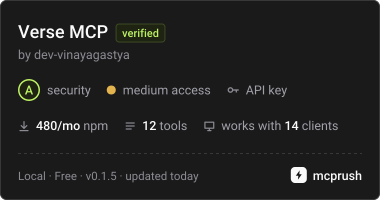
officialPublish 3D scenes, walkthroughs and worlds, from a single product to a whole city, as links that open in any browser. Your assistant gets back a link, embed code, private share links and guided tours. Sign in with Verse, no API key needed.
What can you do with Verse MCP?
- Publish a scene — Ask your assistant to upload a local file or public URL and return a Verse link, embed code, or share link.
- Manage visibility — Set a scene public, unlisted, or private, and get a revocable share-token link for private scenes.
- Check build status — Ask for a scene's build state, progress, and ETA, and get the link once it's done.
- Get embed code — Request iframe,
<verse-viewer>element, or plain URL embed options for a published scene. - Author camera tours — Read, set, re-plan, or delete guided camera paths for a scene's fly-through.
- Create upload links — Generate a 30-minute single-use link for a file you can't hand over directly, then check its status.
Hosted MCP Server
npx add-mcp 'https://verse.ctruh.com/mcp'Installs into Claude Code, Codex, Cursor and more
Documentation
@ctruhtech/verse-mcp
An MCP server for Verse Engine, which publishes 3D scenes, walkthroughs and worlds, from a single product to a whole city, as links that open in any browser on everyday devices. Connect it to Claude, ChatGPT, Cursor, VS Code or your own agent, and your assistant can publish a file or a public URL and hand you back a Verse link, embed code, a private share link or a guided camera tour.
"Put https://example.com/villa.glb on Verse and give me a link I can share."
"Make that scene private and give me a link I can send to the client."
"I have a big file on my phone. Give me a Verse upload link for it."
"Give me the embed code for it, 1:1."
MIT licensed. Documentation: https://verse.ctruh.com/docs/#/mcp. Install page with one-click buttons: https://verse.ctruh.com/mcp.
Connect in one step: sign in with Verse
Add https://verse.ctruh.com/mcp to your assistant and sign in with your Verse account in the browser. No API key to copy, nothing to install.
- Claude (web and desktop): Settings → Connectors → Add custom connector → URL
https://verse.ctruh.com/mcp→ Add, then Connect. - Claude Code:
claude mcp add --transport http --scope user verse https://verse.ctruh.com/mcp, then run/mcpand choose Authenticate. - ChatGPT: Settings → Connectors → Create (developer mode) → URL
https://verse.ctruh.com/mcp, authentication OAuth → Create, then sign in. - Cursor: Add to Cursor, or
{ "mcpServers": { "verse": { "url": "https://verse.ctruh.com/mcp" } } }in~/.cursor/mcp.json, then Connect in Settings → MCP. - VS Code: Install in VS Code, or
{ "servers": { "verse": { "type": "http", "url": "https://verse.ctruh.com/mcp" } } }in.vscode/mcp.json, then Start.
The first time, a Verse page asks you to sign in (email or WhatsApp code) and press Allow. The app gets a key named "MCP · " on your Account page; it lasts 30 days, renews while in use, and you can revoke it there.
Prefer to run it locally, with an API key? See Setup (stdio) below: npx -y @ctruhtech/verse-mcp, Node 20 or newer.
Tools
| Tool | What it does |
|---|---|
upload_scene | Local path or public URL, to a Verse link. Resumable for big files, progress notifications, waits for the build. |
get_scene_status | Build state, progress and ETA; the link once done. |
list_scenes | Scenes owned by your account. |
create_share_link | Set visibility (public / unlisted / private); private scenes get a revocable share-token link. Optional autoplay of the camera path. |
revoke_share_link | Revoke a private share token (or list the active ones). |
get_embed_code | iframe, <verse-viewer> element and plain URL. |
list_camera_paths, set_camera_path, reset_auto_camera_path, delete_camera_path | Guided tours: read, author, re-plan the automatic fly-through, or delete one. |
create_upload_link | For a file the user has but cannot hand over (a chat attachment, a file on a phone): a 30-minute, single-use link where they drop it; it lands in their account. |
get_upload_link_status | What happened to an upload link: waiting, uploading, building, done (scene and link), failed or expired. |
Every tool is a thin wrapper over the public REST API (API reference) through @ctruhtech/verse-sdk. There is no world-generation tool, because the API has no such endpoint. Share links do not expire on their own; the API has no expiry, so revoke a private link to end access. Errors come back as one plain sentence.
Credentials
Set VERSE_API_KEY to one of:
- a workspace API key
vk_...from your Account page (API keys card). It acts as a member of that workspace: uploads, scenes, visibility, private links and camera paths; - your account token (64 hex, from Studio). Same powers, tied to you.
Both are sent as Authorization: Bearer. Uploading needs a free Verse account; opening a published link never does. VERSE_BASE_URL points at another origin (default https://verse.ctruh.com). The key is only ever sent to that origin as a header, and is never logged or returned in tool output. VERSE_UPLOAD_KEY (optional) is the X-API-Key of a self-hosted server running in keyed mode.
Setup (stdio)
Claude Desktop: ~/Library/Application Support/Claude/claude_desktop_config.json (macOS) or %APPDATA%\Claude\claude_desktop_config.json:
{
  "mcpServers": {
    "verse": {
      "command": "npx",
      "args": ["-y", "@ctruhtech/verse-mcp"],
      "env": { "VERSE_API_KEY": "paste-your-key" }
    }
  }
}
Claude Code:
claude mcp add verse --env VERSE_API_KEY=paste-your-key -- npx -y @ctruhtech/verse-mcp
Cursor: ~/.cursor/mcp.json (or .cursor/mcp.json in a project), same JSON as Claude Desktop.
VS Code: .vscode/mcp.json:
{
  "inputs": [{ "type": "promptString", "id": "verse-key", "description": "Verse API key", "password": true }],
  "servers": {
    "verse": {
      "command": "npx",
      "args": ["-y", "@ctruhtech/verse-mcp"],
      "env": { "VERSE_API_KEY": "${input:verse-key}" }
    }
  }
}
Remote (Streamable HTTP)
Sign-in setup is at the top of this page. API keys keep working: send Authorization: Bearer <key> (a key from the Account page, or your account token) and no sign-in happens.
For clients that only take a fixed header (hosted agents, scripts):
{
  "mcpServers": {
    "verse": {
      "url": "https://verse.ctruh.com/mcp",
      "headers": { "Authorization": "Bearer paste-your-key" }
    }
  }
}
Claude Code with a key instead of sign-in: claude mcp add --transport http verse https://verse.ctruh.com/mcp --header "Authorization: Bearer $VERSE_API_KEY". Nothing is stored between requests, and local file paths are disabled on the remote server (pass public URLs). A request without a key or sign-in is answered 401 with WWW-Authenticate: Bearer realm="verse-mcp", resource_metadata="…" and a JSON-RPC error that says what to send.
To host it yourself:
VERSE_BASE_URL=https://verse.ctruh.com npx @ctruhtech/verse-mcp --http --port 8787 # http://127.0.0.1:8787/mcp
Put TLS in front of it. To mount it inside an existing Node server instead:
import { createHttpHandler } from "@ctruhtech/verse-mcp";
const mcp = createHttpHandler({ baseUrl: "https://verse.ctruh.com" });
// in your request listener: if (url.pathname === "/mcp") return mcp(req, res);
Command line
verse-mcp                 stdio server
verse-mcp --http [--port 8787] [--host 127.0.0.1] [--allow-anonymous]
verse-mcp --version
Develop
npm install
npm run typecheck
npm test                  # scripted Verse origin, both transports, driven by the official MCP client
Issues and source: https://github.com/dev-vinayagastya/verse-mcp. Licence: MIT, see LICENSE.