Walkie
Search Walkie meeting transcripts, notes, action items, and speaker-labeled conversations from AI assistants through a read-only MCP server.
Hosted MCP Server
npx add-mcp 'https://mcp.trywalkie.com/mcp'Installs into Claude Code, Codex, Cursor and more
Documentation

Walkie for MCP
Walkie turns speech into text and meetings into searchable notes — on your computer.
This repository is Walkie's Model Context Protocol (MCP) connector, which lets Claude, Cursor, and any MCP client read your recorded meetings.
What Walkie does
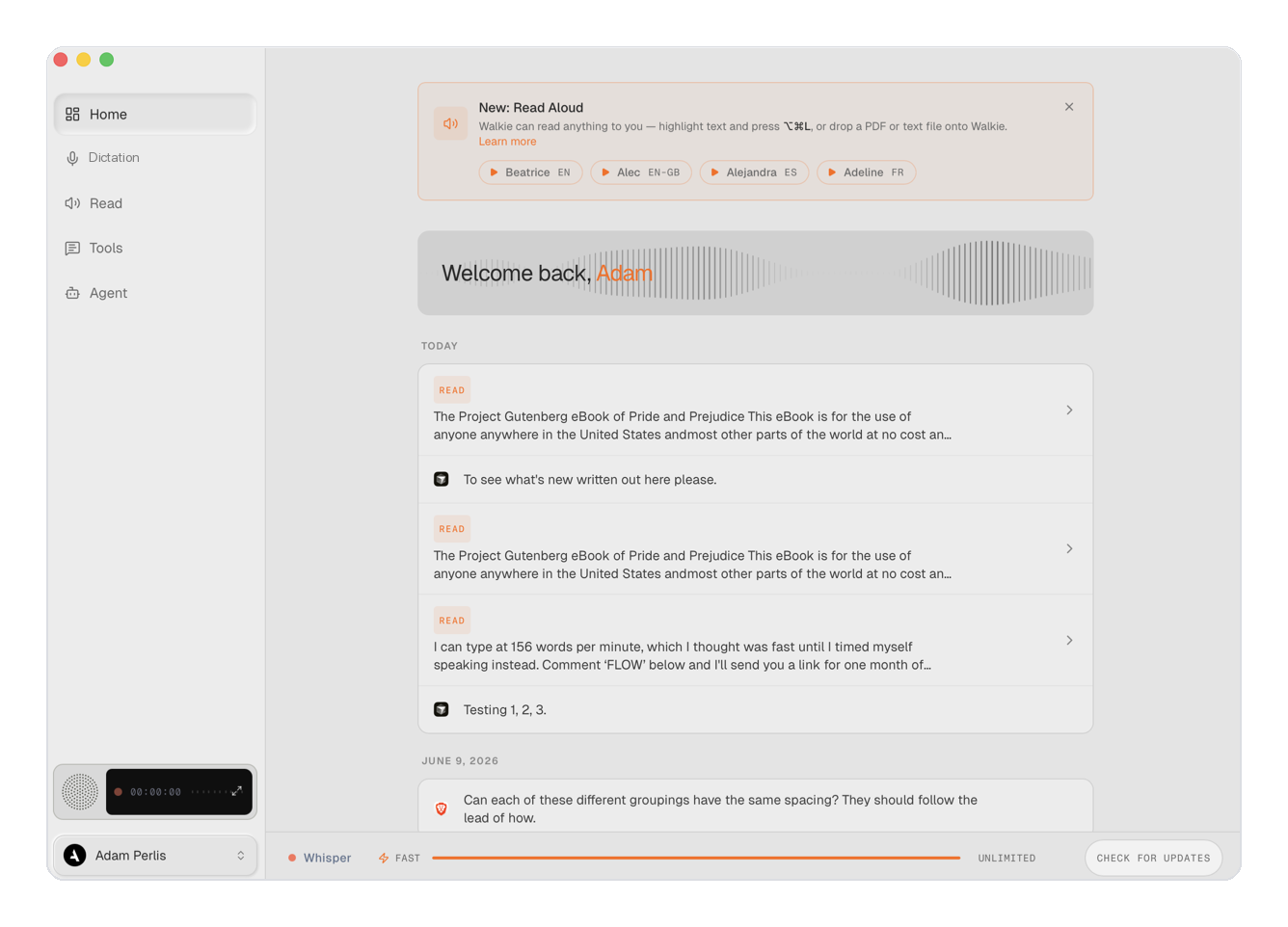
Walkie is a speech-to-text app for macOS, Windows, and Linux:
- Dictate anywhere. Press a global hotkey and talk — Walkie transcribes, cleans up the text (punctuation, filler removal, your custom vocabulary), and types or pastes it into whatever app you're in.
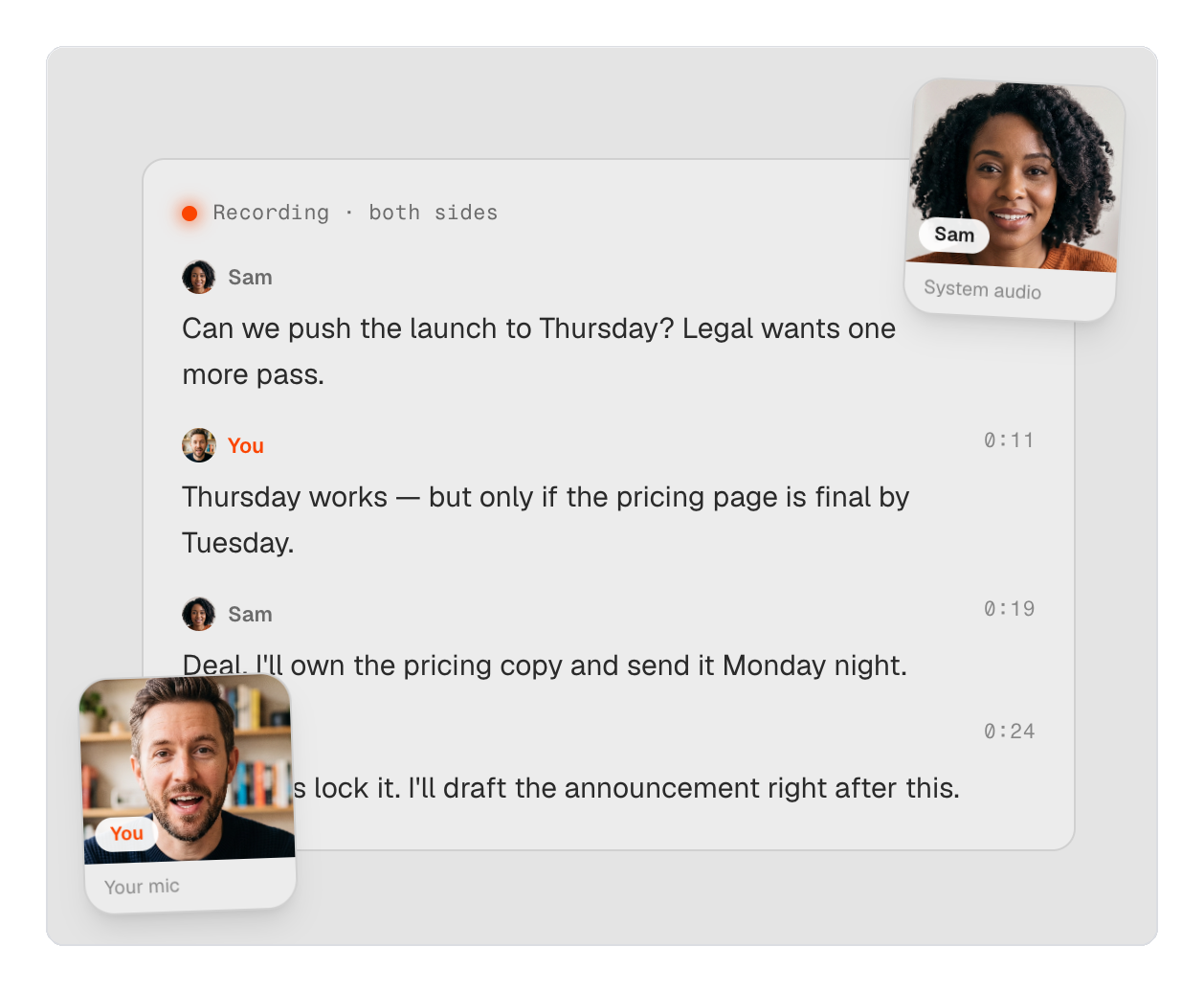
- Record & understand meetings. Walkie records your calls and produces speaker-labeled transcripts, AI summaries, action items, and participant lists. It recognizes video calls (Meet, Zoom, Teams) and imports from Granola and Otter.
- Local or cloud — your call. Run transcription fully on-device for privacy, or in the cloud for maximum speed, and switch right from the home screen.
- Read Aloud. Have any text read back to you in a natural voice.
- Yours to control. Custom dictionary, snippets, per-app text styles, and keyboard shortcuts. In Local mode, nothing leaves your machine.
Dictation is free; meetings and this MCP connector are part of the Work plan.

What this connector adds
Once connected, your AI assistant can work with your meeting history:
- search_meetings — find meetings by keyword across titles, your notes, and transcripts.
- get_meeting — read one meeting's notes, action items, participants, and full transcript.
- list_meetings — browse every meeting as metadata (requires full archive access).
All three tools are read-only — the connector never changes your data.
Install
Cursor and Grok Bot (marketplace)
The Marketplace package is walkie-plugin/ (manifest + remote MCP URL, no binaries). After listing, install from Customize → Plugins in Cursor, or Settings → Plugins → Marketplace in Grok Bot, then complete OAuth.
Until then:
- Cursor: Customize → MCP → URL
https://mcp.trywalkie.com/mcp - Grok Bot: tell the Bot
Add this MCP server: https://mcp.trywalkie.com/mcp - Grok.com: connectors → New Connector → Custom → same URL
Claude Desktop (one click)
Download walkie.mcpb and open it in Claude Desktop (Settings → Extensions → Install). It launches Walkie's local server automatically and carries the Walkie icon.
Any MCP client (command)
claude mcp add walkie -- /Applications/Walkie.app/Contents/MacOS/walkie --mcp-serve
Remote (web/mobile clients)
Connect over OAuth 2.0 to https://mcp.trywalkie.com/mcp.
Requirements
- The Walkie desktop app (macOS/Windows) — the local server reads Walkie's on-device meeting database.
- A Walkie Work plan or higher.
Privacy
The connector runs on your computer and reads only your local Walkie data to answer your client's requests — it sends nothing anywhere itself. Full policy: https://trywalkie.com/en/privacy
License
MIT — see LICENSE.