SMSPVA Documentation
Official SMSPVA documentation MCP: search Activation V2, Rental and Private Email API guides and get code examples in English, Spanish and Chinese.
Размещённый MCP-сервер
npx add-mcp 'https://mcp.smspva.com/docs'Устанавливается в Claude Code, Codex, Cursor и другие
Документация
Receive SMS Online from 60+ Countries – Instant Activation - SmsPva
Get Real and Virtual Phone Numbers from 60+ Countries — Instant SMS, High Success Rate, No SIM Needed
Smspva offers both real SIM-based and virtual numbers — ensuring the highest delivery success for WhatsApp, Telegram, Google, TikTok and more. Receive SMS instantly from USA, UK, India, Europe and 60+ regions starting from $0.05 per number.
1,550,000+ users
We are trusted by more than 1,550,000 paying customers, and that number continues to grow....
With our Temporary Number service, you'll only get high-quality, billable numbers with the highest success rates on the market today.
How use the SMSpva?
To get a temporary number for receiving sms, you will need to do 5 simple steps
1
Select a Service
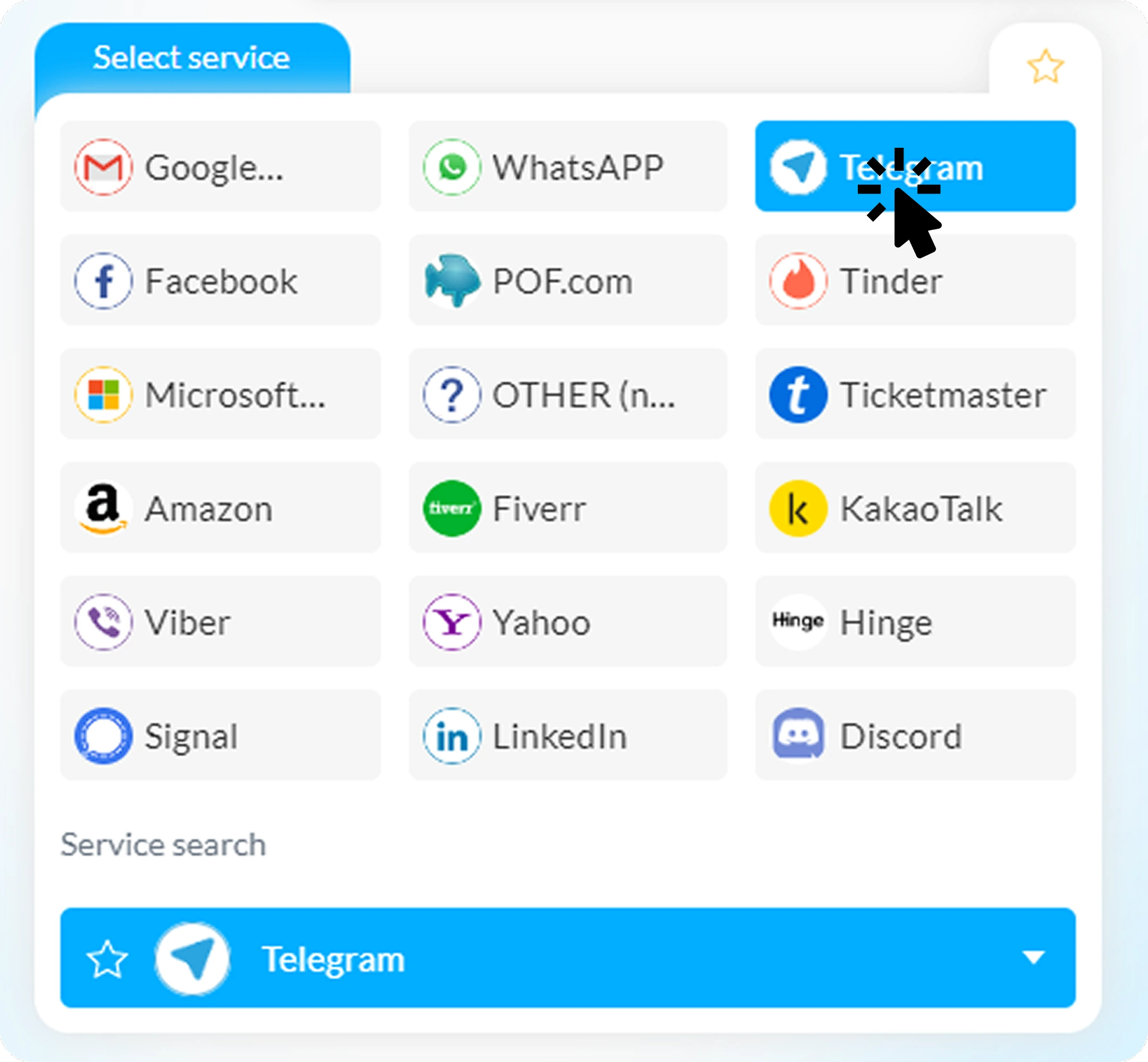
Choose the platform where you need to receive your SMS verification — for example Telegram, WhatsApp, Google, Facebook or any other app. The service selection panel is located at the top left of the Smspva interface. You’ll see a list of the most popular platforms, and below that, a full drop-down list with all available services supported by Smspva. Use the search bar if you need to find something specific — it’s fast and updates in real time.
2
Select a Country to Receive SMS
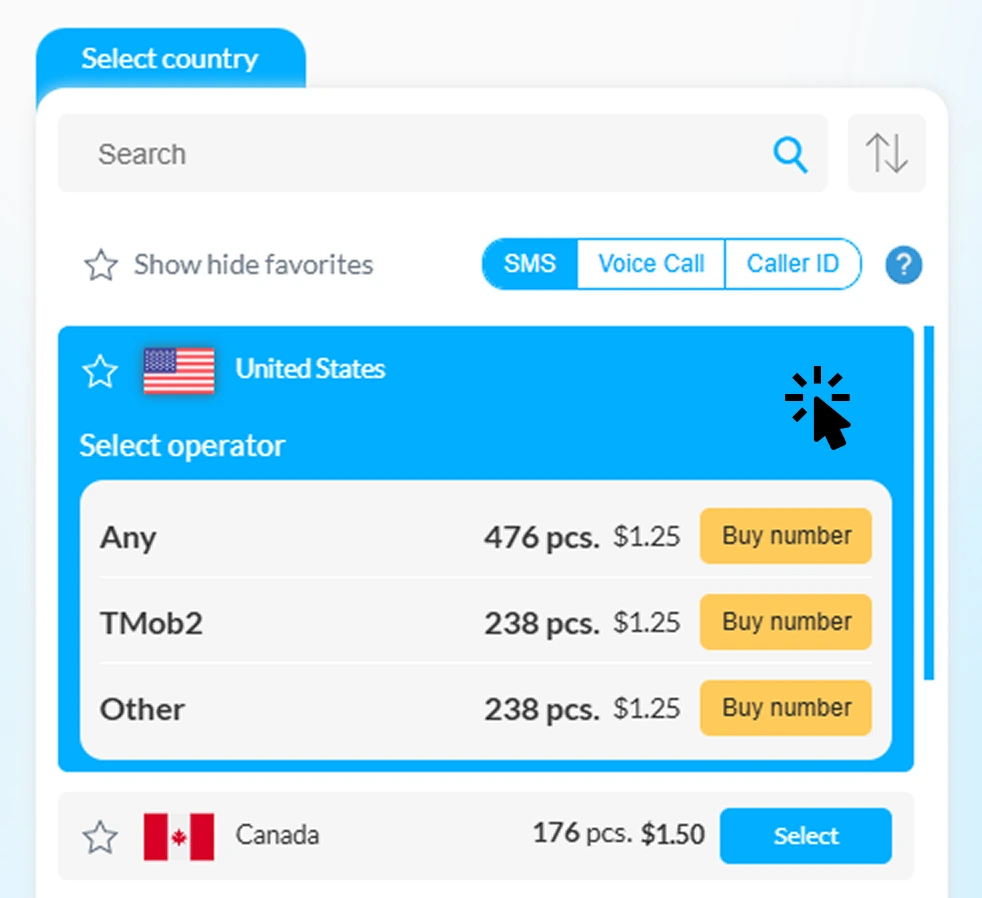
Right below the service selection panel, you’ll find a full list of available countries with current prices and mobile operators. Choose where you want to receive your verification SMS — for example, USA, UK, India or Germany. For your convenience, the Smspva interface includes search and sorting tools so you can quickly find the best option by country or operator. All numbers are updated in real time, ensuring only active, working connections.
3
Receive and Use Your Phone Number
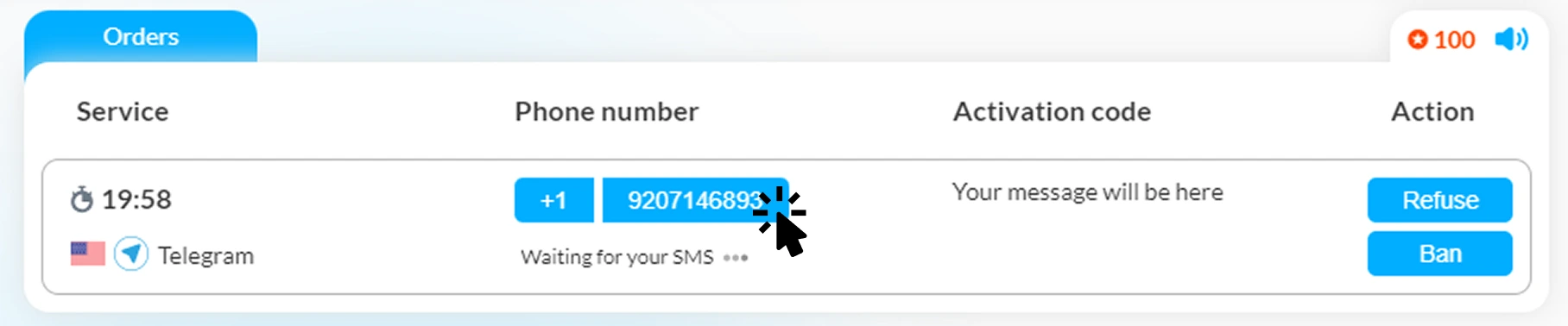
After selecting a number, simply copy it with one click by pressing on the phone field. Then go to the page of your chosen service — for example Telegram, WhatsApp, or Google — and paste the number into the registration or login form. Smspva will automatically receive the verification SMS in real time and display it in your control panel. You’ll see the activation code appear instantly — just copy it and complete your verification.
4
You Received the Verification Code
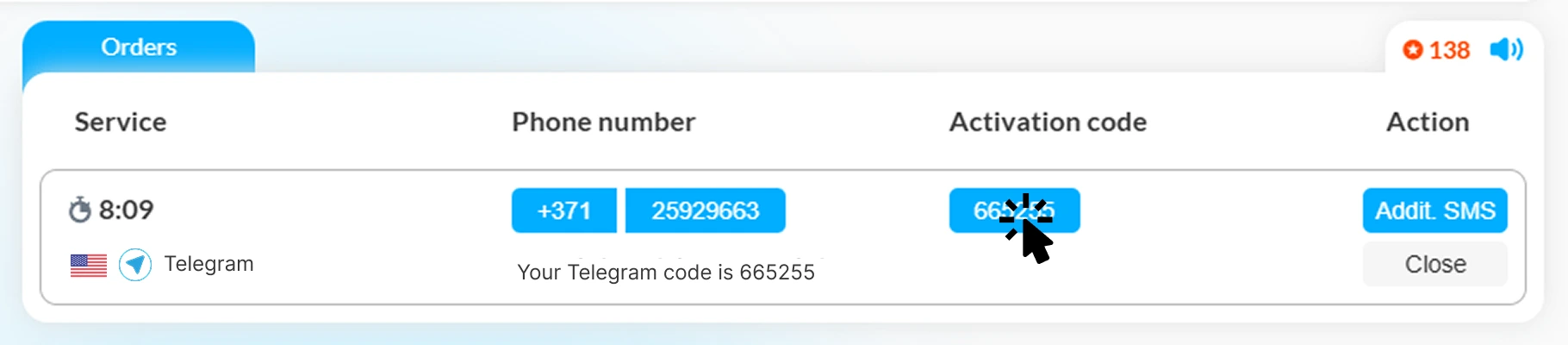
The service has sent your verification code — it appears instantly in the Activation code column. Click on the code to copy it automatically — it’s ready to paste into your Telegram, WhatsApp, Google, or any other registration form. If you’re expecting another message, you can use the “Additional SMS” function to request a new code without leaving the page.
5
🎉 Verification Completed!
You’ve successfully received your verification code and used it to activate your account on the selected service. Congratulations — the verification process is complete! You can now enjoy full access to your Telegram, WhatsApp, Google or any other platform account. Need to verify another one? Just repeat the process — Smspva is ready 24/7.

How use the SMSpva (Video tutorial)?
For Developers: Easy SMS Activation API
Integrate Smspva directly into your apps or test environments using our simple REST API. Automate SMS verifications, bulk activations, and number management without manual actions.
- 📘 REST API with JSON responses — simple and fast integration.
- ⚙️ Instant number allocation and real-time SMS callbacks.
- 🔑 Personal API key and secure authentication.
- 💻 Code examples for Python, PHP, Node.js included. View API Documentation
Complete a simple registration and receive a phone number for SMS
Get the opportunity to use our numbers for registration! Sign up
Rent Numbers for Long-Term Use
Need a number for more than one activation? Smspva offers rental phone numbers that stay active for days, weeks or even months — perfect for maintaining accounts, testing apps, or long-term verifications. Choose between real SIM-based and virtual rental numbers with instant message delivery and full control in your dashboard.
Frequently Asked Questions
How to receive SMS online without a SIM card?
You can use Smspva’s real and virtual numbers to receive SMS directly in your browser. Just choose a service and country, and get your code instantly.
How fast are messages delivered?
Most SMS are received within 1–3 seconds. Real SIM numbers have a 99% delivery success rate.
Can I use Smspva for WhatsApp or Telegram?
Yes, our numbers support all major platforms: WhatsApp, Telegram, Google, TikTok, Facebook, and more.
By using Smspva's temporary numbers, you can enjoy the benefits of Telegram without compromising your privacy. Start today and take control of your digital security!
What Are Virtual and Real Numbers?
A virtual phone number lets you receive SMS messages online without using a physical SIM card. It’s perfect for account verification, testing, or online registration on global services like WhatsApp, Telegram, Gmail and TikTok.
Smspva also provides real SIM-based numbers for maximum delivery reliability. Choose what fits your task — temporary or rental mode, with instant message delivery from over 60 countries.
This approach protects your privacy and helps avoid account bans caused by shared public numbers.
Free & Private Emails
Get messages the way you like
Use email on your phone or on your PC
- Free access
- Private inboxes
- Phone & PC
Or receive a message in a public inbox
Select service
Service search
Click here to view all services
Select country
{{country.title_country}} ●
{{getAvailableCountOperators(currServOpt, country.shortname, false, true)}} 0 + pcs. from ${{getCheapestOperator(currServOpt, country.shortname)}} - from ${{minPrices[country.shortname]}}
Select
Add funds
No nums
Receive SMS
Selected
Select
Select operator
SMSpva operators
!
Sorry, SMSPVA numbers are temporarily unavailable. New numbers will be added soon — please try another country or operator.
Any
{{operator}} pcs. ${{ getDisplayPrice(currServOpt, country.shortname, indx) }} Buy number Add funds
{{operatorNameWithoutSuffix(indx)}}
Higher success
{{operator}} pcs. ${{ getDisplayPrice(currServOpt, country.shortname, indx) }} Buy voice Buy number Add funds
External providers ?
{{ getOperatorPublicName(indx, country.shortname) }}
{{operator}} pcs. pcs. ${{ getDisplayPrice(currServOpt, country.shortname, indx) }} Buy number Add funds
Any
{{operator}} pcs. ${{ getDisplayPrice(currServOpt, country.shortname, indx) || '-' }} No nums
{{operatorNameWithoutSuffix(indx)}}
{{operator}} pcs. ${{ getDisplayPrice(currServOpt, country.shortname, indx) || '-' }} No nums
No numbers available at this time. The wait may be longer