notify-mcp
Легковесный MCP-сервер на Bash для отправки уведомлений на рабочий стол через notify-send.
Документация
notify-mcp
A lightweight Bash-based Model Context Protocol (MCP) server for sending desktop notifications via notify-send. This zero-dependency server enables AI assistants like Claude, Cursor, and VS Code to send system notifications directly to your Linux desktop and MacOS.
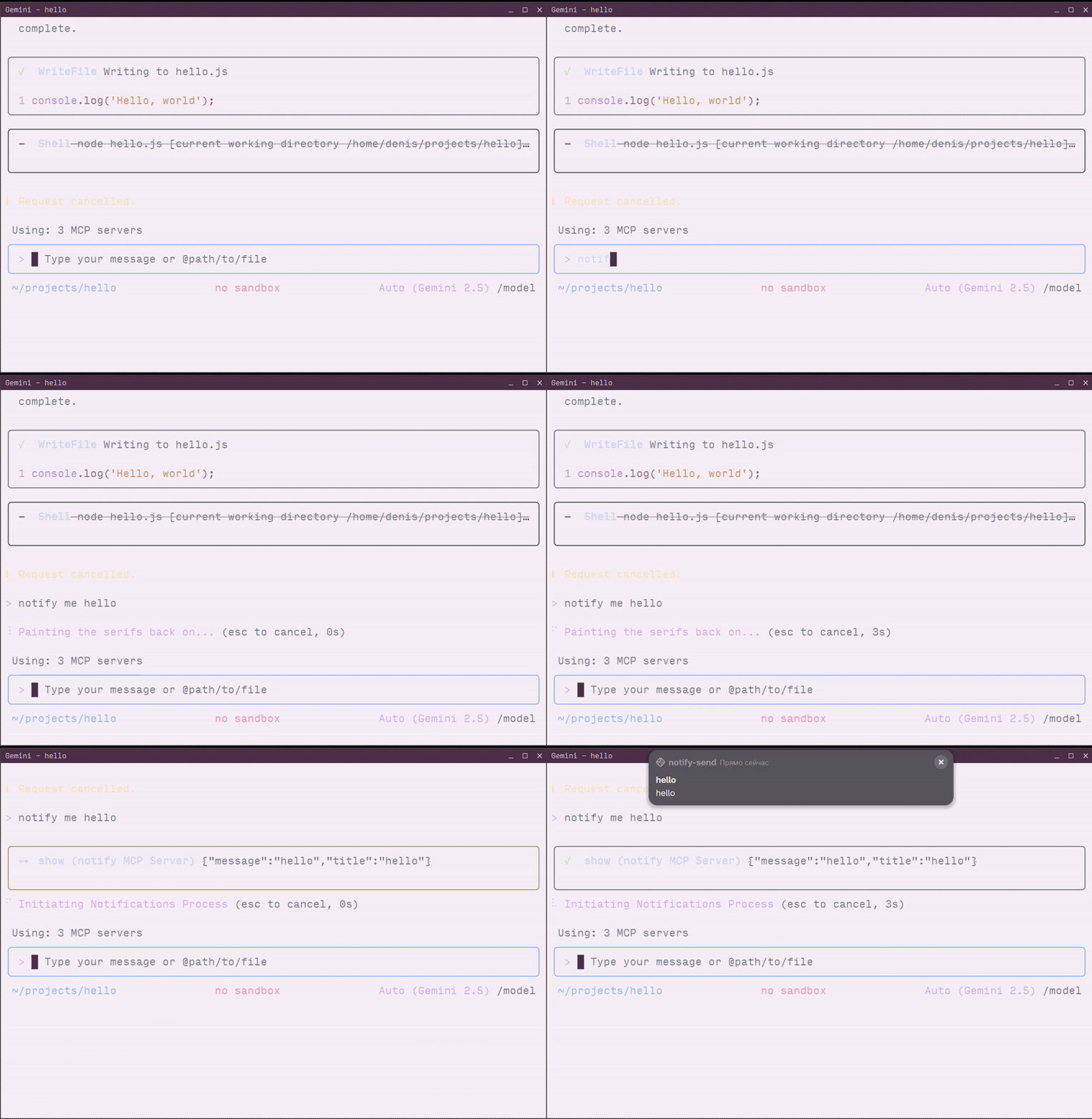
Prerequisites
- Linux system with notification support or MacOS
notify-sendcommand for linux (usually provided bylibnotifypackage)jqtool
Installing notify-send
If notify-send is not installed on your system:
Ubuntu/Debian:
sudo apt-get install libnotify-bin
Fedora/RHEL:
sudo dnf install libnotify
Arch Linux:
sudo pacman -S libnotify
Alt Linux:
sudo apt-get install notify-send
Installation
- Clone the repository:
git clone https://github.com/longdog/notify-mcp.git
cd notify-mcp
- Make the script executable:
chmod +x notify-mcp.sh
- (Optional) Add to your PATH for easier access:
sudo ln -s $(pwd)/notify-mcp.sh /usr/local/bin/notify-mcp
Configuration
Claude Desktop
Claude Desktop uses a JSON configuration file to define MCP servers.
-
Open Claude Desktop settings:
- Click Claude menu → Settings → Developer tab
- Click Edit Config to open
claude_desktop_config.json
-
Add the notify-mcp server configuration:
{
  "mcpServers": {
    "notify": {
      "command": "/absolute/path/to/notify-mcp.sh",
      "args": []
    }
  }
}
Example with full path:
{
  "mcpServers": {
    "notify": {
      "command": "/home/username/notify-mcp/notify-mcp.sh",
      "args": []
    }
  }
}
-
Save the file and restart Claude Desktop
-
Verify the connection by looking for the MCP server indicator (🔌 icon) in the Claude Desktop interface
Cursor
Cursor IDE supports MCP servers through its settings configuration.
-
Open Cursor settings:
- Press
Ctrl+Shift+P(Linux/Windows) orCmd+Shift+P(macOS) - Search for "MCP: Add MCP Server"
- Select Command (stdio)
- Press
-
Configure the server:
- Name:
notify - Command:
/absolute/path/to/notify-mcp.sh - Arguments: (leave empty)
- Name:
Alternative: Manual configuration
Edit your Cursor settings file (.cursor/mcp.json in your workspace):
{
  "mcpServers": {
    "notify": {
      "command": "/home/username/notify-mcp/notify-mcp.sh",
      "args": []
    }
  }
}
- Restart Cursor to apply changes
VS Code
VS Code supports MCP servers through the GitHub Copilot extension.
-
Via Command Palette:
- Press
Ctrl+Shift+P(Linux/Windows) orCmd+Shift+P(macOS) - Run "MCP: Add Server"
- Select Command (stdio)
- Enter the server information:
- Name:
notify - Command:
/absolute/path/to/notify-mcp.sh
- Name:
- Press
-
Via Configuration File:
Add to your user settings (
.vscode/mcp.json) or workspace settings:
{
  "servers": {
    "notify": {
      "command": "/home/username/notify-mcp/notify-mcp.sh",
      "args": []
    }
  }
}
-
Restart VS Code to load the MCP server
-
Verify by running "MCP: List Servers" from the Command Palette
Gemini CLI
The Gemini CLI supports MCP servers through its settings configuration file.
- Locate your Gemini CLI settings file:
~/.gemini/settings.json
- Add the notify-mcp server to the
mcpServerssection:
{
  "mcpServers": {
    "notify": {
      "command": "/home/username/notify-mcp/notify-mcp.sh",
      "args": []
    }
  }
}
Complete example:
{
  "apiKey": "your-api-key",
  "mcpServers": {
    "notify": {
      "command": "/home/username/notify-mcp/notify-mcp.sh",
      "args": []
    }
  },
  "mcp": {
    "allowed": ["notify"]
  }
}
- Restart Gemini CLI or start a new session:
gemini-cli
- Verify the server is loaded:
/mcp
This will list all connected MCP servers, including notify.
Alternative: Using STDIO Transport Directly
For testing or advanced use cases, you can interact with the MCP server directly via stdio:
echo '{"jsonrpc":"2.0","id":"2","method":"tools/call","params": {"arguments":{"title":"Hello","message":"World"}}}' | ./notify-mcp.sh