MoLing MCP Server
Локальный офисный ассистент для операций с файловой системой, выполнения системных команд и управления браузером.
Документация
MoLing MCP Server


Introduction
MoLing is a computer-use and browser-use MCP Server that implements system interaction through operating system APIs, enabling file system operations such as reading, writing, merging, statistics, and aggregation, as well as the ability to execute system commands. It is a dependency-free local office automation assistant.
Advantages
[!IMPORTANT] Requiring no installation of any dependencies, MoLing can be run directly and is compatible with multiple operating systems, including Windows, Linux, and macOS. This eliminates the hassle of dealing with environment conflicts involving Node.js, Python, Docker and other development environments.
Features
[!CAUTION] Command-line operations are dangerous and should be used with caution.
- File System Operations: Reading, writing, merging, statistics, and aggregation
- Command-line Terminal: Execute system commands directly
- Browser Control: Powered by
github.com/chromedp/chromedp- Chrome browser is required.
- In Windows, the full path to Chrome needs to be configured in the system environment variables.
- Future Plans:
- Personal PC data organization
- Document writing assistance
- Schedule planning
- Life assistant features
[!WARNING] Currently, MoLing has only been tested on macOS, and other operating systems may have issues.
Supported MCP Clients
- Claude
- Cline
- Cherry Studio
- etc. (who support MCP protocol)
Demos
https://github.com/user-attachments/assets/229c4dd5-23b4-4b53-9e25-3eba8734b5b7
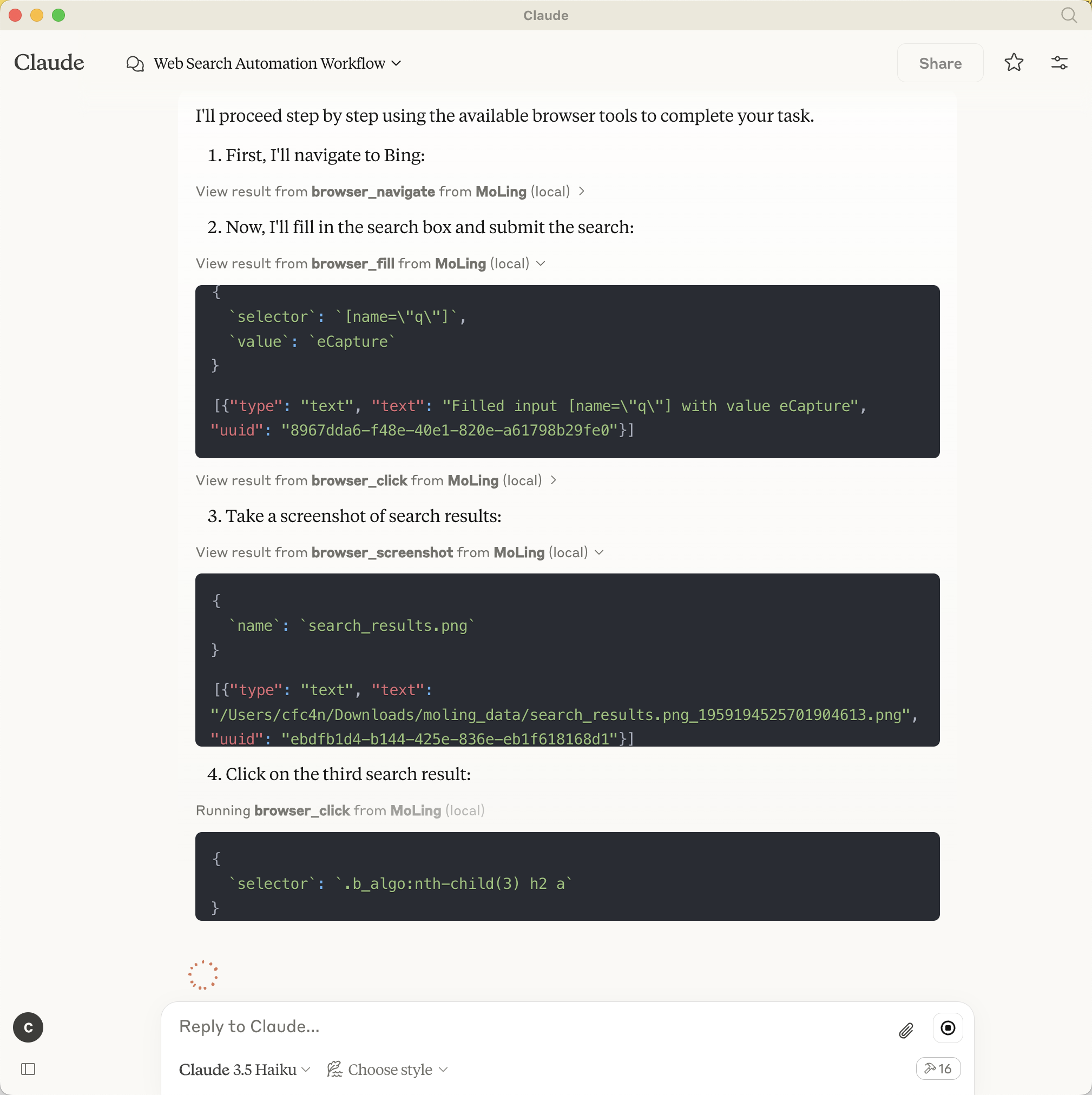
MoLing in Claude
Configuration Format
MCP Server (MoLing) configuration
The configuration file will be generated at /Users/username/.moling/config/config.json, and you can modify its
contents as needed.
If the file does not exist, you can create it using moling config --init.
MCP Client configuration
For example, to configure the Claude client, add the following configuration:
[!TIP]
Only 3-6 lines of configuration are needed.
Claude config path:
~/Library/Application\ Support/Claude/claude_desktop_config
{
  "mcpServers": {
    "MoLing": {
      "command": "/usr/local/bin/moling",
      "args": []
    }
  }
}
and, /usr/local/bin/moling is the path to the MoLing server binary you downloaded.
Automatic Configuration
run moling client --install to automatically install the configuration for the MCP client.
MoLing will automatically detect the MCP client and install the configuration for you. including: Cline, Claude, Roo Code, etc.
Operation Modes
- Stdio Mode: CLI-based interactive mode for user-friendly experience
- SSE Mode: Server-Side Rendering mode optimized for headless/automated environments
Installation
Option 1: Install via Script
Linux/MacOS
/bin/bash -c "$(curl -fsSL https://raw.githubusercontent.com/gojue/moling/HEAD/install/install.sh)"
Windows
[!WARNING] Not tested, unsure if it works.
powershell -ExecutionPolicy ByPass -c "irm https://raw.githubusercontent.com/gojue/moling/HEAD/install/install.ps1 | iex"
Option 2: Direct Download
- Download the installation package from releases page
- Extract the package
- Run the server:
./moling
Option 3: Build from Source
- Clone the repository:
git clone https://github.com/gojue/moling.git
cd moling
- Build the project (requires Golang toolchain):
make build
- Run the compiled binary:
./bin/moling
Usage
After starting the server, connect using any supported MCP client by configuring it to point to your MoLing server address.
License
Apache License 2.0. See LICENSE for details.