MiniMax MCP
официальныйВзаимодействуйте с мощными API MiniMax для преобразования текста в речь, генерации изображений и видео.
Что можно делать с Mini Max MCP?
- Преобразование текста в речь — Попросите вашего ассистента создать аудио из любого текста с помощью
text_to_audio, используя выбранный голос. - Клонирование голоса по образцу — Предоставьте аудиофайл и используйте
voice_clone, чтобы создать индивидуальный голос, имитирующий оригинального диктора. - Создание голоса по описанию — Опишите желаемые вокальные характеристики и используйте
voice_design, чтобы сгенерировать предварительную версию такого голоса. - Генерация изображения по описанию — Создайте изображение, описав желаемый результат с помощью
text_to_image. - Генерация видео по описанию — Создайте видеоклип, описав сцену, с возможностью управления длительностью и разрешением через
generate_video. - Создание музыки по описанию и тексту — Сочините музыкальный трек, указав стиль и текст в
music_generation.
Документация









Официальный сервер MiniMax Model Context Protocol (MCP), обеспечивающий взаимодействие с мощными API преобразования текста в речь и генерации видео/изображений. Этот сервер позволяет MCP-клиентам, таким как Claude Desktop, Cursor, Windsurf, OpenAI Agents и другим, генерировать речь, клонировать голоса, создавать видео, изображения и многое другое.
💡 Рекомендуется: MiniMax CLI (mmx-cli) — наш официальный инструмент командной строки с новейшими моделями и дополнительными функциями, включая текст, зрение, поиск и музыкальные каверы. Работает как навык AI-агента для Claude Code, Cursor, OpenClaw и т.д.
Документация
- 中文文档
- MiniMax-MCP-JS — официальная реализация MiniMax MCP на JavaScript
Быстрый старт с MCP-клиентом
- Получите API-ключ на MiniMax.
- Установите
uv(менеджер пакетов Python), установите с помощьюcurl -LsSf https://astral.sh/uv/install.sh | shили ознакомьтесь с репозиториемuvдля дополнительных способов установки. - Важно: API-хост и ключ зависят от региона и должны совпадать; в противном случае вы получите ошибку
Invalid API key.
| Регион | Глобальный | Материковый Китай |
|---|---|---|
| MINIMAX_API_KEY | получить на MiniMax Global | получить на MiniMax |
| MINIMAX_API_HOST | https://api.minimax.io | https://api.minimaxi.com |
Claude Desktop
Перейдите в Claude > Settings > Developer > Edit Config > claude_desktop_config.json, чтобы добавить следующее:
{
  "mcpServers": {
    "MiniMax": {
      "command": "uvx",
      "args": [
        "minimax-mcp",
        "-y"
      ],
      "env": {
        "MINIMAX_API_KEY": "insert-your-api-key-here",
        "MINIMAX_MCP_BASE_PATH": "local-output-dir-path, such as /User/xxx/Desktop",
        "MINIMAX_API_HOST": "api host, https://api.minimax.io | https://api.minimaxi.com",
        "MINIMAX_API_RESOURCE_MODE": "optional, [url|local], url is default, audio/image/video are downloaded locally or provided in URL format"
      }
    }
  }
}
⚠️ Внимание: API-ключ должен соответствовать хосту. Если возникает ошибка «API Error: invalid api key», проверьте ваш api host:
- Глобальный хост:
https://api.minimax.io - Хост материкового Китая:
https://api.minimaxi.com
Если вы используете Windows, для работы MCP-сервера необходимо включить «Режим разработчика» в Claude Desktop. Нажмите «Справка» в меню-гамбургере в левом верхнем углу и выберите «Включить режим разработчика».
Cursor
Перейдите в Cursor -> Preferences -> Cursor Settings -> MCP -> Add new global MCP Server, чтобы добавить указанную выше конфигурацию.
Вот и всё. Теперь ваш MCP-клиент может взаимодействовать с MiniMax через следующие инструменты:
Транспорт
Мы поддерживаем два типа транспорта: stdio и sse.
| stdio | SSE |
|---|---|
| Локальный запуск | Может быть развернут локально или в облаке |
Взаимодействие через stdout | Взаимодействие через network |
Ввод: поддерживает обработку local files или действительных ресурсов URL | Ввод: при облачном развертывании рекомендуется использовать URL для ввода |
Доступные инструменты
| инструмент | описание |
|---|---|
text_to_audio | Преобразование текста в аудио с заданным голосом |
list_voices | Список всех доступных голосов |
voice_clone | Клонирование голоса с использованием предоставленных аудиофайлов |
generate_video | Генерация видео по текстовому описанию |
text_to_image | Генерация изображения по текстовому описанию |
query_video_generation | Запрос результата задачи генерации видео |
music_generation | Создание музыкального трека по описанию и тексту песни |
voice_design | Генерация голоса по описанию с использованием текста для предпрослушивания |
Примечания к выпуску
2 июля 2025 г.
🆕 Что нового
- Дизайн голоса: Новый инструмент
voice_design— создание пользовательских голосов по текстовым описаниям с предварительным прослушиванием - Улучшение видео: Добавлена модель
MiniMax-Hailuo-02со сверхчетким качеством и элементами управления длительностью/разрешением - Генерация музыки: Улучшен инструмент
music_generationна базе моделиmusic-1.5
📈 Улучшенные инструменты
voice_design— Генерация персонализированных голосов по текстовым описаниямgenerate_video— Теперь поддерживает MiniMax-Hailuo-02 с длительностью 6/10 с и разрешением 768P/1080Pmusic_generation— Высококачественное создание музыки с моделью music-1.5
Часто задаваемые вопросы
1. Неверный API-ключ
Пожалуйста, убедитесь, что ваш API-ключ и API-хост соответствуют региону
| Регион | Глобальный | Материковый Китай |
|---|---|---|
| MINIMAX_API_KEY | получить на MiniMax Global | получить на MiniMax |
| MINIMAX_API_HOST | https://api.minimax.io | https://api.minimaxi.com |
2. spawn uvx ENOENT
Пожалуйста, подтвердите его абсолютный путь, выполнив эту команду в терминале:
which uvx
Получив абсолютный путь (например, /usr/local/bin/uvx), обновите конфигурацию, указав этот путь (например, "command": "/usr/local/bin/uvx").
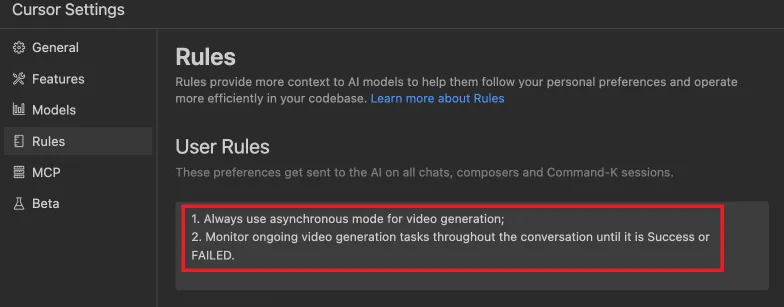
3. Как использовать generate_video в асинхронном режиме
Определите правила завершения перед запуском:
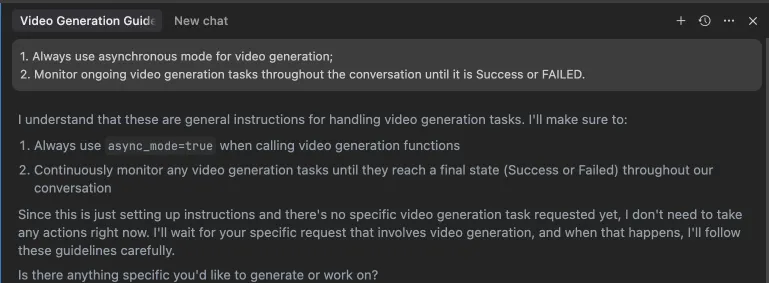 Кроме того, эти правила можно настроить в параметрах вашей IDE (например, Cursor):
Примеры использования
⚠️ Внимание: Использование этих инструментов может повлечь за собой расходы.
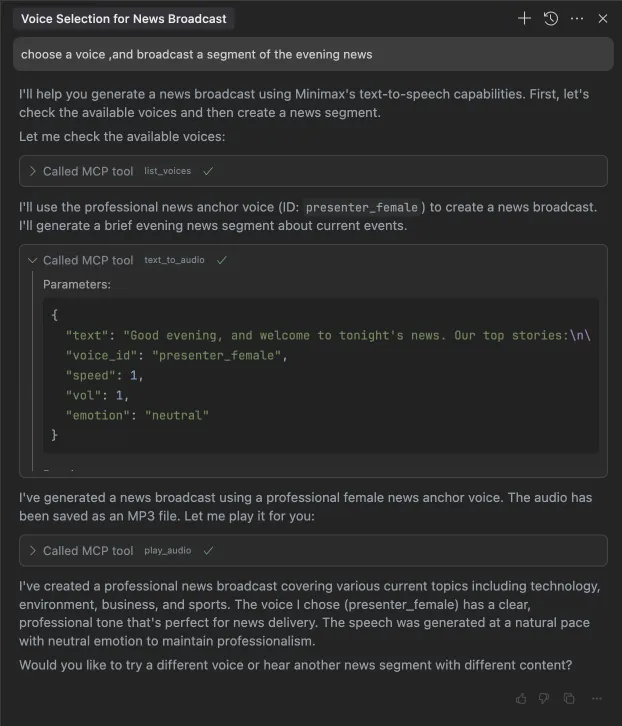
1. Трансляция фрагмента вечерних новостей
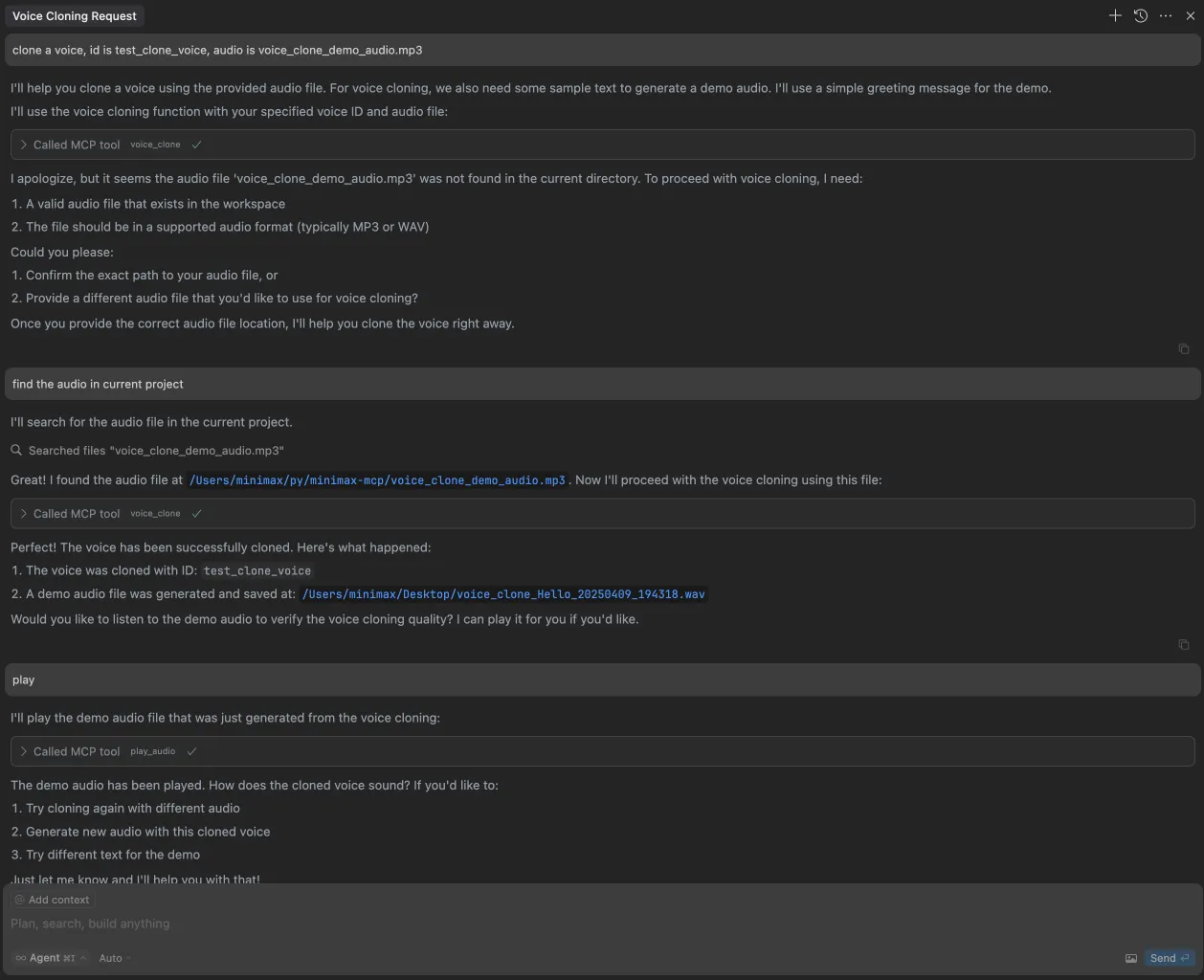
2. Клонирование голоса
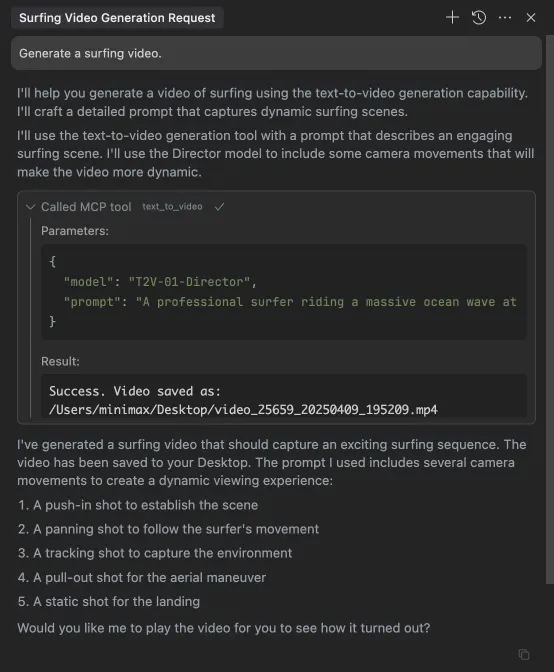
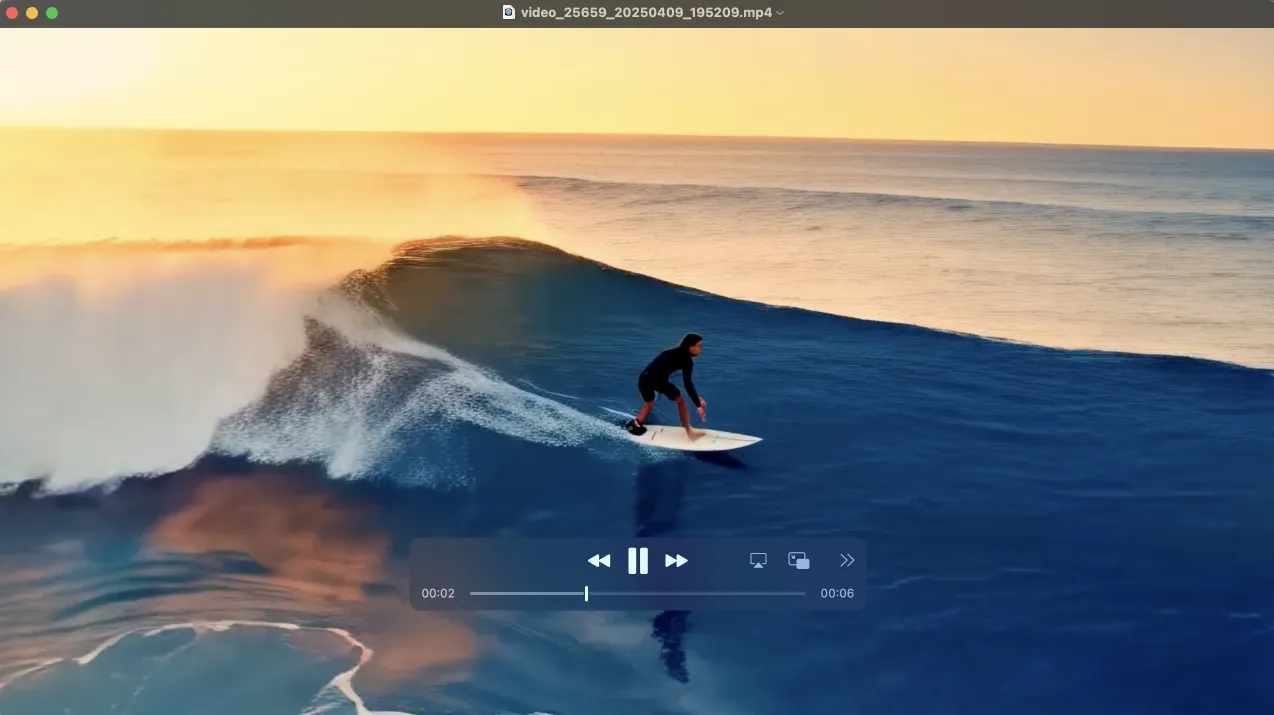
3. Генерация видео
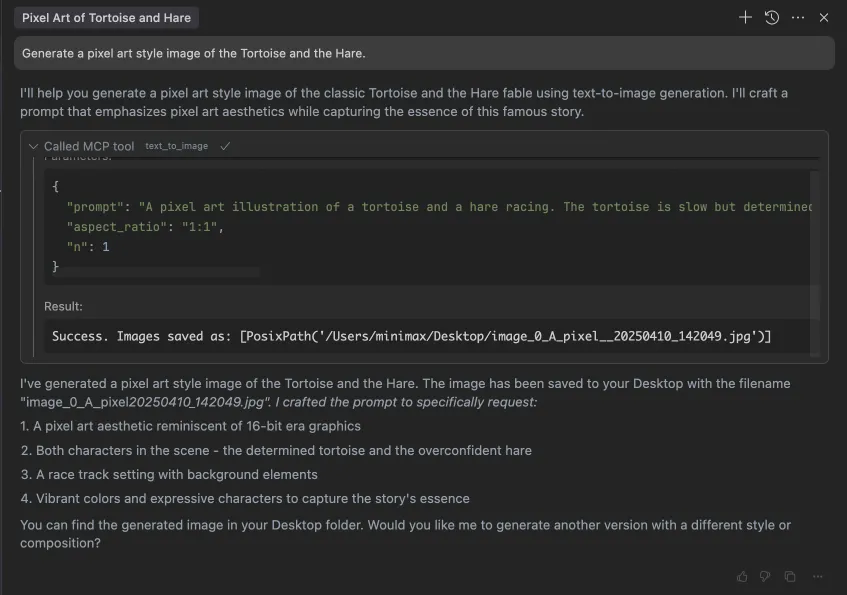
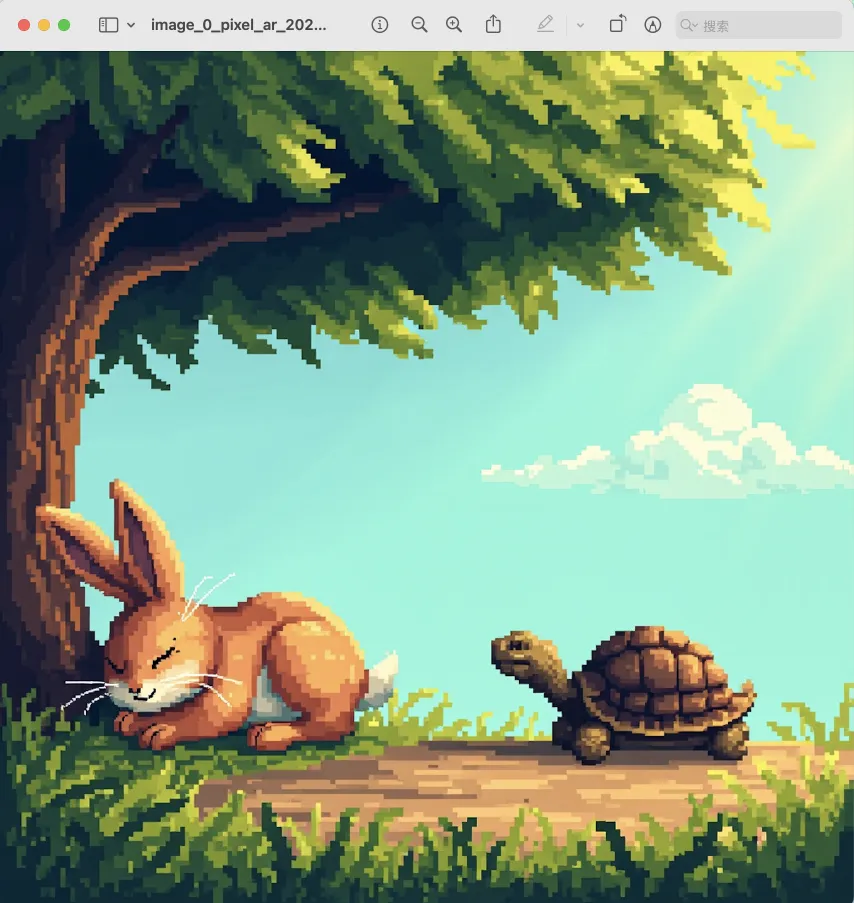
4. Генерация изображений