Godot Native MCP (SSE)
Um servidor seguro e 100% nativo em GDScript de Eventos Enviados pelo Servidor (SSE) que conecta Claude, Cursor e Windsurf diretamente às árvores de cena do Godot 4.x. Nenhuma dependência de Node.js ou C# necessária.
Documentação
Godot MCP (Server-Sent Events) - Conector para Cursor, Claude e Windsurf
Inglês | 中文



Uma integração de servidor Model Context Protocol (MCP) pronta para uso, sem dependências, projetada especificamente para o Godot Engine (4.x).
📢 Aviso sobre Migração Organizacional e Confiança
Este repositório (
vberai/godot-mcp) é o lar organizacional oficial do plugingodot-mcp, altamente popular, originalmente criado pelo nosso cofundador e desenvolvedor líder @DaxianLee (Repositório original: DaxianLee/godot-mcp, confiável com mais de 460 estrelas e 50 forks).Migramos o desenvolvimento ativo para cá sob a marca VberAI para garantir manutenção de longo prazo, atualizações contínuas de recursos (como assistentes de configuração com um clique para múltiplas IDEs) e integrações mais profundas com o motor. É e sempre será 100% gratuito e de código aberto!
✨ Zero Dependências e Configuração GUI Integrada
A maioria dos plugins MCP força você a instalar Node.js/NPM, compilar arquivos TS e configurar roteadores de terminal. O godot-mcp funciona de forma diferente:
- Zero Fricção com CLI: Roda inteiramente dentro do seu Editor Godot através de um servidor HTTP leve integrado.
- Configuração de IDE com Um Clique: Inclui um painel de encaixe no editor que pode escrever instantaneamente arquivos de configuração para Cursor ou Trae com um único clique, ou copiar as strings exatas de configuração de instalação CLI para Claude Desktop / Claude Code.
- Central de Controle Visual: Alterne ferramentas, monitore logs ao vivo do servidor local e controle portas de conexão (Padrão:
3000) diretamente na interface do Godot.
┌────────────────────────────────────────────────────────┐
│ [ Godot Editor Panel ]                                 │
│ ┌───────────────┐ ┌────────────────┐ ┌───────────────┐ │
│ │  Server Logs  │ │  Tools Status  │ │  Config (IDE) │ │
│ ├───────────────┴ └────────────────┴ ───────────────┤ │
│ │  Host IP: 127.0.0.1      [Start Server] [Stop]     │ │
│ │  Selected IDE: [ Cursor / Trae / Claude Desktop ] │ │
│ │  >> [ONE-CLICK CONFIG] <<                          │ │
│ └────────────────────────────────────────────────────┘ │
└────────────────────────────────────────────────────────┘
🧰 Ferramentas MCP Suportadas (Registro de API)
Uma vez conectados, seus agentes de IA (Claude, Cursor, Trae, ChatGPT) ganham acesso a um poderoso conjunto de ferramentas para interagir com o diretório ativo do seu projeto Godot. O servidor expõe as seguintes funções:
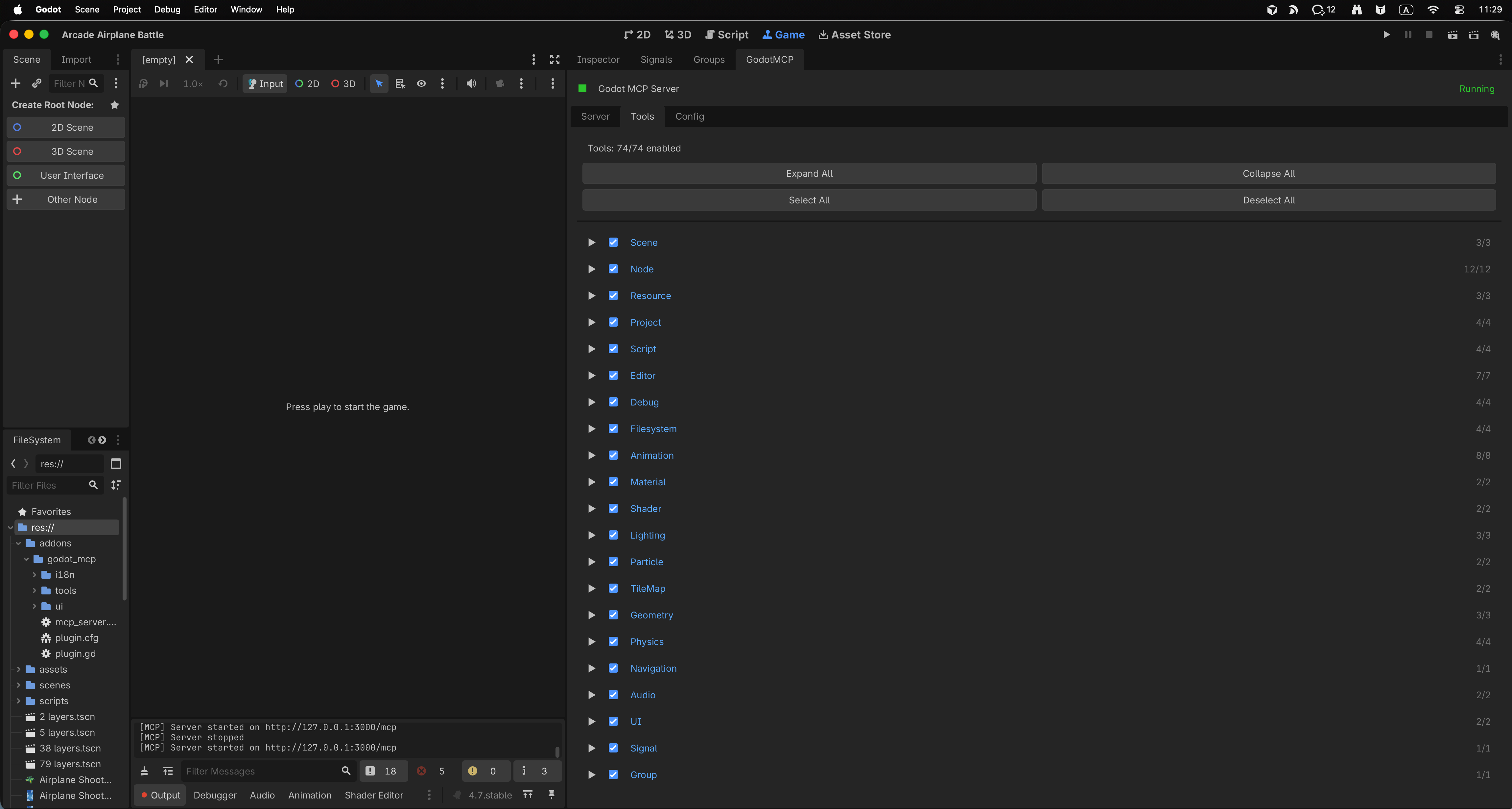
📁 Gerenciamento de Workspace e Cenas
scene_create(path, root_node_type): Gera um novo recurso de cena.tscnprogramaticamente.scene_open(path): Abre, combina e foca automaticamente o viewport em uma cena alvo no editor.scene_save(): Dispara um evento de salvamento ao vivo da cena de trabalho atual.get_scene_tree(path): Expõe a estrutura completa e analisada da árvore de nós de uma cena alvo ao contexto do LLM.get_scene_info(path): Retorna metadados, dependências externas (recursos) e detalhes do inspetor de uma cena.
📝 Refatoração e Edição de Scripts
read_gdscript(path): Carrega com segurança qualquer arquivo.gdna janela da IA para inspeção.write_gdscript(path, code): Escreve ou modifica código GDScript completo, totalmente suportado com formatação automática e validação de sintaxe.modify_gdscript(path, modifications): Acrescenta, substitui ou estrutura blocos específicos de um GDScript ativo sem reescrever o arquivo inteiro.
⚙️ Estado do Motor e Execução
get_godot_state(): Busca contexto global do editor, estruturas de janela, nós selecionados e opções de build ativas.execute_editor_command(command): Permite que o agente instrua o sistema pai a construir arquivos do projeto, compilar assets ou executar/parar a cena de jogo ativa.
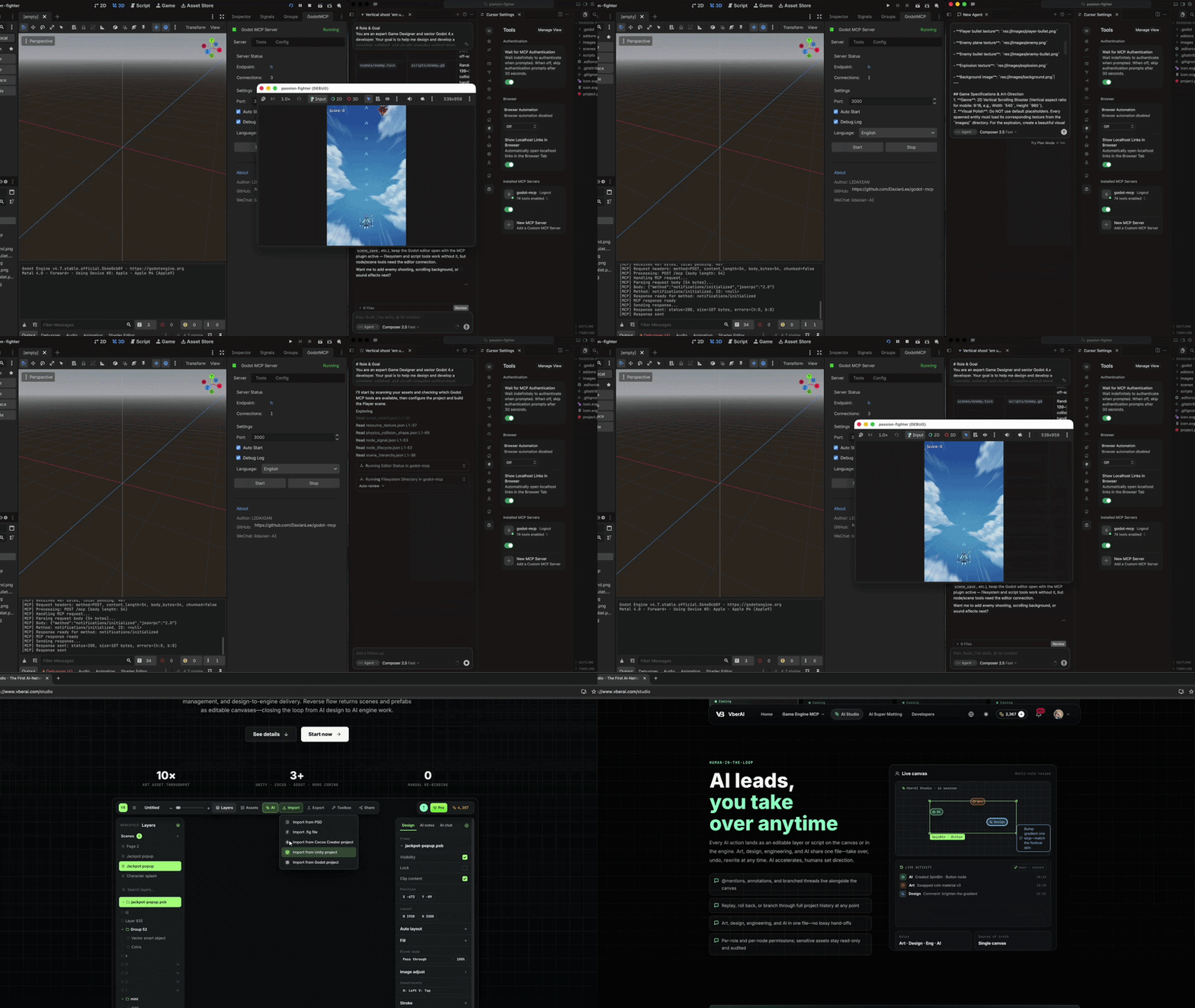
🎬 Demonstração
⚡ Início Rápido (Configuração em 60 Segundos)
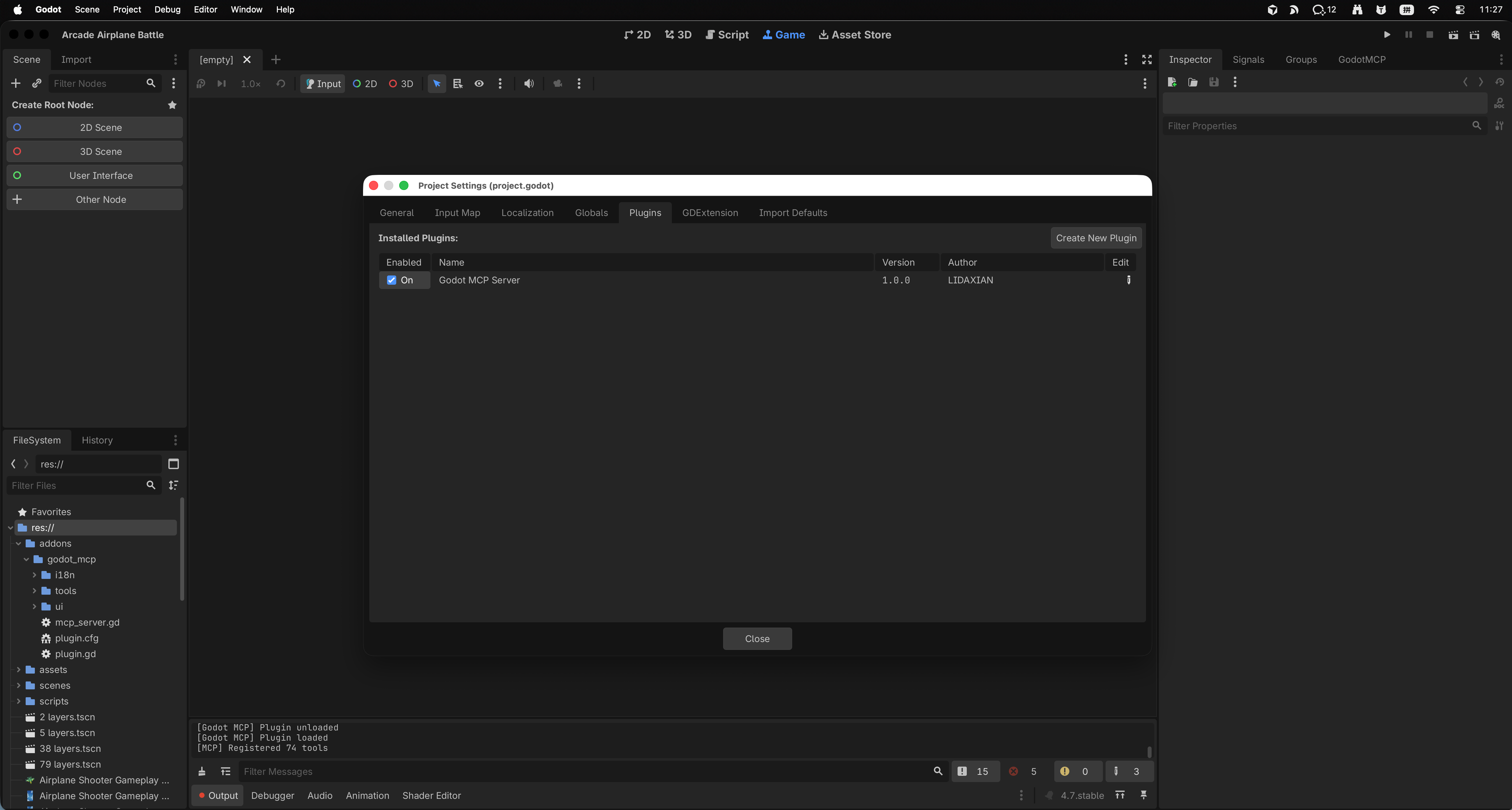
1. Ative o Addon do Godot
- Copie a pasta
addons/godot_mcppara o diretóriores://addons/do seu projeto Godot. - No Godot, navegue até Projeto -> Configurações do Projeto -> Plugins e marque a caixa Ativar para Godot MCP Server.
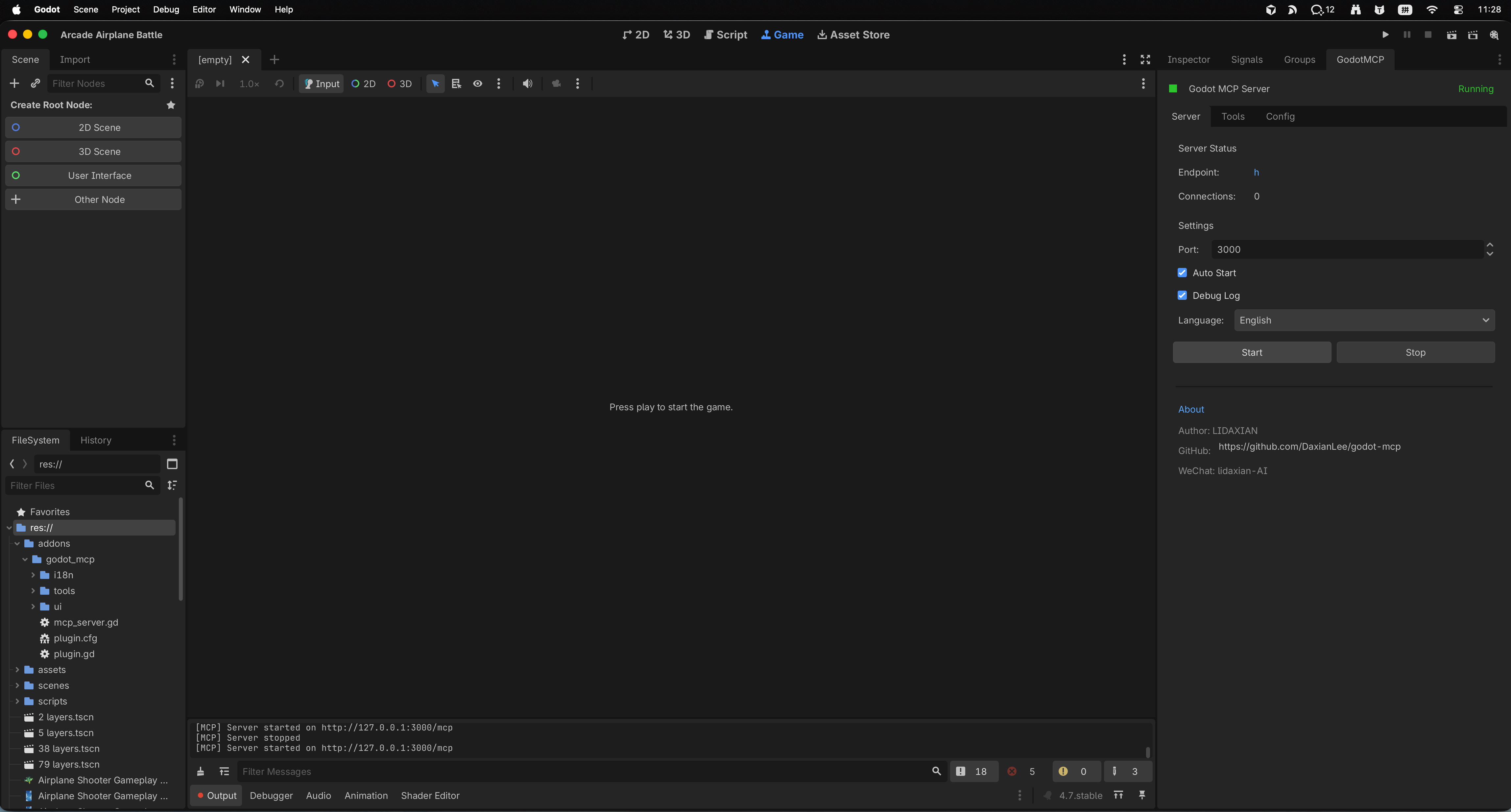
2. Inicie o Servidor MCP
- Abra o painel GodotMCP no dock do editor.
- Clique em Iniciar Servidor e confirme que o servidor está rodando na porta
3000.
3. Configure ao Vivo Seu Cliente Favorito
Opção A: Cursor / Trae (Configuração Dinâmica pelo Painel Integrado)
- Localize o painel GodotMCP nos docks do seu editor (geralmente no canto inferior direito ou painel direito).
- Vá para a aba Config.
- Clique em Configuração com Um Clique. O plugin localizará seus arquivos de configuração locais da IDE e registrará o bloco do servidor instantaneamente.
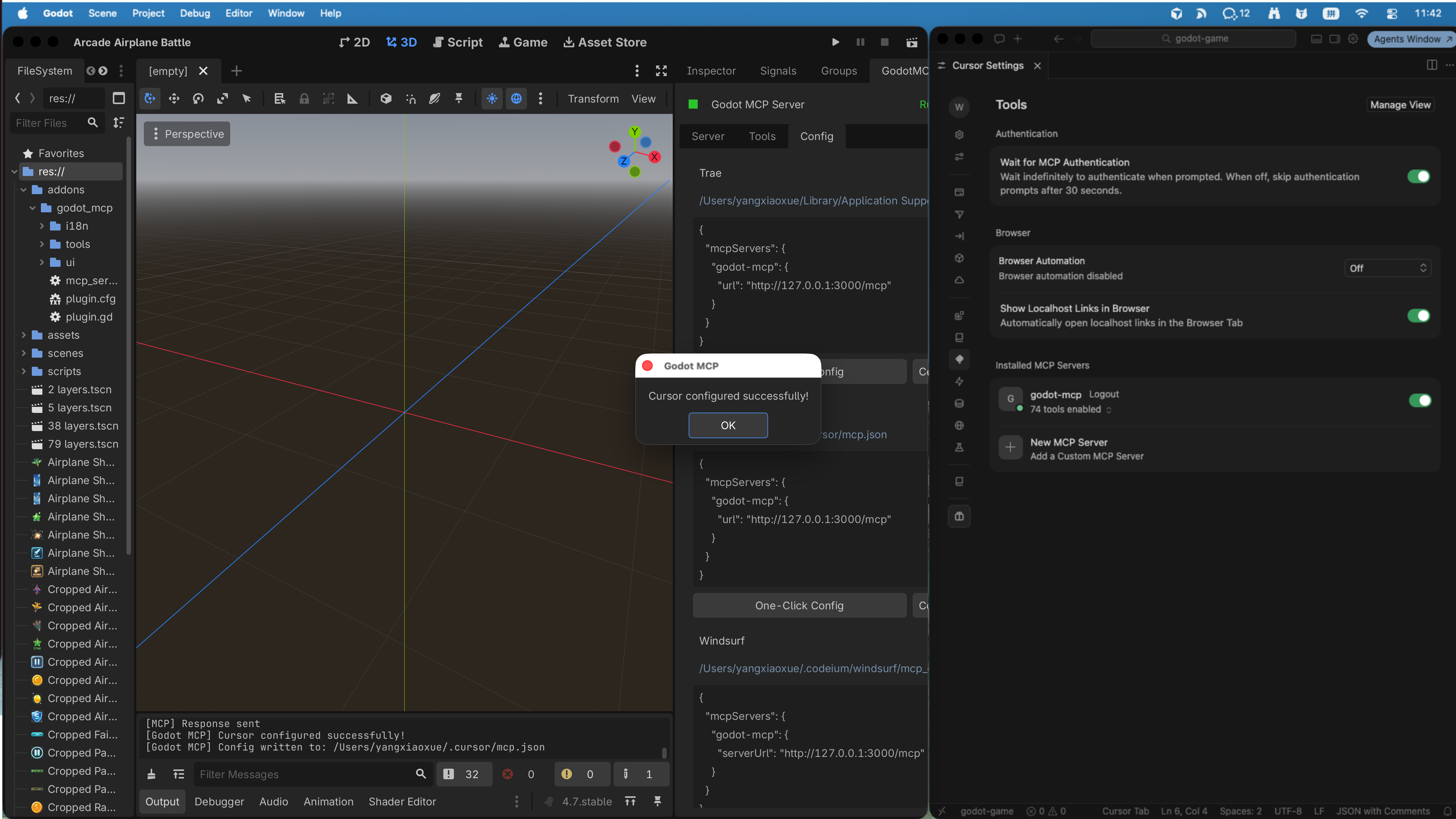
Opção B: Configuração do Claude Desktop
Copie a configuração abaixo para o seu claude_desktop_config.json manualmente, se desejado:
{
  "mcpServers": {
    "godot-mcp": {
      "command": "curl",
      "args": ["-s", "http://127.0.0.1:3000/mcp"],
      "transport": "http"
    }
  }
}
🌐 O Ecossistema VberAI
Enquanto o Godot MCP é 100% gratuito e de código aberto sob a licença MIT, somos especializados em construir ambientes profissionais de design de jogos nativos de IA. Se você está desenvolvendo em outras plataformas ou precisa de workspaces automatizados de nível empresarial, explore nossos motores profissionais personalizados:
| Motor / Suite | Produto | Licença / Edição | Detalhes & Loja |
|---|---|---|---|
| Godot Engine | Godot MCP | 🟢 Código Aberto (MIT) | Gratuito para sempre, fluxo de trabalho orientado pela comunidade |
| Unity Engine | Unity MCP Pro | 🟡 Comercial | Roteamento de memória personalizado, ligações de agentes especializadas |
| Cocos Creator | Cocos MCP Pro | 🟡 Comercial | Otimizações para Web, H5 e Mini-jogos WeChat |
| VberAI Studio | VberAI Studio (SaaS) | 💎 Assinatura | Estúdio completo nativo de agentes gerenciando assets e design |
Saiba mais e inicie seus testes gratuitos em vberai.com.
🤝 Suporte e Desenvolvimento
Incentivamos fortemente relatórios de bugs e pull requests da comunidade!
- Se você encontrar um problema ou quiser sugerir novas ferramentas de API do Godot, abra uma Issue.
- Para consultas corporativas e licenciamento de produtos Cocos/Unity, envie um e-mail para: info [at] vberai.com.
📄 Licença
Este repositório está licenciado sob a Licença MIT - veja o arquivo LICENSE para detalhes.



