mdshare
Compartilhamento gratuito de markdown com colaboração. Faça upload, obtenha um link, compartilhe. Não é necessário login.
Documentação
mdshare
Compartilhe markdown instantaneamente. Grátis. Sem necessidade de login.




mdshare.live | Documentação da API | VS Code | Obsidian
Início Rápido
Cole markdown em mdshare.live, comece de uma página em branco ou envie via curl:
curl -X POST https://mdshare.live/api/documents \
  -H "Content-Type: text/markdown" \
  --data-binary @your-file.md
Você recebe uma URL de administrador. Compartilhe-a ou gere links com diferentes permissões.
Recursos
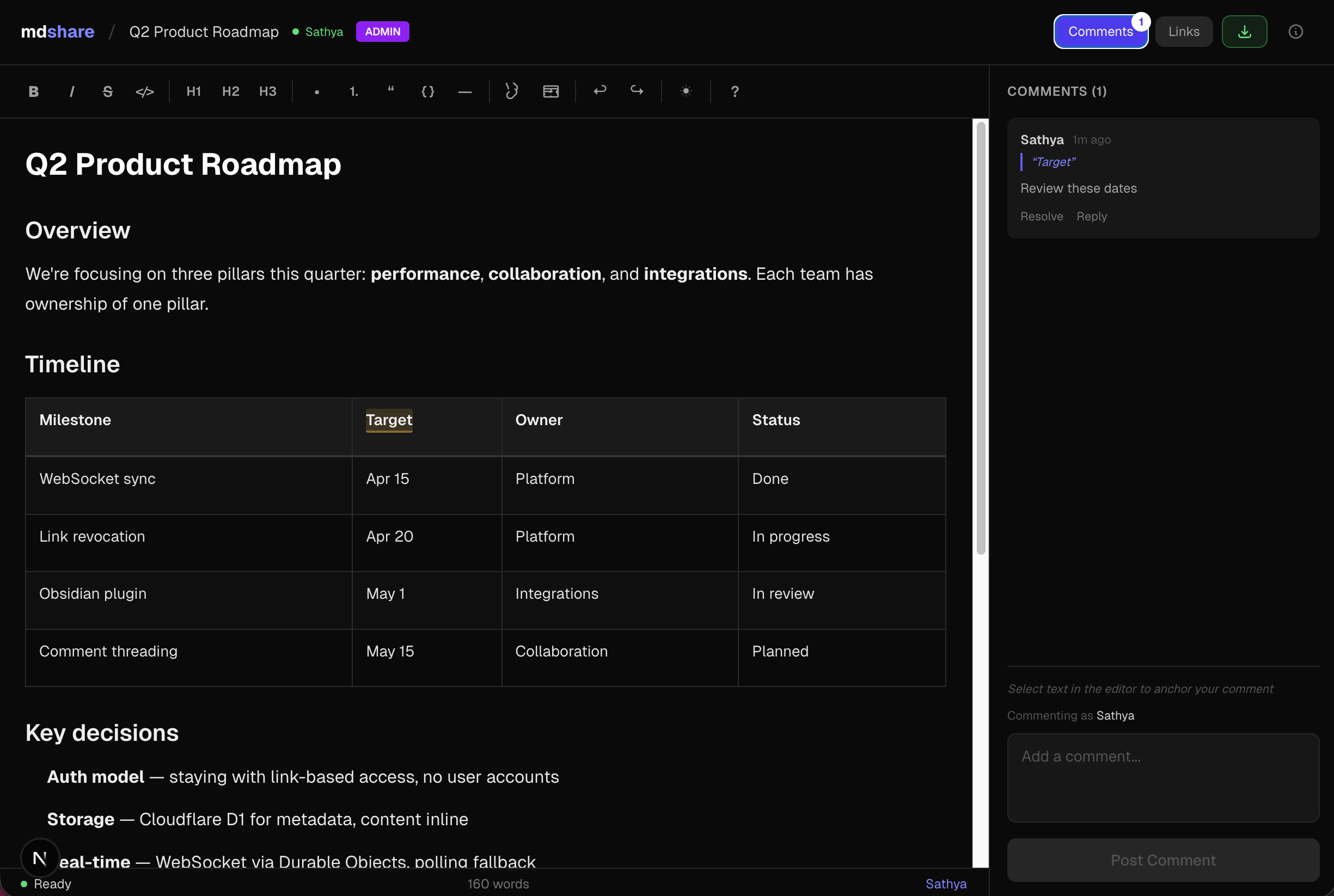
- Quatro níveis de permissão -- Admin, Editar, Comentar, Visualizar -- cada um com seu próprio link compartilhável
- Editor WYSIWYG -- barra de formatação, tabelas, blocos de código, atalhos de teclado
- Comentários inline -- ancorar comentários a textos específicos, responder e resolver
- Sincronização em tempo real -- colaboração via WebSocket, indicadores de presença ao vivo
- Gerenciamento de links -- revogue links instantaneamente, expiração opcional, limite de 50 links por documento
- Plugins para VS Code e Obsidian -- compartilhe markdown diretamente do seu editor
- API e MCP -- API REST + servidor MCP para Claude, ChatGPT, Gemini, Cursor e Windsurf
Servidor MCP
npx mdshare-mcp
Diga "envie meu-arquivo.md para mdshare" em qualquer ferramenta de IA compatível com MCP. O servidor MCP lê arquivos diretamente do disco (sem eco pela conversa), então é rápido mesmo para arquivos markdown grandes. Guia de configuração
Plugin Claude Code
/plugin marketplace add urbanmorph/mdshare
/plugin install mdshare@urbanmorph
Encapsula o servidor MCP acima com uma única habilidade — o Claude a utiliza em frases como "compartilhe este markdown". Guia de configuração · código-fonte
Plugin Cursor
Listado no Cursor Directory — clique em "Add to Cursor" na página da listagem. Mesmo servidor MCP, mesma habilidade do plugin Claude Code. Código-fonte
Plugin Obsidian
Listado no diretório de plugins da comunidade Obsidian — instale via Settings → Community Plugins → Browse → search "mdshare". Clique com o botão direito em qualquer arquivo .md no seu cofre para compartilhá-lo; a URL de administrador é copiada para a área de transferência. Código-fonte
Pilha Tecnológica
| Componente | Tecnologia |
|---|---|
| Framework | Astro 5 |
| UI | React (como ilhas Astro) |
| Hospedagem | Cloudflare Workers (nativo) |
| Banco de dados | Cloudflare D1 (SQLite) |
| Tempo real | Cloudflare Durable Objects (WebSocket) |
| Editor | Tiptap + tiptap-markdown |
| Estilização | Tailwind CSS v4 |
| CI/CD | GitHub Actions |
Desenvolvimento Local
git clone https://github.com/urbanmorph/mdshare.git
cd mdshare
npm install

# Create a .dev.vars file with your Cloudflare API token
echo "CLOUDFLARE_API_TOKEN=your_token" > .dev.vars

# Apply local D1 migrations
npx wrangler d1 migrations apply mdshare-db --local

# Start dev server
npm run dev -- -p 3737
Contribuindo
Issues e PRs são bem-vindos. Por favor, abra uma issue primeiro para discutir mudanças significativas.
Licença
MIT