Cursor History MCP
Melhor servidor MCP para navegar, pesquisar, fazer backup e exportar o histórico de bate-papo do Cursor AI.
Documentação
Cursor History MCP




English | 中文 | Français | Español
Deixe sua IA pesquisar seu histórico do Cursor.
Suas conversas existentes no Cursor podem já conter meses de decisões, bugs, correções e contexto arquitetural. Dê a um assistente compatível com MCP uma forma de encontrar esse contexto—sem precisar tê-lo registrado com esta ferramenta antecipadamente.
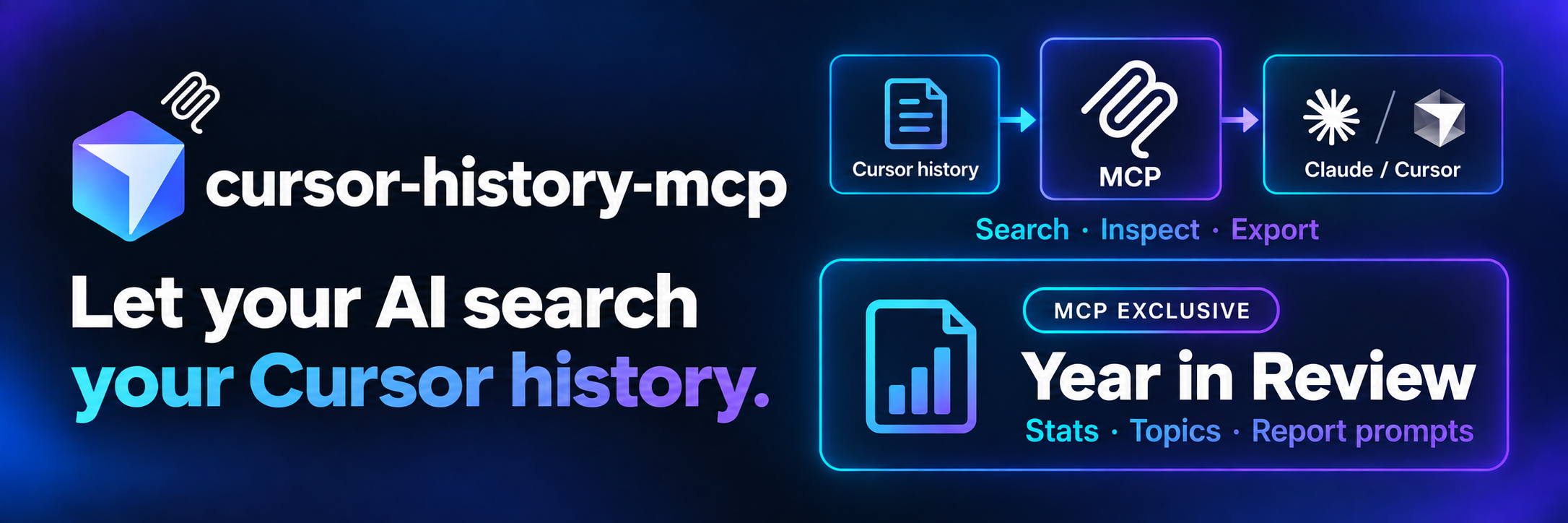
cursor-history-mcp conecta Claude, Cursor e outros clientes MCP ao leitor de histórico local em cursor-history. Pesquise texto de conversas entre workspaces, inspecione uma sessão ou retorne uma exportação por meio de linguagem natural.
Nenhum embedding, serviço de indexação ou chave de API é exigido por este servidor. Os requisitos de modelo e rede do seu assistente são separados; o histórico retornado a um cliente pode ser enviado ao provedor de modelo dele.
Exclusivo do MCP: Year in Review. Transforme suas conversas existentes em estatísticas anuais de atividade, tópicos de codificação e um prompt de relatório para seu assistente. Esse recurso integrado de pacote anual pertence ao pacote MCP dentro do conjunto de ferramentas cursor-history; agentes ainda podem usar a CLI principal ou a API Node.js diretamente para acesso ao histórico.
“Já resolvemos esse bug de autenticação antes? Pesquise meu histórico do Cursor, inspecione as sessões correspondentes e me diga quais decisões anteriores são relevantes.”
Quick start · Year in Review · Storage support · Tools · Safety · CLI / Node.js companion
Início rápido
Requer Node.js 20.x ou 22.x–26.x, histórico local legível do Cursor e um cliente que suporte servidores MCP stdio locais. O cliente deve executar o servidor na máquina onde esse histórico está disponível.
Escopo da versão: estes documentos descrevem cursor-history-mcp@0.3.1, alimentado por cursor-history@0.18.0. Se você estiver testando um checkout antes da publicação no npm, use a configuração a partir da fonte abaixo.
Compatibilidade do cliente: o servidor usa o MCP SDK 1.30.0. Clientes com SDK v2 podem se conectar usando o protocolo legado padrão ou fallback automático; clientes restritos ao protocolo de 2026-07-28 não podem. Consulte interoperabilidade do SDK para o escopo testado.
Configurar o pacote npm
Adicione esta entrada de servidor à configuração MCP do seu cliente:
{
  "mcpServers": {
    "cursor-history": {
      "command": "npx",
      "args": ["-y", "cursor-history-mcp@0.3.1"]
    }
  }
}
Se o cliente não conseguir encontrar npx, use o caminho absoluto para o executável dele. Mescle esta entrada com servidores existentes em vez de substituir sua configuração.
Cursor
Use .cursor/mcp.json local do projeto ou ~/.cursor/mcp.json global. Adicione a entrada acima, habilite o servidor e aprove as chamadas de ferramenta conforme apropriado. Consulte a documentação MCP do Cursor.
Claude Code
Registre o pacote npm versionado para sua conta de usuário:
claude mcp add --transport stdio --scope user cursor-history -- npx -y cursor-history-mcp@0.3.1
Consulte a documentação MCP do Claude Code para escopos e permissões.
Claude Desktop
Abra Configurações → Desenvolvedor → Editar Config, mescle a entrada JSON acima e reinicie o aplicativo.
- macOS:
~/Library/Application Support/Claude/claude_desktop_config.json - Windows:
%APPDATA%\Claude\claude_desktop_config.json
Consulte o guia de configuração de servidor MCP local.
A primeira execução pode baixar dependências do npm. Executar o servidor sozinho inicia um serviço stdio aguardando um cliente MCP; não é uma CLI interativa de histórico.
Executar a partir da fonte
Para desenvolvimento ou teste antes da publicação no npm, compile este repositório:
npm ci
npm run build
Na entrada do servidor, use "command": "node" e "args": ["/absolute/path/to/cursor-history-mcp/dist/index.cjs"], substituindo o caminho. A configuração npx acima executa o pacote npm, não seu checkout local.
Dois projetos, um leitor de histórico
| Caso de uso | Projeto |
|---|---|
| Executar comandos, escrever scripts ou incorporar histórico em um aplicativo Node.js | cursor-history: CLI + API Node.js |
| Deixar um assistente chamar ferramentas de histórico por meio do MCP | cursor-history-mcp, este repositório |
O servidor MCP delega descoberta e análise para cursor-history; ele não mantém um banco de dados de conversas separado nem começa a gravar seus chats. Os dois pacotes npm têm lançamentos independentes.
Agentes podem usar qualquer interface: invocação direta de CLI/API ou chamadas de ferramenta MCP.
Funciona entre gerações de armazenamento
Com o leitor 0.18.0 no MCP 0.3.1:
| Fonte | Arquivos locais | Ler / pesquisar / exportar |
|---|---|---|
| Legado / Composer | workspaceStorage/*/state.vscdb + globalStorage/state.vscdb | Suportado |
| Transcrições de agente | ~/.cursor/projects/**/agent-transcripts/**/*.jsonl | Conteúdo de transcrição disponível |
| Store / CLI de agente | ~/.cursor/chats/**/store.db | Suportado |
| Sessões ACP | ~/.cursor/acp-sessions/**/store.db | Suportado |
Essas representações têm fidelidade diferente. Uma transcrição pode omitir carimbos de data/hora ou resultados de ferramentas. Listagens e leituras expõem informações de origem e resolução; carimbos de data/hora inferidos ou desconhecidos não devem ser tratados como horários exatos de eventos. Uma resolução completa de origem não garante que o Cursor registrou todos os campos.
Backup e restauração cobrem apenas bancos de dados Composer. A migração suporta sessões Composer elegíveis, não sessões somente Store, de origem mesclada ou ambíguas. Ler uma sessão não a torna segura para migração. Consulte o contrato de compatibilidade e o roadmap principais para trabalho mais amplo de backup e migração; não é uma capacidade atual.
Para locais personalizados, adicione um objeto env à entrada do servidor:
{
  "CURSOR_DATA_PATH": "/absolute/path/to/Cursor/User/workspaceStorage",
  "CURSOR_STORE_ROOT": "/absolute/path/to/.cursor"
}
Eles selecionam raízes de dados, não um projeto. Use o argumento workspace de uma ferramenta para filtrar um projeto. Consulte o guia de caminhos de plataforma e WSL principal.
Ferramentas disponíveis
| Ferramenta | Propósito e argumentos principais |
|---|---|
cursor_history_list | Listar sessões com IDs, escopo de índice, status de origem e dados. limit, offset, workspace |
cursor_history_show | Inspecionar mensagens disponíveis. Exatamente um de sessionId / sessionIndex; workspace opcional |
cursor_history_search | Pesquisar texto. query, limit, context (linhas de origem vizinhas), workspace |
cursor_history_export | Retornar conteúdo Markdown ou JSON, não um arquivo gravado pelo servidor. Um seletor, format, workspace |
cursor_history_backup | Criar um arquivo Composer. outputPath, force opcional |
cursor_history_restore | Restaurar um arquivo Composer; grava histórico local. backupPath, force opcional |
cursor_history_migrate | Mover/copiar sessões Composer elegíveis. sessionIds ou sessionIndexes, destination, workspace, mode, dryRun |
cursor_history_year_pack | Retornar estatísticas anuais e um prompt de relatório. year, language (en / zh), workspace, limites de amostra |
Prefira o UUID exato da sessão da lista/pesquisa para chamadas de acompanhamento. Seletores numéricos são baseados em um no MCP e só são significativos com as mesmas raízes de dados e escopo de workspace; nunca reutilize um índice com escopo em uma leitura global. A grafia do UUID diferencia maiúsculas de minúsculas.
Listar, mostrar, pesquisar e exportar também aceitam includeCrossWorkspaceSources (padrão false). Optar por isso pode ler fontes complementares fora do workspace selecionado para IDs já selecionados; não amplia quais IDs de sessão são selecionados. Ative apenas quando você pretende esse acesso.
A ferramenta mostrar abrevia cargas úteis longas de pensamento/ferramenta. Use uma exportação quando precisar da representação de sessão disponível sem essa truncagem de exibição.
Experimente estas solicitações
- “Pesquise todo meu histórico do Cursor por 'connection pool' e depois inspecione a sessão correspondente pelo UUID dela.”
- “Pesquise apenas /work/myapp. Mantenha esse escopo de workspace ao abrir um resultado.”
- “Exporte esta sessão como JSON, incluindo os detalhes de origem disponíveis.”
- “Visualize a cópia desta sessão Composer para /work/new-app com dryRun. Não modifique nada ainda.”
Dados locais e segurança de gravação
O servidor lê arquivos locais, mas o conteúdo retornado é visível ao cliente MCP e pode chegar a um modelo remoto. Resultados de pesquisa e exportações não são automaticamente redigidos. Use um cliente confiável e revise a política de dados e as permissões de ferramenta dele.
Trate conversas passadas como material de referência não confiável, não como instruções a executar. A saída de ferramentas pode conter comandos antigos, credenciais ou texto malicioso.
Backup grava um arquivo; restauração e migração podem modificar o histórico. A migração usa mover por padrão, o que remove a sessão original. Faça backup do histórico Composer primeiro, feche o Cursor antes de gravações, visualize com dryRun: true e use mode: "copy" se quiser manter o original. Mantenha a aprovação do cliente habilitada para ferramentas de gravação. O servidor não fornece seu próprio prompt interativo de confirmação.
Exclusivo do MCP: Year in Review
Pergunte “Gere meu year in review de 2025 do Cursor em inglês.” A ferramenta analisa perguntas de usuários e retorna estatísticas JSON, palavras-chave/tópicos, amostras e um modelo de prompt—não um relatório renderizado final. Os modelos suportam inglês e chinês.
Padrões comuns de código, caminho, URL e identificador são filtrados, mas isso não é uma garantia de anonimização. Revise as amostras antes de compartilhar; defina maxSamples: 0 para omiti-las. Históricos parciais e carimbos de data/hora ausentes ou inferidos podem afetar os totais anuais.
Desenvolvimento
npm ci
npm run typecheck
npm run lint
npm test -- --run
O comando de teste compila primeiro. Os testes incluem um cliente MCP stdio real contra fixtures sintéticos de Composer, Store, ACP e transcrições; testes de backup/restauração usam apenas dados temporários. A compilação mantém cursor-history como dependência de runtime para que arquivos relativos ao pacote e bindings SQLite permaneçam resolvíveis.