photographi
Um mecanismo local de visão computacional que permite que agentes de IA entendam as métricas técnicas de fotografias.
Documentação
photographi-mcp
Análise técnica de fotos rápida, privada e fundamentada para aplicações de IA.
photographi-mcp é um servidor MCP que permite que modelos de IA e ferramentas baseadas em LLM realizem análises técnicas em bibliotecas de fotos locais. Ele executa modelos de visão computacional diretamente no seu hardware (alimentado pelo photo-quality-analyzer-core) para avaliar nitidez, foco e exposição—possibilitando recursos como seleção automatizada, ranqueamento de sequências e indexação de metadados sem a necessidade de upload para a nuvem.
⚡ Por que photographi?
- Técnico em Primeiro Lugar: Projetado especificamente para métricas objetivas (nitidez, iluminação, foco). Ele fornece dados técnicos para avaliar a qualidade da imagem.
- Eficiente em Tokens: Economize contexto do modelo pré-filtrando metadados técnicos localmente. Apenas os insights mais relevantes são enviados para a aplicação de IA, mantendo as sessões rápidas e enxutas.
- Privacidade em Primeiro Lugar: Toda a análise acontece 100% localmente na sua máquina.
- Baixa Latência: Construído para processamento eficiente, permitindo ranqueamento rápido e feedback técnico em pastas de fotos locais.
👁️ O Que Ele Analisa
- Foco Inteligente: Detecta assuntos e verifica se estão nítidos
- Exposição: Detecta realces estourados e sombras bloqueadas
- Ciente do Equipamento: Conhece o ponto ideal da sua lente para nitidez ótima
- Composição: Avalia enquadramento e posicionamento do assunto
- Alertas de Qualidade: Sinaliza desfoque de movimento, difração e ruído ISO alto
[!NOTE] Técnico vs. Artístico: Esta ferramenta é estritamente objetiva. Ela avalia fotos com base em métricas técnicas e visão computacional (nitidez, exposição, ruído, etc.). Ela não entende intenção artística, estética ou "vibe". Uma foto desfocada e subexposta pode ser uma obra-prima artística, mas
photographia sinalizará corretamente como tecnicamente ruim.
Para a ciência e a matemática por trás disso, consulte a Documentação Técnica.
📸 Veja em Ação
Aqui estão exemplos reais de análise de fotos:
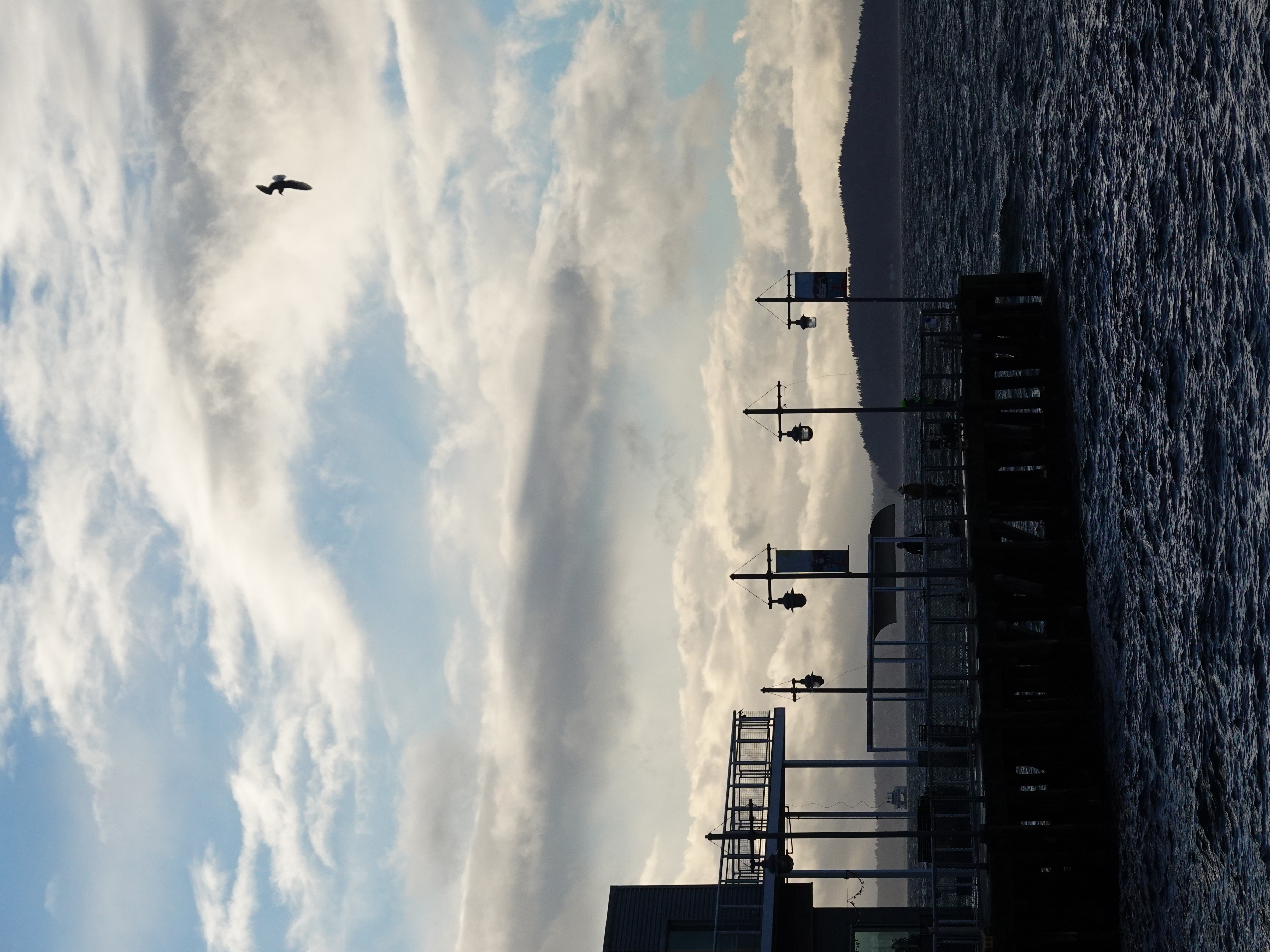
Exemplo 1: Foto Excelente
{
  "overallConfidence": 0.89,
  "judgement": "Excellent",
  "keyMetrics": {
    "sharpness": 0.94,
    "exposure": 0.87,
    "composition": 0.85
  }
}
Veredito: Nitidez perfeita no assunto, bem exposta, composição forte.
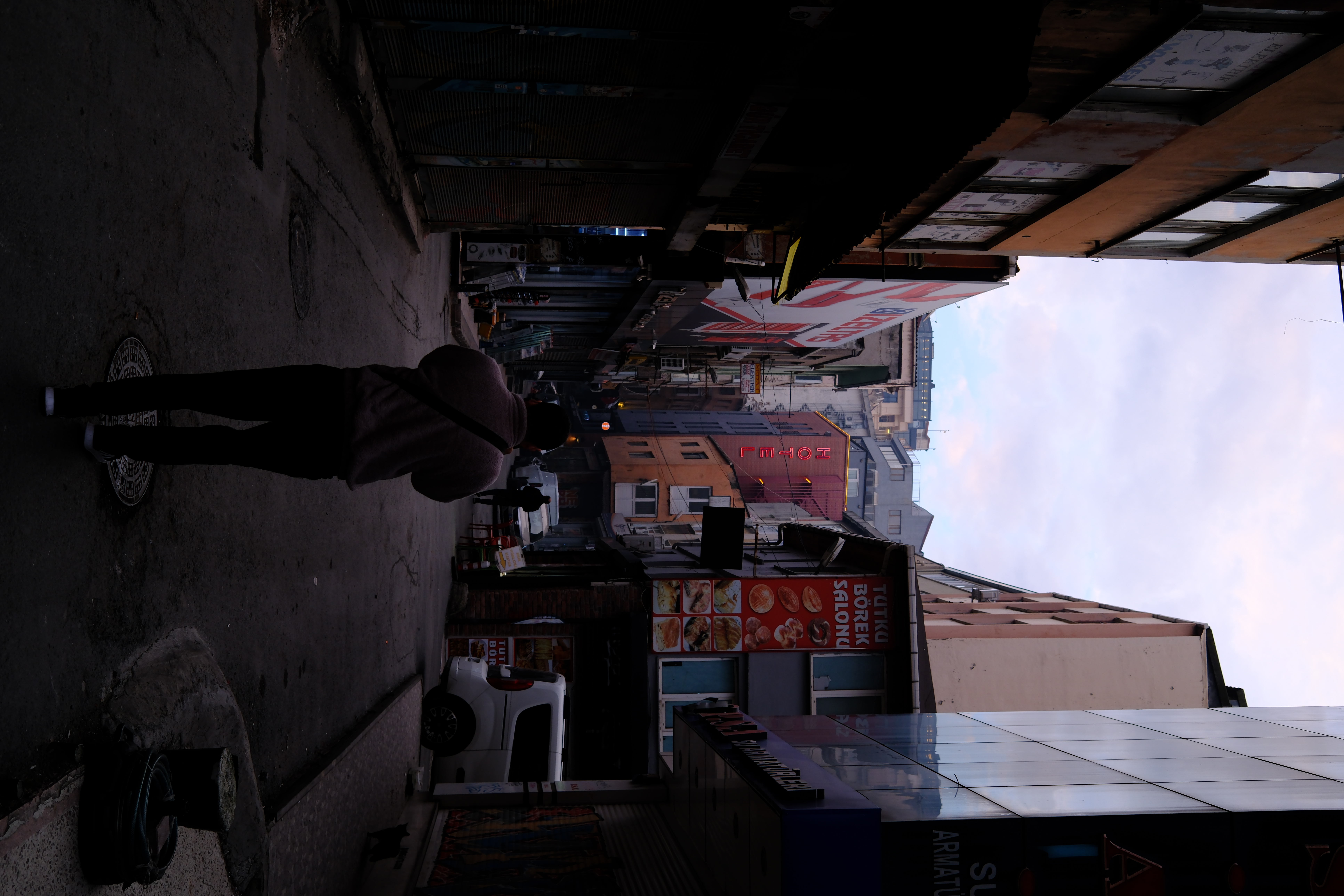
Exemplo 2: Foto Ruim
{
  "overallConfidence": 0.20,
  "judgement": "Very Poor",
  "keyMetrics": {
    "sharpness": 0.30,
    "focus": 0.07,
    "exposure": 0.0
  }
}
Veredito: Foco perdido no assunto, subexposição severa/clipping de pretos e excesso de espaço acima do assunto.
🛠️ Ferramentas (MCP)
photographi-mcp permite que modelos de IA realizem auditorias técnicas profundas por meio destas ferramentas padronizadas:
| Ferramenta | Exemplo de "Intenção" da IA | Ação / Insight Fornecido |
|---|---|---|
analyze_photo | "Esta foto do cachorro está nítida o suficiente para impressão?" | Auditoria técnica completa de nitidez, foco e iluminação. |
analyze_folder | "Como está a qualidade geral da minha pasta 'Férias'?" | Resumo estatístico identificando os grupos de imagens melhores/piores. |
rank_photographs | "Encontre a melhor foto desta sequência do bolo." | Classifica arquivos por perfeição técnica para encontrar o quadro "herói". |
cull_photographs | "Mova todas as fotos desfocadas para uma pasta de lixo." | Limpa automaticamente fotos falhas em uma subpasta. |
threshold_cull | "Separe estritamente as fotos aproveitáveis usando uma pontuação de 0,7." | Classificação binária para isolar ativos de nível profissional. |
get_color_palette | "Quais cores estão neste pôr do sol para o meu site?" | Extrai códigos hexadecimais para estéticas dominantes da imagem. |
get_folder_palettes | "Gere um moodboard da minha sessão 'Floresta'." | Extração de cores em lote para uma pasta inteira. |
get_scene_content | "Quais fotos contêm um 'gato' ou 'montanha'?" | Indexação rápida de conteúdo com base em mais de 80 categorias de objetos. |
🚀 Comece Agora
Claude CLI (Mais Rápido)
claude mcp add --scope user photographi uvx photographi-mcp
Claude Desktop (macOS)
Adicione ao ~/Library/Application Support/Claude/claude_desktop_config.json:
{
  "mcpServers": {
    "photographi": {
      "command": "uvx",
      "args": ["photographi-mcp"]
    }
  }
}
GitHub Copilot CLI
Adicione ao ~/.config/github-copilot/config.json:
{
  "mcp_servers": {
    "photographi": {
      "command": "uvx",
      "args": ["photographi-mcp"]
    }
  }
}
🔒 Privacidade e Telemetria
photographi é construído com uma filosofia Privacidade em Primeiro Lugar.
- Somente Agregados Anonimizados: Nunca coletamos nomes de arquivos, caminhos ou dados EXIF.
- Transparência Total: Audite nossa lógica de coleta diretamente em
analytics.py. - Opt-Out: Defina a variável de ambiente
PHOTOGRAPHI_TELEMETRY_DISABLED=1ou use o sinalizador--disable-telemetry.
📖 Documentação
- Guia de Configuração e Instalação: Configuração detalhada e solução de problemas.
- A Ciência: Matemática e teoria por trás da pontuação de qualidade.
- Contribuindo: Como ajudar a melhorar o projeto.
- Issues no GitHub: Reporte bugs ou solicite recursos.



Feito com ❤️ para fotógrafos