Jira MCP
O MCP Jira mais robusto e seguro para uso corporativo interno.
Documentação
Jira MCP - O Melhor Servidor MCP para Integração com Jira
O servidor MCP mais poderoso e repleto de recursos para Jira. Controle o Jira por meio de clientes LLM com IA, como Cursor, Claude e Windsurf, usando o Model Context Protocol.
Nota
Seguro para ambientes corporativos. Este servidor MCP é executado completamente localmente na sua máquina usando a ferramenta de linha de comando jira-cli. Nenhum dado é enviado a serviços de terceiros. Se a sua organização aprovar o uso do jira-cli, em nível técnico este servidor MCP é seguro para uso. Em caso de dúvida, consulte o seu departamento de TI.
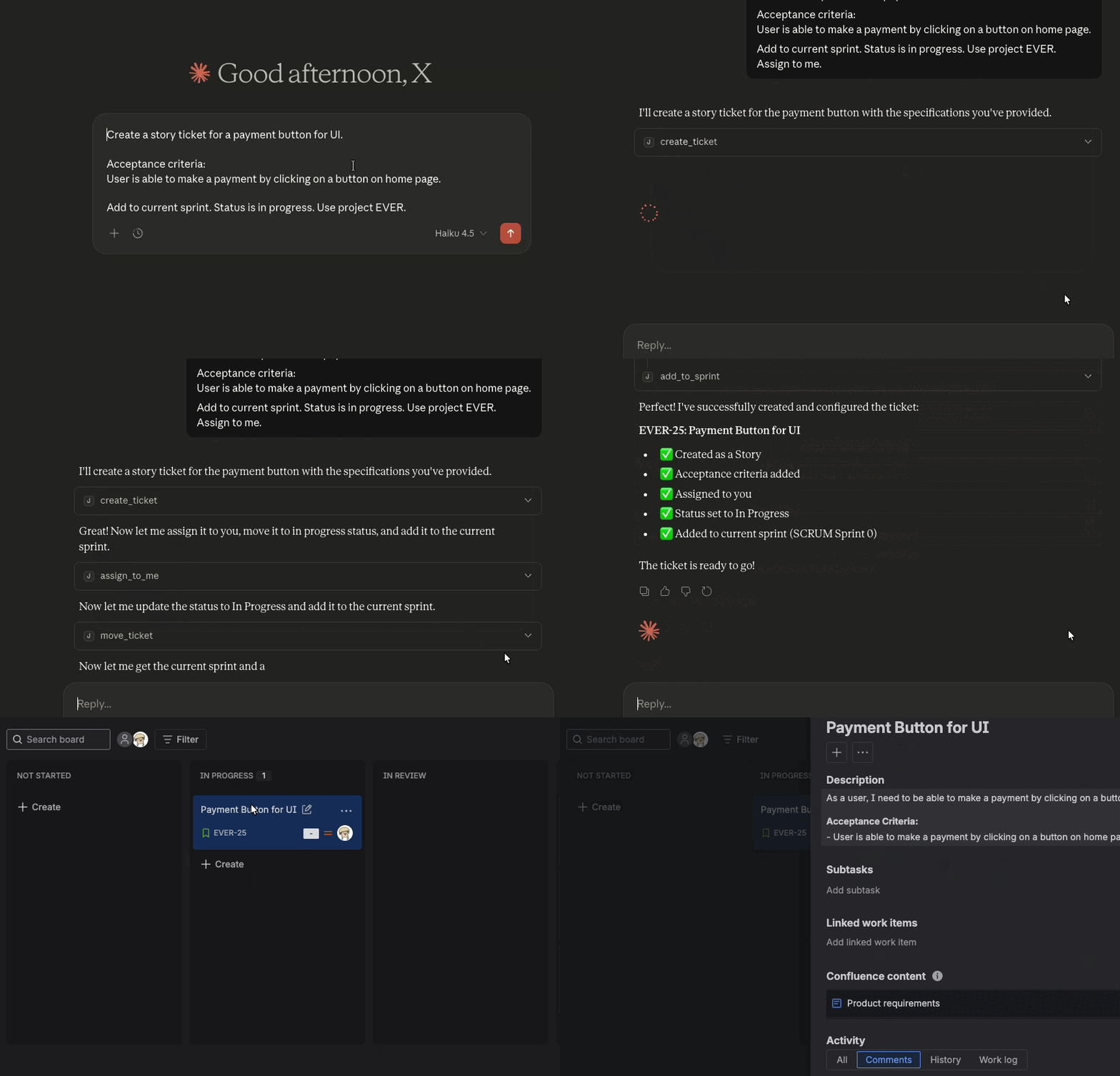
Jira MCP é o melhor servidor MCP para integração com Jira, permitindo que assistentes de IA como Cursor, Claude Desktop, Windsurf ou ChatGPT façam perguntas e executem ações na sua instância do Jira.
Por que Jira MCP?
Executa localmente sem compartilhamento de dados com terceiros. Seguro para ambientes corporativos. Controle completo do Jira: crie, atualize, pesquise e gerencie tickets com linguagem natural. Binários pré-compilados para todas as plataformas. Comece em minutos, não em horas. Licenciado sob MIT e mantido ativamente. Contribua ou personalize conforme necessário.Exemplos de prompts
Comece agora
Instale e configure o Jira MCP em minutos.Configure sua ferramenta de IA
Configure o Jira MCP com o seu assistente de IA preferido.
Configure o Cursor IDE com o Jira MCP. Configure o Claude Code CLI com o Jira MCP. Configure o Windsurf com o Jira MCP.Como funciona
Você insere perguntas ou comandos em um cliente LLM, como Claude Desktop, Cursor, Windsurf ou ChatGPT. O LLM analisa as ferramentas MCP disponíveis e decide qual(is) usar. O LLM tem contexto de cada ferramenta e para que ela serve em linguagem humana. O cliente executa a(s) ferramenta(s) escolhida(s) por meio do servidor MCP. O servidor MCP é executado localmente na sua máquina ou remotamente por meio de um endpoint. Os resultados são enviados de volta ao LLM, que formula uma resposta em linguagem natural e exibe dados ou executa ações usando o servidor MCP.Arquitetura
O MCP segue uma arquitetura cliente-servidor em que um host MCP (um aplicativo de IA como Cursor ou Claude Desktop) estabelece conexões com um ou mais servidores MCP. O host MCP faz isso criando um cliente MCP para cada servidor MCP. Cada cliente MCP mantém uma conexão dedicada com o seu servidor MCP correspondente.
Leia a documentação oficial do MCP para obter detalhes sobre a arquitetura.Esta documentação é construída e hospedada no Mintlify, uma plataforma de documentação para desenvolvedores.