iFlytek Workflow MCP Server
Um servidor MCP para executar workflows da iFlytek através de ferramentas MCP.
Documentação

A maneira mais rápida de criar workflows com uma plataforma de agentes de IA!

iFlytek Workflow MCP Server
O Protocolo de Contexto de Modelo (MCP) é um protocolo aberto projetado para integração sem esforço entre aplicações LLM e fontes de dados ou ferramentas externas, oferecendo uma estrutura padronizada para fornecer aos LLMs o contexto de que precisam de forma contínua.
Esta é uma implementação simples de um servidor MCP usando a iFlytek. Ela permite chamar workflows da iFlytek por meio de ferramentas MCP.
Recursos
Visão Geral Funcional
Este sistema é construído sobre o servidor MCP da iFlytek e permite a orquestração inteligente de workflows, tornando-o adequado para diversos cenários de negócios.
- Estrutura do Workflow: Composta por múltiplos nós, com suporte a 14 tipos de nós (incluindo tipos básicos, de ferramentas, lógicos e de transformação).
- Componentes Principais: Por padrão, o workflow inclui um Nó de Início (entrada do usuário) e um Nó de Fim (resultado da saída).
- Modo de Execução: Uma vez acionado, o workflow é executado automaticamente de acordo com sequências e regras predefinidas, sem exigir intervenção manual.
Capacidades Principais
Suporte Robusto a Nós
- 14 tipos de nós de workflow para atender a diversos requisitos de negócios.
- Suporta E/S de variáveis complexas, permitindo transmissão flexível de dados.
Modos Avançados de Orquestração
- Execução Sequencial: As tarefas são executadas uma após a outra em ordem.
- Execução Paralela: Múltiplas tarefas são executadas simultaneamente para aumentar a eficiência.
- Execução em Loop: Suporta loops iterativos para lidar com tarefas repetitivas.
- Execução Aninhada: Permite incorporar sub-workflows dentro de workflows, melhorando a reutilização.
- Utiliza o Mecanismo de Hook para habilitar a saída em streaming, garantindo processamento em tempo real.
Múltiplos Paradigmas de Desenvolvimento
- Turno único, ramo único: Execução linear de tarefas simples.
- Turno único, múltiplos ramos: Suporta lógica de ramificação para lidar com processos complexos.
- Loop de turno único: Gerencia tarefas em loop para melhorar a automação.
- Interação multi-turno: Suporta memória de contexto para conversas dinâmicas.
Expansão de Capacidades
- Suporte a Múltiplos Modelos: Baseado na arquitetura de aplicação híbrida Modelo de Modelos (MoM), oferecendo múltiplas opções de modelos em etapas críticas do workflow. Isso permite combinações flexíveis de modelos, melhorando a adaptabilidade das tarefas.
Uso com cliente MCP
Prepare o config.yaml
Antes de usar o servidor MCP, você deve preparar um config.yaml para salvar as informações do seu workflow. Um exemplo de configuração como este:
- flow_id: 'flow id'              # required
  name: 'flow name'               # optional, if not set, obtain the name from the cloud.
  description: 'flow description' # optional, if not set, obtain the description from the cloud.
  api_key: 'API Key:API Secret'   # required
Obtenha as informações de autenticação do workflow
-
Publique um workflow
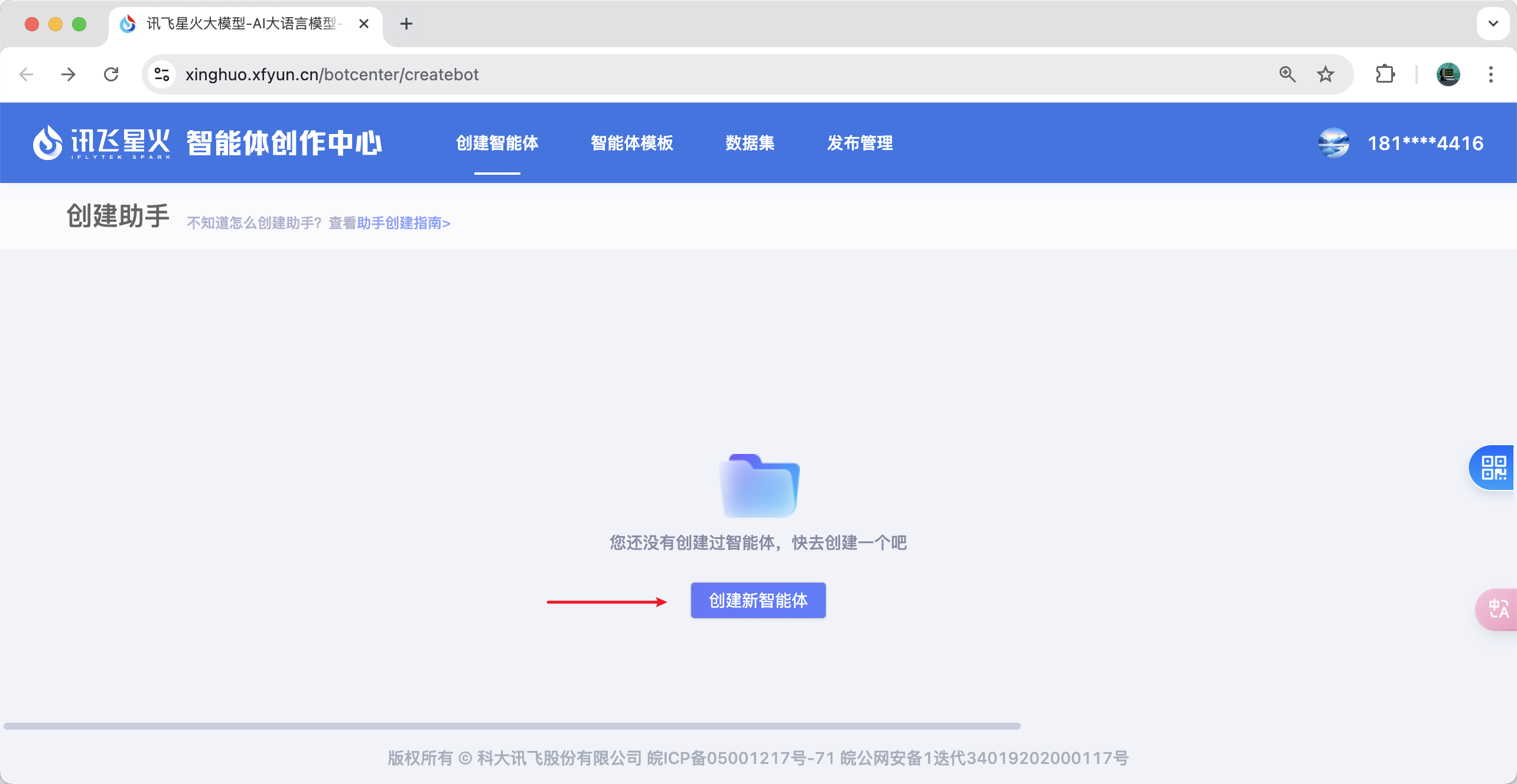
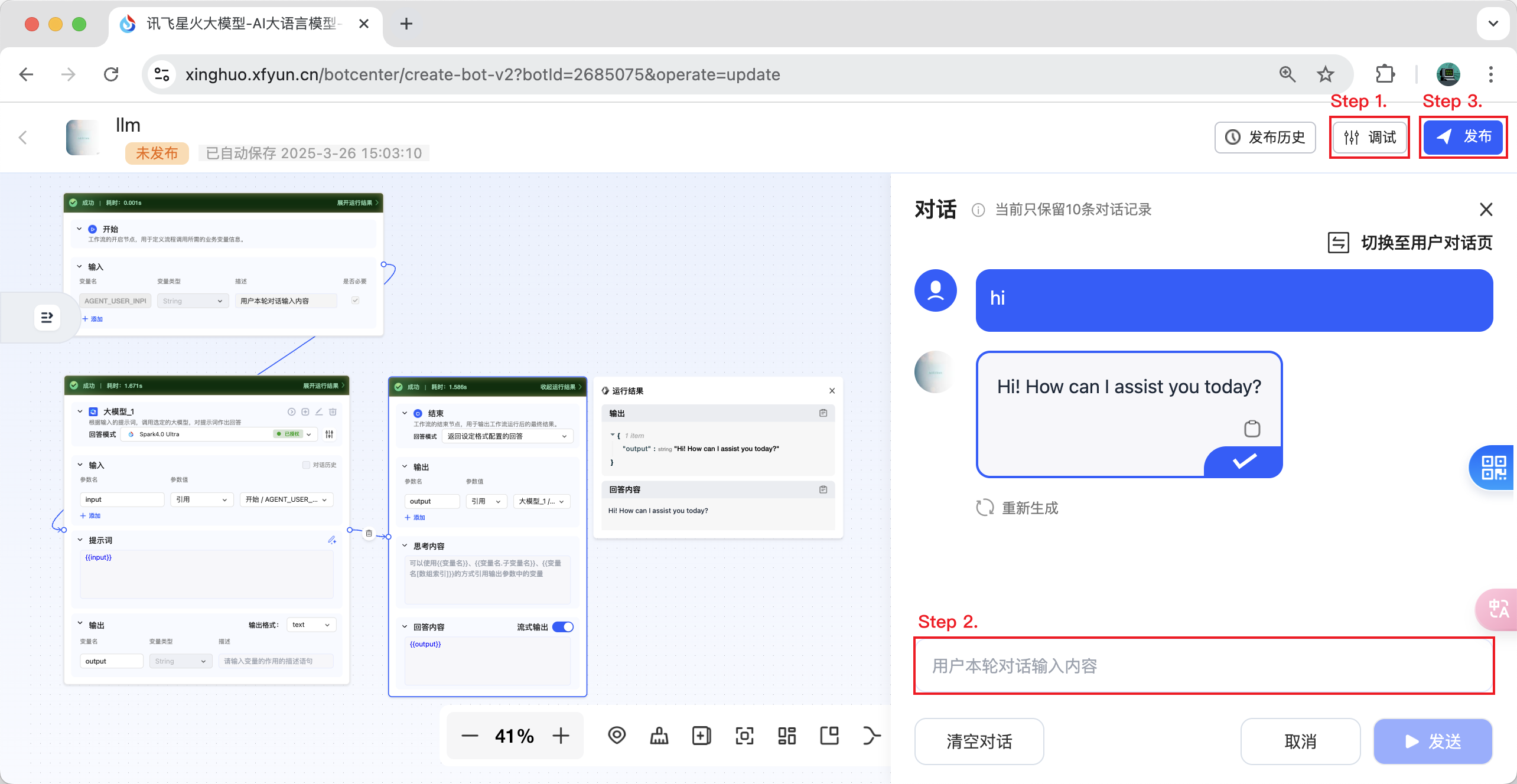
- Passo 1. Depure o workflow que você acabou de criar.
- Passo 2. Converse com o seu workflow e garanta que a conversa seja bem-sucedida.
- Passo 3. Agora você pode clicar no botão de publicar.
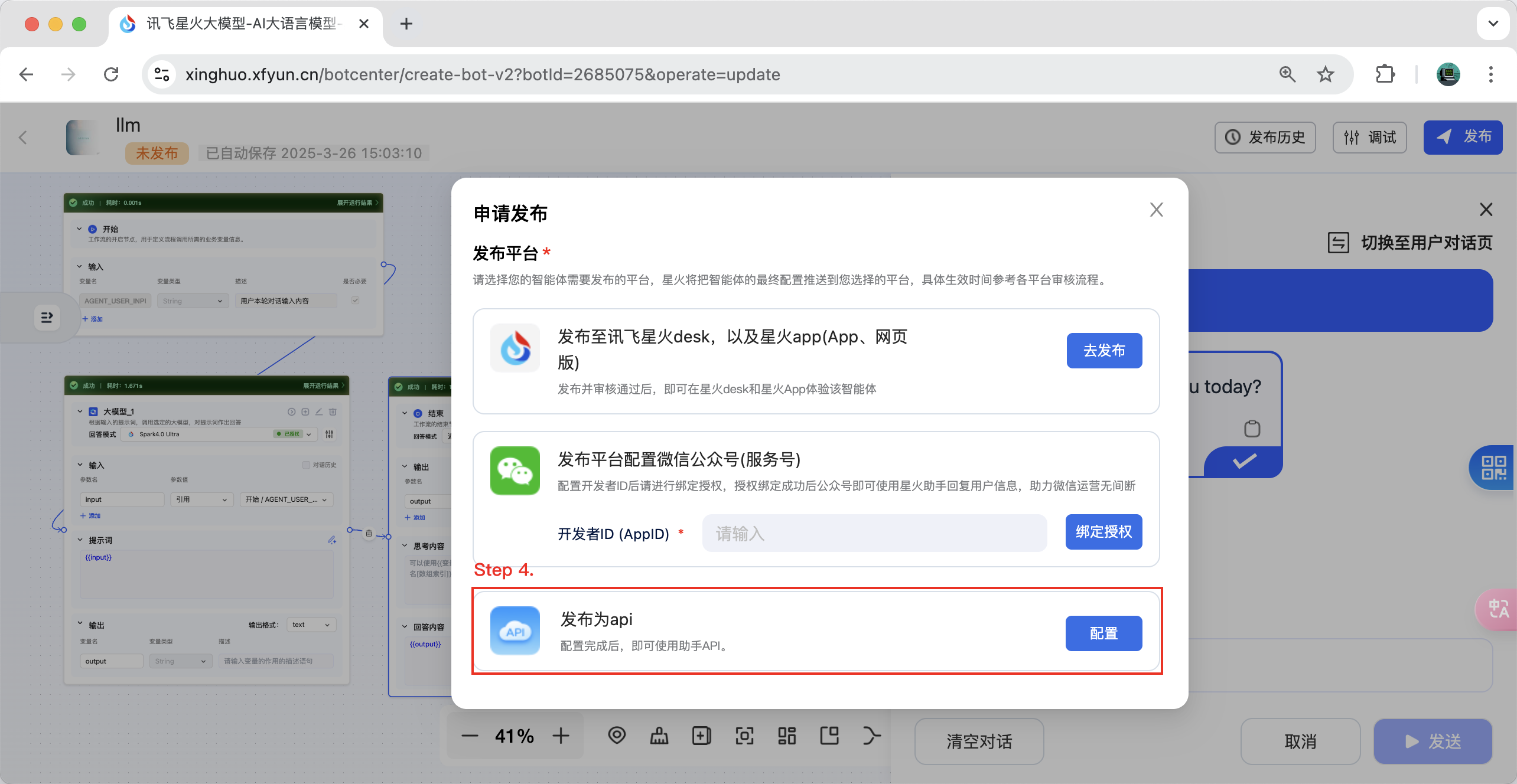
- Passo 4. Selecione "Publicar como API" e clique no botão "Configurar".
- Passo 5. Selecione o aplicativo que você precisa vincular e vincule-o. Agora você pode recuperar o ID do workflow correspondente e as informações de autenticação. Aproveite!
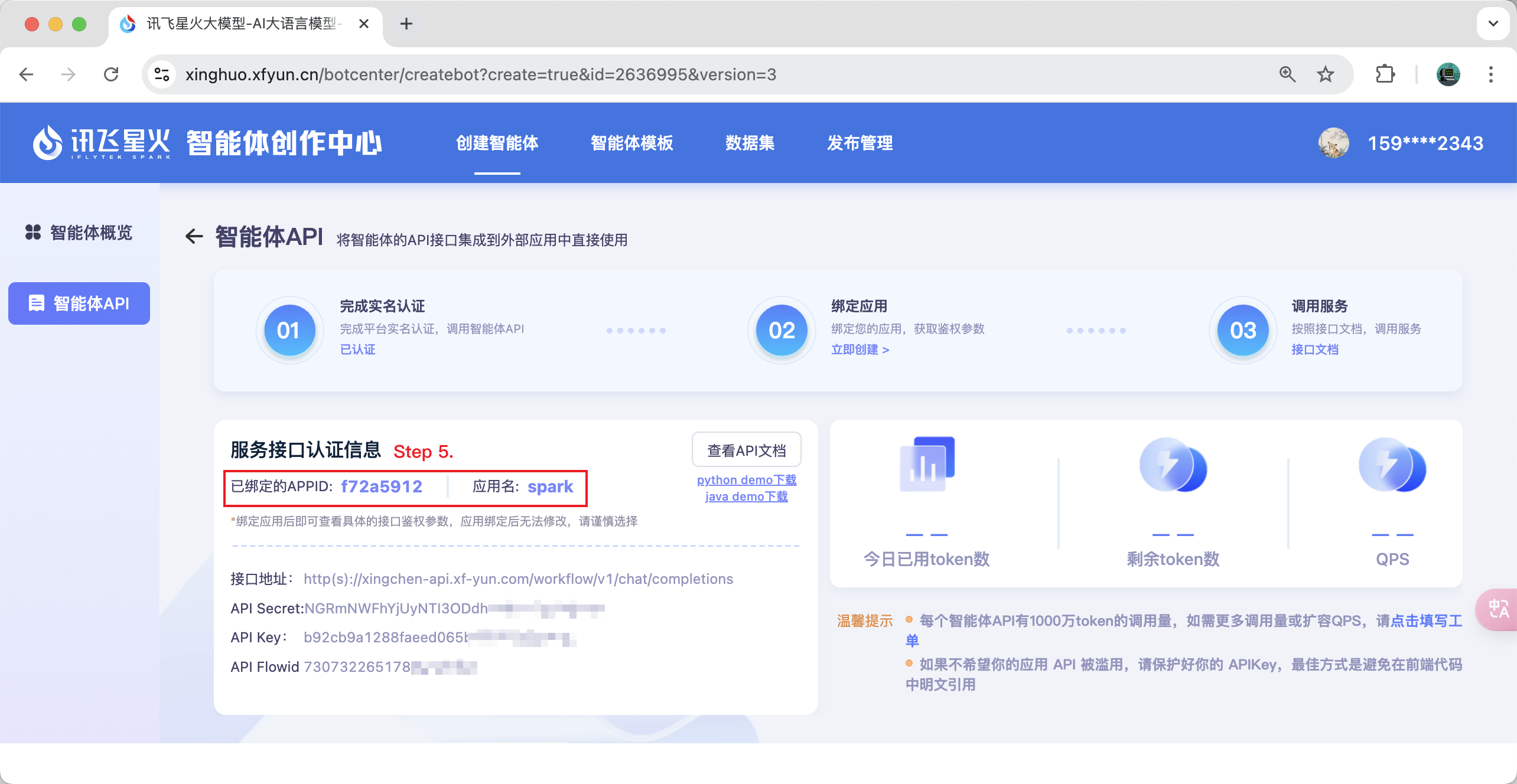
Nota: Se você perceber que não consegue selecionar um aplicativo, você pode acessar https://www.xfyun.cn para solicitar.
Instalação Manual
Para adicionar um cliente persistente, adicione o seguinte ao seu arquivo claude_desktop_config.json ou mcp.json:
{
    "mcpServers": {
        "ifly-workflow-mcp-server": {
            "command": "uvx",
            "args": [
                "--from",
                "git+https://github.com/iflytek/ifly-workflow-mcp-server",
                "ifly_workflow_mcp_server"
            ],
            "env": {
                "CONFIG_PATH": "$CONFIG_PATH"
            }
        }
    }
}
Exemplo de configuração:
{
    "mcpServers": {
        "ifly-workflow-mcp-server": {
            "command": "uvx",
            "args": [
                "--from",
                "git+https://github.com/iflytek/ifly-workflow-mcp-server",
                "ifly_workflow_mcp_server"
            ],
            "env": {
                "CONFIG_PATH": "/Users/hygao1024/Projects/config.yaml"
            }
        }
    }
}