Siri Shortcuts
Listar, abrir e executar atalhos do aplicativo Atalhos do macOS.
GitHub
194
Experimente este MCPPatrocinadoDocumentação
Servidor MCP do Siri Shortcuts
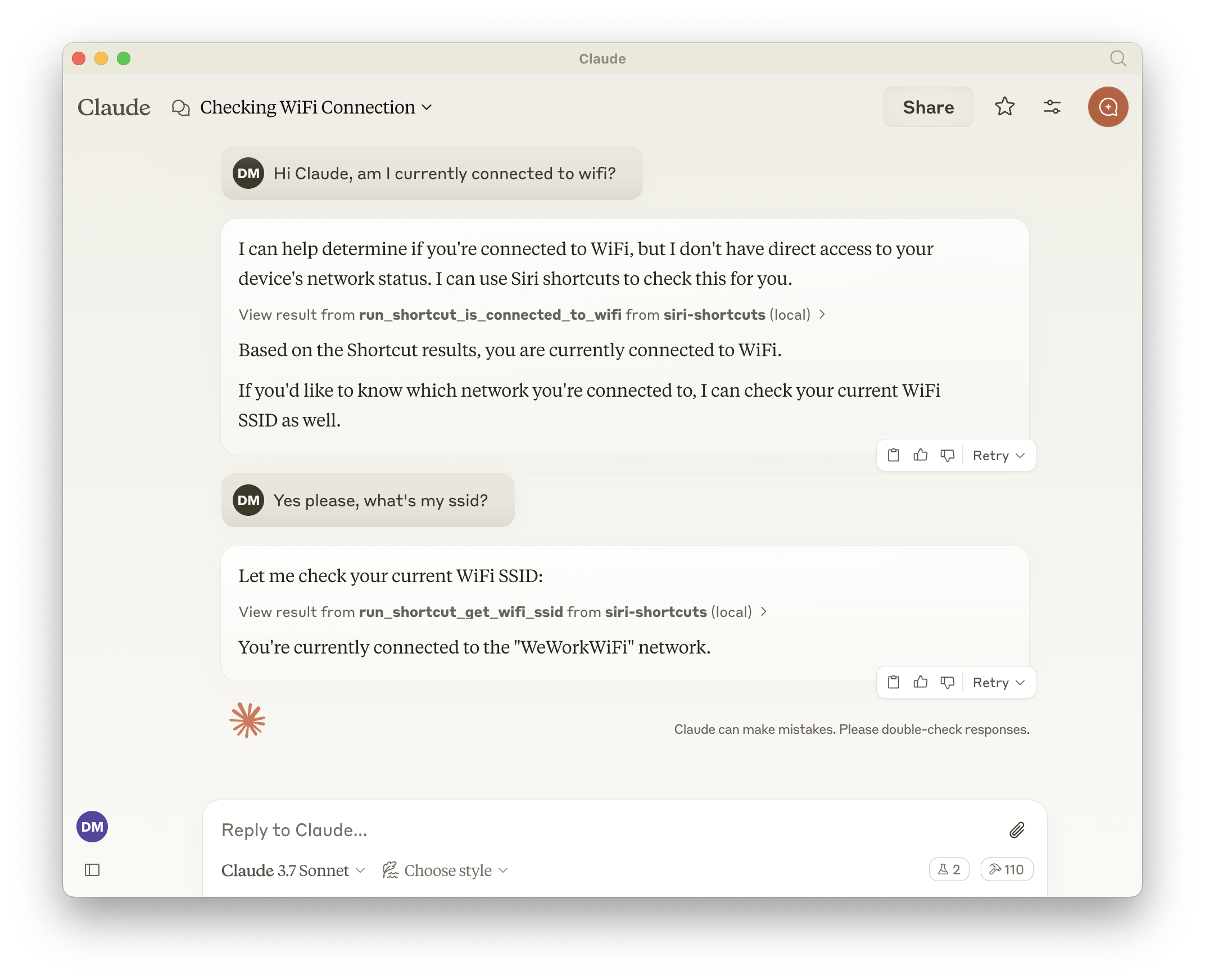
Este servidor MCP fornece acesso à funcionalidade de atalhos do Siri por meio do Protocolo de Contexto de Modelo (MCP). Ele permite listar, abrir e executar atalhos do app Atalhos do macOS.
Recursos
- Expõe todos os atalhos, o que significa que o LLM pode chamar qualquer coisa disponível no app Atalhos.
- Lista todos os atalhos disponíveis
- Abre atalhos no app Atalhos
- Executa atalhos com parâmetros de entrada opcionais
- Ferramentas geradas dinamicamente para cada atalho disponível
Ferramentas
Ferramentas Base
-
list_shortcuts- Lista todos os atalhos do Siri disponíveis no sistema
- Nenhuma entrada necessária
- Retorna: Matriz de nomes de atalhos
{ "shortcuts": [{ "name": "My Shortcut 1" }, { "name": "My Shortcut 2" }] } -
open_shortcut- Abre um atalho no app Atalhos
- Entrada:
name(string): Nome do atalho a ser aberto
-
run_shortcut- Executa um atalho com entrada opcional
- Entrada:
name(string): Nome ou identificador (UUID) do atalho a ser executadoinput(string, opcional): Entrada de texto ou caminho de arquivo para passar ao atalho
Ferramentas Dinâmicas
O servidor gera automaticamente ferramentas adicionais para cada atalho disponível no formato:
- Nome da ferramenta:
run_shortcut_[sanitized_shortcut_name] - Descrição: Executa o atalho específico
- Entrada:
input(string, opcional): Entrada de texto ou caminho de arquivo para passar ao atalho
Configuração
O servidor suporta as seguintes variáveis de ambiente:
GENERATE_SHORTCUT_TOOLS(padrão:true): Quando definido comofalse, desativa a geração de ferramentas dinâmicas de atalhos. Apenas as ferramentas base (list_shortcuts,open_shortcut,run_shortcut) estarão disponíveis.INJECT_SHORTCUT_LIST(padrão:false): Quando definido comotrue, injeta a lista de atalhos disponíveis na descrição da ferramentarun_shortcutpara ajudar o LLM a entender quais atalhos estão disponíveis.
Uso com Claude
Adicione à sua configuração do Claude:
{
  "mcpServers": {
    "siri-shortcuts": {
      "command": "npx",
      "args": ["mcp-server-siri-shortcuts"],
      "env": {
        "GENERATE_SHORTCUT_TOOLS": "true",
        "INJECT_SHORTCUT_LIST": "false"
      }
    }
  }
}
Detalhes de Implementação
- Usa o comando CLI
shortcutsdo macOS internamente - Sanitiza nomes de atalhos para compatibilidade de nomenclatura de ferramentas
- Suporta tanto entrada de texto direta quanto entrada baseada em arquivo
- Retorna a saída do atalho quando disponível
- Implementa tratamento de erros padrão do MCP