Kai
O Kai fornece uma ponte entre grandes modelos de linguagem (LLMs) e seus clusters Kubernetes, permitindo interação em linguagem natural com recursos do Kubernetes. O servidor expõe um conjunto abrangente de ferramentas para gerenciar clusters, namespaces, pods, deployments, serviços e outros recursos do Kubernetes.
Documentação
Kai - Kubernetes MCP Server
Um servidor Model Context Protocol (MCP) para gerenciar clusters Kubernetes a partir de clientes compatíveis com MCP, como Claude Desktop, Cursor e Continue.
Visão Geral
O Kai expõe operações do Kubernetes como ferramentas MCP, permitindo que um cliente LLM gerencie seu cluster por meio de linguagem natural — workloads, rede, configuração, armazenamento, RBAC, recursos personalizados e manifests brutos.
Recursos
Workloads Principais
- Pods - Criar, listar, obter, excluir e transmitir logs
- Deployments - Criar, listar, descrever e atualizar
- Jobs - Gerenciamento de workloads em lote (criar, obter, listar, excluir)
- CronJobs - Workloads em lote agendados (criar, obter, listar, excluir)
Rede
- Services - Criar, obter, listar e excluir
- Ingress - Roteamento HTTP/HTTPS, configuração TLS (criar, obter, listar, atualizar, excluir)
Configuração
- ConfigMaps - Gerenciamento de configuração (criar, obter, listar, atualizar, excluir)
- Secrets - Gerenciamento de segredos (criar, obter, listar, atualizar, excluir)
- Namespaces - Gerenciamento de namespaces (criar, obter, listar, excluir)
Operações de Cluster
- Gerenciamento de Contexto - Alternar contextos, listar contextos, renomear, excluir
- Nodes - Monitoramento de nós, cordon e drain (listar, obter, cordon, uncordon, drain)
- Saúde do Cluster - Status do cluster e métricas de recursos (saúde do cluster, métricas de nós/pods)
Armazenamento
- Volumes Persistentes - Gerenciamento de PV (listar, obter, excluir) e gerenciamento de PVC (criar, listar, obter, excluir)
- Storage Classes - Operações de classe de armazenamento (listar, obter)
Segurança
- RBAC - Roles, RoleBindings, ClusterRoles, ClusterRoleBindings e ServiceAccounts (listar, obter)
Utilitários
- Port Forwarding - Encaminhar portas para pods e serviços (iniciar, parar, listar sessões)
Avançado
- Aplicar/Excluir Manifests - Aplicar ou excluir YAML/JSON bruto, multi-documento e de qualquer tipo, incluindo CRDs (apply_yaml, delete_yaml)
- Recursos Personalizados - Operações de CRD e recursos personalizados (listar/obter CRDs, listar/obter/excluir recursos personalizados)
- Events - Listagem e filtragem de eventos (por namespace, tipo, objeto envolvido)
- Descoberta de API - Exploração de recursos da API (list_api_resources)
Requisitos
O servidor se conecta ao seu contexto kubectl atual por padrão. Certifique-se de ter acesso a um cluster Kubernetes configurado para kubectl (por exemplo, minikube, Rancher Desktop, kind, EKS, GKE, AKS).
Instalação
go install github.com/basebandit/kai/cmd/kai@latest
Imagem de contêiner
Uma imagem multi-arquitetura (linux/amd64, linux/arm64) é publicada no Docker Hub:
docker pull cyclon/kai:v1.0.0
docker run --rm cyclon/kai:v1.0.0 -version
Opções de CLI
kai [options]

Options:
  -kubeconfig string        Path to kubeconfig file (default "~/.kube/config")
  -context string           Name for the loaded context (default "local")
  -in-cluster               Use in-cluster config (when running inside a pod)
  -transport string         stdio (default), streamable-http, or sse-legacy
  -sse-addr string          HTTP listen address for streamable-http/sse-legacy (default ":8080")
  -tls-cert string          Path to TLS certificate (enables HTTPS)
  -tls-key string           Path to TLS private key (enables HTTPS)
  -request-timeout duration Timeout for Kubernetes API requests (default 30s)
  -metrics                  Expose Prometheus metrics at /metrics (default true)
  -log-format string        json (default) or text
  -log-level string         debug, info, warn, error (default "info")
  -version                  Show version information
Os logs são gravados no stderr em formato JSON estruturado por padrão, facilitando a análise:
{"time":"2024-01-15T10:30:00Z","level":"INFO","msg":"kubeconfig loaded","path":"/home/user/.kube/config","context":"local"}
{"time":"2024-01-15T10:30:00Z","level":"INFO","msg":"starting server","transport":"stdio"}
Configuração
Claude Desktop
Edite sua configuração do Claude Desktop:
# macOS
code ~/Library/Application\ Support/Claude/claude_desktop_config.json

# Linux
code ~/.config/Claude/claude_desktop_config.json
Adicione a configuração do servidor:
{
  "mcpServers": {
    "kubernetes": {
      "command": "/path/to/kai"
    }
  }
}
Com kubeconfig personalizado:
{
  "mcpServers": {
    "kubernetes": {
      "command": "/path/to/kai",
      "args": ["-kubeconfig", "/path/to/custom/kubeconfig"]
    }
  }
}
Cursor
Adicione às suas configurações MCP do Cursor:
{
  "mcpServers": {
    "kubernetes": {
      "command": "/path/to/kai"
    }
  }
}
Continue
Adicione à sua configuração do Continue (~/.continue/config.json):
{
  "experimental": {
    "modelContextProtocolServers": [
      {
        "transport": {
          "type": "stdio",
          "command": "/path/to/kai"
        }
      }
    ]
  }
}
Modo HTTP (clientes web, uso remoto)
Para clientes não-stdio, execute o transporte HTTP streamable:
kai -transport=streamable-http -sse-addr=:8080
O endpoint MCP é http://localhost:8080/mcp. As sondas de saúde estão em /healthz
e /readyz, e as métricas do Prometheus em /metrics. O transporte SSE legado
(-transport=sse-legacy, endpoint /sse) ainda funciona, mas está obsoleto.
Kubeconfig Personalizado
Por padrão, o Kai usa ~/.kube/config. Você pode especificar um kubeconfig diferente:
kai -kubeconfig=/path/to/custom/kubeconfig -context=my-cluster
Executando Dentro de um Cluster Kubernetes
Ao implantar o Kai dentro de um cluster Kubernetes, use a flag -in-cluster para usar automaticamente as credenciais da service account do pod:
kai -in-cluster -transport=streamable-http -sse-addr=:8080
A maneira recomendada de executar o Kai no cluster é com kmcp (do kagent), que gerencia servidores MCP como recursos MCPServer:
apiVersion: kagent.dev/v1alpha1
kind: MCPServer
metadata:
  name: kai
spec:
  transportType: http
  httpTransport:
    targetPort: 8080
    path: /mcp
  deployment:
    image: cyclon/kai:v1.0.0
    port: 8080
    cmd: /kai
    args: ["-in-cluster", "-transport=streamable-http", "-sse-addr=:8080"]
    serviceAccountName: kai
O kmcp cria o Deployment e o Service para você. A service account precisa de RBAC para os recursos que o Kai gerencia — get/list/watch amplos, além de create/update/delete onde você usa ferramentas de mutação. Consulte o guia de implantação do kmcp.
Exemplo executável: deploy/kagent/kai.example.yaml (somente para teste — concede cluster-admin; reduza o escopo para uso real).
Exemplos de Uso
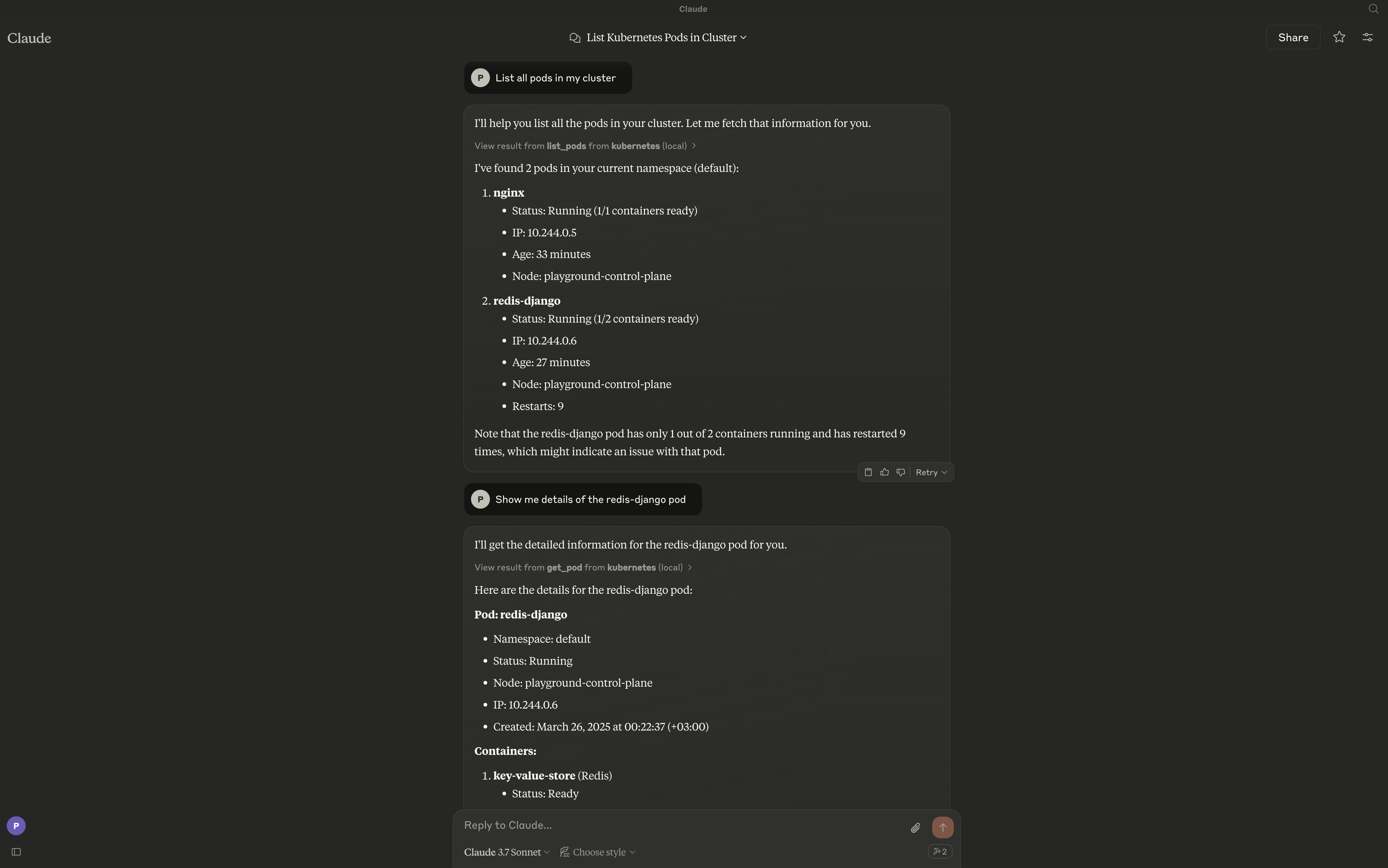
Após a configuração, você pode interagir com seu cluster usando linguagem natural:
- "Liste todos os pods no namespace padrão"
- "Crie um deployment chamado nginx com 3 réplicas usando a imagem nginx:latest"
- "Mostre-me os logs do pod my-app"
- "Exclua o service chamado backend"
- "Crie um cronjob que execute a cada 5 minutos"
- "Crie um ingress para my-app com TLS habilitado"
- "Faça port forward do service nginx na porta 8080:80"
- "Aplique este manifest: "
Contribuição
Contribuições são bem-vindas! Consulte nossas diretrizes de contribuição para obter mais informações.
Licença
Este projeto é licenciado sob a Licença MIT.